1
Touch Key Workshop v3.0 User’s Guide
Maker instructions
●● Step 1 – Pin setting
Component Generation
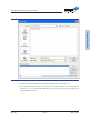
1. Specify the component name, and it will appear in the toolbox of the Touch Key Workshop.
2. Specify the folder name for the component library path. The folder is required for proper
placement of the component system files, the related program code files and the component help
documents. Its root directory is the “McuLibrary\Peripherals” directory under the platform
installation path. As an example, if the platform installation path is “C:\Program Files\Holtek
MCU Development Tools\Touch Key Workshop”, then the folder should be located in “C:\
Program Files\Holtek MCU Development Tools\Touch Key Workshop\McuLibrary\Peripherals”.
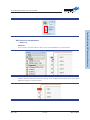
3. “Component pin setup” will setup the component pins combined with the MCU I/O pins. These
settings also affect the software display. If the component does not have a corresponding pin,
then it is not necessary to implement this setup.
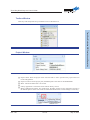
4. After setting the “Component pin setting”, the right side can be clicked in sequence for the
detailed settings.
Rev. 1.00
24 of 31
May 23, 2014