1
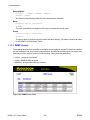
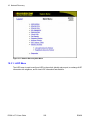
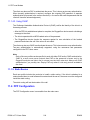
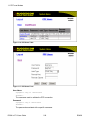
Rugged Operating System
(ROS®) v3.7.0 User Guide
For use with :
RS400
July 16, 2009
Rugged Operating System
Rugged Operating System: (ROS®) v3.7.0 User Guide
Copyright © 2009 RuggedCom Inc.
ALL RIGHTS RESERVED
Dissemination or reproduction of this document, or evaluation and communication of its contents, is not authorized except where expressly
permitted. Violations are liable for damages. All rights reserved, particularly for the purposes of patent application or trademark registration.
This document contains proprietary information, which is protected by copyright. All rights are reserved. No part of this document may be
photocopied, reproduced or translated to another language without the prior written consent of RuggedCom Inc.
Disclaimer Of Liability
We have checked the contents of this manual against the hardware and software described. However, deviations from the description cannot
be completely ruled out.
RuggedCom shall not be liable for any errors or omissions contained herein or for consequential damages in connection with the furnishing,
performance, or use of this material.
The information given in this document is reviewed regularly and any necessary corrections will be included in subsequent editions. We appreciate
any suggested improvements. We reserve the right to make technical improvements without notice.
Registered Trademarks
RuggedServer™, RuggedWireless™, RuggedCom Discovery Protocol™ (RCDP™), RuggedExplorer™, Enhanced Rapid Spanning Tree
Protocol™ (eRSTP™), are trademarks of RuggedCom Inc. Rugged Operating System® (ROS®) and RuggedSwitch® are registered trademarks
of RuggedCom Inc. Other designations in this manual might be trademarks whose use by third parties for their own purposes would infringe
the rights of the owner.
Warranty
Five (5) years from date of purchase, return to factory. For warranty details, visit www.ruggedcom.com or contact your customer service
representative.
Contacting RuggedCom
Corporate Headquarters
US Headquarters
Europe Headquarters
RuggedCom Inc.
RuggedCom
RuggedCom
30 Whitmore Road
1930 Harrison St., Suite 209
Unit 41, Aztec Centre,
Woodbridge, Ontario
Hollywood, Florida
Aztec West, Almondsbury, Bristol
Canada, L4L 7Z4
USA, 33020
United Kingdom BS32 4TD
Tel: (905) 856-5288
Tel: (954) 922-7938x103
Tel: +44 1454 203 404
Fax: (905) 856-1995
Fax: (954) 922-7984
Fax: +44 1454 203 403
Toll-free: 1 (888) 264-0006
Toll-free: 1 (888) 264-0006
Email: [email protected]
Technical Support
Toll Free (North America): 1 (866) 922-7975
International: +1 (905) 856-5288
Email: [email protected]
Web: www.RuggedCom.com
Rugged Operating System
Table of Contents
Preface .....................................................................................................................................
Supported Platforms .........................................................................................................
Who Should Use This User Guide ...................................................................................
How Chapters are organized ...........................................................................................
Document Conventions ....................................................................................................
Applicable Firmware Revision ..........................................................................................
Firmware/User Guide Version Numbering System ...........................................................
1. Administration .......................................................................................................................
1.1. The ROS® User Interface .........................................................................................
1.1.1. Using the RS232 Port to Access the User Interface ......................................
1.1.2. The Structure of the User Interface ................................................................
1.1.3. Making Configuration Changes ......................................................................
1.1.4. Updates Occur In Real Time ..........................................................................
1.1.5. Alarm Indications Are Provided ......................................................................
1.1.6. The CLI Shell .................................................................................................
1.2. The ROS® Secure Shell Server ...............................................................................
1.2.1. Using a Secure Shell to Access the User Interface .......................................
1.2.2. Using a Secure Shell to Transfer Files ..........................................................
1.3. The ROS® Web Server Interface .............................................................................
1.3.1. Using a Web Browser to Access the Web Interface .......................................
1.3.2. The Structure of the Web Interface ................................................................
1.3.3. Making Configuration Changes ......................................................................
1.3.4. Updating Statistics Displays ...........................................................................
1.4. Administration Menu .................................................................................................
1.5. IP Interfaces ..............................................................................................................
1.6. IP Gateways ..............................................................................................................
1.7. IP Services ................................................................................................................
1.8. System Identification .................................................................................................
1.9. Passwords .................................................................................................................
1.10. Time Synchronization ............................................................................................
1.10.1. Configuring Time and Date .........................................................................
1.10.2. Configuring IRIG B ......................................................................................
1.10.3. Time Source Selection ................................................................................
1.10.4. Time Sync Status ........................................................................................
1.11. SNMP Management ................................................................................................
1.11.1. SNMP Users .................................................................................................
1.11.2. SNMP Security to Group Maps ....................................................................
1.11.3. SNMP Access ..............................................................................................
1.12. RADIUS ...................................................................................................................
1.12.1. RADIUS overview .........................................................................................
1.12.2. User Login Authentication and Authorization ...............................................
1.12.3. Radius Server Configuration ........................................................................
1.13. TACACS+ ................................................................................................................
1.13.1. User Login Authentication and Authorization ...............................................
1.13.2. TACACS+ Server Configuration ...................................................................
1.14. DHCP Relay Agent .................................................................................................
ROS® v3.7.0 User Guide
3
12
12
12
12
12
13
13
14
14
14
14
15
16
16
16
16
16
16
17
17
19
20
21
21
22
25
26
27
28
31
32
33
34
34
35
35
37
38
40
40
40
42
43
43
44
45
RS400
Rugged Operating System
2.
3.
4.
5.
1.15. Syslog ...................................................................................................................... 46
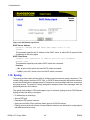
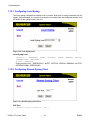
1.15.1. Configuring Local Syslog .............................................................................. 47
1.15.2. Configuring Remote Syslog Client ............................................................... 47
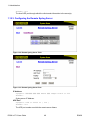
1.15.3. Configuring the Remote Syslog Server ........................................................ 48
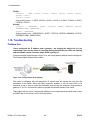
1.16. Troubleshooting ....................................................................................................... 49
Serial Protocols .................................................................................................................. 50
2.1. Serial Protocols Overview ......................................................................................... 50
2.1.1. Raw Socket protocol features ........................................................................ 50
2.1.2. Preemptive Raw Socket protocol features ..................................................... 50
2.1.3. Modbus protocol features ............................................................................... 51
2.1.4. DNP protocol features .................................................................................... 51
2.1.5. Microlok protocol features .............................................................................. 51
2.1.6. WIN protocol features .................................................................................... 51
2.1.7. TIN protocol features ...................................................................................... 51
2.2. Serial Protocols Operation ........................................................................................ 51
2.2.1. Serial Encapsulation Applications .................................................................. 51
2.2.2. Modbus Server and Client Applications ......................................................... 55
2.2.3. DNP 3.0, Microlok, TIN and WIN Applications ............................................... 58
2.2.4. Serial Protocol Configuration .......................................................................... 63
2.2.5. Serial Statistics ............................................................................................... 84
2.3. Troubleshooting ......................................................................................................... 88
Ethernet Ports ..................................................................................................................... 90
3.1. Controller Protection Through Link-Fault-Indication (LFI) .......................................... 90
3.2. Ethernet Ports Configuration and Status .................................................................. 91
3.2.1. Port Parameters ............................................................................................. 92
3.2.2. Port Rate Limiting ........................................................................................... 95
3.2.3. Port Mirroring ................................................................................................ 97
3.2.4. Cable Diagnostics ......................................................................................... 98
3.2.5. Link Detection Options ................................................................................ 102
3.2.6. Port Status .................................................................................................... 103
3.2.7. Resetting Ports ............................................................................................. 104
3.3. Troubleshooting ....................................................................................................... 104
Ethernet Statistics .............................................................................................................. 105
4.1. Viewing Ethernet Statistics ...................................................................................... 105
4.2. Viewing Ethernet Port Statistics .............................................................................. 107
4.3. Clearing Ethernet Port Statistics ............................................................................. 111
4.4. Remote Monitoring (RMON) .................................................................................. 111
4.4.1. RMON History Controls ................................................................................ 112
4.4.2. RMON History Samples ............................................................................... 113
4.4.3. RMON Alarms .............................................................................................. 117
4.5. RMON Events ......................................................................................................... 121
4.6. RMON Event Log .................................................................................................... 123
Spanning Tree ................................................................................................................... 125
5.1. RSTP Operation ...................................................................................................... 125
5.1.1. RSTP States and Roles ............................................................................... 126
5.1.2. Edge Ports .................................................................................................... 128
5.1.3. Point-to-Point and Multipoint Links ............................................................... 128
5.1.4. Path and Port Costs ..................................................................................... 128
5.1.5. Bridge Diameter ........................................................................................... 129
ROS® v3.7.0 User Guide
4
RS400
Rugged Operating System
5.2. MSTP Operation .....................................................................................................
5.2.1. MST Regions and Interoperability ................................................................
5.2.2. MSTP Bridge and Port Roles .......................................................................
5.2.3. Benefits of MSTP .........................................................................................
5.2.4. Implementing MSTP on a Bridged Network .................................................
5.3. RSTP Applications ..................................................................................................
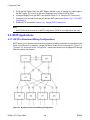
5.3.1. RSTP in Structured Wiring Configurations ...................................................
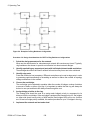
5.3.2. RSTP in Ring Backbone Configurations ......................................................
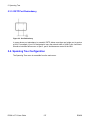
5.3.3. RSTP Port Redundancy ...............................................................................
5.4. Spanning Tree Configuration ..................................................................................
5.4.1. Bridge RSTP Parameters .............................................................................
5.4.2. Port RSTP Parameters .................................................................................
5.4.3. MST Region Identifier ..................................................................................
5.4.4. Bridge MSTI Parameters ..............................................................................
5.4.5. Port MSTI Parameters ..................................................................................
5.5. Spanning Tree Statistics .........................................................................................
5.5.1. Bridge RSTP Statistics .................................................................................
5.5.2. Port RSTP Statistics .....................................................................................
5.5.3. Bridge MSTI Statistics ..................................................................................
5.5.4. Port MSTI Statistics ......................................................................................
5.6. Troubleshooting .......................................................................................................
6. VLANs ................................................................................................................................
6.1. VLAN Operation ......................................................................................................
6.1.1. VLANs and Tags ..........................................................................................
6.1.2. Tagged vs. Untagged Frames ......................................................................
6.1.3. Native VLAN .................................................................................................
6.1.4. Management VLAN ......................................................................................
6.1.5. Edge and Trunk Port Types .........................................................................
6.1.6. VLAN Ingress and Egress Rules ..................................................................
6.1.7. Forbidden Ports List .....................................................................................
6.1.8. VLAN-aware and VLAN-unaware Operation Modes .....................................
6.1.9. GVRP (GARP VLAN Registration Protocol) ................................................
6.2. VLAN Applications ..................................................................................................
6.2.1. Traffic Domain Isolation ................................................................................
6.2.2. Administrative Convenience .........................................................................
6.2.3. Reduced Hardware .......................................................................................
6.3. VLAN Configuration .................................................................................................
6.3.1. Global VLAN Parameters .............................................................................
6.3.2. Static VLANs ................................................................................................
6.3.3. Port VLAN Parameters .................................................................................
6.3.4. VLAN Summary ............................................................................................
6.4. Troubleshooting .......................................................................................................
7. Classes of Service .............................................................................................................
7.1. CoS Operation ........................................................................................................
7.1.1. Inspection Phase ..........................................................................................
7.1.2. Forwarding Phase ........................................................................................
7.2. CoS Configuration ...................................................................................................
7.2.1. Global CoS Parameters ...............................................................................
7.2.2. Port CoS Parameters ...................................................................................
ROS® v3.7.0 User Guide
5
129
130
131
132
133
134
134
135
137
137
139
141
144
145
146
148
148
150
152
154
156
159
159
159
159
159
159
160
160
161
161
162
163
163
164
164
165
166
166
168
170
171
173
173
173
174
174
175
176
RS400
Rugged Operating System
7.2.3. Priority to CoS Mapping ...............................................................................
7.2.4. DSCP to CoS Mapping ................................................................................
8. Multicast Filtering ...............................................................................................................
8.1. IGMP .......................................................................................................................
8.1.1. Router and Host IGMP Operation ................................................................
8.1.2. Switch IGMP Operation ................................................................................
8.1.3. Combined Router and Switch IGMP Operation ............................................
8.2. GMRP (GARP Multicast Registration Protocol) ......................................................
8.2.1. GMRP Example ............................................................................................
8.3. Multicast Filtering Configuration and Status ............................................................
8.3.1. Configuring IGMP Parameters .....................................................................
8.3.2. Configuring Static Multicast Groups .............................................................
8.3.3. Viewing IP Multicast Groups ........................................................................
8.3.4. Configuring GMRP .......................................................................................
8.4. Troubleshooting .......................................................................................................
9. MAC Address Tables .........................................................................................................
9.1. Viewing MAC Addresses .........................................................................................
9.2. Configuring MAC Address Learning Options .........................................................
9.3. Configuring Static MAC Address Table ..................................................................
9.4. Purging MAC Address Table ..................................................................................
10. Network Discovery ..........................................................................................................
10.1. LLDP Operation ....................................................................................................
10.2. RCDP Operation ..................................................................................................
10.3. Network Discovery Menu .....................................................................................
10.3.1. LLDP Menu ................................................................................................
10.3.2. RCDP Configuration ...................................................................................
11. PPP over Modem ............................................................................................................
11.1. PPP over Modem Operation .................................................................................
11.1.1. Remote Dial-in For Monitoring ...................................................................
11.1.2. Router Concentration .................................................................................
11.1.3. Assigning IP Addresses For PPP ...............................................................
11.1.4. PAP/CHAP Authentication ..........................................................................
11.1.5. Static Routes ..............................................................................................
11.2. PPP Configuration .................................................................................................
11.2.1. Modem Settings .........................................................................................
11.2.2. PPP Control ................................................................................................
11.2.3. PPP Users ..................................................................................................
11.2.4. PPP Statistics .............................................................................................
11.2.5. Clearing PPP Statistics ..............................................................................
11.2.6. Resetting PPP ............................................................................................
11.3. Troubleshooting .....................................................................................................
12. Diagnostics .......................................................................................................................
12.1. Using the Alarm System .......................................................................................
12.1.1. Active Alarms .............................................................................................
12.1.2. Passive Alarms ...........................................................................................
12.1.3. Alarms and the Critical Failure Relay .........................................................
12.1.4. Configuring Alarms .....................................................................................
12.1.5. Viewing and Clearing Alarms .....................................................................
12.2. Viewing CPU Diagnostics .....................................................................................
ROS® v3.7.0 User Guide
6
177
178
180
180
180
181
183
184
185
187
188
190
191
192
193
196
197
198
198
200
201
201
202
202
203
210
211
211
211
212
213
213
214
214
215
216
217
219
220
220
221
224
224
224
225
225
225
228
229
RS400
Rugged Operating System
12.3. Viewing and Clearing the System Log ..................................................................
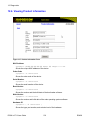
12.4. Viewing Product Information .................................................................................
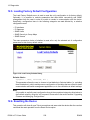
12.5. Loading Factory Default Configuration ..................................................................
12.6. Resetting the Device .............................................................................................
13. Using the CLI Shell ..........................................................................................................
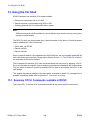
13.1. Summary Of CLI Commands available in ROS® ..................................................
13.2. Obtaining Help For A Command ...........................................................................
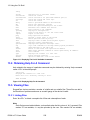
13.3. Viewing Files .........................................................................................................
13.3.1. Listing Files ................................................................................................
13.3.2. Viewing and Clearing Log Files ..................................................................
13.4. Pinging a Remote Device .....................................................................................
13.5. Tracing Events ......................................................................................................
13.5.1. Enabling Trace ...........................................................................................
13.5.2. Starting Trace .............................................................................................
13.6. Viewing DHCP Learned Information .....................................................................
13.7. Executing Commands Remotely Through RSH ....................................................
13.8. Resetting the Device .............................................................................................
14. Firmware Upgrade and Configuration Management ........................................................
14.1. Upgrading Firmware ............................................................................................
14.1.1. Upgrading Firmware Using XModem ........................................................
14.1.2. Upgrading Firmware Using the ROS TFTP Server ...................................
14.1.3. Upgrading Firmware Using the ROS® TFTP Client ..................................
14.1.4. Upgrading Firmware Using SFTP .............................................................
14.2. Updating Configuration ..........................................................................................
14.3. Backing Up ROS System Files .............................................................................
14.3.1. Backing Up Files Using SFTP ....................................................................
14.4. Using SQL Commands .........................................................................................
14.4.1. Getting Started ...........................................................................................
14.4.2. Finding the Correct Table ...........................................................................
14.4.3. Retrieving Information ................................................................................
14.4.4. Changing Values in a Table .......................................................................
14.4.5. Setting Default Values in a Table ...............................................................
14.4.6. Using RSH and SQL ..................................................................................
A. SNMP MIB Support ...........................................................................................................
A.1. Standard MIBs ........................................................................................................
A.2. RuggedCom proprietary MIBs ................................................................................
B. SNMP Trap Summary .......................................................................................................
C. List of Objects Eligible for RMON Alarms .........................................................................
D. ModBus Management Support and Memory Map .............................................................
D.1. Modbus Memory Map .............................................................................................
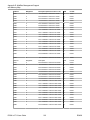
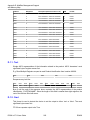
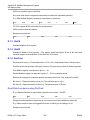
D.1.1. Text ..............................................................................................................
D.1.2. Cmd .............................................................................................................
D.1.3. Uint16 ...........................................................................................................
D.1.4. Uint32 ...........................................................................................................
D.1.5. PortCmd .......................................................................................................
D.1.6. Alarm ............................................................................................................
D.1.7. PSStatusCmd ...............................................................................................
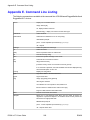
E. Command Line Listing .......................................................................................................
Index .......................................................................................................................................
ROS® v3.7.0 User Guide
7
230
231
232
232
234
234
235
235
235
236
236
237
238
238
239
239
240
241
241
242
243
243
244
244
245
246
246
246
247
247
248
248
248
250
250
251
252
253
258
259
262
262
263
263
263
264
264
266
269
RS400
Rugged Operating System
List of Figures
1.1. Main Menu With Screen Elements Identified ....................................................................
1.2. Log in to The Device with a Web Browser .......................................................................
1.3. Log In To The Device With A Web Browser (Custom Login Banner; banner.txt Empty)
...................................................................................................................................................
1.4. Main Menu via Web Server Interface ...............................................................................
1.5. Web Page Header Showing Alarms Link .........................................................................
1.6. Parameters Form Example ...............................................................................................
1.7. Administration Menu .........................................................................................................
1.8. IP Interfaces Table ............................................................................................................
1.9. IP Interfaces Form ............................................................................................................
1.10. IP Gateways Form ..........................................................................................................
1.11. IP Services Form ............................................................................................................
1.12. System Identification Form .............................................................................................
1.13. Passwords Form .............................................................................................................
1.14. Time Synchronization Menu ...........................................................................................
1.15. Time and Date Form ......................................................................................................
1.16. Serial Port Menu .............................................................................................................
1.17. Time Source Selection Menu ..........................................................................................
1.18. Time Sync Status Menu .................................................................................................
1.19. SNMP User Table ...........................................................................................................
1.20. SNMP User Form ...........................................................................................................
1.21. SNMP Security to Group Maps Table ............................................................................
1.22. SNMP Security to Group Maps Form .............................................................................
1.23. SNMP Access Table .......................................................................................................
1.24. SNMP Access Form .......................................................................................................
1.25. RADIUS Server Summary ..............................................................................................
1.26. RADIUS Server Form .....................................................................................................
1.27. TACACS+ Server Summary ...........................................................................................
1.28. TACACS+ Server Form ..................................................................................................
1.29. DHCP Relay Agent Form ...............................................................................................
1.30. Local Syslog Form ..........................................................................................................
1.31. Remote Syslog Client Form ............................................................................................
1.32. Remote Syslog Server Table ..........................................................................................
1.33. Remote Syslog Server Form ..........................................................................................
1.34. Using A Router As A Gateway .......................................................................................
2.1. Character Encapsulation ...................................................................................................
2.2. RTU Polling .......................................................................................................................
2.3. Broadcast RTU Polling .....................................................................................................
2.4. Permanent and Dynamic Master Connection Support ......................................................
2.5. Modbus Client and Server ................................................................................................
2.6. Sources of Delay and Error in an End-to-End Exchange .................................................
2.7. Source/Destination Two Way Communication ..................................................................
2.8. Optical Loop Topology ......................................................................................................
2.9. Serial Protocols Menu .......................................................................................................
2.10. Serial Port Table .............................................................................................................
2.11. Serial Port Configuration Form .......................................................................................
ROS® v3.7.0 User Guide
8
15
18
19
20
20
21
22
23
24
25
26
28
29
31
32
33
34
34
35
36
37
37
38
39
42
42
44
44
46
47
47
48
48
49
52
52
53
54
56
57
59
63
64
65
65
RS400
Rugged Operating System
2.12. Raw Socket Table ........................................................................................................... 67
2.13. Raw Socket Form ........................................................................................................... 68
2.14. Preemptive Raw Socket Table ....................................................................................... 70
2.15. Preemptive Raw Socket Form ........................................................................................ 70
2.16. Modbus Server Table ..................................................................................................... 72
2.17. Modbus Server Form ...................................................................................................... 72
2.18. Modbus Client Form ....................................................................................................... 73
2.19. WIN and TIN Form ......................................................................................................... 75
2.20. MicroLok Form ................................................................................................................ 77
2.21. DNP Form ....................................................................................................................... 78
2.22. Mirrored Bits Table ......................................................................................................... 79
2.23. Mirrored Bits Form .......................................................................................................... 80
2.24. Device Address Table ..................................................................................................... 81
2.25. Device Address Form ..................................................................................................... 82
2.26. Dynamic Device Address Table ...................................................................................... 83
2.27. Dynamic Device Address Form ...................................................................................... 83
2.28. Link Statistics Table ........................................................................................................ 84
2.29. Link Statistics Form ........................................................................................................ 85
2.30. Connection Statistics Table ............................................................................................ 86
2.31. Serial Port Statistics Table ............................................................................................. 87
2.32. Clear Serial Port Statistics Form .................................................................................... 88
2.33. Reset Serial Port(s) Form ............................................................................................... 88
3.1. Controller Protection Through LFI .................................................................................... 90
3.2. Ethernet Ports Menu ......................................................................................................... 92
3.3. Port Parameters Table ...................................................................................................... 92
3.4. Port Parameters Form ...................................................................................................... 93
3.5. Port Rate Limiting Table ................................................................................................... 95
3.6. Port Rate Limiting Form .................................................................................................... 96
3.7. Port Mirroring Form ........................................................................................................... 97
3.8. Cable Diagnostics Table ................................................................................................... 99
3.9. Cable Diagnostics Parameters Form ................................................................................ 99
3.10. Link Detection Form ...................................................................................................... 102
3.11. Port Status Table .......................................................................................................... 103
4.1. Ethernet Port Statistics Menu ......................................................................................... 105
4.2. Ethernet Statistics Table ................................................................................................. 106
4.3. Ethernet Port Statistics Table ......................................................................................... 107
4.4. Ethernet Port Statistics Form .......................................................................................... 108
4.5. Clear Ethernet Port Statistics Form ................................................................................ 111
4.6. RMON History Controls Table ........................................................................................ 112
4.7. RMON History Controls Form ......................................................................................... 112
4.8. RMON History Samples Table ........................................................................................ 114
4.9. RMON History Samples Form ........................................................................................ 115
4.10. The Alarm Process ....................................................................................................... 118
4.11. RMON Alarms Table ..................................................................................................... 118
4.12. RMON Alarms Form ..................................................................................................... 119
4.13. RMON Events Table ..................................................................................................... 121
4.14. RMON Events Form ..................................................................................................... 122
4.15. RMON Event Log Table ............................................................................................... 123
4.16. RMON Event Log Form ................................................................................................ 123
ROS® v3.7.0 User Guide
9
RS400
Rugged Operating System
5.1. Bridge and Port States ...................................................................................................
5.2. Bridge and Port Roles ....................................................................................................
5.3. Example of a Structured Wiring Configuration ................................................................
5.4. Example of a Ring Backbone Configuration ...................................................................
5.5. Port Redundancy ............................................................................................................
5.6. Spanning Tree Menu ......................................................................................................
5.7. Bridge RSTP Parameters Form ......................................................................................
5.8. Port RSTP Parameter Table ...........................................................................................
5.9. Port RSTP Parameter Form ...........................................................................................
5.10. MST Region Identifier Form ..........................................................................................
5.11. Bridge MSTI Parameters ..............................................................................................
5.12. Port MSTI Parameter Table ..........................................................................................
5.13. Port MSTI Parameter Form ..........................................................................................
5.14. Bridge RSTP Statistics Form ........................................................................................
5.15. Port RSTP Statistics Table ...........................................................................................
5.16. Port RSTP Statistics Form ............................................................................................
5.17. Bridge MSTI Statistics Form .........................................................................................
5.18. Port MSTI Statistics Table ............................................................................................
5.19. Port MSTI Statistics Form .............................................................................................
6.1. Using GVRP ....................................................................................................................
6.2. Multiple Overlapping VLANs ...........................................................................................
6.3. Inter-VLAN Communications ...........................................................................................
6.4. Virtual LANs Menu ..........................................................................................................
6.5. Global VLAN Parameters Form ......................................................................................
6.6. Static VLANs Table .........................................................................................................
6.7. Static VLANs Form .........................................................................................................
6.8. Port VLAN Parameters Table .........................................................................................
6.9. Port VLAN Parameters Form ..........................................................................................
6.10. VLAN Summary Table ..................................................................................................
7.1. Determining The CoS Of A Received Frame .................................................................
7.2. Classes Of Service Menu ...............................................................................................
7.3. Global CoS Parameters Form ........................................................................................
7.4. Port CoS Parameter Form ..............................................................................................
7.5. Port CoS Parameter Form ..............................................................................................
7.6. Priority to CoS Mapping Table .......................................................................................
7.7. Priority to CoS Mapping Form ........................................................................................
7.8. TOS DSCP to CoS Mapping Table ................................................................................
7.9. TOS DSCP to CoS Mapping Form .................................................................................
8.1. IGMP Operation Example 1 ............................................................................................
8.2. IGMP Operation Example 2 ............................................................................................
8.3. Example using GMRP ....................................................................................................
8.4. Multicast Filtering Menu ..................................................................................................
8.5. IGMP Parameters Form ..................................................................................................
8.6. Static Multicast Groups Table .........................................................................................
8.7. Static Multicast Group Form ...........................................................................................
8.8. IP Multicast Groups Table ..............................................................................................
8.9. GMRP Port Summary .....................................................................................................
8.10. Port GMRP Parameters ................................................................................................
8.11. Multicast Group Summary ............................................................................................
ROS® v3.7.0 User Guide
10
126
127
134
136
137
138
139
141
142
144
145
146
146
148
150
150
152
154
154
163
164
165
165
166
166
167
168
169
171
174
175
175
176
176
177
177
178
179
181
183
186
188
188
190
190
191
192
192
193
RS400
Rugged Operating System
9.1. MAC Address Tables Menu ............................................................................................
9.2. Address Table .................................................................................................................
9.3. MAC Address Learning Options Form ............................................................................
9.4. Static MAC Address Table .............................................................................................
9.5. Static MAC Address Form ..............................................................................................
10.1. Network Discovery Main Menu .....................................................................................
10.2. Network Discovery Menu ..............................................................................................
10.3. Global LLDP Parameters Form ....................................................................................
10.4. Port LLDP Parameters Table ........................................................................................
10.5. Port LLDP Parameters Form ........................................................................................
10.6. LLDP Global Remote Statistics Form ...........................................................................
10.7. LLDP Neighbor Information Table ................................................................................
10.8. LLDP Statistics Table ...................................................................................................
10.9. LLDP Neighbor Information Table ................................................................................
11.1. Remote Dial-in For Monitoring ......................................................................................
11.2. Router Concentration ....................................................................................................
11.3. PPP Configuration Menu ..............................................................................................
11.4. PPP Modem Settings Form ..........................................................................................
11.5. PPP Control Form .........................................................................................................
11.6. PPP Users Table ..........................................................................................................
11.7. PPP Users Form ...........................................................................................................
11.8. PPP Statistics Form ......................................................................................................
11.9. Clear PPP Statistics Form ............................................................................................
11.10. Reset PPP Port Form .................................................................................................
11.11. Gateway Collisions ......................................................................................................
12.1. Diagnostics Menu ..........................................................................................................
12.2. Alarm Configuration Table ............................................................................................
12.3. Alarm Configuration Form .............................................................................................
12.4. Alarm Table ...................................................................................................................
12.5. CPU Diagnostics Form .................................................................................................
12.6. Viewing the System Log ...............................................................................................
12.7. Product Information Form .............................................................................................
12.8. Load Factory Defaults Dialog .......................................................................................
12.9. Reset Device Dialog .....................................................................................................
13.1. Displaying The List Of Available Commands ................................................................
13.2. Displaying Help For A Command .................................................................................
13.3. Displaying The Directory Of A ROS Device .................................................................
13.4. Displaying Trace Settings .............................................................................................
13.5. Enabling Trace ..............................................................................................................
13.6. Starting Trace ...............................................................................................................
ROS® v3.7.0 User Guide
11
196
197
198
199
199
203
204
205
206
206
207
208
209
210
211
212
215
215
216
218
218
219
220
221
222
224
226
227
228
229
230
231
232
233
235
235
236
237
238
239
RS400
Preface
Preface
This manual contains instructions, examples, guidelines, and general theory on how to use the
Rugged Operating System (ROS®) management software.
Supported Platforms
ROS has been designed to work on many RuggedCom product hardware platforms. This ensures
consistency of the user experience when migrating from one product model to another. In fact, a
single ‘binary’ image supports all RuggedCom ROS-based products that includes:
• RuggedSwitch® i800, i801, i802, and i803
• RuggedSwitch® RS8000 and RS1600
• RuggedSwitch® RS900/RS930 with both ‘L’ (EoVDSL) and ‘W’ (WLAN) port variants
• RuggedSwitch® RS900G/RS940G with Gigabit
• RuggedSwitch® RS969/M969 waterproof with Gigabit
• RuggedSwitch® RSG2100/M2100 and RSG2200/M2200 modular switches with Gigabit
Ethernet
• RuggedSwitch® RSG2300 modular switch with Gigabit Ethernet
• RuggedServer™ RS416, RS910 and RS920 modular servers
• RuggedServer™ RS400
• RuggedServer™ RMC30
Each product model has a subset of the entire ROS feature set. This manual is intended for use
with the RS400 product family and has been streamlined to only describe the relevant features.
Who Should Use This User Guide
This guide is to be used by network technical support personnel who are familiar with the operation
of networks. Others who might find the book useful are network and system planners, system
programmers and line technicians.
How Chapters are organized
The index of this guide has been prepared with:
• Entries to each of the “Features” sections of the manual
• Entries to each of the “Troubleshooting” sections of the manual (located at the end of each
chapter)
• Entries to each of the Menus, organized by name
Document Conventions
This publication uses the following conventions:
ROS® v3.7.0 User Guide
12
RS400
Preface
Note
Means reader take note. Notes contain helpful suggestions or references to materials not
contained in this guide.
It is recommended that you use this guide along with the following applicable documents:
•
•
•
•
RS400 Family Installation Guide
RuggedCom Fiber Guide
RuggedCom Wireless Guide
White paper: Rapid Spanning Tree in Industrial Networks
Applicable Firmware Revision
This guide is applicable to ROS software revisions v3.7.x.
Firmware/User Guide Version Numbering System
ROS has a three-digit version numbering system of the form X.Y.Z where each digit is a number
starting from zero. The 'X.Y' digits represent the functional version of ROS whereas the 'Z' digit
represents firmware patches. The 'X' digit is incremented for major functional updates of the
product. The 'Y' digit is incremented for minor functional updates of the product. The 'Z' digit is
incremented for bug fixes, cosmetic enhancements and other minor issues.
User guides follow the same format. In general, a user guide will have the same 'X.Y' digits as
the firmware to which it corresponds.
It is RuggedCom's policy to provide Web access to only the latest 'patch' release for a version of
firmware. If you decide that an upgrade is merited, then getting all the fixes only makes sense. It
is for this reason that release notes are created detailing all patches for a given functional version.
ROS® v3.7.0 User Guide
13
RS400
1. Administration
1. Administration
The Administration menu covers the configuration of administrative parameters of both device
and network (local services availability, security methods employed, system identification and
functionality related to the IP network):
• IP Address, Subnet Mask and Gateway Address (static or dynamically obtainable)
• Management VLAN
• Management Connection Inactivity Timeout
• TFTP Server Permissions
• System Identification
• Passwords
• Time and Date
• SNTP to keep the time and date synchronized
• SNMP Management
• Radius Server
• DHCP Relay Agent
• Remote Syslog
1.1. The ROS® User Interface
1.1.1. Using the RS232 Port to Access the User Interface
Attach a terminal (or PC running terminal emulation software) to the RS232 port. The terminal
should be configured for 8 bits, no parity operation at 57.6 Kbps. Hardware and software flow
control must be disabled. Select a terminal type of VT100.
Once the terminal is connected, pressing any key on the keyboard will prompt for the user name
and password to be entered.
The switch is shipped with a default administrator user name - “admin” - and password - “admin”.
Once successfully logged in, the user will be presented with the main menu.
1.1.2. The Structure of the User Interface
The user interface is organized as a series of menus with an escape to a command line interface
(CLI) shell. Each menu screen presents the switch name (as provided by the System Identification
parameter), Menu Title, Access Level, Alarms indicator, Sub-Menus and Command Bar.
Sub-menus are entered by selecting the desired menu with the arrow keys and pressing the enter
key. Pressing the escape key returns you to the parent menu.
ROS® v3.7.0 User Guide
14
RS400
1. Administration
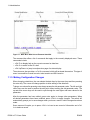
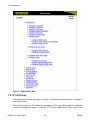
Figure 1.1. Main Menu With Screen Elements Identified
The command bar offers a list of commands that apply to the currently displayed menu. These
commands include:
• <Ctrl-Z> to display help on the current command or data item
• <Ctrl-S> to switch to the CLI shell
• <Ctrl-Up/Down> to jump to next/previous page of a status display
The main menu also provides a <Ctrl-X> command, which will terminate the session. This type of
menu is accessible via serial console, telnet session and SSH session.
1.1.3. Making Configuration Changes
When changing a data item, the user selects the data item by the cursor keys and then pressing
the enter key. The cursor will change position to allow editing of the data item.
Typing a new value after pressing enter always erases the old parameter value. The left and right
cursor keys can be used to position the edit point without erasing the old parameter value. The
up and down cursor keys can be used to cycle through the next higher and lower values for the
parameter.
After the parameter has been edited, press enter again to change other parameters. When
all desired parameters have been modified, press <Ctrl-A> to apply changes. The switch will
automatically prompt you to save changes when you leave a menu in which changes have been
made.
Some menus will require you to press <Ctrl-I> to insert a new record of information and <CtrlL> to delete a record.
ROS® v3.7.0 User Guide
15
RS400
1. Administration
1.1.4. Updates Occur In Real Time
All configuration and display menus present the current values, automatically updating if changed
from other user interface sessions or SNMP. All statistics menus will display changes to statistics
as they occur.
1.1.5. Alarm Indications Are Provided
Alarms are events for which the user is notified through the Diagnostics sub-menu. All
configuration and display menus present an indication of the number of alarms (in the upper right
hand corner of the screen) as they occur, automatically updating as alarms are posted and cleared.
1.1.6. The CLI Shell
The user interface provides a Command Line Interface shell for operations that are more easily
performed at the command line. You may switch back and forth from the menu system and shell by
pressing <Ctrl-S>. For more information on the capabilities of the shell please refer to Chapter 13,
Using the CLI Shell.
1.2. The ROS® Secure Shell Server
1.2.1. Using a Secure Shell to Access the User Interface
SSH (Secure Shell) is a network protocol which provides a replacement for insecure remote login
and command execution facilities, such as telnet and remote shell. SSH encrypts traffic in both
directions, preventing traffic sniffing and password theft.
SSH protocol version 2 is implemented in ROS. The authentication method is "keyboardinteractive" password authentication. A user logged in via SSH has the same privileges as one
logged in via the console port.
1.2.2. Using a Secure Shell to Transfer Files
ROS implements an SFTP server via SSH to transfer files securely. The file system visible on the
RuggedSwitch® has a single directory. The files in it are created at startup time and can be neither
deleted nor renamed. Existing files can be downloaded from the switch. For example, firmware
images may be downloaded for backup and log files may be downloaded for analysis. Some files
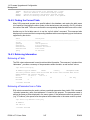
may be overwritten by uploading a file of the same name to the switch, as would be done in order
to upgrade the firmware.
The implemented commands are:
dir/ls
list directory contents
get
download a file from the switch
put
upload a file to the switch
ROS® v3.7.0 User Guide
16
RS400
1. Administration
The files that may be overwritten via SFTP upload are:
main.bin
main ROS firmware image
boot.bin
RuggedSwitch bootloader image
config.csv
ROS configuration file
fpga.xsvf
FPGA configuration file
1.3. The ROS® Web Server Interface
1.3.1. Using a Web Browser to Access the Web Interface
A web browser uses a secure communications method called SSL (Secure Socket Layer) to
encrypt traffic exchanged with its clients. The web server guarantees that communications with the
client are kept private. If the client requests access via an insecure HTTP port, it will be rerouted
to the secure port. Access to the web server via SSL will be granted to a client that provides a
valid user name / password pair.
Note
It can happen that upon connecting to the ROS web server, a web browser may report that
it cannot verify the authenticity of the server's certificate against any of its known certificate
authorities. This is expected, and it is safe to instruct the browser to accept the certificate. Once
the browser accepts the certificate, all communications with the web server will be secure.
Start a web browser session and open a connection to the switch by entering a URL that specifies
its host name or IP address (e.g. http://179.1.0.45). Once in contact with the switch, start the login
process by clicking on the “Login” link. The resulting page should be similar to that presented
below:
ROS® v3.7.0 User Guide
17
RS400
1. Administration
Figure 1.2. Log in to The Device with a Web Browser
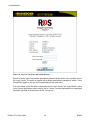
Enter the “admin” user name and the appropriate password for the admin user, and then click on
the “LogIn” button. The switch is shipped with a default administrator password of “admin”. Once
successfully logged in, the user will be presented with the main menu.
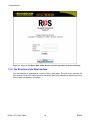
If the user wants to hide the device information from the login screen, the ‘Login Banner’ option
in the System Identification menu must be set to ‘Custom’, and the desired data to be displayed
should be uploaded to the device as the file: "banner.txt".
ROS® v3.7.0 User Guide
18
RS400
1. Administration
Figure 1.3. Log In To The Device With A Web Browser (Custom Login Banner; banner.txt Empty)
1.3.2. The Structure of the Web Interface
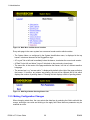
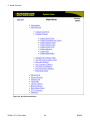
The user interface is organized as a series of linked web pages. The main menu provides the
links at the top level of the menu hierarchy and allows them to be expanded to display lower-level
links for each configuration subsystem.
ROS® v3.7.0 User Guide
19
RS400
1. Administration
Figure 1.4. Main Menu via Web Server Interface
Every web page in the menu system has a common header section which contains:
• The System Name, as configured in the System Identification menu, is displayed in the top
banner, in between elements of the RuggedCom logo.
• A "Log out" link at left and immediately below the banner, terminates the current web session.
• A "Back" link at left and below "Log out" links back to the previously viewed page.
• The menu title, in the center of the page and below the banner, is a link to a context-sensitive
help page.
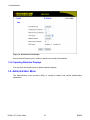
• The access level, e.g. "access admin", is displayed by default at the right of the page and below
the banner. If, however, any alarms are pending, the text will be replaced with a link which
displays the number of pending alarms. Following this link displays a table of pending alarms.
Figure 1.5. Web Page Header Showing Alarms Link
1.3.3. Making Configuration Changes
When changing a data item, the user selects the data item by selecting the field to edit with the
mouse, entering a new value and clicking on the apply field. More than one parameter may be
modified at a time.
ROS® v3.7.0 User Guide
20
RS400
1. Administration
Figure 1.6. Parameters Form Example
Some menus will require you to create or delete new records of information.
1.3.4. Updating Statistics Displays
You may click the refresh button to update statistics displays.
1.4. Administration Menu
The Administration menu provides ability to configure network and switch administration
parameters.
ROS® v3.7.0 User Guide
21
RS400
1. Administration
Figure 1.7. Administration Menu
1.5. IP Interfaces
These parameters provide the ability to configure IP connection parameters such as address,
network, and mask.
The user can configure an IP interface for each subnet (VLAN). One of the interfaces is configured
to be the management interface. IP services: TFTP server, SNMP server, Telnet server, SSH
ROS® v3.7.0 User Guide
22
RS400
1. Administration
server, RSH server, Web server, authentication using a RADIUS server, DHCP client, BOOTP
client or DHCP relay agent. A DHCP relay agent will be available only via the management
interface. Different IP interfaces must not overlap, i.e. the subnet mask must be unique.
15 IP interfaces can be configured in the device. In VLAN unaware mode, and in devices that do
not act as switches (as RMC30), only one IP interface can be configured.
On non-management interfaces, only static IP addresses can be assigned.
On the management interface, the user can choose from the following IP Address types: Static,
DHCP, BOOTP and Dynamic. Static IP Address type refers to the manual assignment of an IP
address while DHCP, BOOTP and Dynamic IP Address types refer to the automatic assignment
of an IP address.
DHCP is widely used in LAN environments to dynamically assign IP addresses from a centralized
server, which reduces the overhead of administrating IP addresses.
BOOTP is a subset of the DHCP protocol. ROS supports the transfer of a BOOTFILE via BOOTP.
The BOOTFILE represents any valid ROS file such as config.csv. The name of BOOTFILE on the
BOOTP server must match the corresponding ROS file.
The Dynamic IP Address type refers to a combination of the BOOTP and DHCP protocols. Starting
with BOOTP, the system will try BOOTP and DHCP in a round-robin fashion until it receives a
response from the corresponding server.
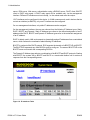
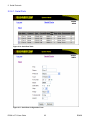
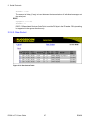
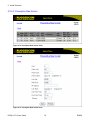
Figure 1.8. IP Interfaces Table
ROS® v3.7.0 User Guide
23
RS400
1. Administration
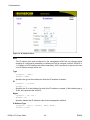
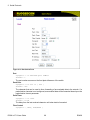
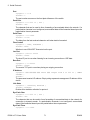
Figure 1.9. IP Interfaces Form
Note
The IP address and mask configured for the management VLAN are not changed when
resetting all configuration parameters to defaults and will be assigned a default VLAN ID of
1. Changes to the IP address take effect immediately. All IP connections in place at the time
of an IP address change will be lost.
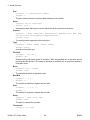
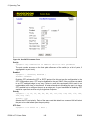
Type
Synopsis: { VLAN }
Default: VLAN
Specifies the type of the interface for which this IP interface is created.
ID
Synopsis: 1 to 4094
Default: 1
Specifies the ID of the interface for which this IP interface is created. If the interface type is
VLAN, this represents the VLAN ID.
Mgmt
Synopsis: { No, Yes }
Default: No
Specifies whether the IP interface is the device management interface.
IP Address Type
Synopsis: { Static, Dynamic, DHCP, BOOTP }
Default: Static
ROS® v3.7.0 User Guide
24
RS400
1. Administration
Specifies whether the IP address is static or is dynamically assigned via DHCP or BOOTP.
The Dynamic option automatically switches between BOOTP and DHCP until it receives a
response from the relevant server. The Static option must be used for non-management
interfaces.
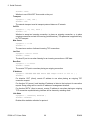
IP Address
Synopsis: ###.###.###.### where ### ranges from 0 to 255
Default: 192.168.0.1
Specifies the IP address of this device. An IP address is a 32-bit number that is notated by
using four numbers from 0 through 255, separated by periods. Only a unicast IP address is
allowed, which ranges from 1.0.0.0 to 233.255.255.255.
Subnet
Synopsis: ###.###.###.### where ### ranges from 0 to 255
Default: 255.255.255.0
Specifies the IP subnet mask of this device. An IP subnet mask is a 32-bit number that is
notated by using four numbers from 0 through 255, separated by periods. Typically, subnet
mask numbers use either 0 or 255 as values (e.g. 255.255.255.0) but other numbers can
appear.
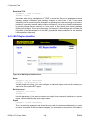
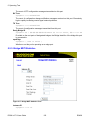
1.6. IP Gateways
These parameters provide the ability to configure gateways. A maximum of 10 gateways can be
configured. When both the Destination and Subnet fields are both 0.0.0.0 (displayed as blank
space), the gateway is a default gateway.
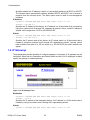
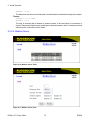
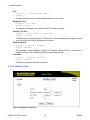
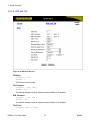
Figure 1.10. IP Gateways Form
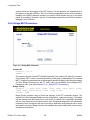
Destination
Synopsis: ###.###.###.### where ### ranges from 0 to 255
Default: 0.0.0.0
Specifies the IP address of the destination device. An IP address is a 32-bit number that is
notated by using four numbers from 0 through 255, separated by periods.
Subnet
Synopsis: ###.###.###.### where ### ranges from 0 to 255
ROS® v3.7.0 User Guide
25
RS400
1. Administration
Default: 0.0.0.0
Specifies the IP subnet mask of the destination. An IP subnet mask is a 32-bit number that
is notated by using four numbers from 0 through 255, separated by periods. Typically, subnet
mask numbers use either 0 or 255 as values (e.g. 255.255.255.0) but other numbers can
appear.
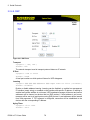
Gateway
Synopsis: ###.###.###.### where ### ranges from 0 to 255
Default: 0.0.0.0
Specifies the gateway IP address. The gateway address must be on the same IP subnet as
this device.
Note
The default gateway configuration will not be changed when resetting all configuration
parameters to defaults.
1.7. IP Services
These parameters provide the ability to configure properties for IP services provided by the device.
Figure 1.11. IP Services Form
Inactivity Timeout
Synopsis: 1 to 60 or { Disabled }
Default: 5 min
ROS® v3.7.0 User Guide
26
RS400
1. Administration
Specifies when the console will timeout and display the login screen if there is no user
activity. A value of zero disables timeouts for console and Telnet users. For Web Server users
maximum timeout value is limited to 30 minutes.
Telnet Sessions Allowed
Synopsis: 0 to 4
Default: 4
Limits the number of Telnet sessions. A value of zero prevents any Telnet access.
Web Server Users Allowed
Synopsis: 1 to 16
Default: 16
Limits the number of simultaneous web server users.
TFTP Server
Synopsis: { Disabled, Get Only, Enabled }
Default: Get Only
As TFTP is a very insecure protocol, this parameter allows the user to limit or disable TFTP
Server access.
DISABLED - disables read and write access to TFTP Server
GET ONLY - only allows reading of files via TFTP Server
ENABLED - allows reading and writing of files via TFTP Server
ModBus Address
Synopsis: 1 to 254 or { Disabled }
Default: Disabled
Determines the Modbus address to be used for Management through Modbus.
SSH Sessions Allowed
Synopsis: 1 to 4
Default: 4
Limits the number of SSH sessions.
RSH Server
Synopsis: { Disabled, Enabled }
Default: Enabled
Disables/enables Remote Shell access.
1.8. System Identification
The system identification is displayed in the sign-on screen and in the upper left hand corner of
all ROS screens.
ROS® v3.7.0 User Guide
27
RS400
1. Administration
Figure 1.12. System Identification Form
System Name
Synopsis: Any 19 characters
Default: System Name
The system name is displayed in all ROS menu screens. This can make it easier to identify
the switches within your network, provided that all switches are given a unique name.
Location
Synopsis: Any 49 characters
Default: Location
The location can be used to indicate the physical location of the switch. It is displayed in the
login screen as another means to ensure you are dealing with the desired switch.
Contact
Synopsis: Any 49 characters
Default: Contact
The contact can be used to help identify the person responsible for managing the switch. You
can enter name, phone number, email, etc. It is displayed in the login screen so that this person
may be contacted, should help be required.
Login Banner
Synopsis: { Standard, Custom }
Default: Standard
Provides the ability to customize the banner displayed on the login screen. Either the standard
RuggedCom ROS banner may be displayed or, if "Custom" is selected, the contents of a file
named "banner.txt", uploaded to the device, will be used as a login banner.
1.9. Passwords
These parameters provide the ability to configure parameters for authorized and authenticated
access to the device's services (HMI via Serial Console, Telnet, SSH, RSH, Web Server). Access
ROS® v3.7.0 User Guide
28
RS400
1. Administration
to the switch can be authorized and authenticated via RADIUS or TACACS+ servers, or using
locally configured passwords that are configured per user name and access level.
Note that access via the Serial Console is always authorized first using local settings. If a local
match is not found, RADIUS/TACACS+ will be used if enabled. For all other services, if RADIUS/
TACACS+ is enabled for authentication and authorization, the local setting will be used only if
configured.
To access the unit, the user name and password must be provided.
Three user names and passwords can be configured. They correspond to three access levels,
which provide or restrict access to change settings and execute various commands within the
device.
• guest users can view most settings, but may not change settings or run commands.
• operator cannot change settings, but can reset alarms, clear statistics and logs.
• admin user can change all the settings and run commands.
Figure 1.13. Passwords Form
Auth Type
Synopsis: { Local, RADIUS, TACACS+, RADIUSorLocal, TACACS+orLocal }
Default: Local
Password authentication can be performed using locally configured values, a remote RADIUS
server, or a remote TACACS+ server. Setting this value to one of the combinations that
includes RADIUS or TACACS+ requires that the Security Server Table be configured.
• Local - authentication from the local Password Table
ROS® v3.7.0 User Guide
29
RS400
1. Administration
• RADIUS - authentication using a RADIUS server
• TACACS+ - authentication using a TACACS+ server
• RADIUSOrLocal - authentication using RADIUS. If the server cannot be reached,
authenticate from the local Password Table.
• TACACS+OrLocal - authentication using TACACS+. If the server cannot be reached,
authenticate from the local Password Table
Guest Username
Synopsis: 15 character ASCII string
Default: guest
Related password is in the Guest Password field; view only, cannot change settings or run
any commands.
Guest Password
Synopsis: 15 character ASCII string
Default: guest
Related user name is in the Guest Username field; view only, cannot change settings or run
any commands.
Confirm Guest Password
Synopsis: 15 character ASCII string
Default: None
Confirm the input of the above Guest Password.
Operator Username
Synopsis: 15 character ASCII string
Default: operator
Related password is in the Oper Password field; cannot change settings; can reset alarms,
statistics, logs, etc.
Operator Password
Synopsis: 15 character ASCII string
Default: operator
Related user name is in the Oper Username field; cannot change settings; can reset alarms,
statistics, logs, etc.
Confirm Operator Password
Synopsis: 15 character ASCII string
Default: None
Confirm the input of the above Operator Password.
Admin Username
Synopsis: 15 character ASCII string
Default: admin
Related password is in the Admin Password field; full read/write access to all settings and
commands.
Admin Password
Synopsis: 15 character ASCII string
Default: admin
ROS® v3.7.0 User Guide
30
RS400
1. Administration
Related user name is in the Admin Username field; full read/write access to all settings and
commands.
Confirm Admin Password
Synopsis: 15 character ASCII string
Default: None
Confirm the input of the above Admin Password.
1.10. Time Synchronization
ROS supports:
•
•
•
•
Local hardware time keeping and time zone management
IRIG B input and output
Generic PPS (Pulse Per Second) output
SNTP time synchronization
In addition to the local clock and existing SNTP client/server, IRIG B may be configured to serve
as the unit's master clock source.
The Configure Time Sync option within the ROS Administration menu fully configures time
keeping functions on a ROS-based device:
Figure 1.14. Time Synchronization Menu
IRIG B Fundamentals
The Inter-Range Instrumentation Group (IRIG) IRIG B standard details the format of a signal
encoding which contains the current day, hour, minute and second in UTC format, broadcast at
the start of each second. The IRIG B daughter card, available in the RS416v2, complies with IRIG
Standard 200-04, and is capable of generating formats IRIGB002 and IRIGB003 (PWM).
Generic PPS (Pulse Per Second) Interface
The serial IRIG B daughter card also be configured to provide a generic PPS signal on the serial
connectors on the RS416v2. A pulse with a duration of 1 millisecond is output every second at
the beginning of the second.
ROS® v3.7.0 User Guide
31
RS400
1. Administration
1.10.1. Configuring Time and Date
Figure 1.15. Time and Date Form
Device time, date and time zone can be set via this form. The device can also be configured to
periodically contact an (S)NTP server to correct any drift in the onboard clock.
Each ROS-based device unit can act as a unicast SNTP server and/or SNTP client. The SNTP
server will respond to the unicast SNTP requests received from the units where its address is
configured as NTP Server Address. The server itself can be synchronized with higher-level NTP
server.
Note
If it is desired that NTP provide the time reference for the unit, the Time Source parameter
must be set to "NTP Server" in the Time Source Selection menu.
Time
Synopsis: HH:MM:SS
This parameter enables both the viewing and setting of the local time.
Date
Synopsis: MMM DD, YYYY
This parameter enables both the viewing and setting of the local date.
Time Zone
Synopsis: {
UTC-12:00 (Eniwetok, Kwajalein), UTC-11:00 (Midway Island, Samoa),
UTC-10:00 (Hawaii), UTC-9:00 (Alaska), UTC-8:00 (Los Angelos,
Vancouver),
UTC-7:00 (Calgary, Denver), UTC-6:00 (Chicago, Mexico City),
ROS® v3.7.0 User Guide
32
RS400
1. Administration
UTC-5:00 (New York, Toronto), UTC-4:00 (Caracas, Santiago),
UTC-3:30 (Newfoundland), UTC-3:00 (Brasilia, Buenos Aires),
UTC-2:00 (Mid Atlantic), UTC-1:00 (Azores),
UTC-0:00 (Lisbon, London), UTC+1:00 (Berlin, Paris, Rome),
UTC+2:00 (Athens, Cairo, Helsinki), UTC+3:00 (Baghdad, Moscow),
UTC+3:30 (Teheran), UTC+4:00 (Abu Dhabi, Kazan, Muscat),
UTC+4:30 (Kabul), UTC+5:00 (Islamabad, Karachi),
UTC+5:30 (Calcutta, New Delhi), UTC+5:45 (Kathmandu),
UTC+6:00 (Almaty, Dhaka), UTC+6:30 (Rangoon),
UTC+7:00 (Bangkok, Hanoi), UTC+8:00 (Beijing, Hong Kong)
UTC+9:00 (Seoul, Tokyo), UTC+9:30 (Adelaide, Darwin),
UTC+10:00 (Melbourne, Sydney), UTC+11:00 (Magadan, New Caledonia),
UTC+12:00 (Auckland, Fiji) }
Default: UTC-0:00 (Lisbon, London)
This setting enables the conversion of UTC (Universal Coordinated Time) to local time.
NTP Server Address
Synopsis: ###.###.###.### where ### ranges from 0 to 255
Default:
This parameter specifies the IP address of an (S)NTP server ((Simple) Network Time
Protocol); programming an address of '0.0.0.0' disables SNTP requests. This device is an
SNTP client which may connect to only one server. If a server address is programmed then a
manual setting of the time will be overwritten at the next update period.
NTP Update Period
Synopsis: 1 to 1440
Default: 60 min
This setting determines how frequently the (S)NTP server is polled for a time update. If the
server cannot be reached, three attempts are made at one-minute intervals and then an alarm
is generated, at which point the programmed rate is resumed.
1.10.2. Configuring IRIG B
IRIG B functionality is configured via the serial port setup menu, since it is implemented on the
same connectors.
Figure 1.16. Serial Port Menu
A new field, IRIGB has been added to the Serial Ports configuration menu, which sets the
operational mode of IRIGB port:
ROS® v3.7.0 User Guide
33
RS400
1. Administration
IRIGB
Synopsis: { PWM, PPS, Off }
Default: Off
Selects the output mode of the IRIG B pin on the corresponding serial port.
PWM (Pulse Width Modulation) mode complies with IRIG Standard 200-04 generating formats
IRIGB002 and IRIGB003. In PPS mode, a pulse with a duration of 1 millisecond is output every
second at the beginning of the second.
IRIG B as Reference Clock
IRIG B can be configured to act as a reference clock for the PTP and NTP system. The following
are required to activate this functionality:
• IRIG-B daughter card is installed (presently only RS416 supports this card)
• Select IRIGB as a time source in the “Time Source” UI.
1.10.3. Time Source Selection
Figure 1.17. Time Source Selection Menu
Primary Time Source
Synopsis: { LOCAL CLK, IRIGB, NTP Server }
Default: NTP Server
Selects the time source that will drive the local clock and provide the reference for time
protocols for which the device can act as a server. Note that changing the time source may
produce a step change in the time seen via any of the clock outputs.
1.10.4. Time Sync Status
This menu provides summary information on the status of the time synchronization subsystem.
Figure 1.18. Time Sync Status Menu
Time Source
Displays the currently selected time source. Possible values are: IRIGB, NTP Server, and
LOCAL CLK (local clock).
ROS® v3.7.0 User Guide
34
RS400
1. Administration
IRIGB Status
Displays the status of the IRIG B clock source. Note that this field is not displayed at all if IRIG
B input hardware is not installed in the device.
1.11. SNMP Management
ROS supports Simple Network Management Protocol Version 3 (SNMPv3). This protocol provides
secure access to devices by a combination of authentication and encrypting packets over the
network. The security features provided are:
• message integrity - ensuring that a packet has not been tampered with in-transit.
• authentication – determining the message is from a valid source.
• encryption – scrambling the contents of a packet to prevent it from being seen by an
unauthorized source.
SNMPv3 provides security models and security levels. A security model is an authentication
strategy that is set up for a user and the group in which the user resides. A security level is a
permitted level of security within a security model. A combination of a security model and security
level will determine which security mechanism is employed when handling an SNMP packet.
Note the following about SNMPv3 protocol:
• each user belongs to a group.
• a group defines the access policy for a set of users.
• an access policy defines what SNMP objects can be accessed for: reading, writing and creating
notifications.
• a group determines the list of notifications its users can receive.
• a group also defines the security model and security level for its users.
1.11.1. SNMP Users
These parameters provide the ability to configure users for the local SNMPv3 engine. Note that,
if the security level employed is SNMPv1 or SNMPv2, User Name represents a community name
for authentication or sending traps. Up to 32 entries can be configured.
Figure 1.19. SNMP User Table
ROS® v3.7.0 User Guide
35
RS400
1. Administration
Figure 1.20. SNMP User Form
Name
Synopsis: Any 32 characters
Default: initial
The name of the user. This is the User-based Security Model dependent security ID.
IP Address
Synopsis: ###.###.###.### where ### ranges from 0 to 255
Default:
The IP address of the user's SNMP management station if it is configured to receive traps
and notifications.
Auth Protocol
Synopsis: { noAuth, HMACMD5 }
Default: noAuth
An indication of whether messages sent on behalf of this user to/from the SNMP engine can
be authenticated, and if so, the type of authentication protocol which is used.
Priv Protocol
Synopsis: { noPriv, CBC-DES }
Default: noPriv
An indication of whether the messages sent on behalf of this user to/from the SNMP engine
can be protected from disclosure, and if so, the type of privacy protocol which is used.
Auth Key
Synopsis: 31 character ASCII string
Default: None
The secret authentication key (password) that must be shared with an SNMP client.
ROS® v3.7.0 User Guide
36
RS400
1. Administration
Confirm Auth Key
Synopsis: 31 character ASCII string
Default: None
Confirm input of the Auth Key, above.
Priv Key
Synopsis: 31 character ASCII string
Default: None
The secret encryption key (password) that must be shared with an SNMP client.
Confirm Priv Key
Synopsis: 31 character ASCII string
Default: None
Confirm input of the Priv Key, above.
1.11.2. SNMP Security to Group Maps
Entries in this table map configuration of security model and security name (user) into a group
name, which is used to define an access control policy. Up to 32 entries can be configured.
Figure 1.21. SNMP Security to Group Maps Table
Figure 1.22. SNMP Security to Group Maps Form
ROS® v3.7.0 User Guide
37
RS400
1. Administration
SecurityModel
Synopsis: { snmpV1, snmpV2c, snmpV3 }
Default: snmpV3
The Security Model that provides the name referenced in this table.
Name
Synopsis: Any 32 characters
Default:
The user name which is mapped by this entry to the specified group name.
Group
Synopsis: Any 32 characters
Default:
The group name to which the security model and name belong. This name is used as an index
to the SNMPv3 VACM Access Table.
1.11.3. SNMP Access
These parameters provide the ability to configure access rights for groups.To determine whether
access is allowed, one entry from this table needs to be selected and the proper view name from
that entry must be used for access control checking. View names are predefined:
• noView - access is not allowed
• V1Mib - SNMPv3 MIBs excluded
• allOfMibs - all supported MIBs are included.
Figure 1.23. SNMP Access Table
ROS® v3.7.0 User Guide
38
RS400
1. Administration
Figure 1.24. SNMP Access Form
Group
Synopsis: Any 32 characters
Default:
The group name to which the security model and name belong. This name is used as an index
to the SNMPv3 VACM Access Table.
SecurityModel
Synopsis: { snmpV1, snmpV2c, snmpV3 }
Default: snmpV3
In order to gain the access rights allowed by this entry, the configured security model must
be in use.
SecurityLevel
Synopsis: { noAuthNoPriv, authNoPriv, authPriv }
Default: noAuthNoPriv
The minimum level of security required in order to gain the access rights allowed by this entry.
A security level of noAuthNoPriv is less than authNoPriv, which is less than authPriv.
ReadViewName
Synopsis: { noView, V1Mib, allOfMib }
Default: noView
This parameter identifies the MIB tree(s) to which this entry authorizes read access. If the
value is noView, then read access will not be granted.
WriteViewName
Synopsis: { noView, V1Mib, allOfMib }
Default: noView
This parameter identifies the MIB tree(s) to which this entry authorizes write access. If the
value is noView, then write access will not be granted.
ROS® v3.7.0 User Guide
39
RS400
1. Administration
NotifyViewName
Synopsis: { noView, V1Mib, allOfMib }
Default: noView
This parameter identifies the MIB tree(s) to which this entry authorizes access for notifications.
If the value is noView, then access for notifications will not be granted.
1.12. RADIUS
RADIUS (Remote Authentication Dial In User Service) is used to provide centralized
authentication and authorization for network access. ROS assigns a privilege level of Admin,
Operator or Guest to a user who presents a valid user name and password. The number of users
who can access the ROS server is ordinarily dependent on the number of user records which
can be configured on the server itself. ROS can also, however, be configured to pass along the
credentials provided by the user to be remotely authenticated by a RADIUS server. In this way, a
single RADIUS server can centrally store user data and provide authentication and authorization
service to multiple ROS servers needing to authenticate connection attempts.
1.12.1. RADIUS overview
RADIUS (described in RFC 2865 [http://tools.ietf.org/html/rfc2865]) is a UDP-based protocol is
used for carrying authentication, authorization, and configuration information between a Network
Access Server which desires to authenticate its links and a shared Authentication Server. RADIUS
is also used also widely utilized in conjunction with 802.1x for port security using EAP (See
Appendix A).
A RADIUS server can act as a proxy client to other RADIUS servers or other kinds of authentication
servers.
Unlike TACACS+, authorization and authentication functionality is supported by RADIUS in the
same packet frame. TACACS+ actually separates authentication from authorization into separate
packets.
On receiving an authentication-authorization request from a client in an “Access-Request”
packet, the RADIUS server checks the conditions configured for received username-password
combination in the user database. If all the conditions are met, the list of configuration values for
the user is placed into an “Access-Accept” packet. These values include the type of service (e.g.
SLIP, PPP, Login User) and all the necessary values to deliver the desired service.
1.12.2. User Login Authentication and Authorization
A RADIUS server can be used to authenticate and authorize access to the device’s services, such
as HMI via Serial Console, Telnet, SSH, RSH, Web Server (see Password Configuration). ROS
implements a RADIUS client which uses the Password Authentication Protocol (PAP) to verify
access. Attributes sent to a RADIUS server are:
• user name
• user password
• service type: Login
ROS® v3.7.0 User Guide
40
RS400
1. Administration
• vendor specific, currently defined as the following:
vendor ID: RuggedCom Inc. enterprise number (15004) assigned by the Internet Assigned
Numbers Authority (IANA)
string, sub-attribute containing specific values:
subtype: 1 (vendor’s name subtype)
length: 11 (total length of sub-attribute of subtype 1)
ASCII string “RuggedCom”
Two RADIUS servers (Primary and Secondary) are configurable per device. If the Primary Server
is not reachable, the device will automatically fall back to the Secondary server to complete the
authorization process.
The vendor specific attribute is used to determine the access level from the server, which may be
configured at the RADIUS server with the following information:
• Vendor ID: RuggedCom Inc. enterprise number (15004) assigned by Internet Assigned
Numbers Authority (IANA)
• Sub-attribute Format: String
• Vendor Assigned Sub-Attribute Number: 2
• Attribute value – any one of: admin, operator, guest
Note
If no access level is received in the response packet from the server then no access will be
granted to the user
An Example of a RuggedCom Dictionary for a FreeRADIUS server:
VENDOR
RuggedCom 15004
BEGIN-VENDOR
RuggedCom
ATTRIBUTE
RuggedCom-Privilege-level 2 string
END-VENDOR
RuggedCom
Sample entry for user “admin” Adding Users:
admin Auth-Type := Local, User-Password == "admin"
RuggedCom-Privilege-level = "admin
ROS® v3.7.0 User Guide
41
RS400
1. Administration
1.12.3. Radius Server Configuration
Figure 1.25. RADIUS Server Summary
Figure 1.26. RADIUS Server Form
Server
Synopsis: Any 8 characters
Default: Primary
This field tells whether this configuration is for a primary or a backup server
IP Address
Synopsis: ###.###.###.### where ### ranges from 0 to 255
ROS® v3.7.0 User Guide
42
RS400
1. Administration
Default:
The RADIUS server IP Address.
Auth UDP Port
Synopsis: 1 to 65535
Default: 1812
The authentication UDP Port on the RADIUS server.
Auth Key
Synopsis: 31 character ASCII string
Default: None
The authentication key shared with the RADIUS server. It is used to encrypt any passwords
that are sent between the switch and the RADIUS server.
Confirm Auth Key
Synopsis: 31 character ASCII string
Default: None
Confirm input of the above authentication key.
1.13. TACACS+
TACACS+ (Terminal Access Controller Access-Control System Plus) is a TCP-based access
control protocol that provides authentication, authorization and accounting services to routers,
network access servers and other networked computing devices via one or more centralized
servers. It is based on, but is not compatible with, the older TACACS protocol. TACACS+ has
generally replaced its predecessor in more recently built or updated networks, although TACACS
and XTACACS are still used on many older networks. Note that RuggedCom’s TACACS+ client
implementation always has encryption enabled.
1.13.1. User Login Authentication and Authorization
A TACACS+ server can be used to authenticate and authorize access to the device’s services,
such as HMI via Serial Console, Telnet, SSH, RSH, Web Server (see Password Configuration).
User name and Password are sent to the configured TACACS+ Server.
Two TACACS+ servers (Primary and Secondary) are configurable per device. If the primary server
is not reachable, the device will automatically fall back to the secondary server to complete the
authorization process.
• The TACACS+ standard priv_lvl attribute will be used to grant access to the device:
priv_lvl=15 represents an access level of “admin”
1 < priv_lvl < 15 represents an access level of “operator” (i.e. any value from 2 to 14)
priv_lvl=1 represents an access level of “guest”
Note
If an access level is not received in the response packet from the server, then access will not
be granted to the user.
ROS® v3.7.0 User Guide
43
RS400
1. Administration
1.13.2. TACACS+ Server Configuration
Figure 1.27. TACACS+ Server Summary
Figure 1.28. TACACS+ Server Form
Server
Synopsis: Any 8 characters
Default: Primary
This field indicates whether this configuration is for a primary or a backup server.
ROS® v3.7.0 User Guide
44
RS400
1. Administration
IP Address
Synopsis: ###.###.###.### where ### ranges from 0 to 255
Default:
The TACACS+ server IP Address.
Auth TCP Port
Synopsis: 1 to 65535
Default: 49
The authentication TCP Port on the TACACS+ server.
Auth Key
Synopsis: 31 character ASCII string
Default:
The authentication key shared with the TACACS+ server. It is used to encrypt any passwords
that are sent from the switch to the TACACS+ server.
Confirm Auth Key
Synopsis: 31 character ASCII string
Default: None
Confirm input of the above authentication key.
1.14. DHCP Relay Agent
A DHCP Relay Agent is a device that forwards DHCP packets between clients and servers when
they are not on the same physical LAN segment or IP subnet. The feature is enabled if the DHCP
server IP address and a set of access ports are configured.
DHCP Option 82 provides a mechanism for assigning an IP Address based on the location of
the client device in the network. Information about the client’s location can be sent along with
the DHCP request to the server. The DHCP server makes a decision about an IP Address to be
assigned, based on this information.
DHCP Relay Agent takes the broadcast DHCP requests from clients received on the configured
access port and inserts the relay agent information option (Option 82) into the packet. Option 82
contains the VLAN ID (2 bytes) and the port number of the access port (2 bytes - the circuit ID
sub-option) and the switch’s MAC address (the remote ID sub-option). This information uniquely
defines the access port’s position in the network.
The DHCP Server supporting DHCP option 82 sends a unicast reply and echoes Option 82. The
DHCP Relay Agent removes the Option 82 field and broadcasts the packet to the port from which
the original request was received.
These parameters provide the ability to configure the switch to act as a relay agent for DHCP
Option 82.
The DHCP Relay Agent is communicating to the server on a management interface. The agent’s
IP address is the address configured for the management interface.
ROS® v3.7.0 User Guide
45
RS400
1. Administration
Figure 1.29. DHCP Relay Agent Form
DHCP Server Address
Synopsis: ###.###.###.### where ### ranges from 0 to 255
Default:
This parameter specifies the IP address of the DHCP server to which DHCP queries will be
forwarded from this relay agent.
DHCP Client Ports
Synopsis: Any combination of numbers valid for this parameter
Default: None
This parameter specifies ports where DHCP clients are connected.
Examples:
• All - all ports of the switch can have DHCP clients connected.
• 2,4-6,8 - ports 2,4,5,6 and 8 can have DHCP clients connected
1.15. Syslog
The syslog provides users with the ability to configure local and remote syslog connections. The
remote syslog protocol, defined in RFC 3164, is a UDP/IP-based transport that enables a device
to send event notification messages across IP networks to event message collectors, also known
as syslog servers. The protocol is simply designed to transport these event messages from the
generating device to the collector.
The syslog client resides in ROS and supports up to 5 collectors (syslog servers). ROS Remote
Syslog provides the ability to configure:
•
•
•
•
•
IP address(es) of collector(s).
Source UDP port.
Destination UDP port per collector.
Syslog source facility ID per collector (same value for all ROS modules).
Filtering severity level per collector (in case different collectors are interested in syslog reports
with different severity levels).
ROS® v3.7.0 User Guide
46
RS400
1. Administration
1.15.1. Configuring Local Syslog
The local syslog configuration enables users to control what level of syslog information will be
logged. Only messages of a severity level equal to or greater than the configured severity level
are written to the syslog.txt file in the unit.
Figure 1.30. Local Syslog Form
Local Syslog Level
Synopsis: { EMERGENCY, ALERT,
INFORMATIONAL, DEBUGGING }
Default: DEBUGGING
CRITICAL,
ERROR,
WARNING,
NOTICE,
Syslog severity level - {EMERGENCY, ALERT, CRITICAL, ERROR, WARNING, NOTICE,
INFORMATIONAL, DEBUGGING}.
1.15.2. Configuring Remote Syslog Client
Figure 1.31. Remote Syslog Client Form
UDP Port
Synopsis: 1025 to 65535 or { 514 }
ROS® v3.7.0 User Guide
47
RS400
1. Administration
Default: 514
The local UDP port through which the client sends information to the server(s).
1.15.3. Configuring the Remote Syslog Server
Figure 1.32. Remote Syslog Server Table
Figure 1.33. Remote Syslog Server Form
IP Address
Synopsis: ###.###.###.### where ### ranges from 0 to 255
Default:
Syslog server IP Address.
UDP Port
Synopsis: 1025 to 65535 or { 514 }
Default: 514
The UDP port number on which the remote server listens.
ROS® v3.7.0 User Guide
48
RS400
1. Administration
Facility
Synopsis: { USER, LOCAL0, LOCAL1, LOCAL2, LOCAL3, LOCAL4, LOCAL5,
LOCAL6, LOCAL7 }
Default: LOCAL7
Syslog facility name - { USER, LOCAL0, LOCAL1, LOCAL2, LOCAL3, LOCAL4, LOCAL5,
LOCAL6, LOCAL7 }.
Severity
Synopsis: { EMERGENCY, ALERT, CRITICAL, ERROR, WARNING, NOTICE,
INFORMATIONAL, DEBUGGING }
Default: DEBUGGING
Syslog severity level - {EMERGENCY, ALERT, CRITICAL, ERROR, WARNING, NOTICE,
INFORMATIONAL, DEBUGGING}.
1.16. Troubleshooting
Problem One
I have configured the IP address and a gateway. I am pinging the switch but it is not
responding. I am sure the switch is receiving the ping because its port LEDs are flashing
and the statistics menu shows the pings. What is going on?
Is the switch being pinged through a router? If so, the switch gateway address must be configured.
The following figure illustrates the problem.
Figure 1.34. Using A Router As A Gateway
The router is configured with the appropriate IP subnets and will forward the ping from the
workstation to the switch. When the switch responds, however, it will not know which of its
interfaces to use in order to reach the workstation and will drop the response. Programming a
gateway of 10.0.0.1 will cause the switch to forward unresolvable frames to the router.
This problem will also occur if the gateway address is not configured and the switch tries to raise
an SNMP trap to a host that is not on the local subnet.
ROS® v3.7.0 User Guide
49
RS400
2. Serial Protocols
2. Serial Protocols
RuggedCom devices support the following serial protocols:
•
•
•
•
•
•
•
Raw Socket serial encapsulation
Preemptive Raw Socket
TCPModbus (client and server modes)
DNP 3
Microlok
WIN and TIN
Mirrored Bits
2.1. Serial Protocols Overview
Baud rates on serial interfaces can be configured in range of 100 to 230400 bps. A “turnaround”
time is supported to enforce minimum times between messages sent out the serial port.
If a port is set to force half duplex mode, while sending data all received data will be discarded.
To set this mode, port must natively work in full duplex mode.
To transport protocol messages through the network, either TCP/IP or UDP/IP transport can be
used. The exception is TCPModbus protocol that can not be employed over UDP.
The setting of Differentiated Services Code Point (DSCP) in the IP header is provided for TCP/IP
and UDP/IP transport in the egress direction only.
Debugging facilities include statistics and tracing information on a serial port and/or network
transport.
2.1.1. Raw Socket protocol features
• A means to transport streams of characters from one serial port, over an IP network to another
serial port
• XON/XOFF flow control
• Configurable local and remote IP port numbers per serial port
• Many-to-many UDP transactions
• TCP accept or request connection mode
• Point-to-point TCP connection mode and a broadcast connection mode in which up to 64 remote
servers may connect to a central server
• Packetization and sending data on a specific packet size, a specific character, or upon a timeout
• Configurable “turnaround” time to enforce minimum time between messages sent out the serial
port.
2.1.2. Preemptive Raw Socket protocol features
• A means to transport streams of characters from one serial port, over an IP network to another
serial port
ROS® v3.7.0 User Guide
50
RS400
2. Serial Protocols
•
•
•
•
•
•
Configurable local and remote IP port numbers per serial port
TCP accept or request one permanent connection on configured IP address
TCP accept one dynamic connection from different IP address
Dynamic connection activity timer controlled
XON/XOFF flow control for permanent connection
‘Packetization’ trigger based on a specific packet size, a specific character, or upon a timeout
for each connection
2.1.3. Modbus protocol features
•
•
•
•
•
Operation in TCPModbus server gateway or client gateway mode
Multi-master mode on server
Configurable behavior in for sending exceptions
Full control over ‘packetization’ timers
Configurable Auxiliary IP port number for applications that do not support port 502
2.1.4. DNP protocol features
• ‘Packetization’ per protocol specification
• CRC checking in message headers received from the serial port
• Local and remote source address learning
2.1.5. Microlok protocol features
• ‘Packetization’ per protocol specification
2.1.6. WIN protocol features
• ‘Packetization’ following the protocol requirements
• CRC checking for messages received from the serial port
2.1.7. TIN protocol features
•
•
•
•
Support for two modes of TIN protocol
‘Packetization’ following the protocol requirements
CRC checking for messages received from the serial port
Remote source address learning, specific for two different modes
2.2. Serial Protocols Operation
2.2.1. Serial Encapsulation Applications
2.2.1.1. Character Encapsulation (Raw Socket)
Character encapsulation is used any time a stream of characters must be reliably transported
across a network.
ROS® v3.7.0 User Guide
51
RS400
2. Serial Protocols
Character streams can be created by any type of device. The baud rates supported at either server
need not be the same. If configured, the server will obey XON/XOFF flow control from the end
devices.
Figure 2.1. Character Encapsulation
2.2.1.2. RTU Polling
The following applies to a variety of RTU protocols, including Modbus ASCII and DNP.
Note
If a given device or service employs a serial protocol that is supported by ROS®, it is advised
to configure ROS to use that particular protocol, rather than another one (e.g. RawSocket)
that can be made to be (partly) compatible.
Host equipment may connect directly to a RuggedServer™ via a serial port, may use a port
redirection package, or may connect natively to the (Ethernet / IP) network.
Figure 2.2. RTU Polling
If a RuggedServer™ is used at the host end, it will wait for a request from the host, encapsulate
it in an IP Datagram and send it to the remote side. There, the remote RuggedServer will
forward the original request to the RTU. When the RTU replies the RuggedServer will forward the
encapsulated reply back to the host end.
ROS® v3.7.0 User Guide
52
RS400
2. Serial Protocols
RuggedServer maintains configurable timers to help decide if replies and requests are complete.
RuggedServer also handles the process of line-turnaround when used with RS485. It is important
to mention that unsolicited messages from RTUs in half-duplex mode can not be supported
reliably. Message processing time includes sending a message over RS485, a packtimer and
a turnaround time. In order to handle half-duplex mode reliably, the turnaround time must be
configured long enough to allow an expected response to be received. Any other messages will
not be sent to the RS485 line within the processing time. If such a message is received from the
network, it will be delayed. It is up to the application to handle polling times on ports properly.
2.2.1.3. Broadcast RTU Polling
Broadcast polling allows a single host-connected RuggedServer to “fan-out” a polling stream to
a number of remote RTUs.
The host equipment connects via a serial port to a RuggedServer. Up to 64 remote RuggedServers
may connect to the host server via the network.
Figure 2.3. Broadcast RTU Polling
Initially, the remote servers establish connections with the host server. The host server is
configured to accept a maximum of three incoming connections.
The host sequentially polls each RTU. Each poll received by the host server is forwarded (i.e.
broadcast) to all of the remote servers. All RTUs receive the request and the appropriate RTU
issues a reply. The reply is returned to the host server, where it is forwarded to the host.
ROS® v3.7.0 User Guide
53
RS400
2. Serial Protocols
2.2.1.4. Preemptive Raw Socket
Figure 2.4. Permanent and Dynamic Master Connection Support
Most SCADA protocols are master/slave and support only a single master device. Preemptive
Raw Socket offers the ability to have a multiple masters communicate to RTUs/IEDs in protocolindependent manner. For example, the SCADA master polling device is the normal background
process collecting data from the RTUs/IEDs on permanent TCP connection. Occasionally, RTU/
IED maintenance configuration, or control may be required from a different master (on dynamic
TCP connection).
This feature allows a dynamic master to automatically preempt a permanent master. A connection
request from the dynamic master would cause the permanent master to be suspended. Either
closing the dynamic connection or timing out on data packets causes the permanent master
session to be resumed.
The diagram, Permanent and Dynamic Master Connection Support shows the case where all
RTUs are connected to Preemptive Raw Socket ports of RuggedServer devices. Permanent
master is connected to the Raw Socket port of RuggedServer. Raw Socket is configured to
be connected to all Preemptive Raw Socket ports where polled RTUs are connected (multiple
incoming connection). Preemptive Raw Socket configuration on all ports connected to RTUs will
point to that Raw Socket as a permanent master (IP address and Remote IP port).
A Dynamic master can establish connection to any Preemptive Raw Socket port at any time and
temporarily suspend the polling process (until the dynamic connection is cleared or times out).
ROS® v3.7.0 User Guide
54
RS400
2. Serial Protocols
2.2.1.5. Use of Port Redirectors
Port redirectors refer to software packages that emulate the existence of serial communications
ports. The redirector software creates and makes available these “virtual” serial ports, providing
access to the network via a TCP connection.
When a software package uses one of the virtual serial ports, a TCP connection request is sent to
a remote IP address and IP port that has been programmed into the redirector. Some redirectors
also offer the ability to accept connection requests.
2.2.1.6. Message Packetization
The serial server buffers received characters into packets in order to improve network efficiency
and demarcate messages.
The server uses three methods to decide when to packetize and forward the buffered characters
to the network:
• Packetize on a specific character
• Packetize on timeout
• Packetize on a specific packet size.
If configured to packetize on a specific character, the server will examine each received character
and will packetize and forward upon receiving the configured character. The character is usually
a <CR> or an <LF> character but may be any 8 bit (0 to 255) value.
If configured to packetize on a timeout, the server will wait for a configurable time after receiving
a character before packetizing and forwarding. If another character arrives during the waiting
interval, the timer is restarted. This method allows characters transmitted as a part of an entire
message to be forwarded to the network in a single packet, when the timer expires after receiving
the very last character of the message.
Note
Some polling software packages which perform well under DOS have been known to
experience problems when used with Windows-based software or port redirection software.
If the OS does not expedite the transmission of characters in a timely fashion, pauses in
transmission can be interpreted as the end of a message. Messages can be split into separate
TCP packets. A locally attached RuggedServer or a port redirector could packetize and forward
the message incorrectly. Solutions include tuning the OS to prevent the problem or increasing
the packetizing timer.
Finally, the server will always packetize and forward on a specific packet size, i.e. when the number
of characters received from the serial port reaches a configured value.
2.2.2. Modbus Server and Client Applications
The Modbus Server and Client applications are used to transport Modus requests and responses
across IP networks.
ROS® v3.7.0 User Guide
55
RS400
2. Serial Protocols
The Modbus Client application accepts Modbus polls from a master and determines the IP
address of the corresponding RTU. The client then encapsulates the message in TCP respecting
TCPModbus protocol, and forwards the frame to a Server Gateway or native TCPModbus RTU.
Returning responses are stripped of their TCP headers and issued to the master.
The Modbus Server application accepts TCP encapsulated TCPModbus messages from Client
Gateways and native masters. After removing the TCP headers the messages are issued to the
RTU. Responses are TCP encapsulated and returned to the originator.
The following figure presents a complex network of Client Gateways, Server Gateways and native
TCPModbus devices.
Figure 2.5. Modbus Client and Server
2.2.2.1. TCPModbus Performance Determinants
The following description provides some insight into the possible sources of delay and error in an
end-to-end TCPModbus exchange.
ROS® v3.7.0 User Guide
56
RS400
2. Serial Protocols
Client
Gateway
Master
Server
Gateway
RTU
Transmission time from
Master to Client Gateway
Network transmission time
1
1a
2
3a
3b
4
Queuing time
5
Transmission time from
Server Gateway to RTU
6
RTU "think" and transmission
times to Server Gateway
7
Network transmission time
9a
8
Transmission time from
Client Gateway to Master
9c
9b
9d
Time-out / Retransmissions
complete, Exception sent
Figure 2.6. Sources of Delay and Error in an End-to-End Exchange
In step 1, the master issues a request to the Client Gateway. If the Client Gateway validates the
message, it will forward it to the network as step 2.
The Client Gateway can respond immediately in certain circumstances, as shown in step 1a.
When the Client Gateway does not have a configuration for the specified RTU it will respond to
the master with an exception using TCPModbus exception code 11 (“No Path”). When the Client
Gateway has a configured RTU but the connection is not yet active it will respond to the master
with an exception using TCPModbus exception code 10 (“No Response”). If the forwarding of
TCPModbus exceptions is disabled, the client will not issue any responses.
Steps 3a and 3b represents the possibility that the Server Gateway does not have configuration
for the specified RTU. The Server Gateway will always respond with a type 10 (“No Path”) in step
3a, which the client will forward in step 3b.
Step 4 represents the possibility of queuing delay. The Server Gateway may have to queue the
request while it awaits the response to a previous request. The worst case occurs when a number
of requests are queued for an RTU that has gone offline, especially when the server is programmed
to retry the request upon failure.
Steps 5-8 represent the case where the request is responded to by the RTU and is forwarded
successfully to the master. It includes the “think time” for the RTU to process the request and
build the response.
Step 9a represents the possibility that the RTU is offline, the RTU receives the request in error
or that the Server Gateway receives the RTU response in error. The Server Gateway will issue
ROS® v3.7.0 User Guide
57
RS400
2. Serial Protocols
an exception to the originator. If sending exceptions has not been enabled, the Server Gateway
will not send any response.
2.2.2.2. A Worked Example
A network is constructed with two Masters and 48 RTUs on four Server Gateways. Each of the
Masters is connected to a Client Gateway with a 115.2 Kbps line. The RTUs are restricted to 9600
bps lines. The network is Ethernet based and introduces an on average 3 ms of latency. Analysis
of traces of the remote sites has determined that the min/max RTU think times were found to be
10/100 ms. What time-out should be used by the Master?
The maximum sized Modbus message is 256 bytes in length. This leads to a transmission time
of about 25 ms at the Master and 250 ms at the RTU. Under ideal circumstances the maximum
round trip time is given by: 25 ms (Master->client) + 3 ms (network delay) + 250 ms (server->RTU)
+ 100 ms (Think time) + 250 ms (RTU->server) + 3 ms (network delay) + 25 ms (client->Master).
This delay totals about 650 ms.
Contrast this delay with that of a “quick” operation such as reading a single register. Both request
and response are less than 10 bytes in length and complete (for this example) in 1 and 10 ms at
the client and server. Assuming the RTU responds quickly, the total latency will approach 35 ms.
The server can already be busy sending a request when the request of our example arrives. Using
the figures from the above paragraph, the server being busy would increase the end-to-end delay
from 650 to 1250 ms (additional 250 ms (server->RTU) + 100 ms (Think time) + 250 ms (RTU>server)).
The preceding analysis suggests that the Master should time-out at some time after 1250 ms from
the start of transmission.
2.2.2.3. Use of Turnaround Delay
Modbus protocol uses the concept of a turnaround delay in conjunction with broadcast messages.
When the host sends a broadcast message (that does not invoke an RTU response), it waits for a
turnaround delay time. This delay ensures that the RTU has enough time to process the broadcast
message before it receives the next poll.
When polling is performed over TCP, network delays may cause the broadcast and next poll to
arrive at the remote server at the same time. Configuring a turnaround delay at the server will
enforce a minimum separation time between each message written out the serial port.
Note that turnaround delays do not need to be configured at the host computer side and may be
disabled there.
2.2.3. DNP 3.0, Microlok, TIN and WIN Applications
RuggedServer supports a variety of protocols that specify source and destination addresses.
A destination address specifies which device should process the data, and the source address
specifies which device sent the message. Having both destination and source addresses satisfies
at least one requirement for peer-to-peer communication because the receiver knows where to
ROS® v3.7.0 User Guide
58
RS400
2. Serial Protocols
direct response. Each device supporting one of these protocols must have a unique address within
the collection of devices sending and receiving messages to and from each other.
Figure 2.7. Source/Destination Two Way Communication
Even if the protocol can distinguish between the server and client sides, RuggedServer does not
do so. Both sides need to know where a destination device is. If a message is received from the
network, the destination address must point to the serial port on receiving server. If a message
is received from the local serial port, the destination address must point to the IP address of the
server where the addressed device is connected.
2.2.3.1. The Concept of Links
A communication link is established between two addresses. The remote address is the source
address from a message received from the IP network. The destination address from the message
received from local serial port, and the local address is the source address from the message
received from the serial port, or the destination address received from the local serial port. A
communication link is established between two addresses, where remote address is the source
address from the message received from IP network and destination address from the message
received from local serial port, and the local address is the source address from the message
received from the serial port, or the destination address received from the local serial port. For
each link, a statistical record will be available to the user if link statistics collection is enabled in
the protocol configuration.
2.2.3.2. Address Learning
Address Learning for TIN
Address learning is implemented for the TIN protocol and learned entries are viewable in Dynamic
Device Address Table.
ROS® v3.7.0 User Guide
59
RS400
2. Serial Protocols
Address Learning for TIN Mode 1
When a message with an unknown source address is received from the IP network, it is learned on
the IP address and IP port. If a message with the same source address is received from another
IP address and/or IP port, the address will be relearned.
The aging time will be reset whenever a unicast TIN message is received from a particular source
address.
The address will be removed from the table when aging time expires.
Address Learning for TIN Mode 2
When a message with an unknown source address is received from the IP network, it is learned on
the IP address. If a message with the same source address is received from another IP address
and/or IP port, it will be learned again, and another entry will be created in the Dynamic Device
Address Table (TIN addresses will be duplicated).
Aging time will be reset whenever a unicast TIN message is received from particular source
address.
The address will be removed from the table when aging time expires.
Address Learning for DNP
For the DNP protocol, both the local and remote concepts of address learning are implemented.
Source addresses are learned from messages received from the network for specific IP
Addresses. Source addresses from messages received from the serial ports are learned for
specific local serial ports.
Although the DNP protocol can be configured for TCP or UDP transport, UDP transport is used
during the address learning phase as it supports all types of IP addresses: unicast, multicast and
broadcast.
When a message with an unknown source address is received from the local serial port, address
is learned on that port and local IP address.
When a message with an unknown source address is received from the IP network, on IP interface
that is configured as learning interface, it is learned on the IP address of the sender and serial
port is unknown.
When a message with an unknown destination address is received from a serial port, a UDP
broadcast datagram is sent to all listeners on IP port configured for DNP protocol on IP interface
that is configured as learning interface. This message will be received also on the device that
just sent it.
When a message with an unknown destination address is received from the IP network, it is sent
to all DNP serial ports.
All learned addresses will be kept in the Device Address Table until they are active. They will also
be saved in non-volatile memory and recovered if the device reboots, so the learning process
does not have to be repeated because of, for example, an accidental power interruption.
ROS® v3.7.0 User Guide
60
RS400
2. Serial Protocols
The aging timer is reset whenever a message is received or sent to the specified address.
This concept makes the DNP protocol configurable with the minimum number of parameters: an
IP port, a learning IP interface and an aging timer.
Broadcast Messages
DNP Broadcast Messages
Addresses 65521 through 65535 are DNP 3.0 broadcast addresses. RuggedServer supports
broadcasts sending messages with those destination addresses received from serial ports to all
IP Addresses found in the Device Address Table (either learned or statically configured). When a
DNP broadcast message is received from the IP network, it will be distributed to all ports configured
to support the DNP protocol.
TIN Broadcast Messages
TIN broadcast messages can be received only from devices connected to the serial ports.
TIN Mode 1 Broadcast Messages
These messages will be sent to all TIN Address/Ports found in the Dynamic Address Table.
TIN Mode 2 Broadcast Messages
These messages will be sent according to the configuration: to all TIN addresses on every IP
address found in the Dynamic Address Table and/or to all Wayside Data Radio IP addresses
found in the Static Device Address Table.
2.2.3.3. Transport Protocols
For supported protocols, with exception of Modbus, either UDP datagram or TCP connection
packets can be used to transport protocol data over the IP network. The Modbus data can be
transported only using TCP connection, following TCPModbus protocol. UDP supports all the
addressing modes of IP – unicast, multicast and broadcast. Therefore, if address learning is
enabled, UDP broadcasts will be sent across the network.
Transport for Raw Socket
The TCP transport for RawSocket requires configuration of connection request direction, remote
IP address, and IP port for listening or requesting outgoing TCP connections. Only one outgoing
connection can be requested, but up to 64 connections can be accepted if port is configured to
listen to incoming connection requests. For ports configured to request connections and to listen
to incoming connection requests only one connection can become active.
RuggedServer will attempt to connect periodically if the first attempt fails and after a connection
is broken.
RuggedServer can be used to connect to any device supporting TCP (e.g. a host computer’s TCP
stack or a serial application on a host using port redirection software).
ROS® v3.7.0 User Guide
61
RS400
2. Serial Protocols
If Raw Socket ports are configured to use UDP for transport, up to 64 remote hosts can
communicate with devices connected to local serial ports. Data in UDP packets from remote hosts
configured to communicate with a particular serial port will be forwarded to that port, as long as
the serial port is configured to listen on the UDP port to which the remote hosts are transmitting.
Data received from the serial port will be forwarded to all remote hosts configured to communicate
with that serial port.
The Raw Socket mechanism transparently passes data. It does not attempt to determine where
to demarcate packets in the data received from connected devices. Given this transparency, any
protocol can be encapsulated within Raw Socket.
Transport for Protocols with Defined Links
All protocols with defined links (source and destination addresses are part of protocol) can use
either TCP or UDP to transport data.
The Device Address Table contains addresses and locations of devices configured (or learned)
for specific protocols.
If a protocol is configured to use TCP to transport data, the server will start listening to the IP Port
configured for protocol and. At the same time, TCP connections will be placed to all IP addresses
where devices for that protocol are attached. RuggedServer will keep only one connection open
to one IP Address on one IP Port.
Use of Differentiated Services Code Point (DSCP)
RuggedServer has the ability to set the DS byte in the IP header of outbound IP packets. The value
can be configured on an ingress serial port, and/or for a protocol. Which value will be used depends
on the protocol configured on a port and the transport configured for the particular protocol.
UDP/IP transport supports DSCP setting per serial port or per protocol. If configuration contains
DSCP setting per serial port as well as per protocol then the system will use which ever setting
has a higher DSCP value.
TCP/IP transport supports per protocol DSCP setting. RawSocket and Modbus Server protocol
properties are configured per port as well, so they always support DSCP setting per serial port.
2.2.3.4. Force Half Duplex Mode of Operation
A “force half duplex” mode of operation allows use of extensions that create echo loops (as optical
loop topology that utilizes the RMC20 repeat mode function).
ROS® v3.7.0 User Guide
62
RS400
2. Serial Protocols
Figure 2.8. Optical Loop Topology
The diagram: Optical Loop Topology illustrates a topology that utilizes the RMC20 repeat mode
function. The repeat function will optically re-transmit any data received on the optical receiver,
in addition to any connected serial devices. As a result, any data transmitted from the master will
be re-transmitted optically to all the slaves.
This topology can be used for RS232, RS485, or RS422 multi-drop networks. In all cases, all
slaves have the repeat function (DIP position 4) ON, while the one connected to the RMC30 is
configured with the repeat function OFF. The port used on the RMC30 must be in full duplex mode,
while the ForceHD (Force Half Duplex) parameter must be turned ON.
2.2.4. Serial Protocol Configuration
The Serial Protocols menu is accessible from the main menu:
ROS® v3.7.0 User Guide
63
RS400
2. Serial Protocols
Figure 2.9. Serial Protocols Menu
ROS® v3.7.0 User Guide
64
RS400
2. Serial Protocols
2.2.4.1. Serial Ports
Figure 2.10. Serial Port Table
Figure 2.11. Serial Port Configuration Form
ROS® v3.7.0 User Guide
65
RS400
2. Serial Protocols
Port
Synopsis: 1 to maximum port number
Default: 1
The port number as seen on the front plate silkscreen of the switch.
Name
Synopsis: Any 15 characters
Default: Port 1
A descriptive name that may be used to identify the device conected on that port.
Protocol
Synopsis: { None, RawSocket, ModbusServer, ModbusClient, DNP, WIN,
TIN, MicroLok, MirroredBits,PreemptRawSocket }
Default: None
The serial protocol supported on this serial port.
Type
Synopsis: { RS232, RS485, RS422, FIBER }
Default: RS232
A serial port interface type.
ForceHD
Synopsis: { On, Off }
Default: Off
Enables forcing half duplex mode of operation. While sending data out of the serial port all
received data are ignored. This mode of operation is available only on ports that operate in
full duplex mode.
Baud
Synopsis: 100 to 230400
Default: 9600
The baud rate at which to operate the port.
Data Bits
Synopsis: { 7, 8 }
Default: 8
The number of data bits to operate the port with.
Stop
Synopsis: { 1, 1.5, 2 }
Default: 1
The number of stop bits to operate the port with.
Parity
Synopsis: { None, Even, Odd }
Default: None
The parity to operate the port with.
Turnaround
Synopsis: 0 to 1000
ROS® v3.7.0 User Guide
66
RS400
2. Serial Protocols
Default: 0 ms
The amount of delay (if any) to insert between the transmissions of individual messages out
the serial port.
DSCP
Synopsis: 0 to 63
Default: 0
DSCP - Differentiated Services Code Point, to set the DS byte in the IP header. DS byte setting
is supported in the egress direction only.
2.2.4.2. Raw Socket
Figure 2.12. Raw Socket Table
ROS® v3.7.0 User Guide
67
RS400
2. Serial Protocols
Figure 2.13. Raw Socket Form
Port
Synopsis: 1 to maximum port number
Default: 1
The port number as seen on the front plate silkscreen of the switch.
Pack Char
Synopsis: 0 to 255 or { Off }
Default: Off
The character that can be used to force forwarding of accumulated data to the network. If a
packetization character is not configured, accumulated data will be forwarded based upon the
packetization timeout parameter.
Pack Timer
Synopsis: 5 to 1000
Default: 10 ms
The delay from the last received character until when data is forwarded.
Flow Control
Synopsis: { None, XON/XOFF }
ROS® v3.7.0 User Guide
68
RS400
2. Serial Protocols
Default: None
Whether to use XON-XOFF flow control on the port.
Transport
Synopsis: { TCP, UDP }
Default: TCP
The network transport used to transport protocol data over IP network.
Call Dir
Synopsis: { In, Out, Both }
Default: In
Whether to accept an incoming connection, to place an outgoing connection, or to place
outgoing connection and wait for incoming (both directions). This parameter is applicable only
for TCP transport.
Max Conns
Synopsis: 1 to 64
Default: 1
The maximum number of allowed incoming TCP connections.
Loc Port
Synopsis: 1024 to 65535
Default: 50000
The local IP port to use when listening for an incoming connection or UDP data.
Rem Port
Synopsis: 1 to 65535
Default: 50000
The remote TCP port to use when placing an outgoing connection.
IP Address
Synopsis: ###.###.###.### where ### ranges from 0 to 255 or { }
Default:
For direction 'OUT' (client), remote IP address to use when placing an outgoing TCP
connection request.
For direction 'IN' (server), local interface IP address to listen to the local port for connection
request. Emtpy string can be used for IP address of management interface.
For direction 'BOTH' (client or server), remote IP address to use when placing an outgoing
TCP connection requestListening interface will be chosen by matching mask.
Link Stats
Synopsis: { Disabled, Enabled }
Default: Enabled
Enables links statistics collection for protocol.
ROS® v3.7.0 User Guide
69
RS400
2. Serial Protocols
2.2.4.3. Preemptive Raw Socket
Figure 2.14. Preemptive Raw Socket Table
Figure 2.15. Preemptive Raw Socket Form
ROS® v3.7.0 User Guide
70
RS400
2. Serial Protocols
Port
Synopsis: 1 to 4
Default: 1
The port number as seen on the front plate silkscreen of the switch.
Pack Char
Synopsis: 0 to 255 or { Off }
Default: Off
The character that can be used to force forwarding of accumulated data to the network. If a
packetization character is not configured, accumulated data will be forwarded based upon the
packetization timeout parameter.
Pack Timer
Synopsis: 3 to 1000
Default: 10 ms
The delay from the last received character until when data is forwarded.
Flow Control
Synopsis: { None, XON/XOFF }
Default: None
Whether to use XON-XOFF flowcontrol on the port.
Loc Port
Synopsis: 1024 to 65535
Default: 62001
The local IP port to use when listening for an incoming connection or UDP data.
Rem Port
Synopsis: 1 to 65535
Default: 62000
The remote TCP port to use when placing an outgoing connection.
IP Address
Synopsis: ###.###.###.### where ### ranges from 0 to 255 or { <EMTY
STRING> }
Default:
The permanent master's IP address. Empty string represents management IP address of this
device.
Link Stats
Synopsis: { Disabled, Enabled }
Default: Enabled
Enables links statistics collection for protocol.
Dyn Pack Char
Synopsis: 0 to 255 or { Off }
Default: Off
The character that can be used to force forwarding of accumulated data to the network for
connection to dynamic master. If a packetization character is not configured, accumulated
data will be forwarded based upon the packetization timeout parameter.
Dyn Pack Timer
Synopsis: 3 to 1000
ROS® v3.7.0 User Guide
71
RS400
2. Serial Protocols
Default: 10 ms
The delay from the last received character until when data is forwarded to the dynamic master.
Timeout
Synopsis: 10 to 3600
Default: 10 s
The time in seconds that is allowed to dynamic master to be idle before it's connection is
closed. The protocolo listens to the socket open to dymamic master, and if no data are received
within this time, conneciton will be closed.
2.2.4.4. Modbus Server
Figure 2.16. Modbus Server Table
Figure 2.17. Modbus Server Form
ROS® v3.7.0 User Guide
72
RS400
2. Serial Protocols
Port
Synopsis: 1 to maximum port number
Default: 1
The port number as seen on the front plate silkscreen of the switch.
Response Timer
Synopsis: 50 to 10000
Default: 1000 ms
The maximum allowable time to wait for the RTU to start to respond.
Auxiliary TCP Port
Synopsis: 1024 to 65535 or { Disabled }
Default: Disabled
TCP Modbus Server always listens on TCP port 502. It may be additionally configured to listen
on this auxiliary port number, accepting calls on both.
Send Exceptions
Synopsis: { Disabled, Enabled }
Default: Enabled
This parameter enables/disables sending TCP Modbus exception back to the master if
response has not been received from the RTU within expected time.
Link Stats
Synopsis: { Disabled, Enabled }
Default: Enabled
Enables links statistics collection for protocol.
2.2.4.5. Modbus Client
Figure 2.18. Modbus Client Form
ROS® v3.7.0 User Guide
73
RS400
2. Serial Protocols
IP Port
Synopsis: 1 to 65535
Default: 502
A remote port number to which protocol sends TCP connection requests.
Forward Exceptions
Synopsis: { Disabled, Enabled }
Default: Enabled
When the Master polls for an unconfigured RTU or the remote Modbus Server receives a poll
for an RTU which is not configured or is timing out, it returns an exception message. Enabling
this feature forwards these messages to the Master as exception codes 10 (no path) and 11
(no response). Disable this feature if your Master is confused by these codes and would prefer
to time-out when a failure occurs.
Link Stats
Synopsis: { Disabled, Enabled }
Default: Enabled
Enables links statistics collection for protocol.
DSCP
Synopsis: 0 to 63
Default: 0
DSCP - Differentiated Services Code Point, to set the DS byte in the IP header. DS byte setting
is supported in the egress direction only.
ROS® v3.7.0 User Guide
74
RS400
2. Serial Protocols
2.2.4.6. WIN and TIN
Figure 2.19. WIN and TIN Form
TIN Mode:
Synopsis: 1 to 2
Default: 1
TIN Protocol running mode.
TIN Transport:
Synopsis: { TCP, UDP }
Default: UDP
The network transport used to transport protocol data over IP network.
WIN Transport:
Synopsis: { TCP, UDP }
Default: UDP
The network transport used to transport protocol data over IP network.
TIN IP Port
Synopsis: 1024 to 65535
ROS® v3.7.0 User Guide
75
RS400
2. Serial Protocols
Default: 51000
The local port number on which TIN protocol listens for TCP connections or UDP datagrams.
WIN IP Port
Synopsis: 1024 to 65535
Default: 52000
The local port number on which WIN protocol listens for TCP connections or UDP datagrams.
Message Aging Timer
Synopsis: 1 to 3600 or { Disabled }
Default: Disabled
This timing parameter (in seconds) is used to configure the removal of duplicate messages
in TIN mode2. If the same message is received within the time interval specified by this
parameter, the new message is considered duplicate, and is thus discarded.
Address Aging Timer
Synopsis: 60 to 1000
Default: 300 s
The time of communication inactivity after which a learned TIN address is removed from the
device address table. Entries in Link Statistics Table with the aged address will be kept until
statistics are cleared.
Broadcast Addresses
Synopsis: { Static, Dynamic, StaticAndDynamic }
Default: Static
A The device address table in which addresses will be found for broadcast messages.
Unicast Addresses
Synopsis: { Static, Dynamic, StaticAndDynamic }
Default: Dynamic
A The device address table in which addresses will be found for unicast messages.
Link Stats
Synopsis: { Disabled, Enabled }
Default: Enabled
Enables links statistics collection for protocol.
WIN DSCP
Synopsis: 0 to 63
Default: 0
DSCP - Differentiated Services Code Point, to set the DS byte in the IP header. DS byte setting
is supported in the egress
direction only.
TIN DSCP
Synopsis: 0 to 63
Default: 0
DSCP - Differentiated Services Code Point, to set the DS byte in the IP header. DS byte setting
is supported in the egress direction only.
ROS® v3.7.0 User Guide
76
RS400
2. Serial Protocols
2.2.4.7. MicroLok
Figure 2.20. MicroLok Form
Transport
Synopsis: { TCP, UDP }
Default: UDP
The network transport used to transport protocol data over IP network.
IP Port
Synopsis: 1024 to 65535
Default: 60000
A local port number on which protocol listens for UDP datagrams.
Link Stats
Synopsis: { Disabled, Enabled }
Default: Enabled
Enables links statistics collection for protocol.
DSCP
Synopsis: 0 to 63
Default: 0
DSCP - Differentiated Services Code Point, to set the DS byte in the IP header. DS byte setting
is supported in the egress direction only.
ROS® v3.7.0 User Guide
77
RS400
2. Serial Protocols
2.2.4.8. DNP
Figure 2.21. DNP Form
Transport
Synopsis: { TCP, UDP }
Default: TCP
The network transport used to transport protocol data over IP network.
IP Port
Synopsis: 1024 to 65535
Default: 20000
A local port number on which protocol listens for UDP datagrams.
Learning
Synopsis: ###.###.###.### where ### ranges from 0 to 255 or { Disabled }
Default: Disabled
Enable or disable address learning. Learning can be disabled, or enabled on management
IP interface (empty string), or enabled on the interface with specific IP address. If learning is
enabled and remote address is not known, UDP broadcast message will be sent and source
addresses will be learned on devices that run DNP protocol. If local address is not known,
message will be sent to all serial ports running DNP protocol. Local addresses will be learned
from local responses. If TCP transport is configured, connection will be established to the
devices with the corresponding IP address.
Aging Timer
Synopsis: 60 to 1000
Default: 300 s
ROS® v3.7.0 User Guide
78
RS400
2. Serial Protocols
The time of communication inactivity after which a learned DNP address is removed from the
device address table. Entries in Link Statistics Table with the aged address will be kept until
statistics is cleared.
Link Stats
Synopsis: { Disabled, Enabled }
Default: Enabled
Enables links statistics collection for protocol.
DSCP
Synopsis: 0 to 63
Default: 0
DSCP - Differentiated Services Code Point, to set the DS byte in the IP header. DS byte setting
is supported in the egress direction only.
2.2.4.9. Mirrored Bits
Figure 2.22. Mirrored Bits Table
ROS® v3.7.0 User Guide
79
RS400
2. Serial Protocols
Figure 2.23. Mirrored Bits Form
Port
Synopsis: 1 to 4
Default: 1
The port number as seen on the front plate silkscreen of the switch.
Transport
Synopsis: { TCP, UDP }
Default: UDP
The network transport used to transport protocol data over IP network.
Loc Port
Synopsis: 1024 to 65535
Default: 61001
The local IP port to use when listening for an incoming connection or UDP data.
Rem Port
Synopsis: 1 to 65535
Default: 61000
The remote TCP port to use when placing an outgoing connection.
IP Address
Synopsis: ###.###.###.### where ### ranges from 0 to 255 or { <EMTY
STRING> }
Default:
For outgoing TCP connection (client) and UDP transport this is the remote IP address to
communicate with.
ROS® v3.7.0 User Guide
80
RS400
2. Serial Protocols
For incoming TCP connection (server), this is the local interface IP address to listen to the local
port for connection request. If empti string is configured, IP address of management interface
is used.
For both outgoing and incoming connections enabled (client or server), this is remote IP
address where to place an outgoing TCP connection request or from which to accept calls.
Link Stats
Synopsis: { Disabled, Enabled }
Default: Enabled
Enables links statistics collection for protocol.
2.2.4.10. Device Addresses
Up to 1024 entries can be created in this table.
Figure 2.24. Device Address Table
ROS® v3.7.0 User Guide
81
RS400
2. Serial Protocols
Figure 2.25. Device Address Form
Protocol
Synopsis: { ModbusServer, ModbusClient, DNP, WIN, TIN, MicroLok }
Default: ModbusServer
The serial protocol supported on this serial port.
Address
Synopsis: Any 31 characters
Default:
The destination (source) device address. Could be local or remote. Local address is the
address of the device connected to the serial port on this device, and serial port must be
configured. Remote address is the address of the device connected to the remote host's serial
port. In that case RemoteIpAddr must be configured. NOTE: The range and format of the
address is defined by protocol:
Modbus: 1 to 244
MicroLok: 1 to 65535, or 8 to hexadecimal digits ‘1’ to ‘a’
DNP 3.0: 1 to 65520
WIN: 6 bits address (0 to 63)
TIN: String 'wdr' for wayside data radio (TIN mode 2), or 32 bits address, 8 digits, allowed are
hexadecimal digits '0' to 'f'. All zeros are not allowed.
Remote IP Addr
Synopsis: ###.###.###.### where ### ranges from 0 to 255
Default:
The IP address of remote host where device with configured remote address is connected.
Port
Synopsis: 1 to maximum port number or {Unknown}
ROS® v3.7.0 User Guide
82
RS400
2. Serial Protocols
Default: Unknown
The serial port to which device is attached. If the device with this address is attached to the
serial port of remote host, the value of this parameter is 'Unknown'.
Name
Synopsis: Any 16 characters
Default:
The addressed device name.
2.2.4.11. Dynamic Device Addresses
This table provides ability to view TIN protocol’s device addresses from remote locations that were
learned dynamically.
Figure 2.26. Dynamic Device Address Table
Figure 2.27. Dynamic Device Address Form
ROS® v3.7.0 User Guide
83
RS400
2. Serial Protocols
Protocol
Synopsis: { TIN }
The serial protocol supported on this serial port.
Address
Synopsis: Any 31 characters
The remote device address.
Location
Synopsis: ###.###.###.### where ### ranges from 0 to 255
The IP Address of the remote host.
IP Port
Synopsis: 1 to 65535
The remote port number through which remote device sent a UDP datagram or TCP
connection is established.
RSSI
Synopsis: -128 to 0 or { N/A }
The signal strength indicator received from wayside data radio. N/A for TIN Mode 1.
Aging Time
Synopsis: 0 to 1000
The amount of time since the last packet arrived from the device. Once this time exceeds
the Aging Timer setting for protocol, the device will be removed from the table. This value is
updated every 10 seconds.
2.2.5. Serial Statistics
2.2.5.1. Link Statistics
This table presents detailed statistics for serial links between two devices.
Figure 2.28. Link Statistics Table
ROS® v3.7.0 User Guide
84
RS400
2. Serial Protocols
Figure 2.29. Link Statistics Form
Protocol
Synopsis: { None, RawSocket, ModbusServer, ModbusClient, DNP, WIN,
TIN, MicroLok }
The serial protocol supported by devices that create this link.
Local Address
Synopsis: Any 27 characters
The address of the device connected to the serial port on this device.
Remote Address
Synopsis: Any 35 characters
The address of the device connected to the remote host's serial port.
Rx Local
Synopsis: 0 to 4294967295
The number of packets received from the local address that were forwarded to the remote side.
Rx Remote
Synopsis: 0 to 4294967295
The number of packets received from the local address that were forwarded to the local serial
port.
Erroneous
Synopsis: 0 to 4294967295
The number of erroneous packets received from remote address.
ROS® v3.7.0 User Guide
85
RS400
2. Serial Protocols
2.2.5.2. Connection Statistics
This table presents statistics for all active TCP connections on serial protocols. The statistics are
updated once every second.
Figure 2.30. Connection Statistics Table
Remote IP
Synopsis: ###.###.###.### where ### ranges from 0 to 255
The remote IP address of the connection.
Remote Port
Synopsis: 0 to 65535
The remote port number of the connection.
Local Port
Synopsis: 0 to 65535
The local port number of the connection.
Rx Packets
Synopsis: 0 to 4294967295
The number of received packets on the connection.
Tx Packets
Synopsis: 0 to 4294967295
The number of packets transmitted on the connection.
ROS® v3.7.0 User Guide
86
RS400
2. Serial Protocols
2.2.5.3. Serial Port Statistics
Figure 2.31. Serial Port Statistics Table
Port
Synopsis: 1 to maximum port number
The port number as seen on the front plate silkscreen of the switch.
Protocol
Synopsis: Any 15 characters
The serial protocol supported on this serial port.
Rx Chars
Synopsis: 0 to 4294967295
The number of received characters.
Tx Chars
Synopsis: 0 to 4294967295
The number of transmitted characters.
Rx Packets
Synopsis: 0 to 4294967295
The number of received packets.
Tx Packets
Synopsis: 0 to 4294967295
The number of transmitted packets.
Packet Errors
Synopsis: 0 to 4294967295
The number of packets received from this port and discarded (error in protocol, crc or routing
information not found).
Parity Errors
Synopsis: 0 to 4294967295
The number of Parity Errors
Framing Errors
Synopsis: 0 to 4294967295
ROS® v3.7.0 User Guide
87
RS400
2. Serial Protocols
The number of Framing Errors
Overrun Errors
Synopsis: 0 to 4294967295
The number of Overrun Errors
2.2.5.4. Clearing Serial Port Statistics
Figure 2.32. Clear Serial Port Statistics Form
This command clears statistics on one or more serial ports. Ports to clear statistics will be chosen
checking out required boxes.
2.2.5.5. Resetting Serial Ports
Figure 2.33. Reset Serial Port(s) Form
Ports to reset are chosen by checking the boxes next to the ports to reset and clicking "Apply".
2.3. Troubleshooting
Problem One
I configured a Serial IP to use TCP transport ( in or out connection request direction) but
nothing seems to be happening. What is going on?
ROS® v3.7.0 User Guide
88
RS400
2. Serial Protocols
Ensure that an Ethernet port link is up.
The peer may not be requesting (accepting) connections. The Connection Statistics Table will
display whether the connection is active or not.
The peer may not be sending data. The Connection statistics Table will display the counts of
transmitted and received data packets via IP network.
Watch the connection activity. For a detailed description of the TCP connection activity, turn on
tracing at the TRANSPORT level.
Problem Two
My connections (as shown in the Connection Statistics Table) go up and then immediately
go down again. What is going on?
If two ports (on the same or different RuggedServers™) are configured to call the same IP/TCP
port in the network, only the first one to call will be successful. All other ports will fail, displaying
the attempts as brief periods of connection in the Connection Statistics Table.
Problem Three
My Modbus polling is not working. I am sure that a connection is occurring but my Master
reports an error connecting to the device. What is happening?
Are framing, parity or overrun errors reported at either the client or server?
Is the Server Gateway set up for the correct baud, parity and stop bits? Is the RTU online?
Is an adequate response timer configured at the server? Is the Master’s time-out long enough? Is
the Master pausing in the middle of transmitting the request? Some versions of the Windows OS
have been observed to display this behavior as load is increased.
Could the IP network be splitting the Modbus message into two TCP segments?
Ultimately, it may be necessary to view the contents of messages transmitted over TCP (by
activating tracing at the IP level) or by viewing messages at the serial port level (See the section
on tracing at the SERIAL level.) Start by tracing at the client, ensuring that it is receiving and
forwarding the request over IP. Then, if needs be, trace at the server to ensure that it is receiving
the request and forwarding to the RTU. Verify that the RTU is responding properly.
Problem Four
How do I get figures (like those presented earlier in the chapter) for my own analysis?
Activating tracing at the IP level and serial port level. The trace package displays timestamps,
packet sizes, message directions and timeout events occurrences.
ROS® v3.7.0 User Guide
89
RS400
3. Ethernet Ports
3. Ethernet Ports
ROS® Ethernet port control provides the following features:
•
•
•
•
•
•
•
•
Configuring port physical parameters.
Configuring link alarms/traps for the port.
Configuring port rate limiting.
Using Port Mirroring.
Cable Diagnostics.
Viewing port status.
Resetting all or some ports.
Using Link-Fault-Indication (LFI).
3.1. Controller Protection Through Link-Fault-Indication (LFI)
Modern industrial controllers often feature backup Ethernet ports used in the event of a link failure.
When these interfaces are supported by media (such as fiber) that employ separate transmit and
receive paths, the interface can be vulnerable to failures that occur in only one of the two paths.
Refer to the following figure. While the link between switch A and the controller functions normally,
the controller holds the backup link down. Switch B learns that it must forward frames towards
switch A in order to reach the controller.
Unfortunately, if the transmission path from the controller to switch A fails, switch A will still
generate link signals to the controller. The controller will still detect link to switch A and will not
fail over to the backup port.
Figure 3.1. Controller Protection Through LFI
ROS® v3.7.0 User Guide
90
RS400
3. Ethernet Ports
To overcome this problem, there should be a way of notifying the link partner in case a link integrity
signal stopped being received from it. Such a way natively exists in some link media but not in
others:
• Auto-Negotiating links (100Base-TX,1000Base-T,1000Base-X) - auto-negotiation built-in
feature (a special flag called Remote Fault Indication is set in the transmitted auto-negotiation
signal)
• 100Base-FX links - Far–End-Fault-Indication (FEFI) is a standard feature defined by the IEEE
802.3 standard for this link type. The feature includes:
• Transmitting FEFI - transmitting modified link integrity signal in case a link failure is detected,
i.e. no link signal is received from the link partner.
• Detecting FEFI - indicating link loss in case FEFI signal is received from the link partner.
• 10Base-FL links - no standard support
As one can see from the above, 10Base-FL links have no native link partner notification
mechanism. Also, FEFI support in 100Base-FX links is optional according to the IEEE 802.3
standard, which means that some link partners may not support it.
RuggedCom offers an advanced Link-Fault-Indication (LFI) feature for the links where no native
link partner notification mechanism is available. With the LFI enabled, the device bases generation
of a link integrity signal upon its reception of a link signal. In the diagram above, if switch A fails
to receive a link signal from the controller, it will stop generating a link signal. The controller will
detect the link failure and switch to the backup port.
The switch can also be configured to flush the MAC address table for the controller port (see MAC
Address Tables section). Frames destined for the controller will be flooded to switch B where they
will be forwarded to the controller (after the controller transmits its first frame).
Note
If both link partners are capable of the LFI, it MUST NOT be enabled on both sides of the
link. If it is enabled on both sides, the link will never be established because each side will
permanently wait for its partner to transmit a link signal.
3.2. Ethernet Ports Configuration and Status
The Ethernet Ports menu is accessible from the main menu.
ROS® v3.7.0 User Guide
91
RS400
3. Ethernet Ports
Figure 3.2. Ethernet Ports Menu
3.2.1. Port Parameters
Figure 3.3. Port Parameters Table
ROS® v3.7.0 User Guide
92
RS400
3. Ethernet Ports
Figure 3.4. Port Parameters Form
Port
Synopsis: 1 to maximum port number
Default: 0
The port number as seen on the front plate silkscreen of the switch.
Name
Synopsis: Any 15 characters
Default: Not installed
A descriptive name that may be used to identify the device connected to that port.
Media
Synopsis: { 100TX, 10FL, 100FX, 1000X, 1000T }
The type of the port's media.
State
Synopsis: { Disabled, Enabled }
Default: Enabled
Disabling a port will prevent all frames from being sent and received on that port. Also, when
disabled link integrity pulses are not sent so that the link/activity LED will never be lit. You may
want to disable a port for troubleshooting or to secure it from unauthorized connections.
AutoN
Synopsis: { Off, On }
Default: On
ROS® v3.7.0 User Guide
93
RS400
3. Ethernet Ports
Enable or disable IEEE 802.3 auto-negotiation. Enabling auto-negotiation results in speed and
duplex mode being negotiated upon link detection; both end devices must be auto-negotiation
compliant for the best possible results. 10Mbps and 100Mbps fiber optic media do not support
auto-negotiation so these media must be explicitly configured to either half or full-duplex mode.
Full-duplex operation requires both ends to be configured as such or else severe frame loss
will occur during heavy network traffic.
Speed
Synopsis: { Auto, 10M, 100M, 1G }
Default: Auto
Speed (in Megabit-per-second or Gigabit-per-second). If auto-negotiation is enabled, this is
the speed capability advertised by the auto-negotiation process. If auto-negotiation is disabled,
the port is set to this speed.
AUTO means advertise all supported speed modes.
Dupx
Synopsis: { Auto, Half, Full }
Default: Auto
Duplex mode. If auto-negotiation is enabled, this is the duplex capability advertised by the
auto-negotiation process. If auto-negotiation is disabled, the port is set to this duplex mode.
AUTO means advertise all supported duplex modes.
Flow Control
Synopsis: { Off, On }
Default: Off
Flow Control is useful for preventing frame loss during times of severe network traffic.
Examples of this include multiple source ports sending to a single destination port or a higherspeed port bursting to a lower-speed port.
When the port is in half-duplex mode, it is accomplished using 'backpressure' where the
switch simulates collisions causing the sending device to retry transmissions according to
the Ethernet back-off algorithm. When the port is full-duplex it is accomplished using PAUSE
frames which cause the sending device to stop transmitting for a certain period of time.
LFI
Synopsis: { Off, On }
Default: Off
Enabling Link-Fault-Indication (LFI) inhibits transmission of the link integrity signal when the
receiving link has failed. This enables the device at far end to detect link failure under all
circumstances.
Note
This feature must not be enabled at both ends of a link.
Link Alarms
Synopsis: { Off, On }
Default: On
Disabling link state alarms will prevent alarms and LinkUp and LinkDown SNMP traps from
being sent for that port.
ROS® v3.7.0 User Guide
94
RS400
3. Ethernet Ports
Note
If one end of the link is fixed to a specific speed and duplex type and the peer auto-negotiates,
there is a strong possibility that the link will either fail to raise, or raise with the wrong settings
on the auto-negotiating side. The auto-negotiating peer will fall back to half-duplex operation,
even when the fixed side is full duplex. Full-duplex operation requires that both ends are
configured as such or else severe frame loss will occur during heavy network traffic. At lower
traffic volumes the link may display few if any errors As the traffic volume rises the fixed
negotiation side will begin to experience dropped packets while the auto-negotiating side
will experience excessive collisions. Ultimately, as traffic load approaches 100% the link will
become entirely unusable. These problems can be avoided by always configuring ports to the
appropriate fixed values.
3.2.2. Port Rate Limiting
Figure 3.5. Port Rate Limiting Table
ROS® v3.7.0 User Guide
95
RS400
3. Ethernet Ports
Figure 3.6. Port Rate Limiting Form
Port
Synopsis: 1 to maximum port number
Default: 1
The port number as seen on the front plate silkscreen of the switch.
Ingress Limit
Synopsis: { Disabled, 128 Kbps, 256 Kbps, 512 Kbps, 1 Mbps, 2 Mbps,
4 Mbps, 8 Mbps }
Default: 1 Mbps
The rate at which received frames (of the type described by the ingress frames parameter)
will start to be discarded by the switch.
Ingress Frames
Synopsis: { Broadcast, Multicast, All }
Default: Broadcast
This parameter specifies the types of frames to rate-limit on this port. It applies only to received
frames:
BROADCAST - only broadcast frames will be limited
MULTICAST - all multicast frames (including broadcast) will be limited
ALL - all frames (both multicast and unicast) will be limited
Egress Limit
Synopsis: 62 to 256000 Kbps or { Disabled }
Default: Disabled
The maximum rate at which the switch will transmit (multicast, broadcast and unicast) frames
on this port. The switch will discard frames in order to meet this rate if required.
ROS® v3.7.0 User Guide
96
RS400
3. Ethernet Ports
3.2.3. Port Mirroring
Port mirroring is a troubleshooting tool that copies, or mirrors, all traffic received or transmitted on
a designated port to another mirror port. If a protocol analyzer were attached to the target port,
the traffic stream of valid frames on any source port is made available for analysis.
Select a target port that has a higher speed than the source port. Mirroring a 100 Mbps port onto
a 10 Mbps port may result in an improperly mirrored stream.
Frames will be dropped if the full-duplex rate of frames on the source port exceeds the transmission
speed of the target port. Since both transmitted and received frames on the source port are
mirrored to the target port, frames will be discarded if the sum traffic exceeds the target port’s
transmission rate. This problem reaches its extreme in the case where traffic on a 100 Mbps fullduplex port is mirrored onto a 10 Mbps half-duplex port.
Note
Invalid frames received on the source port will not be mirrored. These include CRC errors,
oversize and undersize packets, fragments, jabbers, collisions, late collisions and dropped
events).
3.2.3.1. Port Mirroring Limitations
• Traffic will be mirrored onto the target port only if the target port is a member of the same VLANs
as the source port.
• The target port may sometimes incorrectly show the VLAN tagged/untagged format of the
mirrored frames.
• Network management frames (such as RSTP, GVRP etc. ) may not be mirrored.
• Switch management frames generated by the switch (such as Telnet, HTTP, SNMP etc.) may
not be mirrored.
Figure 3.7. Port Mirroring Form
ROS® v3.7.0 User Guide
97
RS400
3. Ethernet Ports
Port Mirroring
Synopsis: { Disabled, Enabled }
Default: Disabled
Enabling port mirroring causes all frames received and transmitted by the source port(s) to be
transmitted out of the target port.
Source Port
Synopsis: 1 to maximum port number
Default: 1
The port(s) being monitored.
Source Direction
Synopsis: Egress and Ingress, Egress Only
Default: Egress and Ingress
Traffic in the chosen direction(s) transiting the source port is mirrored to the target port.
Target Port
Synopsis: 1 to maximum port number
Default: 1
The port to which selected traffic is mirrored. A monitoring device should be connected to the
target port.
3.2.4. Cable Diagnostics
ROS is able to perform cable diagnostics per Ethernet port and to view the results.
Warning
When cable diagnostics are performed on a port, any established network link on the port will
be dropped and normal network traffic will not be able to pass through either the Port Under
Test or the Partner Port. Please be aware of the potential network interruption that could be
triggered by running cable diagnostics. After the cable diagnostics finish, the original network
port settings for both the Port Under Test and the Partner Port are restored along with any
established link.
ROS® v3.7.0 User Guide
98
RS400
3. Ethernet Ports
Figure 3.8. Cable Diagnostics Table
Figure 3.9. Cable Diagnostics Parameters Form
The Cable Diagnostics Table screen, pictured above, lists the current value of the following
parameters for all Ethernet ports. Clicking on a port number in the table brings up the Cable
ROS® v3.7.0 User Guide
99
RS400
3. Ethernet Ports
Diagnostics Form for the corresponding port. This form can be used to set certain of the cable
diagnostic parameters for the port, as indicated below:
Port
Synopsis: 1 to X
The port number as seen on the front plate silkscreen of the switch.
State
Started, Stopped or N/A
Start or stop cable diagnostics on the selected port. If a port does not support cable diagnostics,
State will be reported as N/A.
Runs
Synopsis: 0 to 65535
The total number of times that cable diagnostics are to be performed on the selected port. If
set to 0, cable diagnostics will be performed until diagnostics are stopped explicitly.
Calib.
Synopsis: -100.0 m to 100.0 m
The calibration value can be used to adjust the estimated distance to the fault. Refer to
Calibrating Estimated Distance To Fault for details on setting this parameter.
Good
Synopsis: 0 to 65535
The number of times that GOOD TERMINATION (no fault) has been detected on the cable
pairs of the selected port.
Open:
Synopsis: 0 to 65535
The number of times that OPEN has been detected on the cable pairs of the selected port.
Short
Synopsis: 0 to 65535
The number of times that SHORT has been detected on the cable pairs of the selected port.
Imped
Synopsis: 0 to 65535
The number of times that IMPEDANCE MISMATCH has been detected on the cable pairs of
the selected port.
Pass/Fail/Total:
Synopsis: 0 to 65535 / 0 to 65535 / 0 to 65535
This field summarizes the results of the cable diagnostics performed so far:
• Pass - the number of times that cable diagnostics were completed successfully on the
selected port.
• Fail - the number of times that cable diagnostics failed on the selected port.
• Total - the total number of times that cable diagnostics have been attempted on the selected
port.
3.2.4.1. Running Cable Diagnostics
To start cable diagnostics on a port:
ROS® v3.7.0 User Guide
100
RS400
3. Ethernet Ports
1. Connect a Category 5 or better quality cable to the port under test (PUT).
2. Connect the other end of the cable to a similar network port. For example, connect 100BASET port to a 100BASE-T port, 1000BASE-T port to a 1000BASE-T port.
3. Configure the PUT's "Runs" count.
4. Configure the PUT's cable diagnostics State to "Started".
To stop cable diagnostics on a port:
1. Configure the PUT's cable diagnostics state to "Stopped". Diagnostics may be stopped at any
point. If a stop is issued in the middle of a diagnostics run, it will nevertheless run to completion
and the results will be updated.
Note
Both the port under test (PUT) or partner port (PT) can be configured to be either in Enabled
mode with auto-negotiation or in Disabled mode. Other modes may interfere with the cable
diagnostics procedure and are not recommended.
3.2.4.2. Interpreting Cable Diagnostics Results
Four different conditions are reported for the state of a cable under examination:
•
•
•
•
Good - No fault is detected on the tested cable.
Open - Opened cable pair(s) is/are detected on the tested cable.
Short - Short cable pair(s) is/are detected on the tested cable.
Imped - Impedance Mismatch is detected on the tested cable.
The corresponding counts for each of these status conditions indicates the number of occurrences
of each type of fault. For a typical "no fault" Category 5 cable plugged into a 100BASE-T port,
'Good' will be incremented by two after every run of cable diagnostics, once for each cable pair
used by a 100BASE-T port. Note that for a 1000BASE-T port, four cable pairs will be tested and
so 'Good' will be incremented by four after every successful run.
For a fault condition, an estimated distance to the fault will be calculated and recorded in
the system log. For detailed information about which cable pair has been detected to have
experienced which type of fault and the corresponding distance to the fault, please refer to the
system log file.
Note
The "Runs" parameter cannot be changed while cable diagnostics are running on a port. In
order to change the value, stop the diagnostic run on the port, change the "Runs" parameter,
and restart diagnostics.
On ports that do not support cable diagnostics, "N/A" will be shown as the cable diagnostics
state and any settings made to the "Runs" and "Calibration" fields will be discarded.
3.2.4.3. Calibrating Estimated Distance To Fault
Take the following steps to calibrate the "Calib" parameter (the estimated distance to fault):
ROS® v3.7.0 User Guide
101
RS400
3. Ethernet Ports
1. Pick a particular port for which calibration is needed.
2. Connect an Ethernet cable with a known length (e.g. 50m) to the port.
3. Do not connect the other end of the cable to any link partner.
4. Run cable diagnostics a few times on the port. OPEN fault should be detected.
5. Find the average distance to the OPEN fault recorded in the log and compare it to the known
length of the cable. The difference can be used as the calibration value.
6. Enter the calibration value and run cable diagnostics a few more times.
7. The distance to the OPEN fault should now be at a similar distance to the actual cable length.
8. The distance to the fault for the selected port is now calibrated.
3.2.5. Link Detection Options
Figure 3.10. Link Detection Form
Fast Link Detection
Synopsis: { Off, On, On_withPortGuard }
Default: On_withPortGuard
This parameter provides system protection against a faulty end device generating an improper
link integrity signal. When a faulty end device or a mismatched fiber port is connected to the
unit, a large number of continuous link state changes can be reported in a short period of time.
This high rate of link state changes can render the system unresponsive.
Three different settings are available for this parameter:
• ON_withPortGuard - This is the recommended setting. With this setting, an extended
period (>two minutes) of excessive link state changes reported by a port will prompt the
Port Guard feature to disable Fast Link Detection on that port permanently and to raise an
alarm. By disabling Fast Link Detection on the port, excessive link state changes can no
longer consume a substantial amount of system resources. Note, however, that if Fast Link
Detection is disabled, the port will need a longer time to detect a link failure. If the port is
part of a spanning tree, this could result in a longer network recovery time, of up to two
seconds. Once Port Guard has disabled Fast Link Detection on a particular port, the user
can re-enable it by clearing the alarm.
ROS® v3.7.0 User Guide
102
RS400
3. Ethernet Ports
• ON - In certain special cases where prolonged, frequent link state change constitutes
legitimate link operation, using this setting prevents the system from disabling Fast Link
Detection on the port in question. If excessive link state changes persist for more than two
minutes on a particular port, an alarm will be generated to warn about the observed bouncing
link. If the condition of excessive link state changes is resolved later on, the alarm will be
cleared automatically. Since this option does not disable Fast Link Detection, a persistent
bouncing link could affect the response time of the system. This setting should be used with
caution.
• OFF - Turning this parameter OFF will disable Fast Link Detection completely. The switch
will need a longer time to detect a link failure. This will result in a longer network recovery
time of up to two seconds. This option should only be used if fast link failure detection is
not needed.
Note
When Fast Link Detection is enabled, the system prevents link state change processing from
consuming all available CPU resources. If Port Guard is not used, however, it is possible for
almost all available CPU time to be consumed by frequent link state changes, which could
have a negative impact on overall system responsiveness.
3.2.6. Port Status
Figure 3.11. Port Status Table
Port
Synopsis: 1 to maximum port number
The port for which status is provided.
Name
Synopsis: Any 15 characters
A descriptive name that may be used to identify the device connected to that port.
Link
Synopsis: { ----, ----, Down, Up }
ROS® v3.7.0 User Guide
103
RS400
3. Ethernet Ports
The port's link status.
Speed
Synopsis: { ---, 10, 100, 1000 }
The port's current speed.
Duplex
Synopsis: { ----, Half, Full }
The port's current duplex status.
3.2.7. Resetting Ports
This command performs a reset of the specified Ethernet ports. This action is useful for forcing
re-negotiation of speed and duplex mode or in situations where the link partner has latched into
an inappropriate state.
3.3. Troubleshooting
Problem One
One of my links seems to be fine at low traffic levels, but starts to fail as traffic rates
increase.
One of my links pings OK but has problems with FTP/SQL/HTTP/…
A possible cause of intermittent operation is that of a ‘duplex mismatch’. If one end of the link
is fixed to full-duplex and the peer auto-negotiates, the auto-negotiating end falls back to halfduplex operation. At lower traffic volumes, the link may display few if any errors. As the traffic
volume rises, the fixed negotiation side will begin to experience dropped packets while the autonegotiating side will experience collisions. Ultimately, as traffic loads approach 100%, the link will
become entirely unusable.
Note
The ping command with flood options is a useful tool for testing commissioned links. The
command “ping 192.168.0.1 500 2” can be used to issue 500 pings each separated by two
milliseconds to the next switch. If the link used is of high quality, then no pings should be lost
and the average round trip time should be small.
Problem Two
I am trying to use the LFI protection feature but my links won’t even come up.
Is it possible that the peer also has LFI enabled? If both sides of the link have LFI enabled, then
both sides will withhold link signal generation from each other.
ROS® v3.7.0 User Guide
104
RS400
4. Ethernet Statistics
4. Ethernet Statistics
ROS® Ethernet Statistics provide you with the following abilities:
• Viewing basic Ethernet statistics.
• Viewing and clearing detailed Ethernet statistics.
• Configuring RMON History control.
• Viewing collected RMON History samples.
• Configuring RMON Alarms.
• Configuring RMON Events.
• Viewing collected RMON Event logs.
The Ethernet Statistics menu is accessible from the main menu.
Figure 4.1. Ethernet Port Statistics Menu
4.1. Viewing Ethernet Statistics
This table provides basic Ethernet statistics information which is reset periodically, every few
seconds. This traffic view is useful when the origin and destination of a traffic flow need to be
determined.
ROS® v3.7.0 User Guide
105
RS400
4. Ethernet Statistics
Figure 4.2. Ethernet Statistics Table
Figure 2: Ethernet Statistics Table
Port
Synopsis: 1 to maximum port number
The port number as seen on the front plate silkscreen of the switch.
State
Synopsis: { ----, Down, Up }
The port link status.
InOctets
Synopsis: 0 to 4294967295
The number of octets in received good packets (Unicast+Multicast+Broadcast) and dropped
packets.
OutOctets
Synopsis: 0 to 4294967295
The number of octets in transmitted good packets.
InPkts
Synopsis: 0 to 4294967295
The number of received good packets (Unicast+Multicast+Broadcast) and dropped packets.
OutPkts
Synopsis: 0 to 4294967295
ROS® v3.7.0 User Guide
106
RS400
4. Ethernet Statistics
The number of transmitted good packets.
ErrorPkts
Synopsis: 0 to 4294967295
The number of any type of erroneous packet.
4.2. Viewing Ethernet Port Statistics
Ethernet port statistics provide a detailed view of the traffic. This is useful when the exact source
of error or traffic mix needs to be determined.
Figure 4.3. Ethernet Port Statistics Table
ROS® v3.7.0 User Guide
107
RS400
4. Ethernet Statistics
Figure 4.4. Ethernet Port Statistics Form
Port
Synopsis: 1 to maximum port number
The port number as seen on the front plate silkscreen of the switch.
InOctets
Synopsis: 0 to 18446744073709551615
ROS® v3.7.0 User Guide
108
RS400
4. Ethernet Statistics
The number of octets in both received packets (Unicast+Multicast+Broadcast) and dropped
packets.
OutOctets
Synopsis: 0 to 18446744073709551615
The number of octets in transmitted packets.
InPkts
Synopsis: 0 to 18446744073709551615
The number of received good packets (Unicast+Multicast+Broadcast) and dropped packets.
OutPkts
Synopsis: 0 to 18446744073709551615
The number of transmitted good packets.
TotalInOctets
Synopsis: 0 to 18446744073709551615
The total number of octets of all received packets. This includes data octets of rejected and
local packets which are not forwarded to the switching core for transmission. It should reflect
all the data octets received on the line.
TotalInPkts
Synopsis: 0 to 18446744073709551615
The number of received packets. This includes rejected, dropped local, and packets which
are not forwarded to the switching core for transmission. It should reflect all packets received
on the line.
InBroadcasts
Synopsis: 0 to 18446744073709551615
The number of Broadcast packets received.
InMulticasts
Synopsis: 0 to 18446744073709551615
The number of Multicast packets received.
CRCAlignErrors
Synopsis: 0 to 4294967295
The number of packets received which meet all the following conditions:
1. Packet data length is between 64 and 1536 octets inclusive.
2. Packet has invalid CRC.
3. Collision Event has not been detected.
4. Late Collision Event has not been detected.
OversizePkts
Synopsis: 0 to 4294967295
The number of packets received with data length greater than 1536 octets and valid CRC.
Fragments
Synopsis: 0 to 4294967295
The number of packets received which meet all the following conditions:
1. Packet data length is less than 64 octets.
2. Collision Event has not been detected.
ROS® v3.7.0 User Guide
109
RS400
4. Ethernet Statistics
3. Late Collision Event has not been detected.
4. Packet has invalid CRC.
Jabbers
Synopsis: 0 to 4294967295
The number of packets which meet all the following conditions:
1. Packet data length is greater that 1536 octets.
2. Packet has invalid CRC.
Collisions
Synopsis: 0 to 4294967295
The number of received packets for which Collision Event has been detected.
LateCollisions
Synopsis: 0 to 4294967295
The number of received packets for which Late Collision Event has been detected.
Pkt64Octets
Synopsis: 0 to 4294967295
The number of received and transmitted packets with size of 64 octets. This includes received
and transmitted packets as well as dropped and local received packets. This does not include
rejected received packets.
Pkt65to127Octets
Synopsis: 0 to 4294967295
The number of received and transmitted packets with a size of 65 to 127 octets. This includes
received and transmitted packets as well as dropped and local received packets. This does
not include rejected received packets.
Pkt128to255Octets
Synopsis: 0 to 4294967295
The number of received and transmitted packets with a size of 128 to 257 octets. This includes
received and transmitted packets as well as dropped and local received packets. This does
not include rejected received packets.
Pkt256to511Octets
Synopsis: 0 to 4294967295
The number of received and transmitted packets with a size of 256 to 511 octets. This includes
received and transmitted packets as well as dropped and local received packets. This does
not include rejected received packets.
Pkt512to1023Octets
Synopsis: 0 to 4294967295
The number of received and transmitted packets with a size of 512 to 1023 octets. This
includes received and transmitted packets as well as dropped and local received packets. This
does not include rejected received packets.
Pkt1024to1536Octets
Synopsis: 0 to 4294967295
The number of received and transmitted packets with a size of 1024 to 1536 octets. This
includes received and transmitted packets as well as dropped and local received packets. This
does not include rejected received packets.
ROS® v3.7.0 User Guide
110
RS400
4. Ethernet Statistics
DropEvents
Synopsis: 0 to 4294967295
The number of received packets that are dropped due to lack of receive buffers.
OutMulticasts
Synopsis: 0 to 18446744073709551615
The number of transmitted multicast packets. This does not include broadcast packets.
OutBroadcasts
Synopsis: 0 to 18446744073709551615
The number of transmitted broadcast packets.
UndersizePkts
Synopsis: 0 to 18446744073709551615
The number of received packets which meet all the following conditions:
1. Packet data length is less than 64 octets.
2. Collision Event has not been detected.
3. Late Collision Event has not been detected.
4. Packet has valid CRC.
OutUcastPkts
Synopsis: 0 to 18446744073709551615
The number of transmitted unicast packets.
4.3. Clearing Ethernet Port Statistics
Figure 4.5. Clear Ethernet Port Statistics Form
This command clears Ethernet ports statistics for one or more Ethernet ports. Ports are chosen
by checking the corresponding boxes.
4.4. Remote Monitoring (RMON)
The RuggedSwitch® Remote Monitor (RMON) package provides the following capabilities:
ROS® v3.7.0 User Guide
111
RS400
4. Ethernet Statistics
• The ability to collect and view historical statistics in order to review performance and operation
of Ethernet ports.
• The ability to record a log entry and/or generate an SNMP trap when the rate of occurrence of
a specified event is exceeded.
4.4.1. RMON History Controls
The RMON History Controls table programs the switch to take samples of the RMON-MIB history
statistics of an Ethernet port at regular intervals.
Figure 4.6. RMON History Controls Table
Figure 4.7. RMON History Controls Form
ROS® v3.7.0 User Guide
112
RS400
4. Ethernet Statistics
Index
Synopsis: 1 to 65535
Default: 1
The index of this RMON History Control record.
Port
Synopsis: 1 to maximum port number
Default: 1
The port number as seen on the front plate silkscreen of the switch.
Requested Buckets
Synopsis: 1 to 4000
Default: 50
The maximum number of buckets requested for this RMON collection history group of
statistics. The range is 1 to 4000. The default is 50.
Granted Buckets
Synopsis: 0 to 65535
The number of buckets granted for this RMON collection history. This field is not editable.
Interval
Synopsis: 1 to 3600
Default: 1800
The number of seconds in over which the data is sampled for each bucket. The range is 1
to 3600. The default is 1800.
Owner
Synopsis: Any 127 characters
Default: Monitor
The owner of this record. It is suggested to start this string with the word 'monitor'.
4.4.2. RMON History Samples
History samples for a particular record in the RMON History Control Table are displayed by
selecting a particular record and view option. The index of the record will be included in the
resulting menu title of the sample screen.
The table will present a series of samples. The sample number starts with one and increases by
one with each new log entry. The oldest samples are deleted in favor of new samples when the
allotted buckets are used.
The StartTime field provides the system time when the measurement interval started. The
remaining fields provide the counts for each statistic as measured in the sample period.
Statistics collection begins whenever the History Control record is created and when the switch is
initialized. As new samples are added, the window is automatically updated.
ROS® v3.7.0 User Guide
113
RS400
4. Ethernet Statistics
Figure 4.8. RMON History Samples Table
ROS® v3.7.0 User Guide
114
RS400
4. Ethernet Statistics
Figure 4.9. RMON History Samples Form
Sample
Synopsis: 0 to 4294967295
The sample number taken for this history record.
StartTime
Synopsis: DDDD days, HH:MM:SS
The system elapsed time when started interval over which this sample was measured
DropEvents
Synopsis: 0 to 4294967295
The number of received packets that are dropped due to lack of receive buffers.
InOctets
Synopsis: 0 to 4294967295
The number of octets in good packets (Unicast+Multicast+Broadcast) and dropped packets
received.
ROS® v3.7.0 User Guide
115
RS400
4. Ethernet Statistics
InPkts
Synopsis: 0 to 4294967295
The number of good packets (Unicast+Multicast+Broadcast) and dropped packets received.
InBroadcasts
Synopsis: 0 to 4294967295
The number of broadcast packets received.
InMulticasts
Synopsis: 0 to 4294967295
The number of multicast packets received.
CRCAlignErrors
Synopsis: 0 to 4294967295
The number of packets received that meet all the following conditions:
1. Packet data length is between 64 and 1536 octets inclusive.
2. Packet has invalid CRC.
3. Collision Event has not been detected.
4. Late Collision Event has not been detected.
UndersizePkts
Synopsis: 0 to 4294967295
The number of received packets that meet all the following conditions:
1. Packet data length is less than 64 octets.
2. Collision Event has not been detected.
3. Late Collision Event has not been detected.
4. Packet has valid CRC.
OversizePkts
Synopsis: 0 to 4294967295
The number of packets received with data length greater than 1536 octets and valid CRC.
Fragments
Synopsis: 0 to 4294967295
The number of packets received that meet all the following conditions:
1. Packet data length is less than 64 octets.
2. Collision Event has not been detected.
3. Late Collision Event has not been detected.
4. Packet has invalid CRC.
Jabbers
Synopsis: 0 to 4294967295
The number of packets that meet all the following conditions:
1. Packet data length is greater that 1536 octets.
2. Packet has invalid CRC.
Collisions
Synopsis: 0 to 4294967295
ROS® v3.7.0 User Guide
116
RS400
4. Ethernet Statistics
The number of received packets for which Collision Event has been detected.
Utilization
Synopsis: 0 to 100
The best estimate of the mean physical layer network utilization on this interface during this
sampling interval (in percent).
4.4.3. RMON Alarms
The RMON Alarm table configures the switch to examine the state of a specific statistical variable.
The record of this table contains an upper and a lower threshold for legal values of the statistic in
a given interval. This provides the ability to detect events occurring more quickly than a specified
maximum rate or less quickly than a specified minimum rate.
When a statistic value’s rate of change exceeds its limits, an internal alarm of INFO level is always
generated. Internal alarms can be viewed using the Diagnostics menu, View Alarms command.
Additionally, a statistic threshold crossing can result in further activity. The RMON Alarm record
can be configured to point to a particular RMON Event Record, which can generate an SNMP trap,
an entry in the switch’s event log or both. The RMON Event Record can “steer” alarms towards
different users defined in SNMP Users table.
The alarm record can point to a different event record for each of the thresholds, so combinations
such as “trap on rising threshold” or “trap on rising threshold, log and trap on falling threshold”
are possible.
Each RMON alarm may be configured such that its first instance occurs only for rising, falling, or
all threshold excessions.
The ability to configure upper and lower thresholds on the value of a measured statistic provides
for the ability to add hysteresis to the alarm generation process.
If the value of the measured statistic over time is compared to a single threshold, alarms will be
generated each time the statistic crosses the threshold. If the statistic’s value fluctuates around the
threshold, an alarm can be generated every measurement period. Programming different upper
and lower thresholds eliminates spurious alarms. The statistic value must “travel” between the
thresholds before alarms can be generated.
The following figure illustrates the very different patterns of alarm generation resulting from a
statistic sample and the same sample with hysteresis applied.
ROS® v3.7.0 User Guide
117
RS400
4. Ethernet Statistics
Figure 4.10. The Alarm Process
There are two methods to evaluate a statistic in order to determine when to generate an event;
these are the delta and absolute methods.
For most statistics, such as line errors, it is appropriate to alarm when a rate is exceeded. The
alarm record defaults to the “delta” measurement method, which examines changes in a statistic
at the end of each measurement period.
It may be desirable to alarm when the total, or absolute, number of events crosses a threshold.
In this case, set the measurement period type to “absolute”.
Figure 4.11. RMON Alarms Table
ROS® v3.7.0 User Guide
118
RS400
4. Ethernet Statistics
Figure 4.12. RMON Alarms Form
Index
Synopsis: 1 to 65535
Default: 2
The index of this RMON Alarm record.
Variable
Synopsis: SNMP Object Identifier - up to 39 characters
Default: ifOutOctets.2
The SNMP object identifier (OID) of the particular variable to be sampled. Only variables that
resolve to an ASN.1 primitive type INTEGER (INTEGER, Integer32,Counter32, Counter64,
Gauge, or TimeTicks) may be sampled. A list of objects can be printed using shell command
'rmon'. The OID format: objectName.index1.index2… where index format depends on index
object type.
Rising Thr
Synopsis: 0 to 2147483647
Default: 11800
ROS® v3.7.0 User Guide
119
RS400
4. Ethernet Statistics
A threshold for the sampled variable. When the current sampled variable value is greater
than or equal to this threshold, and the value at the last sampling interval was less than this
threshold, a single event will be generated. A single event will also be generated if the first
sample created after this record is greater than or equal to this threshold and the associated
startup alarm is equal to 'rising'. After a rising alarm is generated, another such event will
not be generated until the sampled value falls below this threshold and reaches the value of
FallingThreshold.
Falling Thr
Synopsis: 0 to 2147483647
Default: 11790
A threshold for the sampled variable. When the current sampled variable value is less than
or equal to this threshold, and the value at the last sampling interval was greater than this
threshold, a single event will be generated. A single event will also be generated if the first
sample created after this record is less than or equal to this threshold and the associated
startup alarm is equal to 'falling'. After a falling alarm is generated, another such event will
not be generated until the sampled value rises above this threshold and reaches the value
of RisingThreshold.
Value
Synopsis: 0 to 2147483647
The value of a monitored object during the last sampling period. The presentation of the value
depends on the sample type ('absolute' or 'delta').
Type
Synopsis: { absolute, delta }
Default: delta
The method of sampling the selected variable and calculating the value to be compared against
the thresholds. The value of the sample type can be 'absolute' or 'delta'.
Interval
Synopsis: 0 to 2147483647
Default: 5
The number of seconds during which the data is sampled and compared with the rising and
falling thresholds.
Startup Alarm
Synopsis: { rising, falling, risingOrFalling }
Default: risingOrFalling
The alarm that may be sent when this record is first created if the condition for raising an alarm
is met. The value of a startup alarm can be 'rising', 'falling' or 'risingOrFalling'
Rising Event
Synopsis: 0 to 65535
Default: 1
The index of the event that is used when a falling threshold is crossed. If there is no
corresponding entry in the Event Table, then no association exists. In particular, if this value
is zero, no associated event will be generated.
Falling Event
Synopsis: 0 to 65535
ROS® v3.7.0 User Guide
120
RS400
4. Ethernet Statistics
Default: 1
The index of the event that is used when a rising threshold is crossed. If there is no
corresponding entry in the Event Table, then no association exists. In particular, if this value
is zero, no associated event will be generated.
Owner
Synopsis: Any 127 characters
Default: Monitor
The owner of this record. It is suggested to start this string with the word 'monitor'.
4.5. RMON Events
The RMON Events Table stores profiles of behavior used in event logging. These profiles are
used by RMON Alarm records to send traps and to log events.
Each record may specify that an alarms log entry be created on its behalf whenever the event
occurs. Each entry may also specify that a notification should occur by way of SNMP trap
messages. In this case, the user for the trap message is given as parameter “Community”.
Two traps are defined: risingAlarm and fallingAlarm.
Figure 4.13. RMON Events Table
ROS® v3.7.0 User Guide
121
RS400
4. Ethernet Statistics
Figure 4.14. RMON Events Form
Index
Synopsis: 1 to 65535
Default: 2
The index of this RMON Event record.
Type
Synopsis: { none, log, snmpTrap, logAndTrap }
Default: logAndTrap
The type of notification that the probe will make about this event. In the case of 'log', an entry
is made in the RMON Log table for each event. In the case of snmp_trap, an SNMP trap is
sent to one or more management stations.
Community
Synopsis: Any 31 characters
Default: public
If the SNMP trap is to be sent, it will be sent to the SNMP community specified by this string.
Last Time Sent
Synopsis: DDDD days, HH:MM:SS
The time from last reboot at the time this event entry last generated an event. If this entry has
not generated any events, this value will be 0.
Description
Synopsis: Any 127 characters
Default: Monitoring outgoing traffic on port 2.
A comment describing this event.
Owner
Synopsis: Any 127 characters
ROS® v3.7.0 User Guide
122
RS400
4. Ethernet Statistics
Default: Monitor
The owner of this event record. It is suggested to start this string with the word 'monitor'.
4.6. RMON Event Log
Event logs for a particular record in the RMON Events Table can be viewed by selecting a particular
record and view option. The index of the record will be included in the resulting menu title of the
log table.
Figure 4.15. RMON Event Log Table
Figure 4.16. RMON Event Log Form
ROS® v3.7.0 User Guide
123
RS400
4. Ethernet Statistics
Log
Synopsis: 0 to 4294967295
The index (log) taken for this log record.
LogTime
Synopsis: DDDD days, HH:MM:SS
The system elapsed time when this log was created.
LogDescription
Synopsis: Any 49 characters
The description of the event that activated this log entry.
ROS® v3.7.0 User Guide
124
RS400
5. Spanning Tree
5. Spanning Tree
The RuggedSwitch® family of Ethernet switches provides the latest in IEEE standard Spanning
Tree functionality, including:
• Industry standard support of Rapid Spanning Tree (802.1D-2004), which features a compatibility
mode with legacy STP (802.1D-1998)
• Industry standard support of Multiple Spanning Trees (802.1Q-2005), which is interoperable
with both RSTP and legacy STP.
• RuggedCom RSTP feature enhancements (eRSTP™)
• Superior performance - RSTP will recognize a link failure and put an alternate port into
forwarding within milliseconds.
• RSTP may be enabled on a per-port basis.
• Ports may be configured as edge ports, which allow rapid transitioning to the forwarding state
for non-STP hosts.
• Path costs may be hard-configured or determined by port speed negotiation, in either the STP
or RSTP style.
• Full bridge and port status displays provide a rich set of tools for performance monitoring and
debugging.
Note
Historically, a device implementing STP on its ports has been referred to as a bridge.
RuggedCom uses the terms "bridge" and "switch" synonymously.
• SNMP-manageable including newRoot and topologyChange traps.
5.1. RSTP Operation
The 802.1D Spanning Tree Protocol (STP) was developed to enable the construction of robust
networks that incorporate redundancy while pruning the active topology of the network to prevent
loops. While STP is effective, it requires that frame transfer halt after a link outage until all bridges
in the network are guaranteed to be aware of the new topology. Using the values recommended
by 802.1D, this period lasts 30 seconds.
The Rapid Spanning Tree Protocol (RSTP, IEEE 802.1w) was a further evolution of the 802.1D
Spanning Tree Protocol. It replaced the settling period with an active handshake between bridges
that guarantees the rapid propagation of topology information throughout the network. RSTP also
offers a number of other significant innovations, including:
• Topology changes in RSTP can originate from and be acted upon by any designated bridges,
leading to more rapid propagation of address information, unlike topology changes in STP,
which must be passed to the root bridge before they can be propagated to the network.
• RSTP explicitly recognizes two blocking roles - Alternate and Backup Port - which are included in
computations of when to learn and forward. STP, however, recognizes only one state - Blocking
- for ports that should not forward.
• RSTP bridges generate their own configuration messages, even if they fail to receive any from
the root bridge. This leads to quicker failure detection. STP, by contrast, must relay configuration
ROS® v3.7.0 User Guide
125
RS400
5. Spanning Tree
messages received on the root port out its designated ports. If an STP bridge fails to receive a
message from its neighbor, it cannot be sure where along the path to the root a failure occurred.
• RSTP offers edge port recognition, allowing ports at the edge of the network to forward frames
immediately after activation, while at the same time protecting them against loops.
While providing much better performance than STP, IEEE 802.1w RSTP still required up to several
seconds to restore network connectivity when a topology change occurred.
A revised and highly optimized RSTP version was defined in the IEEE standard 802.1D-2004
edition. IEEE 802.1D-2004 RSTP reduces network recovery times to just milliseconds and
optimizes RSTP operation for various scenarios.
ROS® supports IEEE 802.1D-2004 RSTP.
5.1.1. RSTP States and Roles
RSTP bridges have roles to play, either root or designated. One bridge - the Root Bridge - is the
logical center of the network. All other bridges in the network are Designated bridges.
RSTP also assigns each port of the bridge a state and a role. The RSTP state describes what
is happening at the port in relation to address learning and frame forwarding. The RSTP role
basically describes whether the port is facing the center or the edges of the network and whether
it can currently be used.
State
There are three RSTP states: Discarding, Learning and Forwarding.
The discarding state is entered when the port is first put into service. The port does not learn
addresses in this state and does not participate in frame transfer. The port looks for RSTP traffic
in order to determine its role in the network. When it is determined that the port will play an active
part in the network, the state will change to learning.
Figure 5.1. Bridge and Port States
ROS® v3.7.0 User Guide
126
RS400
5. Spanning Tree
The learning state is entered when the port is preparing to play an active part in the network.
The port learns addresses in this state but does not participate in frame transfer. In a network of
RSTP bridges, the time spent in this state is usually quite short. RSTP bridges operating in STP
compatibility mode will spend six to 40 seconds in this state.
After “learning,” the bridge will place the port in the forwarding state. The port both learns
addresses and participates in frame transfer while in this state.
Note
ROS introduces two more states - Disabled and Link Down. Introduced purely for purposes of
management, these states may be considered subclasses of the RSTP Discarding state. The
Disabled state refers to links for which RSTP has been disabled. The Link Down state refers
to links for which RSTP is enabled but are currently down.
Role
There are four RSTP port roles: Root, Designated, Alternate and Backup.
If the bridge is not the root bridge, it must have a single Root Port. The Root Port is the “best” (i.e.
quickest) way to send traffic to the root bridge.
Figure 5.2. Bridge and Port Roles
A port is alternate when it receives a better message from another bridge on the LAN segment it
is connected to. The message that an Alternate Port receives is better than the port itself would
generate, but not good enough to convince it to become the Root Port. The port becomes the
alternate to the current Root Port and will become the new Root Port should the current Root Port
fail. The Alternate Port does not participate in the network.
ROS® v3.7.0 User Guide
127
RS400
5. Spanning Tree
A port is a Backup Port when it receives a better message from the LAN segment it is connected
to, originating from another port on the same bridge. The port is a backup for another port on the
bridge and will become active if that port fails. The Backup Port does not participate in the network.
5.1.2. Edge Ports
A port may be designated an Edge Port if it is directly connected to an end station. As such, it
cannot create bridging loops in the network and can thus directly transition to forwarding, skipping
the listening and learning stages.
Edge ports that receive configuration messages immediately lose their Edge Port status and
become normal spanning tree ports. A loop created on an improperly connected edge port is thus
quickly repaired.
Because an Edge Port services only end stations, topology change messages are not generated
when its link toggles.
5.1.3. Point-to-Point and Multipoint Links
RSTP uses a peer-peer protocol called Proposing-Agreeing to ensure transitioning in the event
of a link failure. This protocol is point-to-point and breaks down in multipoint situations, i.e. when
more than two bridges operate on a shared media link.
If RSTP detects this circumstance (based upon the port’s half duplex state after link up) it will
switch off Proposing-Agreeing. The port must transition through the learning and forwarding states,
spending one forward delay in each state.
There are circumstances in which RSTP will make an incorrect decision about the point-to-point
state of the link simply by examining the half-duplex status, namely:
• The port attaches only to a single partner, but through a half-duplex link.
• The port attaches to a shared media hub through a full-duplex link. The shared media link
attaches to more than one RSTP enabled bridge.
In such cases, the user may configure the bridge to override the half-duplex determination
mechanism and force the link to be treated in the proper fashion.
5.1.4. Path and Port Costs
1
The STP path cost is the main metric by which root and designated ports are chosen . The path
cost for a designated bridge is the sum of the individual port costs of the links between the root
bridge and that designated bridge. The port with the lowest path cost is the best route to the root
bridge and is chosen as the root port.
How Port Costs Are Generated
Port costs can be generated either as a result of link auto-negotiation or manual configuration.
1
In actuality the primary determinant for root port selection is the root bridge ID. Bridge ID is important mainly at network startup
when the bridge with the lowest ID is elected as the root bridge. After startup (when all bridges agree on the root bridge’s ID) the
path cost is used to select root ports. If the path costs of candidates for the root port are the same, the ID of the peer bridge is used
to select the port. Finally, if candidate root ports have the same path cost and peer bridge ID, the port ID of the peer bridge is used
to select the root port. In all cases the lower ID, path cost or port ID is selected as the best.
ROS® v3.7.0 User Guide
128
RS400
5. Spanning Tree
When the link auto-negotiation method is used, the port cost is derived from the speed of the link.
This method is useful when a well-connected network has been established. It can be used when
the designer is not too concerned with the resultant topology as long as connectivity is assured.
Manual configuration is useful when the exact topology of the network must be predictable under
all circumstances. The path cost can be used to establish the topology of the network exactly as
the designer intends.
STP vs. RSTP Costs
The IEEE 802.1D-1998 specification limits port costs to values of 1 to 65536. It recommends that
a path cost corresponding to the 1x10⁹ / link speed be used. Designed at a time when 9600
bps links were state of the art, this method breaks down in modern use, as the method cannot
represent a link speed higher than a gigabit per second.
In order to remedy this problem in future applications the IEEE 802.1w specification limits port
costs to values of 1 to 200000, with a path cost corresponding to the 2x10¹² / link speed.
RuggedCom bridges support interoperability with legacy STP bridges by selecting the style to use.
In practice it makes no difference which style is used as long as it is applied consistently across
the network, or if costs are manually assigned.
5.1.5. Bridge Diameter
The bridge diameter is the maximum number of bridges between any two possible points of
attachment of end stations to the network.
The bridge diameter reflects the realization that topology information requires time to propagate
hop by hop through a network. If configuration messages take too long to propagate end to end
through the network, the result will be an unstable network.
2
There is a relationship between the bridge diameter and the maximum age parameter . To achieve
extended ring sizes, RuggedCom eRSTP™ uses an age increment of ¼ of a second. The value
of the maximum bridge diameter is thus four times the configured maximum age parameter.
Note
Raise the value of the maximum age parameter if implementing very large bridged networks
or rings.
5.2. MSTP Operation
The Multiple Spanning Tree (MST) algorithm and protocol provide greater control and flexibility
than RSTP and legacy STP. MSTP (Multiple Spanning Tree Protocol) is an extension of RSTP,
whereby multiple spanning trees may be maintained on the same bridged network. Data traffic
2
The RSTP algorithm is as follows. STP configuration messages contain “age” information. Messages transmitted by the root bridge
have an age of 0. As each subsequent designated bridge transmits the configuration message it must increase the age by at least
1 second. When the age exceeds the value of the maximum age parameter the next bridge to receive the message immediately
discards it.
ROS® v3.7.0 User Guide
129
RS400
5. Spanning Tree
is allocated to one or another of several spanning trees by mapping one or more VLANs onto
the network.
Note
The sophistication and utility of the Multiple Spanning Tree implementation on a given bridged
network is proportional to the amount of planning and design invested in configuring MSTP.
If MSTP is activated on some or all of the bridges in a network with no additional configuration,
the result will be a fully and simply connected network, but at best, the result will be the same
as a network using only RSTP. Taking full advantage of the features offered by MSTP requires a
potentially large number of configuration variables to be derived from an analysis of data traffic on
the bridged network, and from requirements for load sharing, redundancy, and path optimization.
Once these parameters have all been derived, it is also critical that they are consistently applied
and managed across all bridges in an MST region.
5.2.1. MST Regions and Interoperability
In addition to supporting multiple spanning trees in a network of MSTP-capable bridges, MSTP
is capable of interoperating with bridges that support only RSTP or legacy STP, without requiring
any special configuration.
An MST region may be defined as the set of interconnected bridges whose MST Region
Identification is identical (see section Section 5.4.3, “MST Region Identifier”). The interface
between MSTP bridges and non-MSTP bridges, or between MSTP bridges with different MST
Region Identification information, becomes part of an MST Region boundary.
Bridges outside an MST region will see the entire region as though it were a single (R)STP bridge;
the internal detail of the MST region is hidden from the rest of the bridged network. In support
of this, MSTP maintains separate ‘hop counters’ for spanning tree information exchanged at the
MST region boundary versus that propagated inside the region. For information received at the
MST region boundary, the (R)STP Message Age is incremented only once. Inside the region, a
separate Remaining Hop Count is maintained, one for each spanning tree instance. The external
Message Age parameter is referred to the (R)STP Maximum Age Time, whereas the internal
Remaining Hop Counts are compared to an MST region-wide Maximum Hops parameter.
MSTI
An MSTI (Multiple Spanning Tree Instance) is one of sixteen independent spanning tree instances
that may be defined in an MST region (not including the IST – see below). An MSTI is created
by mapping a set of VLANs (in ROS, via the VLAN configuration) to a given MSTI ID. The same
mapping must be configured on all bridges that are intended to be part of the MSTI. Moreover, all
VLAN to MSTI mappings must be identical for all bridges in an MST region.
Note
ROS supports 16 MSTIs in addition to the IST
Each MSTI has a topology that is independent of every other. Data traffic originating from the
same source and bound to the same destination but on different VLANs on different MSTIs may
therefore travel a different path across the network.
ROS® v3.7.0 User Guide
130
RS400
5. Spanning Tree
IST
An MST region always defines an IST (Internal Spanning Tree). The IST spans the entire MST
region, and carries all data traffic that is not specifically allocated (by VLAN) to a specific MSTI.
The IST is always computed and is defined to be MSTI zero.
The IST is also the extension inside the MST region of the CIST (see below), which spans the
entire bridged network, inside and outside of the MST region and all other RSTP and STP bridges,
as well as any other MST regions.
CST
The CST (Common Spanning Tree) spans the entire bridged network, including MST regions and
any connected STP or RSTP bridges. An MST region is seen by the CST as an individual bridge,
with a single cost associated with its traversal.
CIST
The CIST (Common and Internal Spanning Tree) is the union of the CST and the ISTs in all MST
regions. The CIST therefore spans the entire bridged network, reaching into each MST region via
the latter’s IST to reach every bridge on the network.
5.2.2. MSTP Bridge and Port Roles
5.2.2.1. Bridge Roles:
CIST Root
The CIST Root is the elected root bridge of the CIST (Common and Internal Spanning Tree),
which spans all connected STP and RSTP bridges and MSTP regions.
CIST Regional Root
The root bridge of the IST within an MST region. The CIST Regional Root is the bridge within an
MST region with the lowest cost path to the CIST Root. Note that the CIST Regional Root will
be at the boundary of an MST region. Note also that it is possible for the CIST Regional Root to
be the CIST Root.
MSTI Regional Root
The root bridge for an MSTI within an MST region. A root bridge is independently elected for each
MSTI in an MST region.
5.2.2.2. Port Roles:
Each port on an MST bridge may have more than one role depending on the number and topology
of spanning tree instances defined on the port.
CIST Port Roles
• The Root Port provides the minimum cost path from the bridge to the CIST Root via the CIST
Regional Root. If the bridge itself happens to be the CIST Regional Root, the Root Port is also
ROS® v3.7.0 User Guide
131
RS400
5. Spanning Tree
the Master Port for all MSTIs (see below), and provides the minimum cost path to a CIST Root
located outside the region.
• A Designated Port provides the minimum cost path from an attached LAN, via the bridge to the
CIST Regional Root.
• Alternate and Backup Ports have the same sense that they do in RSTP, described in
Section 5.1.1, “RSTP States and Roles”, under “Roles”, but relative to the CIST Regional Root.
MSTI Port Roles
For each MSTI on a bridge:
• The Root Port provides the minimum cost path from the bridge to the MSTI Regional Root, if
the bridge itself is not the MSTI Regional Root.
• A Designated Port provides the minimum cost path from an attached LAN, via the bridge to the
MSTI Regional Root.
• Alternate and Backup Ports have the same sense that they do in RSTP, described in
Section 5.1.1, “RSTP States and Roles”, under “Roles”, but relative to the MSTI Regional Root.
The Master Port, which is unique in an MST region, is the CIST Root Port of the CIST Regional
Root, and provides the minimum cost path to the CIST Root for all MSTIs.
Boundary Ports
A Boundary Port is a port on a bridge in an MST region that connects to either of: 1) a bridge
belonging to a different MST region, or 2) a bridge supporting only RSTP or legacy STP. A
Boundary Port blocks or forwards all VLANs from all MSTIs and the CIST alike. A Boundary Port
may be:
• The CIST Root Port of the CIST Regional Root (and therefore also the MSTI Master Port).
• A CIST Designated Port, CIST Alternate / Backup Port, or Disabled. At the MST region
boundary, the MSTI Port Role is the same as the CIST Port Role.
A Boundary Port connected to an STP bridge will send only STP BPDUs. One connected to an
RSTP bridge need not refrain from sending MSTP BPDUs. This is made possible by the fact
that the MSTP carries the CIST Regional Root Identifier in the field that RSTP parses as the
Designated Bridge Identifier.
5.2.3. Benefits of MSTP
Despite the fact that MSTP is configured by default to arrive automatically at a spanning tree
solution for each configured MSTI, advantages may be gained from influencing the topology of
MSTIs in an MST region. The fact that the Bridge Priority and each port cost are configurable
per MSTI (see sections Section 5.4.4, “Bridge MSTI Parameters” and Section 5.4.5, “Port MSTI
Parameters”) makes it possible to control the topology of each MSTI within a region.
Load Balancing
MST can be used to balance data traffic load among (sets of) VLANs, enabling more complete
utilization of a multiply interconnected bridged network.
ROS® v3.7.0 User Guide
132
RS400
5. Spanning Tree
A bridged network controlled by a single spanning tree will block redundant links by design, in
order to avoid harmful loops. Using MSTP, however, any given link may have a different blocking
state for each spanning tree instance (MSTI), as maintained by MSTP. Any given link, therefore,
might be in blocking state for some VLANS and in forwarding state for other VLANs, depending
on the mapping of VLANs to MSTIs.
It is possible to control the spanning tree solution for each MSTI, especially the set of active links for
each tree, by manipulating, per MSTI, the bridge priority and the port costs of links in the network. If
traffic is allocated judiciously to multiple VLANs, redundant interconnections in a bridged network
which, using a single spanning tree, would have gone unused, can now be made to carry traffic.
Isolation of Spanning Tree Reconfiguration
A link failure in an MST region that does not affect the roles of Boundary ports will not cause the
CST to be reconfigured, nor will the change affect other MST regions. This is due to the fact that
MSTP information does not propagate past a region boundary.
MSTP versus PVST
An advantage of MSTP over the Cisco Systems Inc. proprietary PVST protocol is the ability to map
multiple VLANs onto a single MSTI. Since each spanning tree requires processing and memory,
the expense of keeping track of an increasing number of VLANs increases much more rapidly for
PVST than for MSTP.
Compatibility with STP and RSTP
No special configuration is required for the bridges of an MST region to connect fully and simply to
non-MST bridges on the same bridged network. Careful planning and configuration is, however,
recommended in order to arrive at an optimal network.
5.2.4. Implementing MSTP on a Bridged Network
It is recommended that the configuration of MSTP on a network proceed in the sequence outlined
below. Naturally, it is also recommended that network analysis and planning inform the steps of
configuring the VLAN and MSTP parameters in particular.
Begin with a set of MSTP-capable Ethernet bridges, and MSTP disabled. For each bridge in the
network:
1. Configure and enable RSTP (see sections Section 5.4.1, “Bridge RSTP Parameters” and
Section 5.4.2, “Port RSTP Parameters”). Note that the Max Hops parameter in the Bridge
RSTP Parameters menu is the maximum hop count for MSTP.
2. Create the VLANs that will be mapped to MSTIs (see the sections on VLAN Configuration).
3. Map VLANs to MSTIs (via the VLAN Configuration menus). Note that MSTP need not be
enabled in order to map a VLAN to an MSTI. Note also that this mapping must be identical
for each bridge that is to belong to the MST region.
4. Configure a Region Identifier and Revision Level. Note that these two items must be identical
for each bridge in the MST region (see section Section 5.4.3, “MST Region Identifier”).
ROS® v3.7.0 User Guide
133
RS400
5. Spanning Tree
5. Verify that the Digest field in the MST Region Identifier menu is identical for each bridge in
the MST region. If it is not, then the set of mappings from VLANs to MSTIs differs.
6. Configure Bridge Priority per MSTI (see section Section 5.4.4, “Bridge MSTI Parameters”).
7. Configure Port Cost and Priority per port and per MSTI (see section Section 5.4.5, “Port MSTI
Parameters”).
8. Enable MSTP (see section Section 5.4.1, “Bridge RSTP Parameters”).
Note
Static VLANs must be used in an MSTP configuration. GVRP is not supported in this case.
5.3. RSTP Applications
5.3.1. RSTP in Structured Wiring Configurations
RSTP allows you to construct structured wiring systems in which connectivity is maintained in the
event of link failures. For example, a single link failure of any of links A through N in Figure 5.3,
“Example of a Structured Wiring Configuration”, would leave all the ports of bridges 555 through
888 connected to the network.
Figure 5.3. Example of a Structured Wiring Configuration
ROS® v3.7.0 User Guide
134
RS400
5. Spanning Tree
Procedure 5.1. Design Considerations for RSTP in Structured Wiring Configurations
1.
Select the design parameters for the network.
What are the requirements for robustness and network fail-over/recovery times? Are there
special requirements for diverse routing to a central host computer? Are there any special
port redundancy requirements?
2.
Identify required legacy support.
Are STP bridges used in the network? These bridges do not support rapid transitioning to
forwarding. If these bridges are present, can they be re-deployed closer to the network edge?
3.
Identify edge ports and ports with half-duplex/shared media restrictions.
Ports that connect to host computers, IEDs and controllers may be set to edge ports in order
to guarantee rapid transitioning to forwarding as well as to reduce the number of topology
change notifications in the network. Ports with half-duplex/shared media restrictions require
special attention in order to guarantee that they do not cause extended fail-over/recovery
times.
4.
Choose the root bridge and backup root bridge carefully.
The root bridge should be selected to be at the concentration point of network traffic. Locate
the backup root bridge adjacent to the root bridge. One strategy that may be used is to tune the
bridge priority to establish the root bridge and then tune each bridge’s priority to correspond
to its distance from the root bridge.
5.
Identify desired steady state topology.
Identify the desired steady state topology taking into account link speeds, offered traffic and
QOS. Examine of the effects of breaking selected links, taking into account network loading
and the quality of alternate links.
6.
Decide upon port cost calculation strategy.
Select whether fixed or auto-negotiated costs should be used? Select whether the STP or
RSTP cost style should be used.
7.
Calculate and configure priorities and costs.
8.
Implement the network and test under load.
5.3.2. RSTP in Ring Backbone Configurations
RSTP may be used in ring backbone configurations where rapid recovery from link failure is
required. In normal operation, RSTP will block traffic on one of the links, for example as indicated
by the double bars through link H in Figure 5.4, “Example of a Ring Backbone Configuration”. In
the event of a failure on link D, bridge 444 will unblock link H. Bridge 333 will communicate with
the network through link F.
ROS® v3.7.0 User Guide
135
RS400
5. Spanning Tree
Figure 5.4. Example of a Ring Backbone Configuration
Procedure 5.2. Design Considerations for RSTP in Ring Backbone Configurations
1.
Select the design parameters for the network.
What are the requirements for robustness and network fail-over/recovery times? Typically,
ring backbones are chosen to provide cost effective but robust network designs.
2.
Identify required legacy support and ports with half-duplex/shared media restrictions.
These bridges should not be used if network fail-over/recovery times are to be minimized.
3.
Identify edge ports
Ports that connect to host computers, IEDs and controllers may be set to edge ports in order
to guarantee rapid transitioning to forwarding as well as to reduce the number of topology
change notifications in the network.
4.
Choose the root bridge.
The root bridge can be selected to equalize either the number of bridges, number of stations
or amount of traffic on either of its legs. It is important to realize that the ring will always be
broken in one spot and that traffic always flows through the root.
5.
Assign bridge priorities to the ring.
The strategy that should be used is to assign each bridge’s priority to correspond to its
distance from the root bridge. If the root bridge is assigned the lowest priority of 0, the bridges
on either side should use a priority of 4096 and the next bridges 8192 and so on. As there
are 16 levels of bridge priority available, this method provides for up to 31 bridges in the ring.
6.
Implement the network and test under load.
ROS® v3.7.0 User Guide
136
RS400
5. Spanning Tree
5.3.3. RSTP Port Redundancy
Figure 5.5. Port Redundancy
In cases where port redundancy is essential, RSTP allows more than one bridge port to service
a LAN. For example, if port 3 is designated to carry the network traffic of LAN A, port 4 will block.
Should an interface failure occur on port 3, port 4 would assume control of the LAN.
5.4. Spanning Tree Configuration
The Spanning Tree menu is accessible from the main menu.
ROS® v3.7.0 User Guide
137
RS400
5. Spanning Tree
Figure 5.6. Spanning Tree Menu
ROS® v3.7.0 User Guide
138
RS400
5. Spanning Tree
5.4.1. Bridge RSTP Parameters
Figure 5.7. Bridge RSTP Parameters Form
State
Synopsis: { Disabled, Enabled }
Default: Enabled
Enable STP/RSTP/MSTP for the bridge globally. Note that for STP/RSTP/MSTP to be enabled
on a particular port, it must be enabled both globally and per port.
Version Support
Synopsis: { STP, RSTP, MSTP }
Default: RSTP
Selects the version of Spanning Tree Protocol to support one of: STP, Rapid STP, or Multiple
STP.
eRSTP Enhancements
Synopsis: { Off, On }
Default: On
ROS® v3.7.0 User Guide
139
RS400
5. Spanning Tree
Enable/disable RuggedCom proprietary eRSTP (enhanced RSTP) enhancements.
Bridge Priority
Synopsis: { 0, 4096, 8192, 12288, 16384, 20480, 24576, 28672, 32768,
36864, 40960, 45056, 49152, 53248, 57344, 61440 }
Default: 32768
Bridge Priority provides a way to control the topology of the STP connected network. The
desired Root and Designated bridges can be configured for a particular topology. The bridge
with the lowest priority will become the root. In the event of a failure of the root bridge, the
bridge with the next lowest priority will then become the root. Designated bridges that (for
redundancy purposes) service a common LAN also use priority to determine which bridge is
active. In this way, careful selection of Bridge Priorities can establish the path of traffic flows
in normal and abnormal conditions.
Hello Time
Synopsis: 1 to 10
Default: 2 s
The time between configuration messages issued by the root bridge. Shorter hello times result
in faster detection of topology changes at the expense of moderate increases in STP traffic.
Max Age Time
Synopsis: 6 to 40
Default: 20 s
The time for which a configuration message remains valid after being issued by the root bridge.
Configure this parameter with care when many tiers of bridges exist, or when slow speed links
(such as those used in WANs) are part of the network.
Transmit Count
Synopsis: 3 to 100
Default: 32
The maximum number of configuration messages on each port that may be sent in a special
event (such as recovering from a failure or bringing up a new link). After the maximum number
of messages is reached, RSTP will be limited to one message per second. Larger values
allow the network to recover from failed links more quickly. If RSTP is being used in a ring
architecture, the transmit count should be larger than the number of switches in the ring.
Forward Delay
Synopsis: 4 to 30
Default: 15 s
The amount of time a bridge spends learning MAC addresses on a rising port before beginning
to forward traffic. Lower values allow the port to reach the forwarding state more quickly, but
at the expense of flooding unlearned addresses to all ports.
Max Hops
Synopsis: 6 to 40
Default: 20
This parameter is only relevant for MSTP - ignore it otherwise.This parameter specifies the
maximum possible bridge diameter inside an MST region. MSTP BPDUs propagating inside an
MST region carry a time-to-live parameter that is decremented by every switch that propagates
ROS® v3.7.0 User Guide
140
RS400
5. Spanning Tree
the BPDU. If the maximum number of hops inside the region exceeds the configured maximum,
BPDUs may be discarded due to their time-to-live information.
Cost Style
Synopsis: { STP (16 bit), RSTP (32 bit) }
Default: STP (16 bit)
This parameter selects the style of link costs to employ. STP uses 16-bit path costs based
upon 1x10E9/link speed (4 for 1Gbps, 19 for 100 Mbps and 100 for 10 Mbps) whereas RSTP
uses 32-bit costs based upon 2x10E13/link speed (20,000 for 1Gbps, 200,000 for 100 Mbps
and 2,000,000 for 10 Mbps). Note that RSTP link costs are used only when the bridge version
support is set to allow RSTP and the port does not migrate to STP.
BPDU Guard Timeout
Synopsis: 1 to 86400 s or { Until reset, Don't shutdown }
Default: Don't shutdown
The RSTP standard does not address network security. RSTP must process every received
BPDU and take an appropriate action. This opens a way for an attacker to influence RSTP
topology by injecting RSTP BPDUs into the network.
BPDU Guard is a feature that protects the network from BPDUs received by a port where
RSTP capable devices are not expected to be attached. If a BPDU is received by a port for
which 'Edge' parameter is set to 'TRUE' or RSTP is disabled, the port will be shutdown for the
time period specified by this parameter.
DON'T SHUTDOWN - BPDU Guard is disabled
UNTIL RESET - port will remain shutdown until the port reset command is issued by the user
5.4.2. Port RSTP Parameters
Figure 5.8. Port RSTP Parameter Table
ROS® v3.7.0 User Guide
141
RS400
5. Spanning Tree
Figure 5.9. Port RSTP Parameter Form
Port(s)
Synopsis: Any combination of numbers valid for this parameter
The port number as seen on the front plate silkscreen of the switch (or a list of ports, if
aggregated in a port trunk).
Enabled
Synopsis: { Disabled, Enabled }
Default: Enabled
Enabling STP activates the STP or RSTP protocol for this port per the configuration in the
STP Configuration menu. STP may be disabled for the port ONLY if the port does not attach
to an STP enabled bridge in any way. Failure to meet this requirement WILL result in an
undetectable traffic loop in the network. A better alternative to disabling the port is to leave
STP enabled but to configure the port as an edge port. A good candidate for disabling STP
would be a port that services only a single host computer.
Priority
Synopsis: { 0, 16, 32, 48, 64, 80, 96, 112, 128, 144, 160, 176, 194,
208, 224, 240 }
Default: 128
Selects the STP port priority. Ports of the same cost that attach to a common LAN will select
the port to be used based upon the port priority.
STP Cost
Synopsis: 0 to 65535 or { Auto }
ROS® v3.7.0 User Guide
142
RS400
5. Spanning Tree
Default: Auto
Selects the cost to use in cost calculations, when the Cost Style parameter is set to STP in
the Bridge RSTP Parameters configuration. Setting the cost manually provides the ability to
preferentially select specific ports to carry traffic over others. Leave this field set to "auto" to
use the standard STP port costs as negotiated (4 for 1Gbps, 19 for 100 Mbps links and 100
for 10 Mbps links).
For MSTP, this parameter applies to both external and internal path cost.
RSTP Cost
Synopsis: 0 to 2147483647 or { Auto }
Default: Auto
Selects the cost to use in cost calculations, when the Cost Style parameter is set to RSTP in
the Bridge RSTP Parameters configuration. Setting the cost manually provides the ability to
preferentially select specific ports to carry traffic over others. Leave this field set to "auto" to
use the standard RSTP port costs as negotiated (20,000 for 1Gbps, 200,000 for 100 Mbps
links and 2,000,000 for 10 Mbps links).
For MSTP, this parameter applies to both external and internal path cost.
Edge Port
Synopsis: { False, True, Auto }
Default: Auto
Edge ports are ports that do not participate in the Spanning Tree, but still send configuration
messages. Edge ports transition directly to frame forwarding without any listening and learning
delays. The MAC tables of Edge ports do not need to be flushed when topology changes
occur in the STP network. Unlike an STP disabled port, accidentally connecting an edge port
to another port in the spanning tree will result in a detectable loop. The "Edgeness" of the port
will be switched off and the standard RSTP rules will apply (until the next link outage).
Point to Point
Synopsis: { False, True, Auto }
Default: Auto
RSTP uses a peer-to-peer protocol that provides rapid transitioning on point-to-point links. This
protocol is automatically turned off in situations where multiple STP bridges communicate over
a shared (non point-to-point) LAN. The bridge will automatically take point-to-point to be true
when the link is found to be operating in full-duplex mode. The point-to-point parameter allows
this behavior or overrides it, forcing point-to-point to be true or false. Force the parameter true
when the port operates a point-to-point link but cannot run the link in full-duplex mode. Force
the parameter false when the port operates the link in full-duplex mode, but is still not point-topoint (e.g. a full-duplex link to an unmanaged bridge that concentrates two other STP bridges).
Restricted Role
Synopsis: { True or False }
Default: False
A boolean value set by management. If TRUE, causes the Port not to be selected as the Root
Port for the CIST or any MSTI, even if it has the best spanning tree priority vector. Such a Port
will be selected as an Alternate Port after the Root Port has been selected. This parameter
should be FALSE by default. If set, it can cause a lack of spanning tree connectivity. It is set
by a network administrator to prevent bridges that are external to a core region of the network
from influencing the spanning tree active topology. This may be necessary, for example, if
those bridges are not under the full control of the administrator.
ROS® v3.7.0 User Guide
143
RS400
5. Spanning Tree
Restricted TCN
Synopsis: { True or False }
Default: False
A boolean value set by management. If TRUE, it causes the Port not to propagate received
topology change notifications and topology changes to other Ports. If set, it can cause
temporary loss of connectivity after changes in a spanning tree's active topology as a result of
persistent, incorrectly learned, station location information. It is set by a network administrator
to prevent bridges that are external to a core region of the network from causing address
flushing in that region. This may be necessary, for example, if those bridges are not under the
full control of the administrator or if the MAC_Operational status parameter for the attached
LANs transitions frequently.
5.4.3. MST Region Identifier
Figure 5.10. MST Region Identifier Form
Name
Synopsis: Any 32 characters
Default: 00-0A-DC-00-41-74
Variable length text string. You must configure an identical region name on all switches you
want to be in the same MST region.
Revision Level
Synopsis: 0 to 65535
Default: 0
Use this parameter, if you want to create a new region from a subset of switches in a current
region, while maintaining the same region name.
Digest
Synopsis: 32 hex characters
This is a read-only parameter and should be only used for network troubleshooting. In order
to ensure consistent VLAN-to-instance mapping, it is necessary for the protocol to be able to
ROS® v3.7.0 User Guide
144
RS400
5. Spanning Tree
exactly identify the boundaries of the MST regions. For that purpose, the characteristics of
the region are included in BPDUs. There is no need to propagate the exact VLAN-to-instance
mapping in the BPDUs because switches only need to know whether they are in the same
region as a neighbor. Therefore, only this 16-octet digest created from the VLAN-to-instance
mapping is sent in BPDUs.
5.4.4. Bridge MSTI Parameters
Figure 5.11. Bridge MSTI Parameters
Instance ID
Synopsis: 0 to 16
Default: 1
The Instance ID refers to the MSTI (Multiple Spanning Tree Instance) ID. Specify an Instance
ID and select GET in order to load the parameters of the page corresponding to the selected
MSTI. Changes to parameters that are subsequently applied will apply to the selected Instance
ID. Note: Bridge Parameters for the IST (MSTI zero) are accessible via the Bridge RSTP
Parameters menu (see section Section 5.4.1, “Bridge RSTP Parameters”).
Bridge Priority
Synopsis: { 0, 4096, 8192, 12288, 16384, 20480, 24576, 28672, 32768,
36864, 40960, 45056, 49152, 53248, 57344, 61440 }
Default: 32768
Bridge Priority provides a way to control the topology of the STP connected network. The
desired Root and Designated bridges can be configured for a particular topology. The bridge
with the lowest priority will become root. In the event of a failure of the root bridge, the bridge
with the next lowest priority will then become root. Designated bridges that (for redundancy
purposes) service a common LAN also use priority to determine which bridge is active. In this
way careful selection of Bridge Priorities can establish the path of traffic flows in both normal
and abnormal conditions.
ROS® v3.7.0 User Guide
145
RS400
5. Spanning Tree
5.4.5. Port MSTI Parameters
Figure 5.12. Port MSTI Parameter Table
Figure 5.13. Port MSTI Parameter Form
Instance ID
Synopsis: 0 to 16
Default: 1
ROS® v3.7.0 User Guide
146
RS400
5. Spanning Tree
The Instance ID refers to the MSTI (Multiple Spanning Tree Instance) ID. Specify an Instance
ID and select GET in order to load parameters corresponding to the selected MSTI. Changes
to parameters that are subsequently applied will apply to the selected Instance ID. Note: Port
Parameters for the IST (MSTI zero), are accessible via the Port RSTP Parameters menu (see
section Section 5.4.2, “Port RSTP Parameters”).
Port(s)
Synopsis: Any combination of numbers valid for this parameter
The port number as seen on the front plate silkscreen of the switch (or a list of ports, if
aggregated in a port trunk).
Priority
Synopsis: { 0, 16, 32, 48, 64, 80, 96, 112, 128, 144, 160, 176, 194,
208, 224, 240 }
Default: 128
Selects the STP port priority. Ports of the same cost that attach to a common LAN will select
the port to be used based on the port priority.
STP Cost
Synopsis: 0 to 65535 or { Auto }
Default: Auto
Selects the cost to use in cost calculations when the Cost Style parameter is set to STP in
the Bridge RSTP Parameters configuration. Setting the cost manually provides the ability to
preferentially select specific ports to carry traffic over others. Leave this field set to "auto" to
use the standard STP port costs as negotiated (4 for 1Gbps, 19 for 100 Mbps links and 100
for 10 Mbps links). For MSTP, this parameter applies to both external and internal path cost.
RSTP Cost
Synopsis: 0 to 2147483647 or { Auto }
Default: Auto
Selects the cost to use in cost calculations when the Cost Style parameter is set to RSTP in
the Bridge RSTP Parameters configuration. Setting the cost manually provides the ability to
preferentially select specific ports to carry traffic over others. Leave this field set to "auto" to
use the standard RSTP port costs as negotiated (20,000 for 1Gbps, 200,000 for 100 Mbps
links and 2,000,000 for 10 Mbps links). For MSTP, this parameter applies to both external and
internal path cost.
ROS® v3.7.0 User Guide
147
RS400
5. Spanning Tree
5.5. Spanning Tree Statistics
5.5.1. Bridge RSTP Statistics
Figure 5.14. Bridge RSTP Statistics Form
Bridge Status
Synopsis: { <empty string>, Designated Bridge, Not Designated For Any
LAN, Root Bridge }
Spanning Tree status of the bridge. The status may be root or designated. This field may
display "Not designated For Any LAN" if the bridge is not the designated bridge for any of
its ports.
Bridge ID
Synopsis: $$ / ##-##-##-##-##-## where $$ is 0 to 65535, ## is 0 to FF
Bridge Identifier of this bridge.
Root ID
Synopsis: $$ / ##-##-##-##-##-## where $$ is 0 to 65535, ## is 0 to FF
ROS® v3.7.0 User Guide
148
RS400
5. Spanning Tree
Bridge Identifier of the root bridge.
Root Port
Synopsis: 0 to 65535 or { <empty string>}
If the bridge is designated, this is the port that provides connectivity towards the root bridge
of the network.
Root Path Cost
Synopsis: 0 to 4294967295
The total cost of the path to the root bridge, composed of the sum of the costs of each link
in the path. If custom costs have not been configured. 1Gbps ports will contribute a cost of
four, 100 Mbps ports will contribute 19 and 10 Mbps ports will contribute 100. For the CIST
instance of MSTP, this is an external root path cost, which is the cost of the path from the IST
root (i.e. regional root) bridge to the CST root (i.e. network "global" root) bridge.
Configured Hello Time
Synopsis: 0 to 65535
The configured Hello time from the Bridge RSTP Parameters menu.
Learned Hello Time
Synopsis: 0 to 65535
The actual Hello time provided by the root bridge as learned in configuration messages. This
time is used in designated bridges.
Configured Forward Delay
Synopsis: 0 to 65535
The configured Forward Delay time from the Bridge RSTP Parameters menu.
Learned Forward Delay
Synopsis: 0 to 65535
The actual Forward Delay time provided by the root bridge as learned in configuration
messages. This time is used in designated bridges.
Configured Max Age
Synopsis: 0 to 65535
The configured Maximum Age time from the Bridge RSTP Parameters menu.
Learned Max Age
Synopsis: 0 to 65535
The actual Maximum Age time provided by the root bridge as learned in configuration
messages. This time is used in designated bridges.
Total Topology Changes
Synopsis: 0 to 65535
A count of topology changes in the network, as detected on this bridge through link failures or
as signaled from other bridges. Excessively high or rapidly increasing counts signal network
problems.
ROS® v3.7.0 User Guide
149
RS400
5. Spanning Tree
5.5.2. Port RSTP Statistics
Figure 5.15. Port RSTP Statistics Table
Figure 5.16. Port RSTP Statistics Form
Port(s)
Synopsis: Any combination of numbers valid for this parameter
ROS® v3.7.0 User Guide
150
RS400
5. Spanning Tree
The port number as seen on the front plate silkscreen of the switch (or a list of ports, if
aggregated in a port trunk).
Status
Synopsis: { Disabled, Listening, Learning, Forwarding, Blocking, Link
Down, Discarding }
The status of this port in the Spanning Tree. This may be one of the following:
Disabled - STP is disabled on this port.
Link Down - STP is enabled on this port but the link is down.
Discarding - The link is not used in the STP topology but is standing by.
Learning - The port is learning MAC addresses in order to prevent flooding when it begins
forwarding traffic.
Forwarding - The port is forwarding traffic.
Role
Synopsis: { <empty string>, Root, Designated, Alternate, Backup,
Master }
The role of this port in the Spanning Tree. This may be one of the following:
Designated - The port is designated for (i.e. carries traffic towards the root for) the LAN it is
connected to.
Root - The single port on the bridge, which provides connectivity towards the root bridge.
Backup - The port is attached to a LAN that is serviced by another port on the bridge. It is
not used but is standing by.
Alternate - The port is attached to a bridge that provides connectivity to the root bridge. It is
not used but is standing by.
Cost
Synopsis: 0 to 4294967295
Cost offered by this port. If the Bridge RSTP Parameters Cost Style is set to STP, 1Gbps
ports will contribute a cost of four, 100 Mbps ports will contribute 19 and 10 Mbps ports
contribute 100. If the Cost Style is set to RSTP, 1Gbps will contribute 20,000, 100 Mbps ports
will contribute a cost of 200,000 and 10 Mbps ports contribute a cost of 2,000,000. Note that
even if the Cost Style is set to RSTP, a port that migrates to STP will have its cost limited to
a maximum of 65535.
RX RSTs
Synopsis: 0 to 4294967295
The count of RSTP configuration messages received on this port.
TX RSTs
Synopsis: 0 to 4294967295
The count of RSTP configuration messages transmitted on this port.
RX Configs
Synopsis: 0 to 4294967295
The count of STP configuration messages received on this port.
TX Configs
Synopsis: 0 to 4294967295
ROS® v3.7.0 User Guide
151
RS400
5. Spanning Tree
The count of STP configuration messages transmitted on this port.
RX Tcns
Synopsis: 0 to 4294967295
The count of configuration change notification messages received on this port. Excessively
high or rapidly increasing counts signal network problems.
TX Tcns
Synopsis: 0 to 4294967295
The count of configuration messages transmitted from this port.
Desig Bridge ID
Synopsis: $$ / ##-##-##-##-##-## where $$ is 0 to 65535, ## is 0 to FF
Provided on the root ports of designated bridges, the Bridge Identifier of the bridge this port
is connected to.
operEdge
Synopsis: { True or False }
Whether or not the port is operating as an edge port.
5.5.3. Bridge MSTI Statistics
Figure 5.17. Bridge MSTI Statistics Form
Instance ID
Synopsis: 0 to 16
ROS® v3.7.0 User Guide
152
RS400
5. Spanning Tree
Default: 1
The Instance ID refers to the MSTI (Multiple Spanning Tree Instance) ID. Specify an Instance
ID and select GET in order to load parameters corresponding to the selected MSTI. Note:
Bridge Statistics for the IST (MSTI zero), are accessible via the Bridge RSTP Statistics menu
(see section Section 5.5.1, “Bridge RSTP Statistics”).
Bridge Status
Synopsis: { <empty string>, Designated Bridge, Not Designated For Any
LAN, Root Bridge }
Spanning Tree status of the bridge. The status may be root or designated. This field may
display "Not designated For Any LAN" if the bridge is not the designated bridge for any of
its ports.
Bridge ID
Synopsis: $$ / ##-##-##-##-##-## where $$ is 0 to 65535, ## is 0 to FF
Bridge Identifier of this bridge.
Root ID
Synopsis: $$ / ##-##-##-##-##-## where $$ is 0 to 65535, ## is 0 to FF
Bridge Identifier of the root bridge.
Root Port
Synopsis: 0 to 65535 or { <empty string>}
If the bridge is designated, this is the port that provides connectivity towards the root bridge
of the network.
Root Path Cost
Synopsis: 0 to 4294967295
The total cost of the path to the root bridge composed of the sum of the costs of each link in
the path. If custom costs have not been configured. 1Gbps ports will contribute a cost of four,
100 Mbps ports will contribute 19 and 10 Mbps ports will contribute 100 to this figure. For the
CIST instance of MSTP, this is an external root path cost, which is the cost of the path from
the IST root (i.e. regional root) bridge to the CST root (i.e. network "global" root) bridge.
Total Topology Changes
Synopsis: 0 to 65535
A count of topology changes in the network, as detected on this bridge through link failures or
as signaled from other bridges. Excessively high or rapidly increasing counts signal network
problems.
ROS® v3.7.0 User Guide
153
RS400
5. Spanning Tree
5.5.4. Port MSTI Statistics
Figure 5.18. Port MSTI Statistics Table
Figure 5.19. Port MSTI Statistics Form
Instance ID
Synopsis: 1 to 16
Default: 1
ROS® v3.7.0 User Guide
154
RS400
5. Spanning Tree
The Instance ID refers to the MSTI (Multiple Spanning Tree Instance) ID. Specify an Instance
ID and select GET in order to load parameters corresponding to the selected MSTI. Note:
Port Statistics for the IST (MSTI zero), are accessible via the Port RSTP Statistics menu (see
section Section 5.5.2, “Port RSTP Statistics”).
Port(s)
Synopsis: Any combination of numbers valid for this parameter
The port number as seen on the front plate silkscreen of the switch (or a list of ports, if
aggregated in a port trunk).
Status
Synopsis: { Disabled, Listening, Learning, Forwarding, Blocking, Link
Down, Discarding }
The status of this port in the Spanning Tree. This may be one of the following:
Disabled - STP is disabled on this port.
Link Down - STP is enabled on this port but the link is down.
Discarding - The link is not used in the STP topology but is standing by.
Learning - The port is learning MAC addresses in order to prevent flooding when it begins
forwarding traffic.
Forwarding - The port is forwarding traffic.
Role
Synopsis: { <empty string>, Root, Designated, Alternate, Backup,
Master }
The role of this port in the Spanning Tree. This may be one of the following:
Designated - The port is designated for (i.e. carries traffic towards the root for) the LAN it is
connected to.
Root - The single port on the bridge, which provides connectivity towards the root bridge.
Backup - The port is attached to a LAN that is serviced by another port on the bridge. It is
not used but is standing by.
Alternate - The port is attached to a bridge that provides connectivity to the root bridge. It is
not used but is standing by.
Master - Only exists in MSTP. The port is an MST region boundary port and the single port on
the bridge, which provides connectivity for the Multiple Spanning Tree Instance towards the
Common Spanning Tree root bridge (i.e. this port is the root port for the Common Spanning
Tree Instance).
Cost
Synopsis: 0 to 4294967295
Cost offered by this port. If the Bridge RSTP Parameters Cost Style is set to STP, 1Gbps ports
will contribute a cost of four, 100 Mbps ports will contribute 19 and 10 Mbps ports contribute.
If the Cost Style is set to RSTP, 1Gbps will contribute 20,000, 100 Mbps ports will contribute
a cost of 200,000 and 10 Mbps ports contribute a cost of 2,000,000. Note that even if the Cost
Style is set to RSTP, a port that migrates to STP will have its cost limited to a maximum of
65535.
Desig Bridge ID
Synopsis: $$ / ##-##-##-##-##-## where $$ is 0 to 65535, ## is 0 to FF
ROS® v3.7.0 User Guide
155
RS400
5. Spanning Tree
Provided on the root ports of designated bridges, the Bridge Identifier of the bridge this port
is connected to.
5.6. Troubleshooting
Problem One
When I connect a new port, the network locks up. The port status LEDs are flashing madly.
Occasionally, the network seems to experience a lot of flooding. All the ports seem to
experience significant traffic. The problem lasts a few seconds and then goes away.
One of my switches displays a strange behavior where the root port hops back and forth
between two switch ports and never settles down.
Is it possible that one of the switches in the network or one of the ports on a switch in the network
has STP disabled and accidentally connects to another switch? If this has occurred, then a traffic
loop has been formed.
If the problem appears to be transient in nature, it is possible that ports that are part of the spanning
tree have been configured as edge ports. After the link layers have come up on edge ports, STP
will directly transition them (perhaps improperly) to the forwarding state. If an RSTP configuration
message is then received, the port will be returned to blocking. A traffic loop may be formed for
the length of time the port was in forwarding.
If one of the switches appears to flip the root from one port to another, the problem may be one
of traffic prioritization (See problem five).
Another possible cause of intermittent operation is that of an auto-negotiation mismatch. If one end
of the link is fixed to full-duplex mode and the peer auto-negotiates, the auto-negotiating end will fall
back to half-duplex operation. At lower traffic, the volumes the link may display few if any errors. As
the traffic volume rises, the fixed negotiation side will begin to experience dropped packets while
the auto-negotiating side will experience collisions. Ultimately, as traffic loads approach 100%,
the link will become entirely unusable. At this point, RSTP will not be able to transmit configuration
messages over the link and the spanning tree topology will break down. If an alternate trunk exists,
RSTP will activate it in the place of the congested port. Since activation of the alternate port often
relieves the congested port of its traffic, the congested port will once again become reliable. RSTP
will promptly enter it back into service, beginning the cycle once again. The root port will flip back
and forth between two ports on the switch.
Problem Two
My PC/IED/Device is connected to your switch. After I reset the switch, it takes a long time
before it comes up.
Is it possible that the RSTP edge setting for this port is set to false? If Edge is set to false, the
bridge will make the port go through two forward delay times before the port can send or receive
frames. If Edge is set to true the bridge will transition the port directly to forwarding upon link up.
Another possible explanation is that some links in the network run in half-duplex mode. RSTP uses
a peer-to-peer protocol called Proposal-Agreement to ensure transitioning in the event of a link
ROS® v3.7.0 User Guide
156
RS400
5. Spanning Tree
failure. This protocol requires full-duplex operation. When RSTP detects a non-full duplex port, it
cannot rely on Proposal-Agreement protocol and must make the port transition the slow (i.e. STP)
way. If possible, configure the port for full-duplex operation. Otherwise, configure the port’s pointto-point setting to true. Either one will allow the Proposal-Agreement protocol to be used.
Problem Three
When I test your switch by deliberately breaking a link, it takes a long time before I can poll
devices past the switch. I thought RSTP was supposed to be fast. What is happening?
Is it possible that some ports participating in the topology have been configured to STP mode or
that the port’s point-to-point parameter is set to false? STP and multipoint ports converge slowly
after failures occur.
Is it possible that the port has migrated to STP? If the port is connected to the LAN segment by
shared media and STP bridges are connected to that media, then convergence after link failure
will be slow.
Delays on the order of tens or hundreds of milliseconds can result in circumstances where the link
broken is the sole link to the root bridge and the secondary root bridge is poorly chosen. The worst
of all possible designs occurs when the secondary root bridge is located at the farthest edge of
the network from the root. In this case, a configuration message will have to propagate out to the
edge and then back in order to reestablish the topology.
Problem Four
My network is composed of a ring of bridges, of which two (connected to each other) are
managed and the rest are unmanaged. Why does the RSTP protocol work quickly when I
break a link between the managed bridges but not in the unmanaged bridge part of the ring?
A properly operating unmanaged bridge is transparent to STP configuration messages. The
managed bridges will exchange configuration messages through the unmanaged bridge part of
the ring as if it is non-existent. When a link in the unmanaged part of the ring fails however, the
managed bridges will only be able to detect the failure through timing out of hello messages. Full
connectivity will require three hello times plus two forwarding times to be restored.
Problem Five
The switch is up and running and working fine. Then I start a certain application and the
network becomes unstable. After I stop the application, the network goes back to running
normally.
RSTP sends its configuration messages using the highest possible priority level. If CoS is
configured to allow traffic flows at the highest priority level and these traffic flows burst continuously
to 100% of the line bandwidth, STP may be disrupted. It is therefore advised not to use the highest
CoS.
Problem Six
After I bring up a new port, the root moves on to that port, and I don’t want it to. The port
that I want to become root won’t do so.
ROS® v3.7.0 User Guide
157
RS400
5. Spanning Tree
Is it possible that the port cost is incorrectly programmed or that auto-negotiation derives an
undesired value? Inspect the port and path costs with each port active as root.
Problem Seven
My IED/Controller doesn’t work with your switch.
Certain low CPU bandwidth controllers have been found to behave less than perfectly when they
receive unexpected traffic. Try disabling STP for the port.
If the controller fails around the time of a link outage then there is the remote possibility that frame
disordering or duplication may be the cause of the problem. Try setting the root port of the failing
controller’s bridge to STP.
Problem Eight
My network runs fine with your switch but I occasionally lose polls to my devices.
Inspect network statistics to determine whether the root bridge is receiving TCNs around the time
of observed frame loss. It may be possible that you have problems with intermittent links in your
network.
Problem Nine
I’m getting a lot of TCNs at the root, where are they coming from?
Examine the RSTP port statistics to determine the port from which the TCNs are arriving. Signon to the switch at the other end of the link attached to that port. Repeat this step until the switch
generating the TCNs is found (i.e. the switch that is itself not receiving a large number of TCNs).
Determine the problem at that switch.
ROS® v3.7.0 User Guide
158
RS400
6. VLANs
6. VLANs
ROS® provides the following VLAN features:
• Support for up to 15 VLANs
• Configurable port-native VLAN.
• Port modes of operation tailored to edge devices (such as a PC or IED) and to network switch
interconnections.
• A default setting that ensures configuration-free connectivity in certain scenarios.
• Ability to force either tagged or untagged operation on the port-native VLAN.
• Ability to switch between VLAN-aware and VLAN-unaware modes of operation.
• GARP VLAN Registration Protocol (GVRP).
• Configurable management VLAN
6.1. VLAN Operation
6.1.1. VLANs and Tags
A virtual LAN or VLAN is a group of devices on one or more LAN segments that communicate as
if they were attached to the same physical LAN segment. VLANs are extremely flexible because
they are based on logical instead of physical connections.
When VLANs are introduced, all traffic in the network must belong to one or another VLAN. Traffic
on one VLAN cannot pass to another, except through an internetwork router or Layer 3 switch.
A VLAN tag is the identification information that is present in frames in order to support VLAN
operation.
6.1.2. Tagged vs. Untagged Frames
Tagged frames are frames with 802.1Q (VLAN) tags that specify a valid VLAN identifier (VID).
Untagged frames are frames without tags or frames that carry 802.1p (Prioritization) tags only
having prioritization information and a VID of 0. Frames with a VID=0 are also called prioritytagged frames.
When a switch receives a tagged frame, it extracts the VID and forwards the frame to other ports
in the same VLAN.
6.1.3. Native VLAN
Each port is assigned a native VLAN number, the Port VLAN ID (PVID). When an untagged frame
ingresses a port, it is associated with the port’s native VLAN.
By default, when the switch transmits a frame on the native VLAN, it sends the frame untagged.
The switch can be configured to transmit frames on the native VLAN tagged.
6.1.4. Management VLAN
Management traffic, like all traffic on the network, must belong to a specific VLAN. The
management VLAN is configurable and always defaults to VLAN 1. This VLAN is also the default
ROS® v3.7.0 User Guide
159
RS400
6. VLANs
native VLAN for all ports, thus allowing all ports the possibility of managing the product. Changing
the management VLAN can be used to restrict management access to a specific set of users.
6.1.5. Edge and Trunk Port Types
Each port can be configured to take on a type of Edge or Trunk.
Edge Type
An Edge port attaches to a single end device (such as a PC or IED) and carries traffic on a single
pre-configured VLAN, the native VLAN.
Trunk Type
Trunk ports are part of the network and carry traffic for all VLANs between switches.
Trunk ports are automatically members of all VLANs configured in the switch.
The switch can “pass through” traffic, forwarding frames received on one trunk port out another
trunk port. The trunk ports must be members of all the VLANs the “pass through” traffic is part of,
even if none of those VLANs are used on edge ports.
Frames transmitted out of the port on all VLANs other than the port’s native VLAN are always
sent tagged.
Note
Sometimes it may be desirable to manually restrict the traffic on the trunk to a certain group
of VLANs. For example, when the trunk connects to a device (such as a Layer 3 router) that
supports a subset of the available VLANs. The trunk port can be prevented from being a
member of the VLAN by including it in the VLAN’s Forbidden Ports list.
Port Type
Edge
VLANs Supported
PVID Format
Usage
Untagged
VLAN Unaware networks – All frames are
sent and received without the need for VLAN
tags.
Tagged
VLAN Aware networks – VLAN traffic
domains are enforced on a single VLAN.
1 (Native) Configured
Switch-to-Switch connections – VLANs
must be manually created and administered or
can be dynamically learned through GVRP.
Trunk
All Configured
Tagged or Untagged
Multiple-VLAN end devices – Implement
connections to end devices that support
multiple VLANs at the same time.
6.1.6. VLAN Ingress and Egress Rules
Ingress Rules
These are the VLAN ingress rules, i.e. the rules applied to all frames when they are received by
the switch:
ROS® v3.7.0 User Guide
160
RS400
6. VLANs
Frame received
Untagged
This does not depend on ingress port's VLAN
configuration parameters
Tagged
Priority
Tagged (VID=0)
(valid VID)
VLAN ID associated with the frame
PVID
PVID
VID in the tag
Frame dropped due to its tagged/untagged format
No
No
No
Frame dropped, if frame associated with VLAN not N/A
configured (or learned) in the switch
N/A
Yes
Frame dropped, if ingress port is not a member of the VLAN N/A
the frame is associated with
N/A
No
Egress Rules
These are the VLAN egress rules, i.e. the rules applied to all frames when they are transmitted
by the switch:
Frame sent
Egress port type
Edge
Trunk
On egress port’s
native VLAN
According to the
egress port’s “PVID
Format” parameter
On other VLAN
Port is a member
of the VLAN
Port is not a
member of the VLAN
N/A (frame is dropped)
Tagged
dropped
6.1.7. Forbidden Ports List
Each VLAN can be configured to exclude ports from membership in the VLAN.
6.1.8. VLAN-aware and VLAN-unaware Operation Modes
The native operation mode for an IEEE 802.1Q compliant switch is VLAN-aware. Even if a specific
network architecture does not use VLANs, ROS default VLAN settings allow the switch still to
operate in a VLAN-aware mode while providing functionality required for almost any network
application. However, the IEEE 802.1Q standard defines a set of rules that must be followed by
all VLAN-aware switches, for example:
• Valid VID range is 1 to 4094 (VID=0 and VID=4095 are invalid).
• Each frame ingressing a VLAN-aware switch is associated with a valid VID.
• Each frame egressing a VLAN-aware switch is either untagged or tagged with a valid VID (this
means priority-tagged frames with VID=0 are never sent out by a VLAN-aware switch).
It turns out that some applications have requirements conflicting with the IEEE 802.1Q native
mode of operation (e.g. some applications explicitly require priority-tagged frames to be received
by end devices).
To ensure the required operation in any possible application scenario and provide full compatibility
with legacy (VLAN-unaware) devices, RuggedSwitch® can be configured to work in a VLANunaware mode.
In that mode:
ROS® v3.7.0 User Guide
161
RS400
6. VLANs
• Frames ingressing a VLAN-unaware switch are not associated with any VLAN.
• Frames egressing a VLAN-unaware switch are sent out unmodified, i.e. in the same untagged,
802.1Q-tagged or priority-tagged format as they were received.
6.1.9. GVRP (GARP VLAN Registration Protocol)
GVRP is a standard protocol built on GARP (the Generic Attribute Registration Protocol) to
automatically distribute VLAN configuration information in a network. Each switch in a network
needs only to be configured with VLANs it requires locally; it dynamically learns the rest of the
VLANs configured elsewhere in the network via GVRP. A GVRP-aware end station, configured
for a particular VLAN ID, can be connected to a trunk on a GVRP-aware switch and automatically
become part of the desired VLAN.
When a switch sends GVRP BPDUs out of all GVRP-enabled ports, GVRP BPDUs advertise all
the VLANs known to that switch (configured manually or learned dynamically through GVRP) to
the rest of the network.
When a GVRP-enabled switch receives a GVRP BPDU advertising a set of VLANs, the receiving
port becomes a member of those advertised VLANs and the switch begins advertising those
VLANs via all the GVRP-enabled ports (other than the port on which the VLANs were learned).
To improve network security using VLANs, GVRP-enabled ports may be configured to prohibit
the learning of any new dynamic VLANs but at the same time be allowed to advertise the VLANs
configured on the switch.
ROS® v3.7.0 User Guide
162
RS400
6. VLANs
End Node D
GVRP aware
Port D2– GVRP aware
Adv. & Learn
Edge Switch
D
Port D1 – GVRP aware
Adv. & Learn
Port B3 – GVRP aware
Adv. & Learn
Port B1 – GVRP aware
Adv. & Learn
Core Switch
B
Port B2 – GVRP aware
Adv. & Learn
Port B4 – GVRP aware
Adv. & Learn
Port A1 –GVRP aware
Adv. only
Port E1 – GVRP aware
Adv. Only
Edge Switch
A
Port A2– Edge Port
PVID - 7
Port C1 – GVRP aware
Adv. only
Edge Switch
E
Port E2– Edge Port
End Node A
GVRP unaware
PVID - 20
End Node E
GVRP Unaware
Edge Switch
C
Port C2– Edge Port
PVID - 7
End Node C
GVRP Unaware
Figure 6.1. Using GVRP
An example of using GVRP:
• Ports A2, and C2 are configured with PVID 7 and port E2 is configured with PVID 20.
• End Node D is GVRP aware and is interested in VLAN 20, hence VLAN 20 is advertised by
it towards switch D.
• D2 becomes member of VLAN 20.
• Ports A1 and C1 advertise VID 7 and ports B1 and B2 become members of VLAN 7.
• Ports D1 and B1 advertise VID 20 and ports B3, B4 and D1 become members of VLAN 20.
6.2. VLAN Applications
6.2.1. Traffic Domain Isolation
VLANs are most often used for their ability to restrict traffic flows between groups of devices.
Unnecessary broadcast traffic can be restricted to the VLAN that requires it. Broadcast storms in
one VLAN need not affect users in other VLANs.
Hosts on one VLAN can be prevented from accidentally or deliberately assuming the IP address
of a host on another VLAN.
ROS® v3.7.0 User Guide
163
RS400
6. VLANs
By configuring the management VLAN, a management domain can be established that restricts
the number of users able to modify the configuration of the network.
The use of creative bridge filtering and multiple VLANs can carve seemingly unified IP subnets
into multiple regions policed by different security/access policies.
Multi-VLAN hosts can assign different traffic types to different VLANs.
Figure 6.2. Multiple Overlapping VLANs
6.2.2. Administrative Convenience
VLANs enable equipment moves to be handled by software reconfiguration instead of by physical
cable management. When a host’s physical location is changed, its connection point is often
changed as well. With VLANs, the host’s VLAN membership and priority are simply copied to the
new port.
6.2.3. Reduced Hardware
Without VLANs, traffic domain isolation requires using separate bridges for separate networks.
VLANs eliminate the need for separate bridges.
The number of network hosts may often be reduced. Often, a server is assigned to provide services
for independent networks. These hosts may be replaced by a single, multi-homed host supporting
each network on its own VLAN. This host can perform routing between VLANs.
ROS® v3.7.0 User Guide
164
RS400
6. VLANs
Figure 6.3. Inter-VLAN Communications
6.3. VLAN Configuration
The Virtual LANs menu is accessible from the main menu.
Figure 6.4. Virtual LANs Menu
ROS® v3.7.0 User Guide
165
RS400
6. VLANs
6.3.1. Global VLAN Parameters
Figure 6.5. Global VLAN Parameters Form
VLAN-aware
Synopsis: { No, Yes }
Default: Yes
Set either VLAN-aware or VLAN-unaware mode of operation.
Note
Do not attempt to change the “VLAN-aware” parameter of the managed switch by applying a
configuration (.CSV) file update. Configuration file updates are used to apply “bulk changes”
to the current configuration of a switch. Instead, a change to this individual parameter MUST
first be applied separately from any other table (i.e. parameter) changes. In other words,
configuration file updates should exclude the “VLAN-aware” parameter.
6.3.2. Static VLANs
Figure 6.6. Static VLANs Table
ROS® v3.7.0 User Guide
166
RS400
6. VLANs
Figure 6.7. Static VLANs Form
VID
Synopsis: 1 to 4094
Default: 1
The VLAN Identifier is used to identify the VLAN in tagged Ethernet frames according to IEEE
802.1Q.
VLAN Name
Synopsis: Any 19 characters
Default:
The VLAN name provides a description of the VLAN purpose (for example, Engineering
VLAN).
Forbidden Ports
Synopsis: Any combination of numbers valid for this parameter
Default: None
These are ports that are not allowed to be members of the VLAN.
Examples:
None - all ports of the switch are allowed to be members of the VLAN
2,4-6,8 - all ports except ports 2,4,5,6 and 8 are allowed to be members of the VLAN
IGMP
Synopsis: { Off, On }
Default: Off
This parameter enables or disables IGMP Snooping on the VLAN.
MSTI
Synopsis: 0 to 16
Default: 0
ROS® v3.7.0 User Guide
167
RS400
6. VLANs
This parameter is only valid for Multiple Spanning Tree Protocol (MSTP) and has no effect,
if MSTP is not used. The parameter specifies the Multiple Spanning Tree Instance (MSTI) to
which the VLAN should be mapped.
Note
If IGMP Snooping is not enabled for the VLAN, both IGMP messages and multicast streams
will be forwarded directly to all members of the VLAN. If any one member of the VLAN joins a
multicast group then all members of the VLAN will receive the multicast traffic.
6.3.3. Port VLAN Parameters
Figure 6.8. Port VLAN Parameters Table
ROS® v3.7.0 User Guide
168
RS400
6. VLANs
Figure 6.9. Port VLAN Parameters Form
Port(s)
Synopsis: Any combination of numbers valid for this parameter
The port number as seen on the front plate silkscreen of the switch (or a list of ports, if
aggregated in a port trunk).
Type
Synopsis: {Edge, Trunk}
Default: Edge
This parameter specifies how the port determines its membership in VLANs. There are few
types of ports:
Edge - the port is only a member of one VLAN (its native VLAN specified by the 'PVID'
parameter).
Trunk - the port is automatically a member of all configured VLANs. Frames transmitted out
of the port on all VLANs except the port's native VLAN will be always tagged. It can also be
configured to use GVRP for automatic VLAN configuration.
PVID
Synopsis: 1 to 4094
Default: 1
The Port VLAN Identifier specifies the VLAN ID associated with untagged (and 802.1p priority
tagged) frames received on this port.
Frames tagged with a non-zero VLAN ID will always be associated with the VLAN ID retrieved
from the frame tag.
Modify this parameter with care! By default, the switch is programmed to use VLAN 1 for
management and every port on the switch is programmed to use VLAN 1. If you modify a
switch port to use a VLAN other than the management VLAN, devices on that port will not be
able to manage the switch.
ROS® v3.7.0 User Guide
169
RS400
6. VLANs
PVID Format
Synopsis: { Untagged, Tagged }
Default: Untagged
Specifies whether frames transmitted out of the port on its native VLAN (specified by the 'PVID'
parameter) will be tagged or untagged.
GVRP
Synopsis: { Adv&Learn, Adv Only, Disabled }
Default: Disabled
Configures GVRP (Generic VLAN Registration Protocol) operation on the port. There are
several GVRP operation modes:
DISABLED - the port is not capable of any GVRP processing.
ADVERTISE ONLY - the port will declare all VLANs existing in the switch (configured or
learned) but will not learn any VLANs.
ADVERTISE & LEARN - the port will declare all VLANs existing in the switch (configured or
learned) and can dynamically learn VLANs.
Only Trunk ports are GVRP-capable.
6.3.4. VLAN Summary
There are actually three ways that a VLAN can be created in the switch:
Explicit
A VLAN is explicitly configured in the Static VLANs list.
Implicit
A VLAN ID is a parameter required for different feature configurations (e.g. Port VLAN Parameters,
Static MAC Addresses, IP Interface Type and ID). When such a parameter is set to some VLAN
ID value, appropriate VLAN is automatically created, if it does not yet exist.
Dynamic
A VLAN learned through GVRP.
Note
Not explicitly created VLAN is always created with IGMP Snooping disabled. If it is desirable
for IGMP to be used on that VLAN, it should be created as a Static VLAN with IGMP enabled.
All VLANs, regardless of the way they were created, are shown in the VLAN Summary.
ROS® v3.7.0 User Guide
170
RS400
6. VLANs
Figure 6.10. VLAN Summary Table
VID
Synopsis: 1 to 4094
The VLAN Identifier is used to identify the VLAN in tagged Ethernet frames according to IEEE
802.1Q.
Untagged Ports
Synopsis: Any combination of numbers valid for this parameter
All ports that are untagged members of the VLAN.
Tagged Ports
Synopsis: Any combination of numbers valid for this parameter
All ports that are tagged members of the VLAN.
6.4. Troubleshooting
Problem One
I don’t need VLANs at all. How do I turn them off?
Simply leave all ports set to type “Edge” and leave the native VLAN set to 1. This is the default
configuration for the switch.
Problem Two
I have added two VLANs: 2 and 3. I made a number of ports members of these VLANS.
Now I need some of the devices in one VLAN to send messages to some devices in the
other VLAN.
If the devices need to communicate at the physical address layer, they must be members of the
same VLAN. If they can communicate in a Layer 3 fashion (i.e. using a protocol such as IP or
IPX), you can use a router. The router will treat each VLAN as a separate interface, which will
have its own associated IP address space.
ROS® v3.7.0 User Guide
171
RS400
6. VLANs
Problem Three
I have a network of thirty switches for which I wish to restrict management traffic to a
separate domain. What is the best way of doing this while still staying in contact with these
switches?
At the switch where the management station is located, configure a port to use the new
management VLAN as its native VLAN. Configure a host computer to act as a temporary
management station.
At each switch, configure the management VLAN to the new value. As each switch is configured,
you will immediately lose contact with it, but should be able to re-establish communications from
the temporary management station. After all switches have been taken to the new management
VLAN, configure the ports of all attached management devices to use the new VLAN.
Note
Establishing a management domain is often accompanied with the establishment of an IP
subnet specifically for the managed devices.
ROS® v3.7.0 User Guide
172
RS400
7. Classes of Service
7. Classes of Service
ROS® CoS provides the following features:
• Support for 4 Classes of Service
• Ability to prioritize traffic by ingress port.
• Ability to prioritize traffic by the priority field in 802.1Q tags.
• Ability to prioritize traffic based on its source or destination MAC address.
• Ability to prioritize traffic by the TOS field in the IP header.
7.1. CoS Operation
CoS provides the ability to expedite the transmission of certain frames and port traffic over others.
The CoS of a frame can take on one of four values: Normal, Medium, High or Critical.
The default policies of the switch enforce a Normal CoS for all traffic.
Note
Use the highest supported CoS with caution, as it is always used by the switch for handling
network management traffic such as RSTP BPDUs.
If this CoS is used for regular network traffic, upon traffic bursts, it may result in loss of some
network management frames which in its turn may result in loss of connectivity over the
network.
The CoS feature has two main phases - inspection and forwarding:
7.1.1. Inspection Phase
In the inspection phase, the CoS priority of a received frame is determined from:
• The priority field in 802.1Q tags.
• The Differentiated Services Code Point (DSCP) component of the Type Of Service (TOS) field,
if the frame is IP.
• The default CoS for the port.
• A specific CoS based upon the source and destination MAC address (as set in the Static MAC
Address Table).
Note that a frame’s CoS will be determined once the first examined parameter is found in the
frame.
Received frames are first examined to determine if their destination or source MAC address is
found in the Static MAC Address Table. If yes, the CoS configured for the static MAC address is
used. If neither destination or source MAC address is in the Static MAC Address Table, the frame
ROS® v3.7.0 User Guide
173
RS400
7. Classes of Service
is then examined for 802.1Q tags and the priority field is mapped to a CoS. If a tag is not present,
the frame is examined to determine if it is an IP frame. If the frame is IP and inspecting TOS is
enabled, the CoS is determined from the DSCP field. If the frame is not IP or inspecting TOS is
disabled, the default CoS for the port is used.
Figure 7.1. Determining The CoS Of A Received Frame
After inspection, the frame is the forwarded to the egress port for transmission.
7.1.2. Forwarding Phase
The inspection phase results in the CoS of individual frames being determined. When these frames
are forwarded to the egress port, they are collected into one of the priority queues according to
the CoS assigned to each frame.
CoS weighting selects the degree of preferential treatment that is attached to different priority
queues. The ratio of the number of higher CoS to lower CoS frames transmitted can be
programmed. If desired, the user can program lower CoS frames are to be transmitted only after
all higher CoS frames have been serviced.
7.2. CoS Configuration
The Classes Of Service menu is accessible from the main menu.
ROS® v3.7.0 User Guide
174
RS400
7. Classes of Service
Figure 7.2. Classes Of Service Menu
7.2.1. Global CoS Parameters
Figure 7.3. Global CoS Parameters Form
CoS Weighting
Synopsis: { 8:4:2:1, Strict }
Default: 8:4:2:1
During traffic bursts, frames queued in the switch pending transmission on a port may have
different CoS priorities.
This parameter specifies weighting algorithm for transmitting different priority CoS frames.
Examples:
8:4:2:1 - 8 Critical, 4 High, 2 Medium and 1 Normal priority CoS frame
ROS® v3.7.0 User Guide
175
RS400
7. Classes of Service
Strict - lower priority CoS frames will be only transmitted after all higher priority CoS frames
have been transmitted.
7.2.2. Port CoS Parameters
Figure 7.4. Port CoS Parameter Form
Figure 7.5. Port CoS Parameter Form
Port(s)
Synopsis: 1 to maximum port number
The port number as seen on the front plate silkscreen of the switch (or a list of ports, if
aggregated in a port trunk).
ROS® v3.7.0 User Guide
176
RS400
7. Classes of Service
Default CoS
Synopsis: { Normal, Medium, High, Crit }
Default: Normal
Inspect TOS
Synopsis: { No, Yes }
Default: No
This parameter enables or disables parsing of the Type-Of-Service (TOS) field in the IP header
of the received frames to determine the Class of Service that should be assigned. When TOS
parsing is enabled, the switch will use the Differentiated Services bits in the TOS field.
7.2.3. Priority to CoS Mapping
Figure 7.6. Priority to CoS Mapping Table
Figure 7.7. Priority to CoS Mapping Form
ROS® v3.7.0 User Guide
177
RS400
7. Classes of Service
Priority
Synopsis: 0 to 7
Default: 0
This is a value of the IEEE 802.1p priority.
CoS
Synopsis: { Normal, Medium, High, Crit }
Default: Normal
This is a CoS assigned to received tagged frames with the specified IEEE 802.1p priority value.
7.2.4. DSCP to CoS Mapping
Figure 7.8. TOS DSCP to CoS Mapping Table
ROS® v3.7.0 User Guide
178
RS400
7. Classes of Service
Figure 7.9. TOS DSCP to CoS Mapping Form
DSCP
Synopsis: 0 to 63
Default: 0
This is a Differentiated Services Code Point (DSCP) - a value of the 6-bit DiffServ field in the
Type-Of-Service (TOS) field of the IP header.
CoS
Synopsis: { Normal, Medium, High, Crit }
Default: Normal
This is a Class of Service assigned to received frames with the specified DSCP.
ROS® v3.7.0 User Guide
179
RS400
8. Multicast Filtering
8. Multicast Filtering
ROS® Multicast Filtering provides the following features:
• Support for up to 256 Multicast Groups (either static or dynamic).
• Ability to prioritize a Static Multicast Group via Class-of-Service.
• Industry standard support of IGMP (RFC 1112, RFC 2236) versions 1 and 2 in active and
passive roles.
• Support of IEEE 802.1Q-2005 standard GMRP (GARP Multicast Registration protocol).
• Ability to enable or disable IGMP on a per VLAN basis.
• Multicast routers may be statically configured or dynamically recognized by IGMP.
• “Routerless” IGMP operation.
ROS performs Multicast Filtering using the following methods:
• Static Multicast Groups.
• Internet Group Management Protocol (IGMP) snooping.
• IEEE standard GARP Multicast Registration protocol (GMRP).
Note
ROS IGMP Snooping supports multicast routers using IGMP version 2 and hosts using either
IGMP version 1 or 2.
8.1. IGMP
IGMP is used by IP hosts to report their host group memberships to multicast routers. As hosts join
and leave specific multicast groups, streams of traffic are directed to or withheld from that host.
The IGMP protocol operates between multicast routers and IP hosts. When an unmanaged switch
is placed between multicast routers and their hosts, the multicast streams will be distributed to all
ports. This may introduce significant traffic onto ports that do not require it and receive no benefit
from it.
RuggedCom products with IGMP Snooping enabled will act upon IGMP messages sent from the
router and the host, restricting traffic streams to the appropriate LAN segments.
8.1.1. Router and Host IGMP Operation
The network shown in Figure 8.1, “IGMP Operation Example 1” provides a simple example of the
use of IGMP. One “producer” IP host (P1) is generating two IP multicast streams, M1 and M2.
There are four potential “consumers” of these streams, C1 through C4.
The multicast router discovers which host wishes to subscribe to which stream by sending general
membership queries to each of the segments.
ROS® v3.7.0 User Guide
180
RS400
8. Multicast Filtering
Figure 8.1. IGMP Operation Example 1
In this example, the general membership query sent to the C1-C2 segment is answered by a
membership report indicating the desire to subscribe to a stream M2. The router will forward the
M2 stream onto the C1-C2 segment. In a similar fashion, the router discovers that it must forward
M1 onto segment C3-C4.
Note
Membership reports are also referred to as “joins”.
A consumer may join any number of multicast groups, issuing a membership report for each
group. When a host issues a membership report, other hosts on the same network segment that
also require membership to the same group suppress their own requests, since they would be
redundant. In this way, the IGMP protocol guarantees that the segment will issue only one join
for each group.
The router periodically queries each of its segments in order to determine whether at least one
consumer still subscribes to a given stream. If it receives no responses within a given timeout
period (usually two query intervals), the router will prune the multicast stream from the given
segment.
A more usual method of pruning occurs when consumers wishing to unsubscribe issue an IGMP
“leave group” message. The router will immediately issue a group-specific membership query to
determine whether there are any remaining subscribers of that group on the segment. After the
last consumer of a group has un-subscribed, the router will prune the multicast stream from the
given segment.
8.1.2. Switch IGMP Operation
The IGMP Snooping feature provides a means for switches to snoop (i.e. watch) the operation of
routers, respond with joins/leaves on the behalf of consumer ports and to prune multicast streams
accordingly.
There are two modes of IGMP that the switch can be configured to assume - active and passive.
ROS® v3.7.0 User Guide
181
RS400
8. Multicast Filtering
Active Mode
ROS IGMP supports “routerless” mode of operation.
When such a switch is used without a multicast router, it is able to function as if it is a multicast
router sending IGMP general queries.
Passive Mode
When such a switch is used in a network with a multicast router, it can be configured to run Passive
IGMP. This mode prevents the switch from sending the queries that can confuse the router causing
it to stop issuing IGMP queries.
Note
A switch running in passive mode requires the presence of a multicast router or it will not be
able to forward multicast streams at all
If no multicast routers are present, at least one IGMP Snooping switch must be configured for
Active IGMP mode to make IGMP functional.
IGMP Snooping Rules
• When a multicast source starts multicasting, the traffic stream will be immediately blocked on
segments from which joins have not been received.
• The switch will always forward all multicast traffic to the ports where multicast routers are
attached unless configured otherwise.
• Packets with a destination IP multicast address in the 224.0.0.X range which are not IGMP are
always forwarded to all ports. This behavior is based on the fact that many systems do not send
joins for IP multicast addresses in this range while still listening to such packets.
• The switch implements “proxy-reporting”, i.e. membership reports received from downstream
are summarized and used by the switch to issue its own reports.
• The switch will only send IGMP membership reports out of those ports where multicast routers
are attached because sending membership reports to hosts could result in unintentionally
preventing a host from joining a specific group.
• Multicast routers use IGMP to elect a master router known as the querier – the one with
the lowest IP address is elected to be the querier, all other routers become of non-queriers,
participating only forward multicast traffic. Switches running in Active IGMP mode participate in
the querier election like multicast routers.
• When the querier election process is complete, the switch simply relays IGMP queries received
from the querier.
• When sending IGMP packets, the switch uses its own IP address, if it has one, for the VLAN
on which packets are sent, or an address of 0.0.0.0, if it doesn’t have an assigned IP address.
Note
IGMP Snooping switches perform multicast pruning using a multicast frames’ destination MAC
multicast address which depends on the group IP multicast address. IP address W.X.Y.Z
ROS® v3.7.0 User Guide
182
RS400
8. Multicast Filtering
corresponds to MAC address 01-00-5E-XX-YY-XX where XX is the lower 7 bits of X and YY
and ZZ are simply Y and Z coded in hexadecimal.
One can note that IP multicast addresses such as 224.1.1.1 and 225.1.1.1 will both map
onto the same MAC address 01-00-5E-01-01-01. This is indeed a problem for which the IETF
Network Working Group currently has offered no solution. Users are advised to be aware of
and avoid this problem.
IGMP and RSTP
An RSTP change of topology can render the routes selected to carry multicast traffic as incorrect.
This results in lost multicast traffic.
If RSTP detects change in the network topology, IGMP will take some actions to avoid loss of
multicast connectivity and reduce network convergence time:
• The switch will immediately issue IGMP queries (if in IGMP Active mode) to obtain potential
new group membership information.
• The switch can be configured to flood multicast streams temporarily out of all ports that are not
configured as RSTP Edge Ports.
8.1.3. Combined Router and Switch IGMP Operation
This section describes the additional challenges of multiple routers, VLAN support and switching.
Producer P1 resides upon VLAN 2 while P2 resides upon VLAN 3. Consumer C1 resides upon
both VLANs whereas C2 and C3 reside upon VLANs 3 and 2, respectively. Router 2 resides upon
VLAN 2, presumably to forward multicast traffic to a remote network or act as a source of multicast
traffic itself.
Figure 8.2. IGMP Operation Example 2
In this example, we will assume that all the devices agree that router 1 is the querier for VLAN 2
and router 2 is simply a non-querier. In this case, the switch will periodically receive queries from
router 1 and, thus, maintain the information concerning which of its ports links to the multicast
ROS® v3.7.0 User Guide
183
RS400
8. Multicast Filtering
router. However, the switch port that links to router 2 must be manually configured as a “router
port”. Otherwise, the switch will send neither multicast streams nor joins/leaves to router 2.
Note that VLAN 3 does not have an external multicast router. The switch should be configured to
operate in its “routerless” mode and issue general membership queries as if it is the router.
Processing Joins
If host C1 desires to subscribe to the multicast streams for both P1 and P2, it will generate two
joins. The join from C1 on VLAN 2 will cause the switch to immediately initiate its own join to
multicast router 1 (and to issue its own join as a response to queries).
The join from C1 for VLAN 3 will cause the switch to immediately begin forwarding multicast traffic
from P2 to C2.
Processing Leaves
When host C1 decides to leave a multicast group, it will issue a leave request to the switch. The
switch will poll the port to determine if C1 is the last member of the group on that port. If C1 is the
last (or only) member, the group will immediately be pruned from the port.
Should host C1 leave the multicast group without issuing a leave group message and then fail to
respond to a general membership query, the switch will stop forwarding traffic after two queries.
When the last port in a multicast group leaves the group (or is aged-out), the switch will issue an
IGMP leave report to the router.
8.2. GMRP (GARP Multicast Registration Protocol)
The GARP Multicast Registration Protocol (GMRP) is an application of the Generic Attribute
Registration Protocol (GARP) that provides a mechanism at Layer 2 for managing multicast
group membership in a bridged Layer 2 network. It allows Ethernet switches and end stations to
register and unregister membership in multicast groups with other switches on a LAN, and for that
information to be disseminated to all switches in the LAN that support Extended Filtering Services.
GMRP is an industry-standard protocol first defined in IEEE 802.1D-1998 and extended in IEEE
802.1Q-2005. GARP was defined in IEEE 802.1D-1998 and updated in 802.1D-2004. Note that
GMRP provides similar functionality at Layer 2 to that which IGMP, described in the preceding
sections, provides at Layer 3.
Joining a Multicast Group)
In order to join a multicast group, an end station transmits a GMRP “join” message. The switch
that receives the “join” message adds the port through which the message was received to the
multicast group specified in the message. It then propagates the “join” message to all other hosts
in the VLAN, one of which is expected to be the multicast source.
When a switch transmits GMRP updates (from GMRP-enabled ports), all of the multicast groups
known to the switch, whether configured manually or learned dynamically through GMRP, are
advertised to the rest of network.
ROS® v3.7.0 User Guide
184
RS400
8. Multicast Filtering
As long as one host on the Layer 2 network has registered for a given multicast group, traffic from
the corresponding multicast source will be carried on the network. Traffic multicast by the source
is only forwarded by each switch in the network to those ports from which it has received join
messages for the multicast group.
Leaving a Multicast Group
Periodically, the switch sends GMRP queries in the form of a “leave all” message. If a host (either
a switch or an end station) wishes to remain in a multicast group, it reasserts its group membership
by responding with an appropriate “join” request. Otherwise, it can either respond with a “leave”
message or simply not respond at all. If the switch receives a “leave” message or receives no
response from the host for a timeout period, the switch removes the host from the multicast group.
GMRP Protocol Notes
Since GMRP is an application of GARP, transactions take place using the GARP protocol. GMRP
defines the following two Attribute Types:
• The Group Attribute Type, used to identify the values of group MAC addresses
• The Service Requirement Attribute Type, used to identify service requirements for the group
Service Requirement Attributes are used to change the receiving port’s multicast filtering behavior
to one of the following:
• Forward All Multicast group traffic in the VLAN, or
• Forward All Unknown Traffic (Multicast Groups) for which there are no members registered in
the device in a VLAN
If GMRP is disabled on the RuggedSwitch® then GMRP PDUs received by the switch will be
forwarded like any other traffic; but if GMRP is enabled on at least one of the ports, then GMRP
packets will be processed by the switch, and not forwarded.
8.2.1. GMRP Example
In the example depicted in Figure 8.3, “Example using GMRP”, there are two multicast sources,
S1 and S2, multicasting to Multicast Groups 1 and 2, respectively. A network of five switches,
including one core Switch, B, connects the sources to two hosts, H1 and H2, which receive the
multicast streams from S1 and S2, respectively.
ROS® v3.7.0 User Guide
185
RS400
8. Multicast Filtering
Figure 8.3. Example using GMRP
Joining the Multicast Groups:
The sequence of events surrounding the establishment of membership for the two Multicast
Groups on the example network is as follows:
• Host H1 is GMRP unaware but needs to see traffic for Multicast Group 1. Port E2 on Switch E,
therefore, is statically configured to forward traffic for Multicast Group 1.
• Switch E advertises membership in Multicast Group 1 to the network through Port E1, making
Port B4 on Switch B a member of Multicast Group 1.
• Switch B propagates the “join” message, causing Port D1 on Switch D to become a member of
Multicast Group 1. Note that ports A1 and C1 also become members.
ROS® v3.7.0 User Guide
186
RS400
8. Multicast Filtering
• Host H2 is GMRP-aware and sends a “join” request for Multicast Group 2 to Port C2, which
thereby becomes a member of Group 2.
• Switch C propagates the “join” message, causing Port B2 on Switch B and Port A1 on Switch A
to become members of Multicast Group 2. Note that ports D1 and E1 also become members.
Multicast Traffic on the Network
Once GMRP-based registration has propagated through the network as described above,
multicasts from S1 and S2 can reach their destinations, as described in the following:
• Source S1 transmits multicast traffic to Port D2 which is forwarded via Port D1, which has
previously become a member of Multicast Group 1.
• Switch B forwards the Group 1 multicast via Port B4 towards Switch E.
• Switch E forwards the Group 1 multicast via Port E2, which has been statically configured for
membership in Multicast Group 1.
• Host H1, connected to Port E2, thus receives the Group 1 multicast.
• Source S2 transmits multicast traffic to Port A2, which is then forwarded via port A1, which has
previously become a member of Multicast Group 2.
• Switch B forwards the Group 2 multicast via Port B2 towards Switch C.
• Switch C forwards the Group 2 multicast via Port C2, which has previously become a member
of Group 2.
• Ultimately, Host H2, connected to Port C2, receives the Group 2 multicast.
8.3. Multicast Filtering Configuration and Status
The Multicast Filtering menu is available from the main menu.
ROS® v3.7.0 User Guide
187
RS400
8. Multicast Filtering
Figure 8.4. Multicast Filtering Menu
8.3.1. Configuring IGMP Parameters
Note that the activation of IGMP on a per-VLAN basis is configured using Static VLANs.
Figure 8.5. IGMP Parameters Form
ROS® v3.7.0 User Guide
188
RS400
8. Multicast Filtering
Mode
Synopsis: { Passive, Active }
Default: Passive
Specifies IGMP mode:
PASSIVE - the switch passively snoops IGMP traffic and never sends IGMP queries
ACTIVE - the switch generates IGMP queries, if no queries from a better candidate for being
the querier are detected for a while.
Query Interval
Synopsis: 10 to 3600
Default: 60 s
The time interval between IGMP queries generated by the switch.
Note
This parameter also affects the Group Membership Interval (i.e. the group subscriber aging
time), therefore, it takes effect even in PASSIVE mode.
Router Ports
Synopsis: Any combination of numbers valid for this parameter
Default: None
This parameter specifies ports that connect to multicast routers. If you do not configure known
router ports, the switch may be able to detect them, however it is advisable to pre-configure
them.
Router Forwarding
Synopsis: { Off, On }
Default: On
This parameter specifies whether multicast streams will be always forwarded to multicast
routers.
RSTP Flooding
Synopsis: { Off, On }
Default: Off
This parameter specifies whether multicast streams will be flooded out of all RSTP non-edge
ports upon topology change detection. Such flooding is desirable, if guaranteed multicast
stream delivery after topology change is most important.
ROS® v3.7.0 User Guide
189
RS400
8. Multicast Filtering
8.3.2. Configuring Static Multicast Groups
Figure 8.6. Static Multicast Groups Table
Figure 8.7. Static Multicast Group Form
MAC Address
Synopsis: ##-##-##-##-##-## where ## ranges 0 to FF
Default: 00-00-00-00-00-00
A multicast group MAC address.
VID
Synopsis: 1 to 4094
Default: 1
The VLAN Identifier of the VLAN upon which the multicast group operates.
CoS
Synopsis: { Normal, Medium, High, Crit }
ROS® v3.7.0 User Guide
190
RS400
8. Multicast Filtering
Default: Normal
Specifies what Class Of Service is assigned to the multicast group frames.
Ports
Synopsis: Any combination of numbers valid for this parameter
Default: None
The ports to which the multicast group traffic is forwarded.
8.3.3. Viewing IP Multicast Groups
Figure 8.8. IP Multicast Groups Table
VID
Synopsis: 0 to 65535
The VLAN Identifier of the VLAN upon which the multicast group operates.
IP Address
Synopsis: ###.###.###.### where ### ranges from 0 to 255
The multicast group IP address.
Joined Ports
Synopsis: Any combination of numbers valid for this parameter
All ports that subscribed to the multicast group traffic.
Router Ports
Synopsis: Any combination of numbers valid for this parameter
All ports that have been manually configured or dynamically discovered (by observing router
specific traffic) as ports that link to multicast routers.
MAC Address
Synopsis: ##-##-##-##-##-## where ## ranges 0 to FF
The multicast MAC address corresponding to the group multicast IP address.
ROS® v3.7.0 User Guide
191
RS400
8. Multicast Filtering
8.3.4. Configuring GMRP
Figure 8.9. GMRP Port Summary
Figure 8.10. Port GMRP Parameters
Port(s)
Synopsis: Any combination of numbers valid for this parameter
The port number as seen on the front plate silkscreen of the switch (or a list of ports, if
aggregated in a port trunk).
GMRP
Synopsis: { Disabled, Adv Only, Adv&Learn }
Default: Disabled
ROS® v3.7.0 User Guide
192
RS400
8. Multicast Filtering
Configures GMRP (GARP Multicast Registration Protocol) operation on the port. There are
three GMRP modes of operation:
DISABLED - the port is not capable of any GMRP processing.
ADVERTISE ONLY - the port will declare all MCAST addresses existing in the switch
(configured or learned) but will not learn any MCAST addresses.
ADVERTISE & LEARN - the port will declare all MCAST Addresses existing in the switch
(configured or learned) and can dynamically learn MCAST addresses.
Figure 8.11. Multicast Group Summary
VID
Synopsis: 0 to 65535
The VLAN Identifier of the VLAN upon which the multicast group operates.
MAC Address
Synopsis: ##-##-##-##-##-## where ## ranges 0 to FF
The multicast group MAC address.
Static Ports
Synopsis: Any combination of numbers valid for this parameter
Ports that joined this group statically through static configuration in Static MAC Table and to
which the multicast group traffic is forwarded.
GMRP Dynamic Ports
Synopsis: Any combination of numbers valid for this parameter
Ports that joined this group dynamically through GMRP Application and to which the multicast
group traffic is forwarded.
8.4. Troubleshooting
Problem One
When I start a multicast traffic feed, it is always distributed to all members of the VLAN.
ROS® v3.7.0 User Guide
193
RS400
8. Multicast Filtering
Is IGMP enabled for the VLAN? Multicasts will be distributed to all members of the VLAN unless
IGMP is enabled.
Problem Two
Computers on my switch receive the multicast traffic just fine, but I can’t get the stream
through a connected router.
Is the port used to connect the router included in the Router Ports list?
To determine whether the multicast stream is being delivered to the router, run the Ethernet
Statistics menu View Ethernet Statistics command. Verify that the traffic count transmitted to
the router is the same as the traffic count received from the multicasting source.
Problem Three
The video stream at one of my end stations is of pretty poor quality.
Video serving is a resource-intensive application. Because it uses isochronous workload, data
must be fed at a prescribed rate or end users will see glitches in the video. Networks that carry
data from the server to the client must be engineered to handle this heavy, isochronous workload.
Video streams can consume large amounts of bandwidth. Features and capacity of both server
and network (including routers, bridges, switches, and interfaces) impact the streams.
You should not exceed 60% of the maximum interface bandwidth. For example, if using a 10 Mbps
Ethernet, you should run a single multicasting source at no more than 6 Mbps, or two sources
at 3 Mbps.
Router ports will carry the traffic of all multicast groups, so it is especially important to consider
these ports in your design.
Note that multicasting will definitely introduce latency in all traffic on the network. Plan your network
carefully in order to account for capacity and latency concerns.
Problem Four
Multicast streams of some groups are not forwarded properly. Some segments without
subscribers receive the traffic while some segments with subscribers don’t.
Ensure that you do not have a situation where different multicast groups have multicast IP
addresses that map to the same multicast MAC address. The switch forwarding operation is MAC
address-based and will not work properly for several groups mapping to the same MAC address.
Problem Five
Computers on my switch issue join requests but don’t receive multicast streams from a
router.
Is your multicast router running IGMP version 2? It must run IGMP version 2 in order for IGMP
Snooping to operate properly.
ROS® v3.7.0 User Guide
194
RS400
8. Multicast Filtering
Problem Six
I connect or disconnect some switch ports and multicast goes everywhere. Is IGMP
broken?
No, it may be a proper switch behavior. When the switch detects a change in the network topology
through RSTP, it acts to avoid loss of multicast traffic – if configured to do so, it starts forwarding
all multicast traffic to all ports that are not RSTP Edge ports (because they may potentially link
to routers). This may result in some undesired flooding of multicast traffic (which will stop after a
few minutes), however, it guarantees that all devices interested in the traffic will keep receiving
it without a break. Note that the same behavior will be observed when the switch resets or when
IGMP Snooping is being enabled for the VLAN.
ROS® v3.7.0 User Guide
195
RS400
9. MAC Address Tables
9. MAC Address Tables
ROS® MAC address table management provides you with the following features:
• Viewing learned MAC addresses.
• Purging MAC Address Entries.
• Configuring the switch's MAC Address Aging time.
• Configuring static MAC addresses.
The MAC Address Tables menu is accessible from the main menu.
Figure 9.1. MAC Address Tables Menu
ROS® v3.7.0 User Guide
196
RS400
9. MAC Address Tables
9.1. Viewing MAC Addresses
Figure 9.2. Address Table
MAC Address
Synopsis: ##-##-##-##-##-## where ## ranges 0 to FF
A MAC address learned by the switch.
VID
Synopsis: 0 to 65535
The VLAN Identifier of the VLAN upon which the MAC address operates.
Port
Synopsis: 0 to 65535 or { Multi, Local }
The port on which MAC address has been learned.
MULTI - multicast address, so there is no switch port associated with this MAC address.
Type
Synopsis: { Static, Dynamic }
This describes how the MAC address has been learned by the switch:
STATIC - the address has been learned as a result of a Static MAC Address Table
configuration or some other management activity and can not be automatically unlearned or
relearned by the switch.
DYNAMIC - The address has been automatically learned by the switch and can be
automatically unlearned.
CoS
Synopsis: { Normal, Medium, High, Crit }
ROS® v3.7.0 User Guide
197
RS400
9. MAC Address Tables
Specifies what Class Of Service is assigned to frames carrying this address as source or
destination address.
9.2. Configuring MAC Address Learning Options
Figure 9.3. MAC Address Learning Options Form
Aging Time
Synopsis: 15 to 800
Default: 300 s
This parameter configures the time that a learned MAC address is held before being aged out.
Age Upon Link Loss
Synopsis: { No, Yes }
Default: Yes
When a link failure (and potentially a topology change) occurs, the switch may have some
MAC addresses previously learned on the failed port. As long as those addresses are not
aged out, the switch will still be forwarding traffic to that port, thus preventing that traffic from
reaching its destination via the new network topology. This parameter allows the aging out of
all MAC addresses learned on a failed port immediately upon link failure detection.
9.3. Configuring Static MAC Address Table
Static MAC addresses are usually configured when the user wishes to enforce port security (if
supported).
Static MAC addresses are also configured when a device can receive but cannot transmit frames.
Prioritized MAC addresses are configured when traffic to or from a specific device on a LAN
segment is to be assigned a higher CoS priority than other devices on that LAN segment.
ROS® v3.7.0 User Guide
198
RS400
9. MAC Address Tables
Figure 9.4. Static MAC Address Table
Figure 9.5. Static MAC Address Form
MAC Address
Synopsis: ##-##-##-##-##-## where ## ranges 0 to FF
Default: 00-00-00-00-00-00
A MAC address that is to be statically configured.
VID
Synopsis: 1 to 1000
Default: 1
The VLAN Identifier of the VLAN upon which the MAC address operates.
Port
Synopsis: 1 to maximum port number
Default: 1
Enter the port number upon which the device with this address is located. If the port should
be auto-learned, set this parameter to 'Learn'.
ROS® v3.7.0 User Guide
199
RS400
9. MAC Address Tables
CoS
Synopsis: { Normal, Medium, High, Crit }
Default: Normal
Set this parameter to prioritize the traffic for a specified address.
9.4. Purging MAC Address Table
This command removes all dynamic entries from the MAC address table. The only negative impact
of this operation is that it causes flooding while addresses are relearned.
ROS® v3.7.0 User Guide
200
RS400
10. Network Discovery
10. Network Discovery
ROS® supports two different Layer 2 protocols for automated network discovery: LLDP, (the Link
Layer Discovery Protocol) and RCDP (the RuggedCom Discovery Protocol™).
LLDP is an IEEE standard protocol, IEEE 802.11AB, which allows a networked device to advertise
its own basic networking capabilities and configuration. ROS is capable of advertising and
collecting network information via LLDP. LLDP functionality in ROS includes the ability to:
• Enable or disable LLDP reception and transmission per port or for the whole device.
• View LLDP statistics.
• View 'neighbor' information.
• Report LLDP neighbor information via SNMP.
RCDP (the RuggedCom Discovery Protocol) is designed primarily for the initial deployment of
(unconfigured) RuggedCom networking devices. In response to RCDP commands and queries
from an application such as RuggedExplorer™, which supports RCDP, ROS has the ability to:
• Enable or disable RCDP functionality.
• Report its basic network configuration and other identifying information.
• Respond to a basic set of control commands.
• Perform basic device configuration.
10.1. LLDP Operation
The IEEE standard, 802.1AB Link Layer Discovery Protocol (LLDP), describes a protocol that
can simplify the troubleshooting of complex networks and can be used by Network Management
Systems (NMS) to obtain and monitor detailed information about a network's topology. LLDP data
are made available via SNMP (through support of LLDP-MIB).
LLDP is a neighbor discovery protocol. It defines a standard method for Ethernet network devices
such as switches and routers to advertise information about themselves to other nodes on the
network and to store the information they discover. Details such as device configuration, device
capabilities and device identification can be advertised using this protocol.
LLDP agent operation is typically implemented as two modules: the LLDP transmit module
and LLDP receive module. The LLDP transmit module, when enabled, sends the local device's
information at regular intervals, in 802.1AB standard format. Whenever the transmit module is
disabled, it transmits an LLDPDU (LLDP data unit) with a time-to-live (TTL) TLV containing "0"
in the information field. This enables remote devices to remove the information associated with
the local device in their databases. The LLDP receive module, when enabled, receives remote
devices’ information and updates its LLDP database of remote systems. When new or updated
information is received, the receive module initiates a timer for the valid duration indicated by the
TTL TLV in the received LLDPDU. A remote system's information is removed from the database
when an LLDPDU is received from it with TTL TLV containing "0" in its information field.
ROS® v3.7.0 User Guide
201
RS400
10. Network Discovery
Note
LLDP is implemented to keep a record of only one device per Ethernet port. Therefore, if there
are multiple devices sending LLDP information to a switch port on which LLDP is enabled,
information about the neighbor on that port will change constantly.
10.2. RCDP Operation
The purpose of the RuggedCom Discovery Protocol™ is to support the deployment of ROS-based
devices that have not been configured since leaving the factory. Unconfigured ROS devices all
have the default IP (Layer 3) address. Connecting more than one of them on a Layer 2 network
means that one cannot use standard IP-based configuration tools to configure them. The behavior
of IP-based mechanisms such as the web interface, SSH, telnet, or SNMP will all be undefined.
Since RCDP operates at Layer 2, it can be used to reliably and unambiguously address multiple
devices even though they may share the same IP configuration.
RuggedCom's RuggedExplorer™ is a lightweight, standalone Windows application that supports
RCDP. It is capable of discovering, identifying and performing basic configuration of ROS-based
devices via RCDP. The features supported by RCDP include:
• Discovery of ROS-based devices over a Layer 2 network.
• Retrieval of basic network configuration, ROS version, order code, and serial number.
• Control of device LEDs for easy physical identification.
• Configuration of basic identification, networking, and authentication parameters.
Note
RCDP is not compatible with VLAN-based network configurations. For correct operation of
RuggedExplorer, no VLANs (tagged or untagged) must be configured. All VLAN configuration
items must be at their default settings.
Note
ROS responds to RCDP requests only - it does not under any circumstances initiate any
RCDP-based communication.
10.3. Network Discovery Menu
The main Network Discovery menu links to configuration menus for both LLDP and RCDP.
ROS® v3.7.0 User Guide
202
RS400
10. Network Discovery
Figure 10.1. Network Discovery Main Menu
10.3.1. LLDP Menu
The LLDP menu is used to configure LLDP on the switch, globally and per port, to exchange LLDP
information with neighbors, and to view LLDP information and statistics.
ROS® v3.7.0 User Guide
203
RS400
10. Network Discovery
Figure 10.2. Network Discovery Menu
ROS® v3.7.0 User Guide
204
RS400
10. Network Discovery
10.3.1.1. Global LLDP Parameters
Figure 10.3. Global LLDP Parameters Form
State
Synopsis: { Disabled, Enabled }
Default: Enabled
Enables the LLDP protocol. Note that LLDP is enabled on a port when LLDP is enabled globally
and along with enabling per port setting in Port LLDP Parameters menu.
Tx Interval
Synopsis: 5 to 32768
Default: 30 s
The interval at which LLDP frames are transmitted on behalf of this LLDP agent.
Tx Hold
Synopsis: 2 to 10
Default: 4
The multiplier of the Tx Interval parameter that determines the actual time-to-live (TTL) value
used in a LLDPDU. The actual TTL value can be expressed by the following formula:
TTL = MIN(65535, (Tx Interval * Tx Hold))
Reinit Delay
Synopsis: 1 to 10
Default: 2 s
The delay in seconds from when the value of Admin Status parameter of a particular port
becomes 'Disabled' until re-initialization will be attempted.
Tx Delay
Synopsis: 1 to 8192
Default: 2 s
ROS® v3.7.0 User Guide
205
RS400
10. Network Discovery
The delay in seconds between successive LLDP frame transmissions initiated by value or
status
changed. The recommended value is set according to the following formula:
1 <= txDelay <= (0.25 * Tx Interval)
10.3.1.2. Port LLDP Parameters
Figure 10.4. Port LLDP Parameters Table
Figure 10.5. Port LLDP Parameters Form
ROS® v3.7.0 User Guide
206
RS400
10. Network Discovery
Port
Synopsis: 1 to 9
Default: 1
The port number as seen on the front plate silkscreen of the switch.
Admin Status
Synopsis: { rxTx, txOnly, rxOnly, Disabled }
Default: rxTx
• rxTx: the local LLDP agent can both transmit and receive LLDP frames through the port.
• txOnly: the local LLDP agent can only transmit LLDP frames.
• rxOnly: the local LLDP agent can only receive LLDP frames.
• disabled: the local LLDP agent can neither transmit nor receive LLDP frames.
Notifications
Synopsis: { Disabled, Enabled }
Default: Disabled
Enabling notifications will allow the LLDP agent to send notifications and generate alarms for
the port.
10.3.1.3. LLDP Global Remote Statistics
Figure 10.6. LLDP Global Remote Statistics Form
Inserts
Synopsis: 0 to 4294967295
The number of times an entry was inserted into the LLDP Neighbor Information Table.
Deletes
Synopsis: 0 to 4294967295
ROS® v3.7.0 User Guide
207
RS400
10. Network Discovery
The number of times an entry was deleted from the LLDP Neighbor Information Table.
Drops
Synopsis: 0 to 4294967295
The number of times an entry was deleted from the LLDP Neighbor Information Table because
the information timeliness interval has expired.
Ageouts
Synopsis: 0 to 4294967295
The number of all TLVs discarded.
10.3.1.4. LLDP Neighbor Information
Figure 10.7. LLDP Neighbor Information Table
Port
Synopsis: 0 to 4294967295
The local port associated with this entry.
ChassisId
Synopsis: Any 19 characters
Chassis Id information received from a remote LLDP agent.
PortId
Synopsis: Any 19 characters
Port Id information received from a remote LLDP agent.
SysName
Synopsis: Any 19 characters
System Name information received from a remote LLDP agent.
SysDesc
Synopsis: Any 19 characters
System Descriptor information received from a remote LLDP agent.
ROS® v3.7.0 User Guide
208
RS400
10. Network Discovery
10.3.1.5. LLDP Statistics
Figure 10.8. LLDP Statistics Table
Port
Synopsis: 1 to 9
The port number as seen on the front plate silkscreen of the switch.
FrmDrop
Synopsis: 0 to 4294967295
The number of all LLDP frames discarded.
ErrFrm
Synopsis: 0 to 4294967295
The number of all LLDPDUs received with detectable errors.
FrmIn
Synopsis: 0 to 4294967295
The number of all LLDPDUs received.
FrmOut
Synopsis: 0 to 4294967295
The number of all LLDPDUs transmitted.
Ageouts
Synopsis: 0 to 4294967295
The number of times that a neighbor's information has been deleted from the LLDP remote
system MIB because the txinfoTTL timer has expired.
TLVsDrop
Synopsis: 0 to 4294967295
ROS® v3.7.0 User Guide
209
RS400
10. Network Discovery
The number of all TLVs discarded.
TLVsUnknown
Synopsis: 0 to 4294967295
The number of all TLVs received on the port that are not recognized by the LLDP local agent.
10.3.2. RCDP Configuration
Figure 10.9. LLDP Neighbor Information Table
RCDP Discovery
Synopsis: { Disabled, Enabled }
Default: Enabled
Disables/Enables Device Discovery through RuggedCom Proprietary RCDP.
ROS® v3.7.0 User Guide
210
RS400
11. PPP over Modem
11. PPP over Modem
ROS® PPP over Modem provides you with the following features:
• Configuring PPP network parameters.
• Configuring PAP/CHAP authentication.
• Configuring PPP clients.
• Viewing the status of the PPP/Modem port.
• Resetting the port.
11.1. PPP over Modem Operation
The RuggedCom RS400 may be ordered with an internal modem which supports the following
features:
• Industrial grade V.90 modem offering connection speeds ranging from V.22bis (2400 bps),
V.32bis (14.4 kbps), V.34 (33.6 kbps) to V.90 (56 kbps).
• MNP 5 Link Compression.
• Country Code selectable.
• Uses RJ11 Connector.
ROS is able to establish a PPP (Point-To-Point Protocol) link via the internal modem in order to
provide IP connectivity via the PSTN (Public Switched Telephone Network). ROS implements a
PPP server with the ability to authenticate dial-in clients using PAP or CHAP and to automatically
assign each one an IP address. Ten user name/password combinations are supported. A static
route is installed upon accepting a call.
11.1.1. Remote Dial-in For Monitoring
In this mode of operation, the RuggedCom device is usually part of an Ethernet network. A client
workstation can raise a call to the device and establish a PPP link. Hosts on the Ethernet may
be contacted via IP.
Figure 11.1. Remote Dial-in For Monitoring
ROS® v3.7.0 User Guide
211
RS400
11. PPP over Modem
The following parameters have to be configured in this application.
On the RuggedCom device :
• At least one user name and password for PAP or CHAP to authenticate against.
• A server name, if CHAP authentication is used
• An outgoing PAP password, if two way PAP authentication is used
• A local and remote IP address that does not conflict with that used by the Server to operate
on the Ethernet network
On the dial-in client:
• The telephone number to dial in order to reach the RuggedCom device
• The authentication protocol (PAP or CHAP) to use and a username and password that will be
accepted by the Server. The server name, if the client requires it during CHAP authentication.
• The client must be configured to accept an IP address from the device
• In some circumstances you may wish to configure the PPP as a default route.
On devices in the remote Ethernet network:
• In some circumstances you may wish to configure gateway settings to direct packets off the
subnet at the RuggedCom device local PPP address.
11.1.2. Router Concentration
PPP can be used to accept calls from a router. In this mode the Server is usually connected to an
Ethernet network. The router uses the PPP link to access the network.
Figure 11.2. Router Concentration
The following parameters have to be configured in this application.
On the RuggedCom device:
• At least one username and password for PAP or CHAP to authenticate against.
• A server name, if CHAP authentication is used
ROS® v3.7.0 User Guide
212
RS400
11. PPP over Modem
• An outgoing PAP password, if two way PAP Authentication is used
• A local and remote IP address that does not conflict with that used by the device to operate
on the Ethernet network
• A remote network number and subnet mask
On the dial-in client:
• The telephone number to dial in order to reach the RuggedCom device
• The authentication protocol (PAP or CHAP) to use and a username and password that will be
accepted by the device. The server name, if the client requires it during CHAP authentication
• The client must be configured to accept an IP address from the device
• The router must be configured to treat the PPP link as its default route (or a specific static route
to the server’s IP network must be installed).
11.1.3. Assigning IP Addresses For PPP
The PPP connection is a routed connection, and IP addresses must be assigned. Ensure that the
addresses used are unique in the network. They should not conflict with the network numbers of
the management interface or of any remote networks installed as static routes. The default IP link
addresses are 192.168.1.1 (server) and 192.168.1.2 (client).
If you have a number of RuggedCom devices to connect, the minimum subnet mask of
255.255.255.252 will generate server/client address pairs of the form (192.168.1.1/192.168.1.2),
(192.168.1.5/192.168.1.6), (192.168.1.9/192.168.1.10)…
11.1.4. PAP/CHAP Authentication
11.1.4.1. Users Profiles
By default the server will accept modem calls from all clients after PPP is enabled. In order to
restrict connections to specific clients, up to ten profiles including a user name and password may
be configured. The client must be configured to use one of these profiles in order to connect.
Note
Authentication validates computer systems, not users. After the connection to the client
computer is authenticated, any users of that system or any other hosts that can route packets
to that computer will be able to issue packets to the server.
11.1.4.2. Using PAP
The Password Authentication Protocol (PAP) verifies the identity of the client in a two-step
process:
• After the PPP link establishment phase is complete, the client sends its username and password
repeatedly (in clear text).
• The RuggedCom device will acknowledge the authentication or terminate the connection.
ROS® v3.7.0 User Guide
213
RS400
11. PPP over Modem
The client may also use PAP to authenticate the server. This is known as two-way authentication.
When two-way authentication is required, configure the outgoing PAP password. A separate
authentication will proceed in the reverse direction (i.e. the server will send the password and the
client will issue the acknowledgement).
11.1.4.3. Using CHAP
The Challenge Handshake Authentication Protocol (CHAP) verifies the identity of the client in a
three-step process:
• After the PPP link establishment phase is complete, the RuggedCom device sends a challenge
message to the client.
• The client responds with an MD5 hashed value of the password.
• The RuggedCom device checks the response against its own calculation of the hashed
password and clears the call if the values do not match.
The client may also use CHAP to authenticate the server. This is known as two-way authentication.
Two-way authentication is automatically supported, using the usernames and passwords
configured in the PPP Users menu.
Note
Each of the user profiles can be specified to work with either PAP and/or CHAP authentication.
CHAP is a much more secure protocol than PAP as the password is known only to the
RuggedCom device and client, and is not sent over the link in clear text. Always use CHAP
authentication if you possibly can. Employ PAP only when it is the only protocol available to
the client.
11.1.5. Static Routes
Each user profile includes the provision to install a static routing. If the client is attached to a
network and wishes to route between this network and the server, the server must be configured
install the static routing.
The static routing will last the duration of the call.
11.2. PPP Configuration
The PPP Configuration menu is accessible from the main menu.
ROS® v3.7.0 User Guide
214
RS400
11. PPP over Modem
Figure 11.3. PPP Configuration Menu
11.2.1. Modem Settings
Figure 11.4. PPP Modem Settings Form
ROS® v3.7.0 User Guide
215
RS400
11. PPP over Modem
Country Code
Synopsis: { Australia, Austria, Belgium, Brazil, China, Denmark,
Finland, France, Germany, Greece, India, Ireland, Italy, Japan,
Korea, Malaysia, Mexico, Netherlands, North America, Norway, Poland,
Portugal, Singapore, South Africa, Spain, Sweden, Switzerland, Taiwan,
United Kingdom }
Default: North America
The country that the product is being used in.
Number of Rings
Synopsis: 1 to 16
Default: 1
The number of rings before answering.
Note
The number of rings that modem will accept depends of country code.
AT Commands
Synopsis: Any 48 characters
Default:
The list of modem AT commands. Commands must be separated by space character.
11.2.2. PPP Control
Figure 11.5. PPP Control Form
ROS® v3.7.0 User Guide
216
RS400
11. PPP over Modem
PPP Status
Synopsis: { Disabled, Enabled }
Default: Disabled
Whether PPP is disabled or enabled.
Local IP Address
Synopsis: ###.###.###.### where ### ranges from 0 to 255
Default: 192.168.1.1
This parameter specifies the IP address of the local side of the PPP link. Note that local and
remote PPP addresses must be on the same subnet and that this subnet must be different
from the management network address.
Remote IP Address
Synopsis: ###.###.###.### where ### ranges from 0 to 255
Default: 192.168.1.2
This parameter specifies the IP address of the remote side of the PPP link. Note that local and
remote PPP addresses must be on the same subnet and that this subnet must be different
from the management network address.
Subnet
Synopsis: ###.###.###.### where ### ranges from 0 to 255
Default: 255.255.255.0
This parameter specifies the IP subnet mask of this local and remote PPP addresses.
Server Name
Synopsis: Any 15 characters
Default: Server
This string determines the server name and is used for CHAP and when authenticating
ourselves to the caller using PAP.
Outgoing PAP Password
Synopsis: Any 15 characters
Default:
If the caller requests the server to authenticate itself, the server will reply with an id set to
the Server name and this password. Leave this field blank if you do not require two-way
authentication.
Note
Ensure that the network defined by the local address and subnet mask does not conflict with
the network of which the management interface is part of or with any remote networks installed
as static routes.
11.2.3. PPP Users
Up to 10 user/password combinations can be in this table.
ROS® v3.7.0 User Guide
217
RS400
11. PPP over Modem
Figure 11.6. PPP Users Table
Figure 11.7. PPP Users Form
User Name
Synopsis: Any 15 characters
Default:
The username used to validate the PPP connection
Password
Synopsis: Any 9 characters
Default:
The password associated with a specific username.
ROS® v3.7.0 User Guide
218
RS400
11. PPP over Modem
Auth Type
Synopsis: { CHAP Only, PAP Only, Both PAP/CHAP, No Authentication }
Default: CHAP Only
Determines whether the username/password applies to PAP, CHAP or both. Setting
authentication to "none" should be used only when debugging new installs, and only
temporarily.
Remote Net
Synopsis: ###.###.###.### where ### ranges from 0 to 255
Default:
Specifies the IP address of a remote subnet on the other side of the PPP link. Take care not
to confuse the remote subnet address with that of the locally connected Ethernet.
Remote Subnet
Synopsis: ###.###.###.### where ### ranges from 0 to 255
Default:
Specifies the IP subnet mask of the remote net.
11.2.4. PPP Statistics
Figure 11.8. PPP Statistics Form
Current Status
Synopsis: { Disabled, Waiting for a call, Authenticating user, Call
in progress, Stopping call, No Dialtone, Number Busy, No Answer }
ROS® v3.7.0 User Guide
219
RS400
11. PPP over Modem
The current port status.
Modem Speed
Synopsis: 0 to 2147483647 bps or { Offline }
The speed in bps that the modem connected at.
Rx Packets
Synopsis: 0 to 4294967295
The number of received packets on the connection.
Tx Packets
Synopsis: 0 to 4294967295
The number of packets transmitted on the connection.
Rx LCP Packets
Synopsis: 0 to 4294967295
The number of received LCP packets on the connection.
Tx LCP Packets
Synopsis: 0 to 4294967295
The number of packets LCP transmitted on the connection.
Authentication
Synopsis: { ,None, PAP, PAP Failure, CHAP, CHAP Failure }
The current authentication status.
Connected User
Synopsis: Any 15 characters
The name of the currently connected user.
11.2.5. Clearing PPP Statistics
Figure 11.9. Clear PPP Statistics Form
11.2.6. Resetting PPP
Resetting PPP will immediately clear the modem call.
ROS® v3.7.0 User Guide
220
RS400
11. PPP over Modem
Figure 11.10. Reset PPP Port Form
11.3. Troubleshooting
Problem One
My PC is calling the RuggedCom device but the call never connects.
It is important to discriminate between the call connecting (i.e. the modem answering the call) and
the PPP session connecting (i.e. successful link up and authentication). Problems with the latter
are dealt with in the next problem description.
Is the device equipped with a modem? The output of the Diagnostics menu View Product
Information command should include the modem’s identification if one is installed.
Is the modem enabled in the PPP Control menu?
Is the modem functional? Disable PPP from the PPP control menu. Enter the shell by pressing
<CTRL S> and enter “modem” and press <CR>. Reset the modem by entering <CTRL D>. Type
the command AT, the telephone number of the line the modem is on, and <CR>. The modem
should attempt to dial its own line and respond with “BUSY”.
Alternatively, re-enable PPP and monitor the PPP Statistics menu as a call is made. The menu
should show the modem detect incoming calls and go off hook.
Is the client modem programmed with the correct telephone number?
Is the client modem aborting the connection when a connect speed short of the maximum is
negotiated?
Is there a negotiation problem? The internal modem will attempt to negotiate a wide range of
connection speeds, but the client modem may be programmed to abandon the call if it does not
achieve a specific speed.
Problem Two
My modem call comes up but the PPP connection does not. What is going on?
ROS® v3.7.0 User Guide
221
RS400
11. PPP over Modem
Chances are the problem is one of authentication. View the PPP Statistics as the call is being
made. If authentication is the problem the “Authentication” parameter will briefly display “PAP
Failure” or “CHAP Failure” before retraining for the next call.
If authentication is required at the client and not at the RuggedCom device, the client may be
closing the connection.
If the client is expecting a CHAP server name different than that configured in the PPP Control
menu, it may terminate the connection.
Ultimately, it may be necessary to trace the connection activity. For a detailed description of the
PPP connection activity, turn on tracing at the PPP level.
Problem Three
I can connect to the server, but I can’t ping or telnet to it.
From the client, try to ping or telnet to the address given in the PPP Control menu “local address”
parameter.
If you can contact the server with this address but not at the management address, chances are
that your client is not configured to treat the PPP connection as its default gateway.
If you are sure the client has installed the PPP link as default gateway, is the client otherwise
connected to a LAN? If the client is connected to a LAN and the best route is to the LAN, the
PPP link will not be used. The following figure illustrates this case. The client will always direct all
packets bound for 10.0.0.10 down its Ethernet connection. This will occur regardless of the PPP
gateway setting and possible lack of connectivity in the Ethernet cloud.
Figure 11.11. Gateway Collisions
If you need to make a temporary connection to the server, disconnect the LAN. Otherwise you
must connect to the server at its PPP assigned address.
Problem Four
I can ping the server, but not any of the devices it is connected to.
Each of the devices you connect to must have a default gateway setting that points at the local
PPP link address on the server with the PPP connection.
ROS® v3.7.0 User Guide
222
RS400
11. PPP over Modem
Problem Five
I am having performance problems.
What connection speed did the modems negotiate? Are there line quality problems?
What sort of traffic is traversing the PPP link? Is it being saturated with HTTP, FTP or TFTP traffic?
ROS® v3.7.0 User Guide
223
RS400
12. Diagnostics
12. Diagnostics
ROS® provides the following diagnostics features:
•
•
•
•
•
•
Alarm System to view and clear alarms.
Viewing and clearing the system log.
Viewing CPU diagnostics.
Viewing the product information.
Loading the factory default configuration.
Resetting the device.
The Diagnostics menu is accessible from the main menu:
Figure 12.1. Diagnostics Menu
12.1. Using the Alarm System
Alarms are the occurrence of events of interest that are logged by the device. If alarms have
occurred, the device will indicate the number of alarms in the top right corner of all menu screens.
There are two broad types of alarms - active and passive alarms.
12.1.1. Active Alarms
Active alarms are ongoing. They signify states of operation that are not in accordance with normal
operation. Examples of active alarms include links that should be up but are not or error rates that
are continuously exceeding a certain threshold.
ROS® v3.7.0 User Guide
224
RS400
12. Diagnostics
Active alarms are removed (cleared) either by solving the original cause of the alarm or by explicitly
clearing the alarm itself.
12.1.2. Passive Alarms
Passive alarms are historic in nature. They signify events that represented abnormal conditions
in the past, and do not affect the current operational status. Examples of passive alarms include
authentication failures or error rates that temporarily exceeded a certain threshold.
Passive alarms are cleared through the Clear Alarms option under the diagnostics menu. RMON
generated alarms are passive.
12.1.3. Alarms and the Critical Failure Relay
All active alarms will immediately de-energize the critical fail relay (thus signifying a problem). The
relay will be re-energized when the last outstanding active alarm is cleared.
Note
Alarms are volatile in nature. All alarms (active and passive) are cleared at startup.
12.1.4. Configuring Alarms
ROS provides a means for selectively configuring alarms in fine-grained detail. Some notes on
alarm configuration in ROS:
• Alarms at levels CRITICAL or ALERT are not configurable nor can they be disabled.
• The "Level" field is read-only; the preconfigured alarm level is not a configurable option.
• Alarms cannot be added to or deleted from the system.
• Alarm configuration settings changed by a user will be saved in the configuration file.
• The "alarms" CLI command lists all alarms - configurable and non-configurable.
ROS® v3.7.0 User Guide
225
RS400
12. Diagnostics
Figure 12.2. Alarm Configuration Table
ROS® v3.7.0 User Guide
226
RS400
12. Diagnostics
Figure 12.3. Alarm Configuration Form
Name
Synopsis: Any 34 characters
Default: sys_alarm
The alarm name (e.g. as obtained via CLI:"alarms")
Level
Synopsis: { EMRG, ALRT, CRIT, ERRO, WARN, NOTE, INFO, DEBG }
Severity level of the alarm:
• EMERG - The device has had a serious failure that caused a system reboot.
• ALERT - The device has had a serious failure that did not cause a system reboot.
• CRITICAL - The device has a serious unrecoverable problem.
• ERROR - The device has a recoverable problem that does not seriously affect operation.
• WARNING - Possibly serious problem affecting overall system operation.
• NOTIFY - Condition detected that is not expected or not allowed.
• INFO - Event which is a part of normal operation, e.g. cold start, user login etc.
• DEBUG - Intended for factory troubleshooting only.
Latch
Synopsis: { On, Off }
Default: Off
Enables latching occurrence of this alarm in the Alarms Table.
Trap
Synopsis: { On, Off }
Default: Off
ROS® v3.7.0 User Guide
227
RS400
12. Diagnostics
Enables sending an SNMP trap for this alarm.
Log
Synopsis: { On, Off }
Default: Off
Enables logging the occurrence of this alarm in syslog.txt.
LED & Relay
Synopsis: { On, Off }
Default: Off
Enables LED and fail-safe relay control for this alarm. If latching is not enabled, this field will
remain disabled.
Refresh Time
Synopsis: 0 s to 60 s
Default: 60 s
Refreshing time for this alarm.
12.1.5. Viewing and Clearing Alarms
Alarms are displayed in the order in which they occurred, even if the real time clock was incorrect
at the time of the alarm.
Figure 12.4. Alarm Table
Level
Synopsis: { EMRG, ALRT, CRIT, ERRO, WARN, NOTE, INFO, DEBG }
Severity level of alarm - refer to Level, above, for a detailed breakdown of the levels.
Time
Synopsis: MMM DD HH:MM
Time of first occurrence of the alarm.
Description
Synopsis: Any 127 characters
Description of the alarm; gives details about the frequency of the alarm if it has occurred again
since the last clear.
ROS® v3.7.0 User Guide
228
RS400
12. Diagnostics
Alarms can be cleared from the Clear Alarms option.
12.2. Viewing CPU Diagnostics
Figure 12.5. CPU Diagnostics Form
Running Time
Synopsis: DDDD days, HH:MM:SS
The length of time since the device was last powered on.
Total Powered Time
Synopsis: DDDD days, HH:MM:SS
The cumulative powered up time of the device.
CPU Usage
Synopsis: 0 to 100
The percentage of available CPU cycles used for device operation as measured over the last
second.
RAM Total
Synopsis: 0 to 4294967295
The total number of bytes of RAM in the system.
RAM Available
Synopsis: 0 to 4294967295
The total number of bytes of RAM still available.
Temperature
Synopsis: -32768 to 32767 C
The temperature of the CPU board.
ROS® v3.7.0 User Guide
229
RS400
12. Diagnostics
12.3. Viewing and Clearing the System Log
The system log records various events including reboots, user sign-ins, alarms and configuration
saves.
Figure 12.6. Viewing the System Log
The system log will continue to accumulate information until it becomes full. There is enough room
in the file to accumulate logs for months or years under normal operation.
The Clear System Log option will clear the system log. Clearing the log is recommended after a
firmware upgrade.
ROS® v3.7.0 User Guide
230
RS400
12. Diagnostics
12.4. Viewing Product Information
Figure 12.7. Product Information Form
MAC Address
Synopsis: ##-##-##-##-##-## where ## ranges 0 to FF
Shows the unique MAC address of the device.
Order Code
Synopsis: 31 characters
Shows the order code of the device.
Serial Number
Synopsis: 31 characters
Shows the serial number of the device.
Boot Version
Synopsis: 47 characters
Shows the version and the build date of the boot loader software.
Main Version
Synopsis: 47 characters
Shows the version and build date of the main operating system software.
Hardware ID
Synopsis: { 47 characters }
Shows the type, part number, and revision level of the hardware.
ROS® v3.7.0 User Guide
231
RS400
12. Diagnostics
12.5. Loading Factory Default Configuration
The Load Factory Defaults menu is used to reset the unit’s configuration to its factory default.
Optionally, it is possible to exclude parameters that affect basic connectivity and SNMP
management from the reset in order to be able to remain in communication with the device.
Specifically, configuration items in the following categories are not affected by a selective
configuration reset:
•
•
•
•
•
IP Interfaces
IP Gateways
SNMP Users
SNMP Security to Group Maps
SNMP Access
The menu presents a choice of whether to reset all or only the selected set of configuration
parameters to their factory default values:
Figure 12.8. Load Factory Defaults Dialog
Defaults Choice
Synopsis: { None, Selected, All }
This parameter allows the user to choose to load defaults to Selected tables (i.e. excluding
those listed above), which would preserve configuration of the tables that are critical for basic
communication and switch management applications, or to force All tables to default settings.
Note
It is possible to explicitly reset configuration items in the exceptional categories listed above to
their default values by using the “sql” command. Please refer to the section entitled: “Upgrading
Firmware and Managing Configurations”.
12.6. Resetting the Device
This operation will close all open Telnet connections and warm-start the device after the user has
confirmed the reset operation from the Reset Device option.
ROS® v3.7.0 User Guide
232
RS400
12. Diagnostics
Figure 12.9. Reset Device Dialog
ROS® v3.7.0 User Guide
233
RS400
13. Using the CLI Shell
13. Using the CLI Shell
ROS® Command Line Interface (CLI) support enables:
• Execution of commands from a CLI shell.
• Remote execution of commands using RSH or SSH.
• Switching between the CLI shell and the menu system.
Note
Different commands may be available to users at different login session security levels (guest,
operator or administrator).
The ROS CLI shell may be accessed from a terminal session to the device. A terminal session
may be established in one of three ways:
• Direct cable, via RS-232.
• Remote via RSH.
• Remote via SSH.
When a terminal session is first established to the ROS device, the user interface presented will
be the full-screen menu interface. Please refer to Section Section 1.1, “The ROS® User Interface”
for more detail on the menu interface.
The Command Line Interface (CLI) shell may be accessed from any menu by pressing <Ctrl-S>.
Any menu operation in progress, such as changing a configuration parameter, will be terminated.
You may return to the menu system by pressing <Ctrl-S> again or by entering “exit<CR>” at the
shell prompt.
This chapter describes a selection of the most useful commands in detail. For a complete list of
available commands, please refer to Appendix E, Command Line Listing.
13.1. Summary Of CLI Commands available in ROS®
Type “help<CR>” to see the list of commands available at the current session access level.
ROS® v3.7.0 User Guide
234
RS400
13. Using the CLI Shell
>help
alarms
clearalarms
clearethstats
clearlogs
cls
delay
dir
echo
exit
help
ipconfig
login
logout
ping
reset
resetport
rmon
route
spuriouscount
sql
sudp
telnet
tftp
trace
type
version
xmodem
Displays list of available alarms.
Clears all alarms.
Clears statistics for specified Ethernet port(s).
Clears the system and crash logs.
Clears the screen
Pause a specified number of milliseconds.
Prints file directory listing.
Echoes the specified message to the screen.
Terminate this command line session
Print listing of all commands
Displays IP configuration.
Login to the shell i.e. set the access level
Logout of the shell
Pings specified IP address
Perform a 'hard' reset of the switch
Resets specified switch port(s).
Displays names of RMON alarm eligible objects.
Displays gateway configuration.
Displays User Spurious Interrupt count.
'SQL' like commands for setting/viewing system parameters
Sends UDP msgs to 192.168.0.255
Telnet to the server with specified IP address
TFTP client executes command on server specified by IP address.
trace command
Displays the contents of a text file.
Prints software versions.
Upload or download a file to the switch.
Figure 13.1. Displaying The List Of Available Commands
13.2. Obtaining Help For A Command
Help related to the usage of a particular command may be obtained by entering “help command
name <CR>” at the shell prompt.
>help type
Displays the contents of a text file.
Enter 'dir' for a directory listing of files.
TYPE filename
Figure 13.2. Displaying Help For A Command
13.3. Viewing Files
RuggedCom devices maintain a number of volatile and non-volatile files. These files can aid in
the resolution of problems and serve as a useful gauge of the device’s health.
13.3.1. Listing Files
Enter “dir<CR>” to obtain a complete list of files and a description of each.
Note
Each file has associated attributes, as described under the Attr column in “dir” command. Files
marked “R” are readable, i.e. may be uploaded by the user. Files marked “W” are writable,
ROS® v3.7.0 User Guide
235
RS400
13. Using the CLI Shell
i.e. may be modified (downloaded) by the user. Files marked “B” are binary files, i.e. may be
upgraded by the user.
The most useful files include config.csv, crashlog.txt and syslog.txt. These files may be viewed
by using the “type” command, specifying the desired filename.
>dir
Directory of RuggedSwitch
-------------------------------------------------------------------------------Free files:
21 of 32
Free handles: 31 of 32
Free blocks: 1024 of 1024
Block size:
4096
-------------------------------------------------------------------------------Filename
Size Hdls Blks Attr Description
-------------------------------------------------------------------------------dir.txt
0
1
1 R
Listing of files and attributes.
boot.bin
342930
0
0 RWB Boot firmware
main.bin
1424310
0
0 RWB Operating system firmware
fpga.xsvf
55921
0
0 RWB FPGA programming file binary file
factory.txt
161
0
0 RW Factory data parameters
config.csv
8555
0
0 RW System settings
config.bak
8555
0
0 RW System settings backup
crashlog.txt
0
0
0 RW Log of debilitating system events
syslog.txt
3105
0
0 RW Log of system events
sdram.bin
16777216
0
0 R B Image of entire SDRAM memory
flash.bin
4194304
0
0 R B Image of entire Flash memory
--------------------------------------------------------------------------------
Figure 13.3. Displaying The Directory Of A ROS Device
13.3.2. Viewing and Clearing Log Files
The crashlog.txt and syslog.txt files contain historical information about events that have occurred.
The crashlog.txt file will contain debugging information related to problems that might have
resulted in unplanned restarts of the device or which may effect the device operation. A file size
of 0 bytes indicates that no untoward events have occurred.
The syslog.txt file contains a record of significant events including startups, configuration
modifications, firmware upgrades and database re-initializations due to feature additions.
Syslog.txt file will accumulate information until it fills, holding approximately 3 megabytes of
characters.
The “clearlogs” command resets these logs. It is recommended to run “clearlogs” command after
every firmware upgrade.
13.4. Pinging a Remote Device
The “ping” command sends an ICMP echo request to a remotely connected device. For each reply
received, the round trip time is displayed.
The command, “ping <IP address>”, will send a small number of pings to the device with this IP
address and display the results. The ping command can be used to verify connectivity to the next
connected device. It is a useful tool for testing commissioned links. This command also includes
the ability to send a specific number of pings with a specified time for which to wait for a response.
ROS® v3.7.0 User Guide
236
RS400
13. Using the CLI Shell
The specification of a large number of pings and a short response time can “flood” a link, stressing
it more than a usual ping sequence. The command “ping 192.168.0.1 500 2” can be used to issue
500 pings, each separated by two milliseconds to the next device. If the link used is of high quality,
then no pings should be lost and the average round trip time should be small.
Note
The device to be pinged must support ICMP echo. Upon commencing the ping, an ARP request
for the MAC address of the device is issued. If the device to be pinged is not on the same
network as the device pinging the other device, the default gateway must be programmed.
13.5. Tracing Events
The CLI trace command provides a means to trace the operation of various protocols supported
by the device. Trace provides detailed information including RSTP packet decodes, IGMP activity
and MAC address displays.
Note
Tracing has been designed to provide detailed information to expert users. Note that all tracing
is disabled upon device startup.
In order to display the current trace settings and discover the systems that are being traced, enter
the CLI command “trace ?”.
trace ?
Supported commands:
noclear
Starts the log without clearing it first
alloff
Disables all trace subsystems from tracing
allon
Enables all flags in all trace subsystems
stp
Traces STP operations
link
Displays switch fabric statistics
mac
Displays MAC Events
forward
Forwards trace messages to an IP:UDP address
igmp
Displays IGMP Snooping events
gvrp
Displays GVRP events
webs
Traces Web Server connections
dhcpra
Traces DHCP Relay Agent
802.1X
Traces 802.1X PAE
ip
Traces IP communications
Enter "trace command ?" for more information on a particular command.
STP :
LINK :
MAC :
FORW :
IGMP :
GVRP :
WEBS :
DHCPRA
802.1X
IP
:
Logging all conditions on port(s) 1-10
Logging is disabled
Logging is disabled
IP: 0.0.0.0 UDP: 0 (OFF)
Logging is disabled
Logging is disabled
Logging is disabled
: Logging is disabled
: Logging is disabled
Logging is disabled
Figure 13.4. Displaying Trace Settings
ROS® v3.7.0 User Guide
237
RS400
13. Using the CLI Shell
13.5.1. Enabling Trace
Tracing can be enabled on a per subsystem basis. Obtain detailed information about individual
subsystems by entering “trace subsystem_name ?<CR>”. Some subsystems offer a mechanism
to enable tracing only on certain ports.
>trace stp ?
trace stp syntax:
stp [-|+] [all] [verbose] [packets] [timers] [actions]
[decodes] [ports[port_number|all]]
STP : Logging is disabled
>trace stp all
STP : Logging all conditions on port(s) 1-16
>trace link ?
trace link syntax
link changes | stats | allon | alloff | statsonce
LINK : Logging is disabled
>trace link changes
LINK : changes
>
Figure 13.5. Enabling Trace
13.5.2. Starting Trace
To start trace, enter “trace<CR>”. All historical trace messages may be displayed using “trace
noclear<CR>”. Since this may include many messages, it may be more desirable to use the “trace
clear<CR>” command instead. This command will automatically clear the trace buffer as it starts
the trace.
ROS® v3.7.0 User Guide
238
RS400
13. Using the CLI Shell
>trace stp - all
STP : Logging is disabled
>trace stp decodes
STP : Logging decodes
>trace stp port 7
STP
: Logging decodes on port(s) 7
> trace link changes
LINK : changes
>trace
Log has been cleared
009.445 IGMP TX General Query, VLAN
1, gr. 000.000.000.000,
to ports ALL VLAN PORTS
010.543 LINK Link 7 has risen.
000.550 RSTP TX port 7 RST BPDU: TCack 0 agg 1 lrn 0 fwd 0 role DP prop 1 TC 0
root 32768/0adc001000 cst 38, brdg 32768/0adc005000, prt 128/7
age 2.00, maxage 20, hello 2, fwddelay 15 V1Length 0
000.557 RSTP RX port 7 RST BPDU: TCack 0 agg 1 lrn 0 fwd 0 role DP prop 1 TC 0
root 32768/0adc004000 cst 0, brdg 32768/0adc004000, prt 128/14
age 0.00, maxage 20, hello 2, fwddelay 15 V1Length 0
Figure 13.6. Starting Trace
Note
The trace package includes the “forward” subsystem, a remote reporting facility intended to
be used only under the direction of RuggedCom service personnel.
13.6. Viewing DHCP Learned Information
The CLI command “ipconfig<CR>” will provide the current IP address, subnet mask and default
gateway. This command provides the only way of determining these values when DHCP is used.
13.7. Executing Commands Remotely Through RSH
The Remote Shell (RSH) facility can be used from a workstation to cause the product to act upon
commands as if they were entered at the CLI prompt. The syntax of the RSH command is usually
of the form:
rsh ipaddr –l auth_token command_string
where:
• ipaddr = The address or resolved name of the RuggedCom device.
• auth_token = The authentication token, which for ROS rsh is the user name (guest, operator,
or admin) and corresponding password separated by a comma. For example, to run a command
as user - "admin" with password - "secret", the token would be: "admin,secret".
• command_string = The ROS shell command to execute.
The access level (corresponding to the user name) selected must support the given command.
ROS® v3.7.0 User Guide
239
RS400
13. Using the CLI Shell
Any output from the command will be returned to the workstation submitting the command.
Commands that start interactive dialogs (such as trace) cannot be used.
13.8. Resetting the Device
The CLI command “reset<CR>” can be used to reset the device.
ROS® v3.7.0 User Guide
240
RS400
14. Firmware Upgrade and Configuration
Management
14. Firmware Upgrade and Configuration Management
ROS® provides flexible, powerful mechanisms for the bulk update and backup of system firmware
and of the configuration database. The ROS firmware and configuration database are represented
as files in the internal file system, and bulk update and backup consist of simply transferring files
to and from the ROS device, by one of the several means provided.
ROS also implements an SQL command language in order to provide the flexibility and power of
a database model when configuring ROS-based devices.
Files Of Interest
The files in ROS that may be updated and backed up are described below:
• main.bin: the main ROS application firmware image – Upgrades to ROS are made via updates
to this file.
• boot.bin: the boot loader firmware image – In normal practice, the boot loader does not require
updating.
• fpga.xsvf: the FPGA firmware binary image – also not normally updated.
• config.csv: the complete configuration database, in the form of a comma-delimited ASCII text
file.
File Transfer Mechanisms
Several mechanisms are available to transfer these files to and from a ROS-based device:
•
•
•
•
Xmodem using the ROS CLI over a (telnet or RS232) console session.
TFTP client (using the ROS CLI in a console session and a remote TFTP server).
TFTP server (from a remote TFTP client).
SFTP (secure FTP over SSH, from a remote SFTP client).
Console Sessions
Console sessions may be established (depending on the settings in the IP Services menu) by
the following means:
•
•
•
•
RS232 direct RS232 serial connection to the ROS device.
telnet remote terminal protocol via TCP/IP (unencrypted).
RSH Remote SHell, the remote login shell protocol via TCP/IP (unencrypted).
SSH Secure SHell, the standard remote login shell protocol via TCP/IP – Both authentication
and session are encrypted.
14.1. Upgrading Firmware
Upgrading ROS firmware may sometimes be necessary in order to take advantage of new features
or bug fixes. In normal circumstances, only the main ROS application firmware is updated; the boot
loader and FPGA firmware remain invariant. The main ROS application firmware image is a binary
file available from RuggedCom. Please check the RuggedCom web site, www.RuggedCom.com,
for the availability of updates to ROS firmware or contact RuggedCom support.
ROS® v3.7.0 User Guide
241
RS400
14. Firmware Upgrade and Configuration
Management
Firmware upgrades may be performed using any of the transfer methods and protocols listed
under File Transfer Mechanisms, above.
Applying the Upgrade
Binary firmware images transferred to the ROS-based device are stored in non-volatile memory
and require a device reset in order to take effect. The “version” ROS shell command will display
any firmware updates that are pending. Currently running firmware is labeled “Current”; pending
upgrades are labeled “Next”:
>version
Current ROS-CF52 Boot Software v2.14.0 (Sep 29 2008 13:25)
Current ROS-CF52 Main Software v3.6.0 (Oct 03 2008 09:33)
Next
ROS-CF52 Main Software v3.7.0 (Jun 02 2009 08:36)
ROS firmware is provided as a compressed installation image. When this compressed image is run
for the first time, it decompresses itself and reinstalls the decompressed image to Flash memory.
Subsequent device reboots will use the decompressed image.
Security Considerations
File transfers using methods that require ROS login authentication, namely Xmodem, SFTP, and
the ROS TFTP client, are subject to the following conditions:
• transfers from the ROS-based device may be performed by any user with login privileges.
• transfers to the ROS-based device may only be performed by those with administrator
privileges.
The exception is that the SFTP server does not support transmission of the firmware or
configuration file using anything less than administrator privileges.
File transfers (in both directions) that make use of the ROS TFTP server do not require
authentication, since TFTP does not define an authentication scheme. Instead, the TFTP server
must be enabled from the IP Services Configuration Menu when it is needed.
Note
It is recommended to use the ROS TFTP server (or any TFTP server) only on a secure network,
owing to TFTP’s lack of an authentication scheme. Even so, and especially in a production
environment, it is also recommended to leave the TFTP server enabled for only as long as
it is needed.
The following sections describe briefly how to upgrade the main application firmware using each
of the mechanisms provided by ROS.
14.1.1. Upgrading Firmware Using XModem
This method requires that the binary image file of the main ROS application firmware, along
with serial terminal or telnet software and the ability to do Xmodem transfers, be available on a
computer with an RS232 or network connection, respectively, to the ROS device to be upgraded.
ROS® v3.7.0 User Guide
242
RS400
14. Firmware Upgrade and Configuration
Management
Establish a console connection with administrative privileges, either via the RS232 port or via
telnet. Enter the ROS command, “xmodem receive main.bin<CR>”. When ROS responds with
“Press Ctrl-X to cancel”, begin your Xmodem transmission, using the means provided by your
terminal software. After the file transfer has been completed, the device will provide an indication
that the file has been transferred successfully. The transcript of a sample exchange, looking at
the ROS CLI, follows:
>xmodem receive main.bin
Press Ctrl-X to cancel
Receiving data now ...C
Received 1428480 bytes. Closing file main.bin ...
main.bin transferred successfully
If possible, select the “XModem 1K” protocol for transmission; otherwise, select “XModem”. The
device must be reset in order for the new software to take effect. If you want to reset the device
immediately, enter “reset<CR>”. The device will reboot within a few seconds.
14.1.2. Upgrading Firmware Using the ROS TFTP Server
This method requires that the binary image file of the main ROS application firmware, along with
TFTP client software, be available on a computer with a network connection to the ROS device
to be upgraded.
Note
The TFTP Server parameter in IP Services Configuration controls how a TFTP client can
access the device’s built-in TFTP server. A setting of “Disabled” prevents all access, “Get Only”
allows retrieval of files only, and “Enabled” allows both storing and retrieval of files. Ensure
that this parameter is set appropriately for the type of access you wish to perform.
Enable TFTP transfers to the ROS device, as noted above. Begin a TFTP transfer in binary mode
to the device, specifying a destination filename of “main.bin”. A TFTP client utility will provide an
indication that the file was transferred properly, but it is recommended to also query the device
directly in order to verify successful transfer. Establish a console session to the ROS device (using
RS232, telnet, or SSH) and enter the “version” command, as described in Applying the Upgrade,
above. If the transfer was successful, the version of the firmware file that was transferred will
appear as the “Next” firmware version, i.e. that will appear after the next reset.
The transcript of a sample TFTP transfer, looking at a DOS/Windows CLI, follows:
C:\>tftp -i 10.1.0.1 put C:\files\ROD-CF52_Main_v3.7.0.bin main.bin
Transfer successful: 1428480 bytes in 4 seconds, 375617 bytes/s
14.1.3. Upgrading Firmware Using the ROS® TFTP Client
This method requires that the binary image file of the main ROS application firmware, along with
a correctly configured TFTP server, be available on a computer with a network connection to the
ROS device to be upgraded.
Identify the IP address of the host providing the TFTP server capability. Ensure that the firmware
revision to be downloaded (e.g. ROS-CF52_Main_v3.7.0.bin) is present there. Establish a console
ROS® v3.7.0 User Guide
243
RS400
14. Firmware Upgrade and Configuration
Management
connection with administrative privileges to the ROS device to be upgraded (i.e. via RS232, telnet,
or SSH). Enter the CLI shell and run the TFTP client command to receive the firmware image,
for example:
tftp <TFTP server> get <remote filename> main.bin
where:
• TFTP server is the IP address of the TFTP server
• remote filename is the name of the binary image file of the main ROS application firmware
residing in the TFTP server outgoing directory
Verify, as above, the successful transfer via the ROS CLI “version” command. A sample transcript
from the ROS CLI:
>tftp 10.0.0.1 get ROS-CF52_Main_v3.7.0.bin main.bin
TFTP CMD: main.bin transfer ok. Please wait, closing file ...
TFTP CMD: main.bin loading succesful.
>version
Current ROS-CF52 Boot Software v2.14.0 (Sep 29 2008 13:25)
Current ROS-CF52 Main Software v3.6.0 (Oct 03 2008 09:33)
Next
ROS-CF52 Main Software v3.7.0 (Jun 02 2009 08:36)
14.1.4. Upgrading Firmware Using SFTP
This method requires that the binary image file of the main ROS application firmware, along with
SFTP client software, be available on a computer with a network connection to the ROS device
to be upgraded. SFTP is the Secure File Transfer Protocol (also known as the SSH File Transfer
Protocol), a file transfer mechanism that uses SSH to encrypt every aspect of file transfer between
a networked client and server.
Establish an SFTP connection with administrative privileges to the ROS device to be upgraded.
Begin a transfer to the device, specifying a destination filename of “main.bin”. An SFTP client
utility will provide an indication that the file was transferred properly, but, again, it is recommended
to also query the device directly in order to verify successful transfer. A sample SFTP session to
upgrade the ROS main firmware image from a Linux workstation follows:
user@host$ sftp admin@ros_ip
Connecting to ros_ip...
admin@ros_ip's password:
sftp> put ROS-CF52_Main_v3-7-0.bin main.bin
Uploading ROS-CF52_Main_v3-7-0.bin to /main.bin
ROS-CF52_Main_v3-7-0.bin
100% 2139KB
sftp>
48.6KB/s
00:44
14.2. Updating Configuration
ROS maintains its complete configuration in an ASCII text file, in CSV (Comma-Separated Value)
format. All configuration changes, whether they are performed using the web interface, console
interface, CLI, SNMP, or SQL, are stored in this one file. The file, named config.csv, may be
read from and written to the ROS device in all the same ways that firmware image files can, as
described in the preceding sections. The configuration file may be copied from the unit and used
ROS® v3.7.0 User Guide
244
RS400
14. Firmware Upgrade and Configuration
Management
as a backup, to be restored at a later date. Configuration files from different units may be compared
using standard text processing tools.
The transfer mechanisms supported for the update of config.csv are the same as for ROS
firmware image files:
•
•
•
•
Xmodem using the ROS CLI over a console session.
TFTP client (using the ROS CLI in a console session and a remote TFTP server).
TFTP server (from a remote TFTP client).
SFTP (secure FTP over SSH, from a remote SFTP client).
Please refer to the preceding section, Section 14.1, “ Upgrading Firmware ”, for examples of the
use of each of these mechanisms for transferring a file to a ROS device.
Configuration File Format
The format of the configuration file makes it simple to apply a wide variety of tools to the task
of maintaining ROS configuration. Among the applications that may be used to manipulate ROS
configuration files are:
• Any text editing program capable of reading and writing ASCII files.
• Difference/patching tools (e.g. the UN*X “diff” and “patch” command line utilities).
• Source Code Control systems (e.g. CVS, SVN).
ROS also has the ability to accept partial configuration updates. It is possible to, for example,
update only the parameters for a single Ethernet port. Transferring a file containing only the
following lines to a ROS device will result in an update of the parameters for Ethernet port 1 without
changing any other parameters of the device’s configuration:
# Port Parameters
ethPortCfg
Port,Name,Media,State,AutoN,Speed,Dupx,FlowCtrl,LFI,Alarm,
1,Port 1,100TX,Enabled,On,Auto,Auto,Off,Off,On,
Applying the Configuration Update
Once a configuration file has been successfully transferred to a ROS device, irrespective of the
transfer method, the device will reset itself automatically. Note that this behavior differs from that
when upgrading firmware files, where a reset command must be issued by the administrator.
Security Considerations
The same limitations apply to writing config.csv to the ROS device that apply to firmware images.
Refer to section Section 14.1, “ Upgrading Firmware ” for details on the permissions necessary
to write the ROS configuration file.
14.3. Backing Up ROS System Files
All of the same file transfer mechanisms discussed in the preceding sections may also be used
to transfer files from a ROS device, as well as to update firmware or configuration files. It might
ROS® v3.7.0 User Guide
245
RS400
14. Firmware Upgrade and Configuration
Management
be desirable, in addition to creating an archive of the device’s firmware files, to back up the
configuration database, config.csv, or system log file, syslog.txt, on a regular basis. Type “dir”
at the ROS CLI for a listing and description of files on the ROS device.
An example of backing up a file using SFTP follows. For descriptions on the use of the other file
transfer mechanisms, please refer to the examples in Section 14.1, “ Upgrading Firmware ”. Note
that only the direction of file transfer changes.
14.3.1. Backing Up Files Using SFTP
This method requires that SFTP client software be available on a computer with a network
connection to the ROS device that one wishes to back up. Establish an SFTP connection with
administrative privileges to the ROS device. Begin transferring the desired file from the device.
An example of using an SFTP session to create a local backup of the ROS main firmware image
to a Linux workstation follows:
user31host$ sftp admin31ros_ip
Connecting to ros_ip...
admin31ros_ip's password:
sftp> get main.bin
Downloading /main.bin
main.bin
sftp>
100% 2139KB
48.7KB/s
00:44
All files in ROS may be backed up using an SFTP session with administrative privileges.
14.4. Using SQL Commands
The ROS provides an “SQL-like” command facility that allows expert users to perform several
operations not possible under the user interface, namely:
• Restoring the contents of a specific table, but not the whole configuration, to their factory
defaults.
• Search tables in the database for specific configurations.
• Make changes to tables predicated upon existing configurations.
When combined with RSH, SQL commands provide a means to query and configure large
numbers of devices from a central location.
14.4.1. Getting Started
SQL information is obtainable via the CLI shell “SQL” command:
>sql
The SQL command provides an 'sql like' interface for manipulating all system
configuration and status parameters. Entering 'SQL HELP command-name' displays
detailed help for a specific command. Commands, clauses, table, and column
names are all case insensitive.
DEFAULT
Sets all records in a table(s) to factory defaults.
DELETE
Allows for records to be deleted from a table.
HELP
Provides help for any SQL command or clause.
INFO
Displays a variety of information about the tables in the database
ROS® v3.7.0 User Guide
246
RS400
14. Firmware Upgrade and Configuration
Management
INSERT
SAVE
SELECT
UPDATE
Allows for new records to be inserted into a table.
Saves the database to non-volatile memory storage.
Queries the database and displays selected records.
Allows for existing records in a table to be updated.
14.4.2. Finding the Correct Table
Many SQL commands operate upon specific tables in the database, and require the table name
to be specified. Navigating the menu system to the desired menu and pressing <Ctrl-Z> will show
the name of the table. The menu name and the corresponding database table name will be cited.
Another way to find a table name is to run the “sql info tables” command. This command also
displays menu names and their corresponding database table names depending upon the features
supported by the device:
Table
Description
------------------------------------------------------------------------------alarms
Alarms
cpuDiags
CPU Diagnostics
ethPortCfg
Port Parameters
ethPortStats
Ethernet Statistics
ethPortStatus
Port Status
ipCfg
IP Services
14.4.3. Retrieving Information
Retrieving a Table
The SQL select subcommand is used to retrieve table information. The command, “sql select from
‘tablename’”, provides a summary of the parameters within the table, as well as their values:
>sql select from ipcfg
IP Address Type IP Address
Subnet
Gateway
Management VLAN
Inactivity Timeout Telnet Sessions Allowed Web Server Users Allowed TFTP Server
ModBus Address SSH Sessions Allowed
Static
10.90.0.2
255.0.0.0
1
Disabled
8
16
Get Only
Disabled
8
1 records selected
Retrieving a Parameter from a Table
SQL select command may be used to retrieve a particular parameter from a table. SQL command
“sql select parameter_name from tablename” is used for this purpose. The parameter name is
always the same as those displayed in the menu system. If the parameter name has spaces in it
(e.g. “IP Address”) the spaces must be replaced with underscores or the name must be quoted:
>sql select "ip address" from ipcfg
IP Address
192.168.0.8
1 records selected
ROS® v3.7.0 User Guide
247
RS400
14. Firmware Upgrade and Configuration
Management
Retrieving a Table with the ‘Where’ Clause
It is useful to be able to display specific rows of a table predicated upon the row having parameters
of a specific value. Addition of “where” clause to the "select" statement will limit the results returned.
For example, suppose that it is desirable to identify all ports on the device operating in Auto Select
mode:
>sql select from ethportcfg where Media_Type = Auto_Select
Port Name
5
Port 7
6
Port 8
Status
Enabled
Enabled
Media Type Flow Control FEFI
Link Alarms
Auto Select Enabled
Disabled Enabled
Auto Select Disabled
Disabled Enabled
2 records selected
It is also possible to select rows based on multiple parameters using "and" and "or" operations
between comparisons in the "where" clause. For example:
>sql select from ethportcfg where Media_Type = Auto_Select and Flow_control =
Disabled
Port Name
6
Port 8
Status
Enabled
Media Type Flow Control FEFI
Link Alarms
Auto Select Disabled
Disabled Enabled
1 records selected
14.4.4. Changing Values in a Table
The “where” clause can be used to select rows in a table and to modify the fields in that row. As
an example, suppose that it is desirable to identify all ports on the device operating in 100 Mbps
full-duplex mode with flow control disabled, and to enable flow control on these ports:
>sql update ethportcfg set flow_control=enabled where ( media_type = Auto_Select
and flow_control = disabled )
1 records updated
14.4.5. Setting Default Values in a Table
It is sometimes desirable to restore one table to its factory defaults without modifying the remainder
of the configuration. The “sql default” command allows an individual table to be defaulted.
>sql default into ethportcfg
14.4.6. Using RSH and SQL
The combination of remote shell scripting and SQL commands offers a means to interrogate and
maintain a large number of devices. Consistency of configuration across sites may be verified by
this method. The following presents a simple example where the devices to interrogate are drawn
from the file “Devices”:
C:> type Devices
10.0.1.1
10.0.1.2
10.0.1.3
ROS® v3.7.0 User Guide
248
RS400
14. Firmware Upgrade and Configuration
Management
c:\> for /F %i in (devices) do rsh %i -l admin,admin sql select from ethportcfg
where flow_control = disabled
C:\>rsh 10.0.1.1 -l admin,admin sql select from ethportcfg where flow_control =
disabled
Port Name
5
Port 5
Status
Enabled
Media Type Flow Control FEFI
Link Alarms
Auto Select Disabled
Disabled Enabled
1 records selected
C:\>rsh 10.0.1.2 -l admin,admin sql select from ethportcfg where flow_control =
disabled
0 records selected
C:\>rsh 10.0.1.3 -l admin,admin sql select from ethportcfg where flow_control =
disabled
Port
3
7
8
13
Name
Port
Port
Port
Port
3
7
8
13
Status
Enabled
Enabled
Enabled
Enabled
Media Type
Auto Select
Auto Select
Auto Select
Auto Select
Flow Control
Disabled
Disabled
Disabled
Disabled
FEFI
Disabled
Disabled
Disabled
Disabled
Link Alarms
Enabled
Enabled
Enabled
Enabled
4 records selected
C:\
ROS® v3.7.0 User Guide
249
RS400
Appendix A. SNMP MIB Support
Appendix A. SNMP MIB Support
A.1. Standard MIBs
RFC
MODULE Name
Groups Supported
RFC 1907
SNMPv2-MIB
SNMP Group
SNMP Community Group
SNMP Set Group
System Group
SNMP Basic Notifications Group
RFC 2863
IF-MIB
General Information Group
VHC Packet Group
Counter Discontinuity Group
Link Up/Down Notification Group
RFC 2011
IP-MIB
IP Group
ICMP Group
RFC 2012
TCP-MIB
TCP Group
RFC 2013
UDP-MIB
UDP Group
RFC 2819
RMON-MIB
Ethernet Statistics Group
History Groups (History Control Group
and Ethernet History Group)
Alarm Group
Event Group
RFC 4188
BRIDGE-MIB
Base Bridge Group
Base Port Group
STP Bridge Group
STP Port Group
TP Bridge Group
TP FDB Group
TP Group
Notification Group
RFC 4318
RSTP-MIB
Bridge Group
Port Group
RFC 4363
Q-BRIDGE-MIB
qBridge Base Group
qBridge Fdb Unicast Group
qBridge Fdb Multicast Group
ROS® v3.7.0 User Guide
250
RS400
Appendix A. SNMP MIB Support
RFC
MODULE Name
Groups Supported
qBridge VLAN Group
qBridge VLAN Static Group
qBridge Port Group
LLDP MIB
LLDP-MIB
LLDP Config Group
LLDP Config Rx Group
LLDP Config Tx Group
LLDP Stats Rx Group
LLDP Stats Tx Group
LLDP Local System Group
LLDP Remote System Group
LLDP Notifications Group
RFC 3414
SNMP-USER-BASED-SM-MIB
Basic Group
RFC 3415
SNMP-VIEW-BASED-ACM-MIB
Basic Group
A.2. RuggedCom proprietary MIBs
Proprietary MIB
MODULE Name
Groups Supported
RuggedSwitch
RUGGEDCOM-SWITCH-MIB
Defines Agent Capabilities
Ruggedcom Switches
for
RuggedServer
RUGGEDCOM-SERVER-MIB
RUGGEDCOM-MC30-MIB
Defines Agent Capabilities
Ruggedcom Servers
for
RuggedMC30
Defines Agent Capabilities for RMC30
RuggedcomTraps
RUGGEDCOM-TRAPS-MIB
Generic Traps Group
Power Supply Trap Group
Notifications Group
RcSysInfo
RUGGEDCOM-SYS-INFO-MIB
System Error Objects Group,
System Status Objects Group,
System Objects Temperature Group,
System Status Power Supply Group,
System Info Device Info Group
ROS® v3.7.0 User Guide
251
RS400
Appendix B. SNMP Trap Summary
Appendix B. SNMP Trap Summary
Appendix B – SNMP Trap Summary
The switch generates the standard traps summarized in the following table.
•
•
•
•
•
from IF-MIB: linkDown, linkUp
from SNMPv2-MIB: authenticationFailure coldStart
from BRIDGE-MIB: newRoot, topologyChage
from RMON-MIB: risingAlarm, fallingAlarm
from LLDP-MIB: lldpRemoteTablesChange
The switch also generates the proprietary traps which are summarized in this document with their
severity levels. These traps are described in the RC-TRAPS-MIB.
•
•
•
•
genericTrap,
powerSupplyTrap,
swUpgradeTrap,
cfgChangeTrap
Generic Traps carry information about event in severity and description objects. They are sent at
the time an alarm is generated for the device. The following are examples of RuggedCom Generic
Traps, along with the severity of each in brackets:
•
•
•
•
•
•
•
•
•
heap error (alert)
NTP server failure (notification)
real time clock failure (error)
failed password (warning)
MAC address not learned by switch fabric (error)
BootP client: TFTP transfer failure (error)
received looped back BPDU (error)
received two consecutive confusing BPDUs on port, forcing down (error)
GVRP failed to learn – too many VLANs (warning)
ROS® v3.7.0 User Guide
252
RS400
Appendix C. List of Objects Eligible for RMON
Alarms
Appendix C. List of Objects Eligible for RMON
Alarms
The following table lists ROS® database objects which are eligible for RMON alarms:
snmpInPkts
The number of messages delivered to the SNMP Agent.
snmpInBadVersions
The total number of SNMP messages which were delivered to the
SNMP Agent and were for an unsupported SNMP version.
snmpInBadCommunityNames
The total number of SNMP messages delivered to the SNMP Agent
which used a unknown SNMP community name.
snmpInBadCommunityNames
The total number of SNMP messages delivered to the SNMP Agent
which represented an SNMP operation which was not allowed by the
SNMP community named in the message.
snmpInASNParseErrs
The total number of ASN.1 or BER errors encountered by the SNMP
Agent decoding received SNMP messages.
tcpActiveOpens
The number of times TCP connections have made a direct transition
to the SYN-SENT state from the CLOSED state.
tcpPassiveOpens
The number of times TCP connections have made a direct transition
to the SYN-RCVD state from the LISTEN state.
tcpAttemptFails
The number of times TCP connections have made a direct transition to
the CLOSED state from either the SYN-SENT or the SYN-RCVD, plus
the number of times TCP connections have made a direct transition to
the LISTEN state from the SYN-RCVD.
tcpEstabResets
The number of times TCP connections have made a direct transition to
the CLOSED state from either the ESTABLISHED state or the CLOSEWAIT state
tcpCurrEstab
The number of TCP connections for which the current state is either
ESTABLISHED or CLOSE- WAIT.
tcpInSegs
The total number of segments received, including those received in
error.
tcpOutSegs
The total number of segments sent, including those on current
connections but excluding those containing only retransmitted bytes.
tcpRetransSegsDescr
The total number of segments retransmitted - that is, the number
of TCP segments transmitted containing one or more previously
transmitted bytes.
udpInDatagrams
The total number of UDP datagrams received and delivered to UDP
users.
udpNoPorts
The total number of received UDP datagrams for which there was no
application at the destination port.
udpInErrors
The number of received UDP datagrams that could not be delivered
for reasons other than the lack of an application at the destination port.
udpOutDatagrams
The number of sent UDP datagrams.
rcDeviceStsTemperature
The temperature measured in the device.
ipInReceives
The total number of input datagrams received from interfaces,
including those received in error.
ipInHdrErrors
The number of input datagrams discarded due to errors in their IP
headers, including bad checksums, version number mismatch, other
format errors, time-to-live exceeded, errors discovered in processing
their IP options, etc.
ROS® v3.7.0 User Guide
253
RS400
Appendix C. List of Objects Eligible for RMON
Alarms
ipInAddrErrors
The number of input datagrams discarded because the IP address in
their header's destination field was not a valid address to be received
at this entity. This count includes invalid addresses and addresses
of unsupported Classes. For entities which are not IP routers and
therefore do not forward datagrams, this counter includes datagrams
discarded because the destination address was not a local address.
ipOutNoRoutes
The number of IP datagrams discarded because no route could be
found to transmit them to their destination. Note that this counter
includes any packets counted in ipForwDatagrams which meet this
`no-route' criterion. Note that this includes any datagrams which a host
cannot route because all of its default routers are down.
ipForwDatagrams
The number of input datagrams for which this entity was not their final
IP destination, as a result of which an attempt was made to find a route
to forward them to that final destination. In entities which do not act
as IP routers, this counter will include only those packets which were
Source-Routed via this entity, and the Source-route option processing
was successful.
ipInUnknownProtos
The number of locally addressed datagrams received successfully but
discarded because of an unknown or unsupported protocol.
ipInDiscards
The number of input IP datagrams for which no problems were
encountered to prevent their continued processing, but which were
discarded (e.g., for lack of buffer space). Note that this counter does
not include any datagrams discarded while awaiting reassembly
ipInDelivers
The total number of input datagrams successfully delivered to IP userprotocols (including ICMP)
ipOutRequests
The total number of IP datagrams which local IP user-protocols
(including ICMP) supplied to IP in requests for transmission. Note
that this counter does not include any datagrams counted in
ipForwDatagrams.
ipOutDiscards
The number of output IP datagrams for which no problem was
encountered to prevent their transmission to their destination, but
which were discarded (e.g., for lack of buffer space). Note that this
counter would include datagrams counted in ipForwDatagrams if any
such packets met this (discretionary) discard criterion.
ipFragOKs
The number of IP datagrams that have been successfully fragmented
at this entity.
ipFragCreates
The number of IP datagram fragments that have been generated as a
result of fragmentation at this entity.
ipFragFails
The number of IP datagrams that have been discarded because they
needed to be fragmented at this entity but could not be, e.g., because
their Don't Fragment flag was set.
ipReasmFails
The number of IP datagrams successfully reassembled.
ipRasmReqds
The number of IP fragments received which needed to be reassembled
at this entity.
ifInOctets
The total number of bytes received on the interface, including framing
characters.
ifOutOctets
The total number of bytes transmitted out of the interface.
ifInDiscards
The number of received packets that are dropped due to lack of receive
buffers.
ifInUcastPkts
The number of packets, delivered by this sub-layer to a higher
(sub-)layer, which, were not addressed to a multicast or broadcast
address at this sub-layer.
ROS® v3.7.0 User Guide
254
RS400
Appendix C. List of Objects Eligible for RMON
Alarms
ifOutUcastPkts
The total number of transmitted packets which were not addressed to
a multicast or broadcast address.
ifInNUcastPkts
The number of packets, delivered by this sub-layer to a higher
(sub-)layer, which, were addressed to a multicast or broadcast address
at this sub-layer.
ifOutNUcastPkts
The total number of transmitted packets which were addressed to a
multicast or broadcast address.
ifInErrors
The number of received packets that contained errors preventing them
from being deliverable to a higher-layer protocol.
ifInMulticastPkts
The total number of good packets received that were directed to
multicast address.
ifOutMulticastPkts
The total number of packets transmitted that were directed to multicast
address.
ifInBroadcastPkts
The total number of good packets received that were directed to the
broadcast address.
ifOutBroadcastPkts
The total number of packets transmitted that were directed to the
broadcast address.
ifHCInUcastPkts
The number of packets, delivered by this sub-layer to a higher
(sub-)layer, which, were not addressed to a multicast or broadcast
address at this sub-layer. This object is a 64 bit version of
ifInUcastPkts.
ifOutUcastPkts
The total number of transmitted packets which were not addressed
to a multicast or broadcast address. This object is a 64 bit version of
ifOutUcastPkts.
ifHCInBroadcastPkts
The total number of good packets received that were directed to the
broadcast address. This object is a 64 bit version of ifInBroadcastPkts.
ifHCOutBroadcastPkts
The total number of packets transmitted that were directed
to the broadcast address. This object is a 64 bit version of
ifOutBroadcastPkts.
ifHCInOctets
The total number of bytes received on the interface, including framing
characters. This object is a 64 bit version of ifInOctets.
ifHCOutOctets
The total number of bytes transmitted out of the interface. This object
is a 64 bit version of ifOutOctets.
ifHCInMulticastPkts
The total number of good packets received that were directed to
multicast address.
ifHCOutMulticastPkts
The total number of packets transmitted that were directed to multicast
address. This object is a 64 bit version of ifOutMulticastPkts.
dot1dBasePortMtuExceededDiscards
The number of frames discarded by this port due to an excessive size.
dot1dTpPortInFrames
The number of frames that have been received by this port from its
segment.
dot1dTpPortOutFrames
The number of frames that have been transmitted by this port to its
segment.
etherStatsDropEvents
The number of received packets that are dropped due to lack of receive
buffers.
etherStatsOctets
The number of bytes in received good packets (Unicast+Multicast
+Broadcast) and dropped packets.
etherStatsPkts
The number of received good packets (Unicast+Multicast+Broadcast)
and dropped packets
etherStatsBroadcastPkts
The number of good Broadcast packets received.
etherStatsMulticastPkts
The number of good Multicast packets received.
ROS® v3.7.0 User Guide
255
RS400
Appendix C. List of Objects Eligible for RMON
Alarms
etherStatsCRCAlignErrors
The number of packets received which meet all the following
conditions:1. Packet data length is between 64 and 1536 bytes
inclusive.2. Packet has invalid CRC.3. Collision Event has not been
detected.4. Late Collision Event has not been detected.
etherStatsUndersizePkts
The number of received packets which meet all the following
conditions:1. Packet data length is less than 64 bytes.2. Collision Event
has not been detected.3. Late Collision Event has not been detected.4.
Packet has valid CRC.
etherStatsOversizePkts
The number of packets received with data length greater than 1536
bytes and valid CRC.
etherStatsFragments
The number of packets received which meet all the following
conditions:1. Packet data length is less than 642. Collision Event has
not been detected.3. Late Collision Event has not been detected.4.
CRC invalid.
etherStatsJabbers
The total number of packets received that were longer than 1518 bytes
and had either a bad Frame Check Sequence or Alignment Error.
etherStatsCollisions
The best estimate of the total number of collisions on this Ethernet
segment.
etherStatsPkts64Octets
The total number of received packets that were 64 bytes long.
etherStatsPkts65to127Octets
The total number of received packets that were between 65 and 127
bytes long.
etherStatsPkts128to255Octets
The total number of received packets that were between 128 and 255
bytes long.
etherStatsPkts256to511Octets
The total number of received packets that were between 256 and 511
bytes long.
etherStatsPkts512to1023Octets
The total number of received packets that were between 512 and 1023
bytes long.
etherStatsPkts1024to1518Octets
The total number of received packets that were between 1024 and
1518 bytes long.
lldpStatsRxPortFramesDiscardedTotal
The number of LLDP frames received by this LLDP agent on the
indicated port and then discarded for any reason. This counter can
provide an indication that LLDP header formatting problems may exist
with the local LLDP agent in the sending system or that LLDPDU
validation problems may exist with the local LLDP agent in the
receiving system.
lldpStatsRxPortFramesErrors
The number of invalid LLDP frames received by this LLDP agent on
the indicated port, while this LLDP agent is enabled.
lldpStatsRxPortFramesTotal
The number of valid LLDP frames received by this LLDP agent on the
indicated port, while this LLDP agent is enabled.
lldpStatsRxPortTLVsDiscardedTotal
The number of LLDP TLVs discarded for any reason by this LLDP
agent on the indicated port.
lldpStatsRxPortTLVsUnrecognizedTotal
The number of LLDP TLVs received on the given port that are not
recognized by this LLDP agent on the indicated port.
lldpStatsRxPortAgeoutsTotal
The counter that represents the number of age-outs that occurred on
a given port. An age-out is the number of times the complete set of
information advertised by a neighbour has been deleted from tables
contained in lldpRemoteSystemsData objects because the information
timeliness interval has expired.
lldpStatsRemTablesInserts
The number of times the complete set of information has been inserted
into tables contained in lldpRemoteSystemsData.
ROS® v3.7.0 User Guide
256
RS400
Appendix C. List of Objects Eligible for RMON
Alarms
lldpStatsRemTablesDeletes
The number of times the complete set of information has been deleted
from tables contained in lldpRemoteSystemsData objects.
lldpStatsRemTablesDrops
The number of times the complete set of information could not
be entered into tables contained in lldpRemoteSystemsData objects
because of insufficient resources.
lldpStatsRemTablesAgeouts
The number of times the complete set of information has been deleted
from tables contained in lldpRemoteSystemsData objects because the
information timeliness interval has expired.
dot1qVlanNumDeletes
The number of times a VLAN entry has been deleted from the
dot1qVlanCurrentTable (for any reason). If an entry is deleted, then
inserted, and then deleted, this counter will be incremented by 2.
ROS® v3.7.0 User Guide
257
RS400
Appendix D. ModBus Management Support
and Memory Map
Appendix D. ModBus Management Support and
Memory Map
ModBus management support in RuggedCom devices provides the user with a simple interface
with basic status information. Support for this protocol simplifies the job of SCADA System
integrators who can now easily use this feature to retrieve basic info from RuggedCom devices via
a familiar protocol. Predominantly read-only status information is provided though a few writable
registers exist to provide operator commands.
The PDU format defined for the ModBus protocol is
Function Code
Data
The following ModBus function codes are supported by RuggedCom for device management
through ModBus:
(1) Read Input Registers or Read Holding Registers – 0x04 or 0x03 for which the Modbus PDU
would look like:
Request
Function code
1 Byte
0x04(0x03)
Starting Address
2 Bytes
0x0000 to 0xFFFF
Number of Input Registers
2 Bytes
0x0001 to 0x007D
Function code
1 Byte
0x04(0x03)
Byte Count
1 Byte
2 x N*
Input Registers
N*X2 Bytes
Response
*N = Quantity of Input Registers
(2) Write Multiple Registers – 0x10
Request
Function code
1 Byte
0x10
Starting Address
2 Bytes
0x0000 to 0xFFFF
Number of Registers
2 Bytes
0x0001 to 0x0079
Byte Count
1 Byte
2 x N*
Registers Value
N* x 2 Bytes
Value of the register
Function code
1 Byte
0x10
Starting Address
2 Bytes
0x0000 to 0xFFFF
Number of Registers
2 Bytes
1 to 121 (0x79)
*N = Quantity of Input Registers
Response
ROS® v3.7.0 User Guide
258
RS400
Appendix D. ModBus Management Support
and Memory Map
Note that, as RuggedCom devices have a variable number of ports, not all registers and bits apply
to all products.
Registers that are not applicable to a given product return zero value.
E.g. registers referring to serial ports are not applicable to RuggedSwitch® products.
D.1. Modbus Memory Map
Address
#Registers
Description (Reference Table in UI)
R/W
Format
PRODUCT INFO (table Name: ProductInfo)
0000
16
Product Identification
R
Text
0010
32
Firmware Identification
R
Text
0040
1
Number of Ethernet Ports
R
Uint16
0041
1
Number of Serial Ports
R
Uint16
0042
1
Number of Alarms
R
Uint16
0043
1
Power Supply Status
R
PSStatusCmd
PRODUCT WRITE REGISTERS (table Name: various tables)
0080
1
Clear Alarms
W
Cmd
0081
2
Reset Ethernet Ports
W
PortCmd
0083
2
Clear Ethernet Statistics
W
PortCmd
0085
2
Reset Serial Ports
W
PortCmd
0087
2
Clear Serial Port Statistics
W
PortCmd
ALARMS (table Name: alarms)
0100
64
Alarm 1
R
Alarm
0140
64
Alarm 2
R
Alarm
0180
64
Alarm 3
R
Alarm
01C0
64
Alarm 4
R
Alarm
0200
64
Alarm 5
R
Alarm
0240
64
Alarm 6
R
Alarm
0280
64
Alarm 7
R
Alarm
02C0
64
Alarm 8
R
Alarm
R
PortCmd
ETHERNET PORT STATUS (table Name: ethPortStats)
03FE
2
Port Link Status
ETHERNET STATISTICS (table Name: rmonStats)
0400
2
Port 1 Statistics - Ethernet In Packets
R
Uint32
0402
2
Port 2 Statistics - Ethernet In Packets
R
Uint32
0404
2
Port 3 Statistics - Ethernet In Packets
R
Uint32
0406
2
Port 4 Statistics - Ethernet In Packets
R
Uint32
ROS® v3.7.0 User Guide
259
RS400
Appendix D. ModBus Management Support
and Memory Map
Address
#Registers
Description (Reference Table in UI)
R/W
Format
0408
2
Port 5 Statistics - Ethernet In Packets
R
Uint32
040A
2
Port 6 Statistics - Ethernet In Packets
R
Uint32
040C
2
Port 7 Statistics - Ethernet In Packets
R
Uint32
040E
2
Port 8 Statistics - Ethernet In Packets
R
Uint32
0410
2
Port 9 Statistics - Ethernet In Packets
R
Uint32
0412
2
Port 10 Statistics - Ethernet In Packets
R
Uint32
0414
2
Port 11 Statistics - Ethernet In Packets
R
Uint32
0416
2
Port 12 Statistics - Ethernet In Packets
R
Uint32
0418
2
Port 13 Statistics - Ethernet In Packets
R
Uint32
041A
2
Port 14 Statistics - Ethernet In Packets
R
Uint32
041C
2
Port 15 Statistics - Ethernet In Packets
R
Uint32
041E
2
Port 16 Statistics - Ethernet In Packets
R
Uint32
Address
#Registers
Description
R/W
Format
0420
2
Port 17 Statistics - Ethernet In Packets
R
Uint32
0422
2
Port 18 Statistics - Ethernet In Packets
R
Uint32
0424
2
Port 19 Statistics - Ethernet In Packets
R
Uint32
0426
2
Port 20 Statistics - Ethernet In Packets
R
Uint32
0440
2
Port 1 Statistics - Ethernet Out Packets
R
Uint32
0442
2
Port 2 Statistics - Ethernet Out Packets
R
Uint32
0444
2
Port 3 Statistics - Ethernet Out Packets
R
Uint32
0446
2
Port 4 Statistics - Ethernet Out Packets
R
Uint32
0448
2
Port 5 Statistics - Ethernet Out Packets
R
Uint32
044A
2
Port 6 Statistics - Ethernet Out Packets
R
Uint32
044C
2
Port 7 Statistics - Ethernet Out Packets
R
Uint32
044E
2
Port 8 Statistics - Ethernet Out Packets
R
Uint32
0450
2
Port 9 Statistics - Ethernet Out Packets
R
Uint32
0452
2
Port 10 Statistics - Ethernet Out Packets
R
Uint32
0454
2
Port 11 Statistics - Ethernet Out Packets
R
Uint32
0456
2
Port 12 Statistics - Ethernet Out Packets
R
Uint32
0458
2
Port 13 Statistics - Ethernet Out Packets
R
Uint32
045A
2
Port 14 Statistics - Ethernet Out Packets
R
Uint32
045C
2
Port 15 Statistics - Ethernet Out Packets
R
Uint32
045E
2
Port 16 Statistics - Ethernet Out Packets
R
Uint32
0460
2
Port 17 Statistics - Ethernet Out Packets
R
Uint32
0462
2
Port 18 Statistics - Ethernet Out Packets
R
Uint32
0464
2
Port 19 Statistics - Ethernet Out Packets
R
Uint32
0466
2
Port 20 Statistics - Ethernet Out Packets
R
Uint32
0480
2
Port 1 Statistics - Ethernet In Octets
R
Uint32
0482
2
Port 2 Statistics - Ethernet In Octets
R
Uint32
ROS® v3.7.0 User Guide
260
RS400
Appendix D. ModBus Management Support
and Memory Map
Address
#Registers
Description (Reference Table in UI)
R/W
Format
0484
2
Port 3 Statistics - Ethernet In Octets
R
Uint32
0486
2
Port 4 Statistics - Ethernet In Octets
R
Uint32
0488
2
Port 5 Statistics - Ethernet In Octets
R
Uint32
048A
2
Port 6 Statistics - Ethernet In Octets
R
Uint32
048C
2
Port 7 Statistics - Ethernet In Octets
R
Uint32
048E
2
Port 8 Statistics - Ethernet In Octets
R
Uint32
0490
2
Port 9 Statistics - Ethernet In Octets
R
Uint32
0492
2
Port 10 Statistics - Ethernet In Octets
R
Uint32
0494
2
Port 11 Statistics - Ethernet In Octets
R
Uint32
0496
2
Port 12 Statistics - Ethernet In Octets
R
Uint32
0498
2
Port 13 Statistics - Ethernet In Octets
R
Uint32
049A
2
Port 14 Statistics - Ethernet In Octets
R
Uint32
049C
2
Port 15 Statistics - Ethernet In Octets
R
Uint32
049E
2
Port 16 Statistics - Ethernet In Octets
R
Uint32
04A0
2
Port 17 Statistics - Ethernet In Octets
R
Uint32
04A2
2
Port 18 Statistics - Ethernet In Octets
R
Uint32
04A4
2
Port 19 Statistics - Ethernet In Octets
R
Uint32
04A6
2
Port 20 Statistics - Ethernet In Octets
R
Uint32
04C0
2
Port 1 Statistics - Ethernet Out Octets
R
Uint32
Address
#Registers
Description
R/W
Format
04C2
2
Port 2 Statistics - Ethernet Out Octets
R
Uint32
04C4
2
Port 3 Statistics - Ethernet Out Octets
R
Uint32
04C6
2
Port 4 Statistics - Ethernet Out Octets
R
Uint32
04C8
2
Port 5 Statistics - Ethernet Out Octets
R
Uint32
04CA
2
Port 6 Statistics - Ethernet Out Octets
R
Uint32
04CC
2
Port 7 Statistics - Ethernet Out Octets
R
Uint32
04CE
2
Port 8 Statistics - Ethernet Out Octets
R
Uint32
04D0
2
Port 9 Statistics - Ethernet Out Octets
R
Uint32
04D2
2
Port 10 Statistics - Ethernet Out Octets
R
Uint32
04D4
2
Port 11 Statistics - Ethernet Out Octets
R
Uint32
04D6
2
Port 12 Statistics - Ethernet Out Octets
R
Uint32
04D8
2
Port 13 Statistics - Ethernet Out Octets
R
Uint32
04DA
2
Port 14 Statistics - Ethernet Out Octets
R
Uint32
04DC
2
Port 15 Statistics - Ethernet Out Octets
R
Uint32
04DE
2
Port 16 Statistics - Ethernet Out Octets
R
Uint32
04E0
2
Port 17 Statistics - Ethernet Out Octets
R
Uint32
04E2
2
Port 18 Statistics - Ethernet Out Octets
R
Uint32
04E4
2
Port 19 Statistics - Ethernet Out Octets
R
Uint32
04E6
2
Port 20 Statistics - Ethernet Out Octets
R
Uint32
ROS® v3.7.0 User Guide
261
RS400
Appendix D. ModBus Management Support
and Memory Map
Address
#Registers
Description (Reference Table in UI)
R/W
Format
SERIAL STATISTICS (table Name: uartPortStatus)
0600
2
Port 1 Statistics – Serial In characters
R
Uint32
0602
2
Port 2 Statistics – Serial In characters
R
Uint32
0604
2
Port 3 Statistics – Serial In characters
R
Uint32
0606
2
Port 4 Statistics – Serial In characters
R
Uint32
0640
2
Port 1 Statistics – Serial Out characters
R
Uint32
0642
2
Port 2 Statistics – Serial Out characters
R
Uint32
0644
2
Port 3 Statistics – Serial Out characters
R
Uint32
0646
2
Port 4 Statistics – Serial Out characters
R
Uint32
0680
2
Port 1 Statistics – Serial In Packets
R
Uint32
0682
2
Port 2 Statistics – Serial In Packets
R
Uint32
0684
2
Port 3 Statistics – Serial In Packets
R
Uint32
0686
2
Port 4 Statistics – Serial In Packets
R
Uint32
06C0
2
Port 1 Statistics – Serial Out Packets
R
Uint32
06C2
2
Port 2 Statistics – Serial Out Packets
R
Uint32
06C4
2
Port 3 Statistics – Serial Out Packets
R
Uint32
06C6
2
Port 4 Statistics – Serial Out Packets
R
Uint32
D.1.1. Text
Simple ASCII representation of the information related to the product. ASCII characters’ most
significant byte of register comes first.
E.g. Read Multiple Registers request to read Product Identification from location 0x0000.
0x04
0x00
0x00
0x00
0x08
Response may look like:
0x04
0x10
0x53
0x59
0x53
0x00
0x00
0x00
0x00
0x00
0x54
0x45
0x4D
0x20
0x4E
0x41
0x4D
0x45
Byte 3 until the end of the response above contains the ASCII representation of the product
identification, “SYSTEM NAME”. Since the length of this field is smaller than eight registers, the
rest of the field are filled with zeros.
D.1.2. Cmd
This format is used to instruct the device to set the output to either ‘true’ or ‘false’. The most
significant byte comes first.
FF 00 hex requests output to be True.
ROS® v3.7.0 User Guide
262
RS400
Appendix D. ModBus Management Support
and Memory Map
00 00 hex requests output to be False.
Any value other than the suggested values does not affect the requested operation.
E.g. Write Multiple Registers request to clear alarms in the device.
0x10
0x00
0x80
0x00
0x01
2
0xFF
0x00
FF 00 for register 00 80 would clear the system alarms
00 00 would not clear any alarms
Response may look like:
0x10
0x00
0x80
0x00
0x01
D.1.3. Uint16
Standard Modbus 16 bit register.
D.1.4. Uint32
Standard 2 Modbus 16 bit registers – First register would hold higher 16 bits of the value and
seconds register would hold lower 16 bits from the 32 bit value.
D.1.5. PortCmd
Descriptive bit layout (1= Requested Action is True; 0 bit = Requested Action is false) per port.
PortCmd at this time provides a bit layout of max of 32 ports hence utilizing 2 Modbus registers.
First Modbus register corresponds to ports 1 – 16.
Second Modbus register corresponds to ports 17 – 32 for a particular action.
Bits that do not apply to a particular product are always set to zero. See example for details.
Bit Value 1 – Requested action is true (e.g. This particular port is “Up”).
Bit Value 0 – Requested action is false (e.g. The particular port is “Down”).
Read Data from device using PortCmd:
E.g. A Modbus Request to read multiple registers from location – 0x03FE.
0x04
0x03
0xFE
0x00
0x02
Response would depend on the device as on how many ports are available on the device
E.g. If Max number of ports on RuggedCom device to which you are talking to is 20
Response may look like:
ROS® v3.7.0 User Guide
263
RS400
Appendix D. ModBus Management Support
and Memory Map
0x04
0x04
0xF2
0x76
0x00
0x05
In the above response, bytes 3 and 4 refer to register 1 - i.e. register at location 0X03FE indicating
port status of ports 1–16 and Byte 5 and 6 representing register 2 at location 0x03FF would refer to
port status from 17-32, though in this case since device has only 20 ports so byte 6 would contain
the status for ports 17-20 starting from right to left. Rest of the bits in register 2 corresponding to
non-existing ports would be zero.
Performing write actions on the device using PortCmd:
Write multiple register request to clear Ethernet port statistics
0x10
0x00
0x83
0x00
0x01
2
0x55
0x76
0x00
0x50
Bit value 1 implies clear Ethernet statistics on a corresponding port. Bit value 0 corresponding to
a port means do nothing.
Response may look like:
0x10
0x00
0x81
0x00
0x02
D.1.6. Alarm
This format is also another form of text description. This text corresponds to the alarm description
from the table holding all the alarms. Similar to the ‘Text ’ format this format would also have
ASCII representation of alarms. Please note that alarms are stacked in RuggedCom device in the
sequence of their occurrences. So first alarm on the stack would be Alarm1, next latched alarm
in the device is Alarm 2 and so on. User has capability of seeing first 8 alarms from the stack if
they exist. Zero value is sent if an alarm does not exist.
D.1.7. PSStatusCmd
Descriptive bit layout for providing the status of available power supplies in the unit. Bits 0-4 of
lower byte of the register are used for this purpose.
Bits 0-1: Power Supply 1 Status
Bits 2-3: Power supply 2 Status
Rest of the bits in the register do not provide any system status info at this time
Interpretation of the values:
01: Power Supply not present (1)
10: Power Supply is functional (2)
11: Power Supply is not functional (3)
Values used for presenting power supply status have been derived from RuggedCom specific
MIB for SNMP.
ROS® v3.7.0 User Guide
264
RS400
Appendix D. ModBus Management Support
and Memory Map
Read Power Supply Status from device using PSStatusCmd:
E.g. A Modbus Request to read multiple registers from location – 0x0043
0x04
0x00
0x43
0x00
0x01
Response may look like:
0x04
0x02
0x00
0x0A
In the above response lower byte of the register shows status of power supplies. As per the
response both power supplies in the unit are functional.
ROS® v3.7.0 User Guide
265
RS400
Appendix E. Command Line Listing
Appendix E. Command Line Listing
The following commands are available at the command line of ROS®-based RuggedSwitch® and
RuggedServer™ devices:
alarms
Displays list of available alarms.
Usage: alarms [all]
all - display all alarm instances
(default empty) - display one instance of each alarm type.
clearalarms
Clears all alarms
clearethstats
Clears Ethernet statistics for one or more port(s)
clearethstats ports|'all'
'ports' - comma separated port numbers (e.g. '1,3-5,7')
'all' - all ports
clearlogs
Clears the system and crash logs
cls
Clears the screen
delay
Pause a specified number of milliseconds
dir
Prints file directory listing
echo
Echoes the specified message to the screen
exit
Terminate this command line session
help
help [command name]
[command name] - Name of command for which to get help.
If no command is specified, a list of all available commands is displayed along
with a brief description of each one
ipconfig
Displays IP configuration
login
Login to the shell i.e. set the access level
logout
Logout of the shell
ping
Usage: ping {dest} [count] [timeout]
dest Target IP address.
count Number of echo requests to send; default is 4.
timeout Timeout in milliseconds to wait for each reply;
range is 2-5000, default is 300 milliseconds.
reset
Perform a 'hard' reset of the switch
resetport
Reset one or more Ethernet ports which may be useful for forcing renegotiation of speed and duplex or in situations where the link partner has
latched into an inappropriate state.
RESETPORT ports|'all'
'ports' - comma separated port numbers (e.g. '1,3-5,7')
'all' - all ports will be reset
ROS® v3.7.0 User Guide
266
RS400
Appendix E. Command Line Listing
rmon
Displays names of RMON alarm eligible objects
route
Displays gateway configuration
spuriouscount
Displays User Spurious Interrupt count
sql
The SQL command provides an 'sql like' interface for manipulating all system
configuration and status parameters. Entering 'SQL HELP command-name'
displays detailed help for a specific command. Commands, clauses, table, and
column names are all case insensitive.
DEFAULT Sets all records in a table(s) to factory defaults.
DELETE Allows for records to be deleted from a table.
HELP Provides help for any SQL command or clause.
INFO Displays a variety of information about the tables in the database
INSERT Enables new records to be inserted into a table.
SAVE Saves the database to non-volatile memory storage.
SELECT Queries the database and displays selected records.
UPDATE Enables existing records in a table to be updated.
sudp
Usage: sudp ip_addr ip_port size num_msgs time_interval.
This command sends test UDP broadcast datagram via source IP port to dest
IP port. Parameters are defined as follows:
ip_addr = destination IP address
ip_port = source/destination IP port
size = number of bytes in UDP datagram (ignored if data are
entered)
num_msgs = number of datagrams within time interval
time_interval = basic interval in ms to send num_msgs
telnet
Usage: telnet dest
dest: Server's IP address.
NOTE: <Ctrl-C> closes telnet session
tftp
Usage: tftp server cmd fsource fdest
server: Remote TFTP server's IP address
cmd: put (upload) or get (download)
fsource: Source filename
dest: Destination filename
NOTE: <Ctrl-C> stops a tftp transfer.
trace
Starts event tracing. Run "trace ?" for more help.
type
Displays the contents of a text file.
Enter 'dir' for a directory listing of files.
ROS® v3.7.0 User Guide
267
RS400
Appendix E. Command Line Listing
type filename
version
Prints software versions
xmodem
xmodem direction filename
direction: send - send file to client
receive - receive file from client
filename: Enter 'dir' for list of all filenames
ROS® v3.7.0 User Guide
268
RS400
Index
Index
A
Alarms
Active Alarms, 224
Critical Failure Relay, 225
Passive Alarms, 225
Using Alarms, 224
C
CLI Shell Command
clearlogs, 236
dir, 235
help, 235
ipconfig, 239
ping, 236
reset, 240
Summary, 234
trace, 237
type, 236
Configuration
Update, 244
CoS
Configuration, 174
CoS (Classes of Service) Operation, 173
DSCP, 178
D
DHCP Relay, 45
Diagnostics
CPU Diagnostics, 229
Product Information, 231
System Log, 230
DNP Configuration, 78
E
Ethernet
Cable Diagnostics, 98
Link Detection, 102
Loss-of-Link Management, 90
Port Configuration, 90, 91
Port Mirroring, 97
Port Rate Limiting, 95
Resetting Ports, 104
Troubleshooting Ports, 104
F
Factory Default Configuration, Loading, 232
ROS® v3.7.0 User Guide
Firmware
SFTP Upgrade, 244
TFTP Client Upgrade, 243
TFTP Server Upgrade, 243
Upgrade, 241
XModem Upgrade, 242
G
GMRP, 184
Configuration, 192
Example, 185
Joining, 184
Leaving, 185
I
IGMP, 180
Active and Passive Mode, 181
Configuration, 188
Consumers and Producers, 180
general membership query, 181
group-specific membership query, 181
leave group message, 181
membership report, 181
Operation, 180
Interface, 14
L
Layer 3 switches, Using, 159
LLDP
Configuration, 202
M
MAC Addresses
Configuring, 198
Learning Options, 198
Purging, 200
Viewing, 197
MicroLok Configuration, 77
Mirrored Bits Configuration, 79
Modbus Client Configuration, 73
Modbus Server Configuration, 72
MSTP
Benefits, 132
Boundary Port, 132
CIST, 131
CST, 131
Implementing, 133
IST, 131
Master Port, 132
269
RS400
Index
MSTI, 130
Operation, 129
Region, 130
Multicast Filtering, 180
Configuration, 187
Static Configuration, 190
N
Network Discovery, 201
RCDP, 202
P
Passwords, 28
PPP, 211
Authentication, 213
CHAP, 214
Configuration, 214
Operation, 211
PAP, 213
Remote Dial-in, 211
Router Concentration, 212
User Configuration, 217
Preemptive Raw Socket Configuration, 70
R
RADIUS, 40
Raw Socket Configuration, 67
Reset, Device, 232
RMON, 111
RMON Event Configuration, 121
ROS
RS232 Console Interface, 14
Secure Shell Server, 16
Web Server, 17
RSH, 239
RSTP
Bridge Diameter, 129
Bridge Parameters, 139
Edge Ports, 128
Operation, 125
Path Costs, 128
Point To Point Links, 128
Port Parameters, 141
Port Redundancy, 137
Ring Backbone Configurations, 135
Statistics, Bridge, 148
Statistics, Port, 150
Structured Wiring Configurations, 134
Troubleshooting, 156
ROS® v3.7.0 User Guide
S
Serial Port Configuration, 65
Serial Protocols, 50
SNMP Management, 35
SQL
Default Command, 248
Info Command, 247
Select Command, 247
Update Command, 248
Using Commands, 246
’From’ Clause, 247
’Where’ Clause, 248
Syslog, 46
T
TACACS+, 43
Time Synchronization, 31
Troubleshooting
Multicast Filtering, 193
PPP, 221
Serial Protocols, 88
V
VLAN
Configuration, 165
Configuring Static VLANs, 166
Displaying VLANs, 170
Edge Type, 160
GVRP, 162
Ingress and Egress Rules, 160
Management VLAN, 159
Native, 159
Operation, 159
Port Parameters, 168
Tagging, 159
Troubleshooting, 171
Trunk Type, 160
W
WIN and TIN Configuration, 75
270
RS400