1
HT-2CWriter User¢s Guide
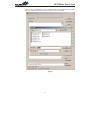
· MCU
This command specifies a specific MCU type for following operations. The driver data for the
specified MCU will be downloaded to the HT-2CWriter hardware if the writer has been connected to the PC and is powered on.
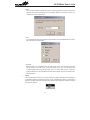
· Auto
This command will setup which programming instructions are to be automatically and sequentially executed by the Auto button.
· Check ID
Before executing any of the Blank Check, Program, Verify, Lock or Auto instructions, the writer
can be setup to first check the 2-Chip-1-Package device type. This compares the
2-Chip-1-Package device type with the driver type in the writer¢s flash memory. If these two
types are different, then the requested instructions will be aborted. The user can enable or disable this function.
®
Option
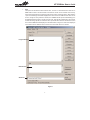
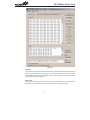
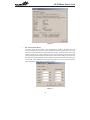
Two commands exist in this menu. The first of these is the option command which will display the
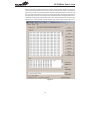
configuration options for the presently opened 2-Chip-1-Package file as shown in the window in
Figure 16. The other is the Print command, which will printout the configuration options for the presently opened OTP file.
14