1
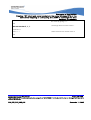
General Configuration
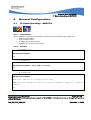
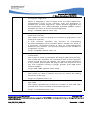
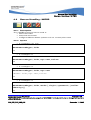
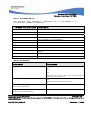
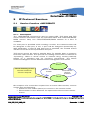
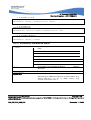
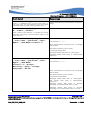
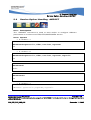
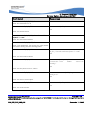
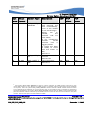
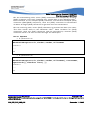
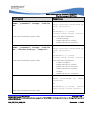
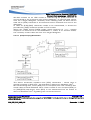
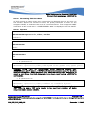
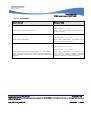
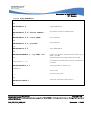
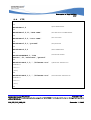
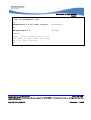
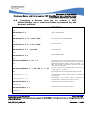
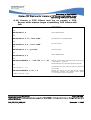
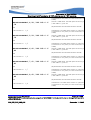
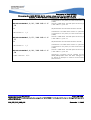
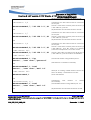
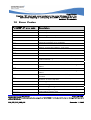
Bearers Handling +WIPBR
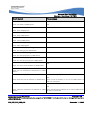
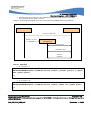
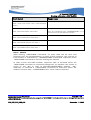
Command
Responses
AT+WIPBR=4,5,0
OK
Note: Start the GSM bearer as a client
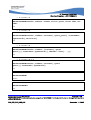
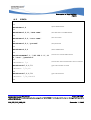
AT+WIPBR=3,5,15
+WIPBR: 5,15,”1.1.1.1”
Note: Read the local IP for GSM bearer
OK
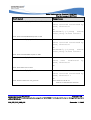
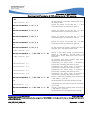
AT+WIPBR=3,5,16
+WIPBR: 5,16,”2.2.2.2”
Note: Read the destination IP for GSM bearer
OK
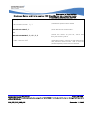
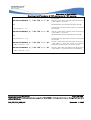
AT+WIPBR=5,5
OK
Note: Stop the GSM bearer
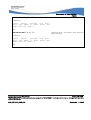
AT+WIPBR=0,5
OK
Note: Close the GSM bearer
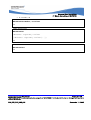
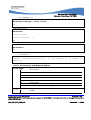
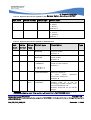
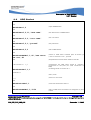
4.2.7
Notes
4.2.7.1
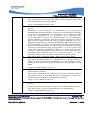
For Starting a Bearer
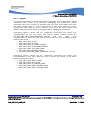
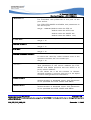
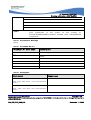
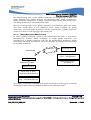
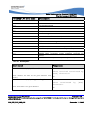
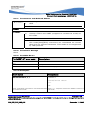
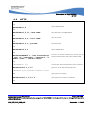
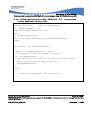
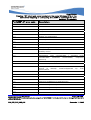
The mandatory parameters to start a bearer in
• server mode: <cmdtype>, <bid>, <mode>, <login> and
<password>
• client mode: <cmdtype>, <bid> and <mode>
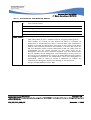
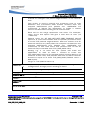
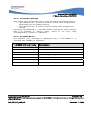
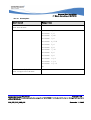
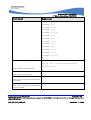
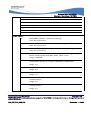
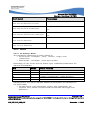
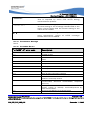
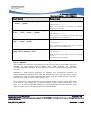
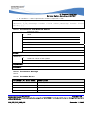
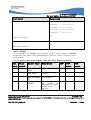
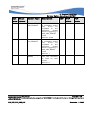
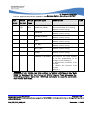
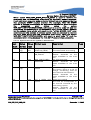
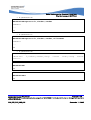
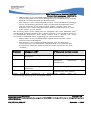
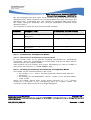
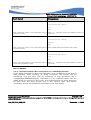
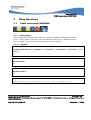
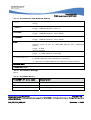
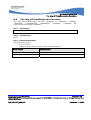
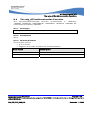
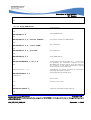
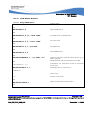
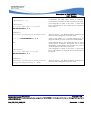
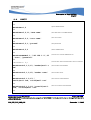
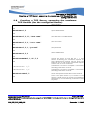
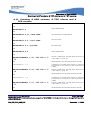
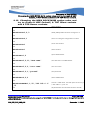
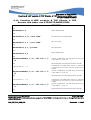
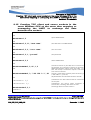
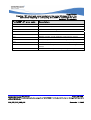
Depending on the mode and the bearer type, additional parameters are
required or forbidden:
Bid
Mode
Other Params
1,3,11,14,21,24
1,3,11,14,21,24
5
5
6
0
1
0
1
0
None
<PPP login>, <PPP password>
None
<login>,<password>[,<caller identity>]
None
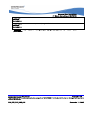
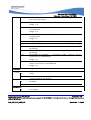
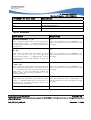
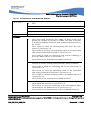
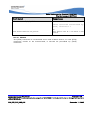
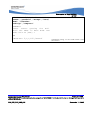
Starting bearer as a server requires additional parameters as mentioned in
the above table.
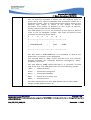
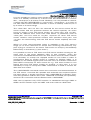
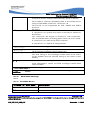
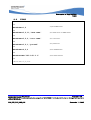
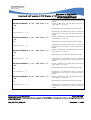
• For PPP server, only parameters <login> and <password> are
required. They will be compared with remote PPP client login and
password.
Page: 37 / 126
©Confidential
This document is the sole and exclusive property of WAVECOM. Not to be distributed or divulged without prior
written agreement.
WM_DEV_OAT_UGD_076
September 11, 2008