1
Installation
Procedure
1
On the computer, define the network adapter settings.
Windows® 7
a
Click Start →Control Panel →Network Connections.
b
Click Change adapter settings on the left menu.
c
Click once on the network adapter to select it, and click Properties on the
short-cut menu.
d
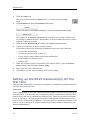
On the list of connections, click Internet Protocol 4 (TCP/IPv4), and then
Properties.
e
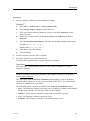
Click Use the following IP address, and enter the IP address and network mask.
IP Address: 157.237.14.60
Subnet mask: 255.255.255.0
f
Click OK to save the settings.
g
Exit all dialogs.
2
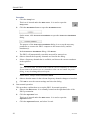
On the computer, start the EK15 program.
3
Set up the transceiver(s) and transducer(s).
This procedure explains how to install a frequency channel.
Important
You must have a valid software license on your EK15 computer to set up a
frequency channel!
Each EK15 transceiver with its transducer and (single) frequency is referred to
as a frequency channel.
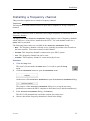
The upper part of the Transceiver Installation dialog displays a list of frequency
channels which either are, or have been, installed on the EK15. For each channel
on the list, a Status label is provided.
The following status values are available in the Transceiver Installation dialog.
• Busy: The frequency channel is already in use, probably by another echo sounder
on the same network. You can not connect to this channel.
• Installed: This frequency channel is connected to your EK15 system.
• Lost: This frequency channel can not be used.
• Available: This frequency channel is vacant and ready for use.
351719/A
19