1
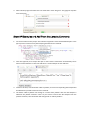
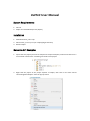
3. Wait until the progress finished. You can check that in view “Progress”. This grogress may take
several minutes.
Show API Examples and Add Them into Javadoc Comments
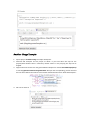
1. Ctrl-click a method in this project. There will be a hyperlink named “Show API Examples” in the
pop-up menu if there was any API example generated for this method.
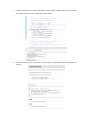
2. Click this hyperlink, then eclipse will open a view named “usetecView” automatically. There
will be several tab items in this view and there is an API example in each tab item.
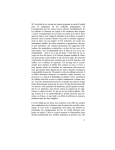
3. Choose a tab item, click the button “add to javadoc”, then the corresponding API example will
be added to the javadoc comment of this method.
4. The button “add to javadoc” will change to “remove from javadoc” after the API example is
added to the javadoc comment. Click it if you want to remove this API example from the
javadoc comment, then the button will change back to “add to javadoc”.