1
Chapter 3: Operations and Settings
Q8 Series User’s Manual
Chapter 3: Operations and Settings
Basic Operations
Power Switch
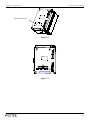
The power switch is on the back panel of the printer. The symbols on the switch are defined as follows:
━ —ON
〇 —OFF
The Front Panel
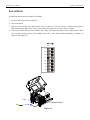
The Front Panel of the Q8 printer consists of:
- Three Indicator Lamps: MEDIA, READY and RIBBON
- Three multi function buttons: PAUSE, FEED and CANCEL
Indicator Lamps
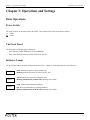
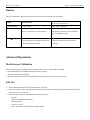
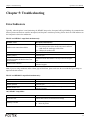
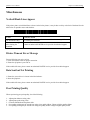
The three lamps indicate the status of the printer (please refer to Chapter 4: Troubleshooting, for error indicators).
READY
MEDIA
RIBBON
- Solid: Indicates the printer is in the normal state;
- Blinking: Indicates the printer is in the ‘PAUSE’ state.
- Solid: Indicates the printer is in the normal state;
- Blinking simultaneously with READY: Running out of media;
- Solid: Indicates thermal transfer printing;
- Off: Direct thermal printing (no ribbon installed);
- Blinking simultaneously with READY: Running out of ribbon.
27