1
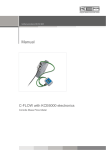
KPS Turbidity Meter
User’s Manual
Küppers Elektromechanik GmbH
Quality system certified to DIN ISO 9001
KPS Turbidity Meter User’s Manual
___________________________________________________________________________________________
Contents
Product description ...................................................... page
Technical data .............................................................. page
Dimensions................................................................... page
Getting started.............................................................. page
Electrical connections ................................................... page
Operation ..................................................................... page
Calibration verification or test ....................................... page
Calibration procedure ................................................... page
Typical responses ......................................................... page
Sensor offset and span calibration.................................. page
Examples for a multi-point calibration ........................... page
Installation ................................................................... page
Warranty ..................................................................... page
3
3
4
5
5
6
7
8
10
11
11
12
13
___________________________________________________________________________________________
2
KEM
KPS Turbidity Meter User’s Manual
___________________________________________________________________________________________
Product Description
KPS is an in-line optical sensor that mounts directly to the process line, and provides real-time
information about the process. KPS emits a beam of NIR light into the product, and in turn, measures
the amount of backscatter produced by solids suspended in the product. The resulting degree of light
scatter is converted to a 4-20 mA signal output.
Using the above operating principals, KPS can accurately detect the point of transition from water to
product. This is considered the primary application. Depending on the degree of solids difference
between two materials, a product–to–product transition may also be detected. And for products such as
skim, 1 percent, 2 percent and whole milk, KPS can act as a monitor of milkfat percentage and an
indicator of product quality.
The most common calibration entered into KPS includes points for water, skim milk, 1percent milk, 2
percent milk, whole milk and a maximum response standard equal to 20 mA.
Technical Data
Mechanical
Materials:
Dimensions:
Connections:
Weight:
Ratings:
Optical Lens:
Lens Seal:
Lens Surface Finish:
Performance/Electrical
Accuracy:
Repeatability:
Process Temp Range:
Process Temp Shock:
Temperature Effect:
Process Pressure Limits:
Output:
Power:
Connection:
316-series stainless steel housing and fittings; sapphire and FDA-approved
silicone product contact surface
see next page
Varivent®, Milchrohr oder Tri-Clamp
1.4 kg (approx.)
NEMA 4X (water-tight, corrosion proof); authorized to carry 3-A symbol
(Standard 46-03)
uncoated, optical sapphire (aluminum oxide) min. thickness = 2.3 mm
minimum distance to the process stream: 5 cm
60 durometer, FDA approved silicone rubber (meets ZZR-765-E, Class 2
A&B)
0.1 microns/inch £
±0.2% of span at 4.00 mA (water)
±1.0% of span in any target fluid
0 up to +100°C (continuous), intermittent +149°C
withstands instantaneous changes of up to 52°C (e.g. from 4.4 to
74°C during CIP, or from 52 to 121°C during SIP)
0.9% of span/-12°C (process and/or ambient) maximum
vacuum to 13.8 bar at rated temperature
4-20 mA, 3-wire
15-24 VDC, at 35 mA
5 pin, water-tight, with quick disconnect cabling
___________________________________________________________________________________________
KEM
3
KPS Turbidity Meter User’s Manual
___________________________________________________________________________________________
Dimensions (mm)
Tri-Clamp
Typ
KPS 1.5
KPS 2.0
KPS 2.5
KPS 3.0
Ø FT-flange
50.4 mm
63.9 mm
77.4 mm
90.9 mm
Dairy connections
VARIVENT®
___________________________________________________________________________________________
4
KEM
KPS Turbidity Meter User’s Manual
___________________________________________________________________________________________
KPS – Getting Started
Unless otherwise specified by the customer, the sensors are shipped with a standard calibration
covering a span of 4 to 20 mA and representing clean water at 4 mA and a maximum white standard at
20 mA. A calibration document will be included in the shipment to inform you of the calibration date
and details.
Upon receipt of the shipment, carefully remove all items from the shipping package and ensure the
contents are complete against the shipping documents.
Also please check the KPS sensor and other components for any damage that may have occurred during
shipping. Make sure the sapphire lens is clean and undamaged. If it needs to be cleaned, you may use a
mild soap solution and soft, clean cloth to gently clean the lens. Also check the sensor’s electrical
connector; it should easily mate with the connector pins on the sensor body. The threaded collar should
also allow a snug, secure fit when fully engaged.
Electrical Connections
KPS has a 5-pin plug
5-pin socket
PIN 1 = –mA (brown wire)
PIN 2 = +mA (white wire)
PIN 3 = UB 15 to 24 VDC (blue wire)
PIN 4 = GROUND (black wire)
PIN 5 = nc
The most common wiring scheme for KPS is a 3-wire connection – pin 2 is the mA output, pin 3 is the 15
to 24 VDC power supply and pin 4 is the ground (negative side of the supply).
Pin 1 is the negative side of the mA output and is connected internally to pin 4. This is done to make
it more convenient for users who want to make a 4-wire connection. pin 5, located in the center of the
connector, is not used.
Once the connections have been made inside the electrical connector, make sure to tighten the threaded
cord grip on the connector. This will help keep moisture from entering the connector.
___________________________________________________________________________________________
KEM
5
KPS Turbidity Meter User’s Manual
___________________________________________________________________________________________
Operation
Once KPS has been calibrated and the proper electrical connections have been made, the sensor is ready
for operation. Before attaching the sensor to the process line, however, it is advisable to perform a quick
check of the unit's operation.
The sensor output must be connected to a digital display, multimeter or some other electronics that will
allow the user to monitor the KPS mA output.
When power has been supplied to the KPS sensor, the green LED on the unit’s internal electronics board
will blink. To view this board, remove the screw cap on the sensor. Please note: When the sensor is
operating within the current calibration range, the green LED on the sensor’s electronics board will
blink alone. When over-range, the red and green LED’s will blink and when below range, the green and
yellow LED’s will blink.
calibration switch
LEDs
entry key
up/down
Begin by placing a white paper towel on a table. Next, with the lens facing down, place the sensor on
the towel. This should produce an output of approximately 17 mA. The actual output may range from
16 to 19 mA; this is normal.
Next, lift the sensor straight up approximately 5 cm above the towel. This should yield a signal of 4 to
4.5 mA. Now slowly lower the sensor back to the towel; the mA output will increase as the sensor gets
closer to the towel, eventually reaching approximately 17 mA.
If your sensor performs as stated, it is ready for installation. If not, call the supplier for technical
assistance.
___________________________________________________________________________________________
6
KEM
KPS Turbidity Meter User’s Manual
___________________________________________________________________________________________
Calibration Verification or Test with Your Samples
KPS is normally calibrated at the factory according to the customer's specifications. If it is desirable to
check or adjust the calibration on site, the user can do so by following these instructions:
Connect KPS to the required power supply and display with mA
input. Attach the sensor to a suitable test stand, such as a
sanitary tee. A common set-up is to close off the bottom leg of
the tee with an end cap, attach KPS to the middle leg, and pour
the sample in the top leg.
In most cases, the factory calibration is sufficient for your
application. If you simply want to verify the calibration or
determine the sensor’s response on your samples, follow
the steps below and record the KPS response. Be careful not
to dilute or otherwise contaminate the samples between
readings. Also, if the highest degree of accuracy is desired,
make sure the samples are at the same temperature as they will
be in the process line.
1. First, obtain samples of all products that will be processed in this system. You will need enough of each
to fill a tee as shown.
2. Be sure the unit is properly wired to either the receiver, or to a Multi-meter, so that you are able to view
the corresponding signal output from the unit. When power has been supplied to the unit, the green
LED on the electronics board will blink.
3. Starting with the product containing the least amount of solids or of lowest turbidity, fill the tee as
described above.
4. Record the output for this product, then move to the next, ending with the product containing the
greatest amount of solids. Please note: When the sensor is operating within the current calibration
range, the green LED on the sensor’s electronics board will blink alone. When over-range, the red and
green LED’s will blink and when below range, the green and yellow LED’s will blink.
5. The resulting profile will correspond to the outputs from the unit at each of the various products. These
values can now be used as the reference for programming a receiver or to verify calibration of the
KPS sensor. Changes in product properties (solids content) are a common cause for discrepancy. If
observed, follow the CALIBRATION section of this manual (see next page).
___________________________________________________________________________________________
KEM
7
KPS Turbidity Meter User’s Manual
___________________________________________________________________________________________
Calibration Procedure
If you want to adjust the calibration, first remove the KPS lid by turning it counterclockwise. This will
allow access to the KPS electronics board. Next assemble the desired calibration fluids. It is advisable to
calibrate them in increasing order of concentration. KPS allows you to choose a variety of calibrations,
from a 2-point calibration to a 9-point calibration.
1. First obtain samples of all products that will be processed in this system. If using liquid sample, you will
need sufficient volume of each to fill the tee.
2. Be sure the unit is properly wired to either the receiver, or to a multimeter, so that you are able to view
the corresponding signal output from the unit.
3. Remove screw cap on sensor. Use caution so as not to damage rubber o-ring. Refer to the picture shown
on page 6 to locate calibration switch, entry key and offset adjustment keys (up/down).
4. As shown, fill the tee with clean water, or another fluid that you desire to be the 4 mA reference (if a
value other than 4 mA is desired for the base value, please see SENSOR OFFSET and SPAN
CALIBRATION section, page 11).
5. Observe the mA reading that KPS produces with the 4 mA reference sample. If the output is 4 mA,
there is no need to adjust. If you desire to change the zero point, turn the calibration switch to position
“0”, and press and hold the ENTRY key for approximately two seconds. This will store the new value as
4 mA.
6. Remove the water, or optional base product, and fill the tee with the next highest solids content. So as
not to introduce error in calibration, it is recommended that the tee be rinsed with water to clean any
residue of the previous product from the face of the sensor.
7. Turn the CALIBRATION SWITCH to position 1. Press and hold the ENTRY key for approximately two
seconds. The sensor output will now be set to 20.00 mA (or the span setting).
8. Repeat step 7, incrementing the CALIBRATION SWITCH by one, until all points have been calibrated –
maximum is to point 8. As points are added, each addition becomes the new 20.00 mA top end. Each
previously entered point is linearly re-scaled (see graphic next page).
9. In general, a five (5) point calibration is sufficient to provide proper output resolution. You may use
calibration point 0 to 8. Point 9 is reserved for the Sensor Output Reference, described below.
10. To verify output values, the sensor should be placed again into each of the test liquids. With each
product, record the resulting current output from the transmitter. The resulting profile will correspond
to the outputs from the unit at each of the various products. These values can now be used as the
reference for programming a receiver.
___________________________________________________________________________________________
8
KEM
KPS Turbidity Meter User’s Manual
___________________________________________________________________________________________
In accordance with the no. of calibration points the analogue span is divided into corresponding
intervals:
20 mA
4 mA
23
Interval
16 mA
1
20 mA
0
78 9
1
45 6
78 9
23
45 6
0
12 mA
4 mA
Interval
8.0 mA
20 mA
45 6
9.3 mA
4 mA
23
1
1
12 mA
0
78 9
14.6 mA
45 6
16 mA
78 9
23
20 mA
0
8 mA
Interval
5.3 mA
4 mA
17.35 mA
20 mA
16.8 mA
14.68 mA
45 6
4 mA
23
Interval
3.2 mA
4 mA
4 mA
45 6
23
23
1
8 mA
0
6.29 mA
10 mA
16 mA
Interval
2.29 mA
78 9
78 9
8.58 mA
20 mA
12 mA
1
45 6
Interval
2.67 mA
14 mA
17.74 mA
10.87 mA
0
6.67 mA
15.45 mA
13.16 mA
1
1
9.34 mA
0
7.2 mA
45 6
78 9
10.4 mA
20 mA
12.01 mA
78 9
23
13.6 mA
Interval
4.0 mA
0
6 mA
4 mA
18 mA
20 mA
Interval
2.0 mA
___________________________________________________________________________________________
KEM
9
KPS Turbidity Meter User’s Manual
___________________________________________________________________________________________
Typical Responses on various Dairy Products
ProScan In-Line Sensor
Response on Various Dairy Products
17,6
18
15,46
16
14,04
14
12,6
12
9,8
mA 10
7,09
8
6
4,03
4
2
Water
Skim
1% Milk
2% Milk
Whole
Evap. Milk Whip.Crm.
Note: Sensor zeroed on clean water and calibrated with standard procedure from water (4 mA) to white standard (20 mA). Testing conducted 11/4/03
ProScan Turbidity Readings
20
20
18,1
18
16
16
14,1
14
12,1
12
10
mA 10
8,1
8
6
6
4,5
4
2
0
100
500
1000
1500
2000
2500
3000
3500
4000
Turbidity Standard, NTU
___________________________________________________________________________________________
10
KEM
KPS Turbidity Meter User’s Manual
___________________________________________________________________________________________
Sensor Offset and Span Calibration
The KPS sensor is typically prepared at the factory with a default value of 4.00 mA output for the “base
reference” position “0”, and 20.00 mA for span position “9”. For most applications, it is recommended
that the unit be used in this configuration. The following procedure illustrates steps to either verify, or
modify these values.
1. Remove the screw cap on sensor. Use caution so as not to damage rubber o-ring. Refer to the picture
shown on page 6 of this manual to locate calibration switch, entry key and offset adjustment keys.
2. If you wish to change the span value place Calibration switch in Position “9” and simply press the “up”
or “down” offset adjustment keys until desired value is obtained, then press and hold the ENRTY key
for approximately 2 seconds.
3. If you wish to change the “base reference” value place Calibration switch in Position “0” and simply
press the “up” or “down” offset adjustment keys until desired value is obtained, then press and hold
the ENTRY key for approximately 2 seconds.
Examples for a Multi-Point Calibration
For this example, milk samples were used. Water = 4 mA, skim milk = 8 mA, 1% milk = 12 mA, 2%
milk = 16 mA and whole milk = 20 mA. The calibration selector switch was 0 position for water, 1
position for skim milk, 2 position for 1% milk, 3 position for 2% milk and 4 position for whole milk.
Calibration point
Calibration switch
Medium
Fat in %
Analogue out (mA)
1
0
Water
0
4
2
1
Skim Milk
0.5
8
3
2
Milk
1
12
4
3
Milk
2
16
5
4
whole milk
3.5
20
A slightly different example of a multi-point calibration is shown now. In this case a dairy customer
wanted a greater degree of sensitivity near 1% milkfat; a 6-point calibration was used which
emphasized the 1 % to 1.3% milkfat concentration. All that was necessary was to prepare samples of
the proper concentration. The KPS calibration linearizer divided the 4 to 20 mA span into five sections
of 3.2 mA each, including the key range in the middle of the graph.
This illustrates how the KPS calibration can be tailored to meet different process control needs.
___________________________________________________________________________________________
KEM
11
KPS Turbidity Meter User’s Manual
___________________________________________________________________________________________
Installation
KPS has a conventional sanitary clamp connector that attaches directly to a tee or saddle in the process
line or vessel. KPS comes in standard 1.5, 2, 2.5 and 3 inch sizes.
KPS can be successfully installed in a wide variety of configurations, including vertical and horizontal
process lines and tanks. To optimize the performance of the sensor, it is important to keep the deadleg as
short as possible on the tee connection and choose an installation site that will minimize air or sediment
from collecting on the sensor’s lens.
Deadleg - It is advisable to have the tee cut back so the KPS lens is as close as possible to the process
stream and deadleg is minimized. Nevertheless, keep a minimum distance of 5 cm. In most cases, it is
possible to cut the tee back and have a resulting deadleg of 1 to 2 inches. When it comes to deadleg, the
shorter the better.
Installation Site - It is important to select an installation site and orientation that will minimize the
possibility that air or sediment will interfere with the sensor’s readings.
Vertical sections of process lines offer excellent installation sites, whether the flow is down or up.
Another excellent installation site is a 90 degree elbow on a horizontal line; position the KPS so the
process fluid flows directly at the sensor’s lens.
If installed on a straight section of horizontal process line, it is advisable to place KPS so it looks
sideways into the process stream, not up or down.
Two installations that are not recommended are on the top of horizontal process lines, where air has a
tendency to accumulate, and on the bottom of horizontal process lines, where sediment can accumulate.
The clamp connection requires a gasket between KPS and the tee. In most cases, the customer provides
the gasket and the tee. These products can be supplied on request.
Connect the sensor to the process pipe with the appropriate sanitary gasket and clamp.
Important: The sapphire lens can be damaged if struck by sharp or hard objects or if the sensor is
dropped during installation. Take care when connecting the sensor to the tee so that the lens is not
damaged.
It is advisable to orient the sensor so that the electrical connector points toward the floor.
___________________________________________________________________________________________
12
KEM
KPS Turbidity Meter User’s Manual
___________________________________________________________________________________________
Warranty
The system meets or exceeds the stated specifications and all of components of KPS are guaranteed
against failure and manufacturing defects for a period of one (1) year from the date of delivery. KEM is
not responsible for any indirect damages resulting from the operation of KPS. For the guarantee to be
valid the equipment must be installed and operated in accordance with the supplied Operation Manual,
and within normal and specified conditions. KEM retains the right to either replace or repair any
defective part. The warranty does not cover the sensor if alterations are made to it without prior written
consent by KEM.
KEM
Küppers Elektromechanik GmbH
Liebigstr. 2
D-85757 Karlsfeld, Germany
Tel. +49 81 31/59 39 10
Fax +49 81 31/9 26 04
E-Mail: [email protected]
web: www.kem-kueppers.com
Copyright KEM, Zi Rev. 001/08/07
___________________________________________________________________________________________
KEM
13