1
Chapter 1 Product Overview
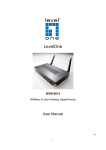
1.1 Introduction to the GN-B40 Cable/DSL Router with 4-Port
Switch
Congratulations on your purchase of this outstanding Broadband Router. This product is specifically
designed for Small Office and Home Office needs. It provides a complete SOHO solution for Internet
surfing, and is easy to configure and operate even for non-technical users. Instructions for installing and
configuring this product can be found in this manual. Before you install and use this product, please read
this manual carefully for fully exploiting the functions of this product.
1.2 Features
Router Basic functions
z Broadband modem and NAT Router
Connects multiple computers to a broadband (cable or DSL) modem or an Ethernet router to surf
the Internet.
z Auto-sensing Ethernet Switch
Equipped with a 4-port auto-sensing Ethernet switch.
z Wan type supported
The router supports some wan types, Static ,Dynamic, PPPOE ,PPTP , Dynamic IP with Road
Runner.
z Firewall
All unwanted packets from outside intruders are blocked to protect your Intranet.
z DHCP server supported
All of the networked computers can retrieve TCP/IP settings automatically from this product.
z Web-based configuring
Configurable through any networked computer’s web browser using Netscape or Internet
Explorer.
z Virtual Server supported
Enables you to expose WWW, FTP and other services on your LAN to be accessible to Internet
users.
z User-Definable Application Sensing Tunnel
User can define the attributes to support the special applications requiring multiple connections,
like Internet gaming, video conferencing, Internet telephony and so on, then this product can
sense the application type and open multi-port tunnel for it.
z DMZ Host supported
Lets a networked computer be fully exposed to the Internet; this function is used when special
application sensing tunnel feature is insufficient to allow an application to function correctly.
z Statistics of WAN Supported
Enables you to monitor inbound and outbound packets
Security functions
z Packet filter supported
Packet Filter allows you to control access to a network by analyzing the incoming and outgoing
packets and letting them pass or halting them based on the IP address of the source and
destination.
z Domain Filter Supported
Let you prevent users under this device from accessing specific URLs.
z URL Blocking Supported
URL Blocking can block hundreds of websites connection by simply a keyword.
z VPN Pass-through
1