1
WonderMedia Tech
Software update tools user’s guide
3.6 U-boot
1. Copy the whole “script” directory in “uboot”, that is u-boot\script, to the root directory
of SD card
2. power down the board
3. Insert SD card to the board
4. power up the board
5. Don’t kit any key to stop the “autoboot”. For the SD card is inserted, the process of
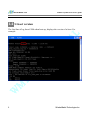
update starts. If VGA is connected, or LCD is connect, User can see that the log is
printed on them, such as:
Upgrading u-Boot …
Upgraded u-Boot successful!
Please remove SD Card …
6. When “waiting remove sd card” is printed, user should remove the SD card from the
board.
7. After “Done” is printed, the board will reboot.
8. If everything is OK, the update successes, if not, please check if the operation is
correct and if the condition listed in 1.3 is met.
12
WonderMedia Technologies Inc.