1
Chapter 6
Using GUI: the Graphical User Interface
API
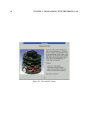
Robot controllers as well as the supervisor controller can take advantage of using a simple yet
powerful graphical user interface: the GUI, standing for Graphical User Interface. This API
(Application Program Interface) allows controllers to open windows, to display texts, graphics
and widgets, to handle events coming from the user, like mouse movements, key pressing, etc. It
is very convenient to improve the interactivity between the user and the simulation.
This chapter is a tutorial for understanding and using the GUI. However, it does not provide an
exhaustive description of this API. See the Reference Manual for an exhaustive description of
the GUI.
6.1
Basics
6.1.1 Include file and library
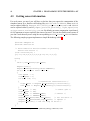
In order to use the GUI, your controller programs will have to include the gui.h file which
stands in the webots/include directory. No additional library is required at link time since
the GUI is fully contained into the Controller library. So, here is the first line of code to get
started with the GUI:
#include <gui.h>
6.1.2 GUI objects
Different kinds of objects can be used to create a graphical user interface. They are classified
into five categories:
81