1
mmf methodica message feeder
•
•
mmf.7602.201008.en
User Guide
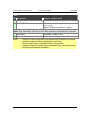
A status message for the current data entity and operation, and
Global information.
The status message format looks like this:
"[class] code: text", where…
• class = the message class (INFO, WARNING, ERROR),
• code = numeric message code, and
• text = plain text corresponding to the message code.
The background colour of the status line depends on the message class (blue,
yellow, red).
The global information line shows the copyright mark on the left side. The right
side of this line is formatted like this:
"#requests (#queued_requests) • session_start • last_operation", where…
• #requests = the number of outstanding requests.
A request that has been sent to the server and for which has not yet sent a
response is counted.
• #queued_requests = the number of queued request that have not yet been
sent to the server, but will be sent in the near future.
• session_start = date and time of the beginning of the current session. Usually
this is when the editor page was last loaded.
• last_operation = date and time of the last operation performed. This may be
an operation triggered by the user or an automatically triggered operation.
As long as mmf/Editor is waiting for one or more answers from the server an
animated icon like the one above is displayed in the middle of the global information line.
3.2 Feeds
By selecting the corresponding tab in the details panel the editor allows for creating, editing, deleting, and testing a feed.
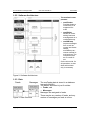
The accordion in the menu panel shows three selectable sub-panels:
• Create
The sub-panel has no active elements.
The details panel will provide a form to add a new feed.
• Show / Edit / Delete
The sub-panel displays a list of the names (identifiers) of all the feed already
Copyright © 2010, methodica.ch
Page 15 of 40