1
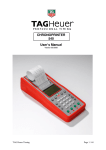
CHRONOPRINTER 545 User Manual Version 11/2014 TAG Heuer Timing Page 1 / 49 Table of contents 1. Introduction 2. The Keyboard 3. Rear Connectors 4. Quick operation guide 4.1. Battery installation & replacement / rechargeable NiMH battery 4.2. Switching the CP 545 ON and Synchronise 5. Menu description before opening up a new run 5.1. Power OFF CP 545 5.2. Op/New Run 5.3. Manual or External Synchronisation 5.4. Clear Memory 5.5. Rank a RUN of a single run, 5.6. Timing Modes 5.7. Jumping Parameters 5.7.1. Set Count Down 5.7.2. Set Race Time Ph1 5.7.3. Set Race Time Ph2 5.7.4. Set Time P/Ph1 5.7.5. Set Time P/Ph2 5.7.6. Set Pause Penalty 5.8. Parameters 5.8.1. Precision 5.8.2. Lock Time (multiple impulse filtering) 5.8.3. Numbering (except PTB SEQ) 5.8.4. Inputs Status 5.8.5. LCD Contrast 5.8.6. LCD Backlight 5.8.7. Lighting Off Time 5.8.8. LCD Delay 5.8.9. Beep 5.8.10. RS232 (PC) 5.8.11. Ethernet 5.8.12. Language 5.8.13. Battery type 5.8.14. Setting print 5.9. Speed 5.10. Printer 5.11. Download 6. Menu description once Run is open 6.1. Close a Run 6.2. Ranking 6.3. Rank a Run 6.4. Listing 6.5. List a run 6.6. Still on Course 6.7. Duplicate 6.8. Insert Time 6.9. Speed 6.10. Parameters 6.11. Printer 6.12. Merge a run 6.13. Download 7. Specificity the timing mode 7.1. Addition of runs 7.2. BIBO rule 8. JUMPING MODE (details) 8.1. Input Configuration 8.2. (Menu: Jumping Parameters) 8.3. Timing Mode: Jumping Speed 8.4. Mode: Jumping 2 Phase / Jumping SNG Phase 8.5. Points penalties: TAG Heuer Timing 4 4 5 6 6 6 8 8 8 8 8 8 9 10 10 10 10 10 10 10 11 11 11 12 12 12 12 12 12 13 13 14 14 15 15 15 15 16 17 17 17 17 17 17 17 17 17 17 17 17 17 17 18 18 18 19 19 19 19 20 20 Page 2 / 49 8.6. To Pause 8.7. Function Recall 8.8. Identify a competitor. 8.9. Disqualify / Re-qualify a competitor. 9. Keyboard shortcuts 10. Special characters memorized, printed and sent to the PC 11. Special function: RESET CP 545 12. Mass Start or Group Start (GRP) 12.1. Start with a timing impulse 12.2. Start a defined time 13. Changing the paper roll 14. Autonomy / Batteries 15. Information about Timing Modes 16. Example of Timekeeping sessions 16.1. SEQUENTIAL Mode 16.2. NET TIME Mode 16.3. PARALLEL SEQUENTIAL Mode 16.4. PARALLEL DIFFERENTIAL Mode 16.5. TRAINING Mode 16.6. Example: Jumping Mode 16.7. Example Jumping – Jump-Off 17. Download a new version of Software and/or language 18. RS232 and Ethernet Protocol 19. ETHERNET LINK CONFIGURATION 19.1. Configuration of your PC IP address 19.2. In SKI PRO, MSPORT PRO etc. 19.3. Ethernet connection test : 20. Flow Char Main Menu 21. Flow chart of Run Menu 22. To opa run menu 23. Technical specifications 24. Pin-out 25. Accessories TAG Heuer Timing 21 21 21 21 22 23 23 24 24 24 25 26 27 29 29 30 32 34 35 36 37 39 39 40 40 41 42 43 45 46 47 48 48 Page 3 / 49 1. Introduction Building on TAG Heuer Professional Timing’s legacy of evolution and innovation in timing equipment, the brand has developed a new version of our famous Chronoprinter. The CP 545 version offers outstanding precision, reliability and simplicity to the user, with new features such as a USB connection for easier communication with all PCs, a larger internal memory and new integrated timing modes such as jumping for equestrian events. In addition, the new CP 545 is now available with rechargeable NiMH batteries with our standard power supply. 2. The Keyboard ON/OFF Power ON – Hold ON down for 5 seconds to turn power ON Power OFF – Press F and follow the instructions on the LCD display. F Menu – To enter or to exit the menu and sub-menus ▲ ▼ UP and DOWN keys to explore the menu and to scroll through the unassigned memorized times DOWN key to deactivate the Automatic numbering of the channels ◄┘ ENTER – to confirm menu selection, time, date or competitor number in the RECALL function. R RECALL – to access the unassigned memorized times of a channel for identification with a competitor number. Direct times identification is also possible. * ERROR – to cancel a wrong number you entered or to confirm an option. Interruption of the printing. Numbering of forerunners with * + N° 0-9 E1 – E4 Numerical keyboard – to enter a time, the date, a competitor number or a distance. To confirm a competitor number for one of the channels. False START, INTER or FINISH and confirmation of a channel deactivation ▼ + (E1 – E4) or gives opportunity to enter and verify competitor bibs ▲ + (E1 – E4). 1–4 Green Manual keys for timing impulses or start the time (synchronisation) 1–4 Red Manual keys to unblock and block the External inputs (Input 1 – 4). Inputs are blocked wh/a black bar is shown on the LCD display ▬ Warning The manual timing keys (1 to 4) do not guarantee timing precision. Only two simultaneous impulses can be processed at a time from the manual keys TAG Heuer Timing Page 4 / 49 3. Rear Connectors INPUT 1 to 4 Inputs for timing impulses. Working contacts without potential (short circuit or op/collector) Ex: Manual contactor (HL18), photocells (HL2-31 / HL2-35), Start Gates (H7-1 / HL73), radio receiver (HL610, HL620 etc.) Respect the correct polarity! POWER For an external power supply. HL545-1 adaptor (110-220Vac / 12 Vdc) or 12Vdc batteries via HL520-17 connection cable. USB Bi-directional communication with PC. Upgrade to the latest firmware for CP 545 Baud rate automatic Note: The USB port is not suitable for transmitting data to LED display or modem RS232 Bi-directional communication with a PC (ONLINE or OFF-LINE) with selectable baud rates (2400 / 4800 / 9600 Bds (default) and 32k or 56k Bds) Upgrade of the new software for CP 545 Timing data transfer from one CP 545 to another. With “Display Mode”, this allows standard communication with TAG Heuer or Alge displays boards ETHERNET Bidirectional communication with a PC or a Network (LAN) with other CP 545, PC display board or printer. TAG Heuer Timing Page 5 / 49 4. Quick operation guide The exceptional performance of Chronoprinter CP 545 is guaranteed with its simplicity of use, the hallmark of TAG Heuer timing philosophy 4.1. Battery installation & replacement / rechargeable NiMH battery To op/the battery cover, use your thumbs to firmly push it in the direction of the arrow. Insert the batteries, respecting the correct polarity, as indicated at the bottom of the compartment. WARNING To guarantee the security of your timekeeping, it is recommended to use your CP 545 with the internal NiMH battery in a well-charged state, or with the Docking - BATT. Always remove the batteries if you don’t use your CP 545 for several days. If you forget to do this, the batteries could leak and seriously damage the device. The warranty does not cover this problem. The time of day, the date, the memorized runs and the selected parameters are saved by a small internal battery. 4.2. Switching the CP 545 ON and Synchronise 1) Press ON for 5 seconds 2) The LCD display will show a) b) c) d) e) f) ▬ ▬ ▬ ▬ 14:24:59 Date <DMA> Memory Available NET TIME a) 4 black bars indicating that the external Inputs are blocked (1 to 4). The time of day is memorized in the 14/11/2007 25000 ENTER THE MENU F CP 545 (internal or after a SYNCHRO). b) Symbol indicates that the power supply is connected and LCD Screen the charge of NiMH batteries c) The date d) The memory available e) The Timing Mode used the last time f) TAG Heuer Timing How to enter the menu. Page 6 / 49 INNOVATION The CP 545 provides a visual (on the LCD) and audio alarm if an external input remains in shortcircuit. This feature allows you to observe the status of TAG Heuer’s new “direct-response” photocells (HL2-31 & HL2-35 – serial number up to 7000) and allows the timekeeper to instantly determine if a photocell is out of alignment. This audio alarm is also available with our Data & Impulse Radio transmission HL670 / HL615. 3) The same message is printed with the device N° (ID) and the software version, along with the timing mode and the main parameters used during your last timing session. 4) If the CP 545 doesn’t print, enter the menu (F), select PRINTER ON and validate ◄┘. You should check your batteries and replace if necessary 5) Synchronise the CP 545 (refer to chapter 6.3) if needed 6) Select a Timing Mode (refer to chapter 5.6) 7) Check timing parameters (precision, lock time etc) (refer to chapter 5.8) 8) Op/a Run (start the Timing session) 9) Example of how to start a new Timing session: a) Enter into the menu (F) b) Clear the memory. c) Timing mode (you may change this if desired) d) Parameter (If changes are needed – Precision, Blocking, etc.) e) Synchronise (manual at Time of the Day to correspond with other systems, or time proposed by you on the CP 545, or start at 00:00) f) Op/a new run (begin the timing session) PLEASE NOTE If the same Timing Mode is reconfirmed through this menu (Mode Chrono) sequence, the parameters by default are restored. TAG Heuer Timing Page 7 / 49 5. Menu description before opening up a new run These menus are available before a Run is opened. Several menus can be found wholly or partially in the Run Menu (see chapter 21). To navigate the menus, press F. To select an option use the ▼and ▲keys and confirm with ◄┘. At any time it is possible to exit menus by pressing the F key the number of times necessary to return to the main menu. 5.1. Power OFF CP 545 Switch OFF the device 5.2. Op/New Run Start a new timing session after having closed the previous run. 5.3. Manual or External Synchronisation Wh/the CP 545 is powered ON, the memorised Time of Day and Date proposed is the one used during the last timing session. Use Synchronise Manual for a new Time of Day setting or to synchronize with other systems to a pre-set Time of Day. (Do not forget to introduce the Date) It is also possible to synchronize the time from 00:00 (only in SPLIT and SPLIT/LAP mode) wh/a restart back to zero may be required Master/Slave La selection “Master/Slave” wh/we connect together via RS232, two Chronoprinter 545. 5.4. Clear Memory Use only wh/you start a new timing session and you are sure you do not need to retain previous runs in the device’s memory! 5.5. Rank a RUN of a single run, Rank a single run or the addition of two or more runs (Example: ranking from the addition of 3 runs) List of runs ► 03 + 02 T General ranking from the addition of run 03 and 02 T ► 03 Ranking of run 03 (added to run 02 T) ► 02 + 01 General ranking from the addition of runs 02 and 01 ► 02 (calls it 02 T) ► 01 Ranking of run 02 (added to run 01) Ranking of only run 01 Or with 2 run added (ex 03 + 01). First select one of the 2 runs. TAG Heuer Timing Page 8 / 49 5.6. Timing Modes PTB SEQUENTIAL 1 to 4 and 5 to 8 Sequential recording of time-of-Day on 4 or 8 channels (if 2 CP 545 are connected together with RS232 connection) directly to an external PC. Uses bi-directional communication with a PC running TAG Heuer or Split Second (USSA / CLUB / NASTAR) software, where it is possible to print all net times, current ranking and ev/the competitor name and affiliation directly on the CP 545 printer. NET TIME Stand-Alone net timing using Start and Finish times with automatic or manual numbering. Keypad shortcuts of corrections and RECALL of memorized times for later identification or modification. Ranking list and total time results, including if several runs occur, are added. BIBO available in Alpine Ski mode. NET TIME + 2 Inter Start, with 2 intermediate times and finish time. Automatic or manual numbering. Also enables ranking and addition of runs. PARALLEL SEQUENTIAL Independent Start and Finish times on parallel race courses with competitor numbers. Ranking list of single or added runs (same as with NET TIME mode). New items: with this mode you have the possibility to set a Count Down PARALLEL DIFFERENTIAL Time difference at the finish on parallel race courses. Penalty and list of runs. START– FINISH Stand-Alone net timing using Start and Finish times with automatic or manual numbering. Keypad shortcuts of corrections and RECALL of memorized times for later identification or modification. This mode is similar to NET TIME mode; the difference is in the results calculation. For details, please consult point 5.2.1 Ranking list and total time results, including if several runs occur, are added. BIBO avalable in Alpine Ski mode. START – INTER – FINISH Start, with 2 intermediate times and finish time. Automatic or manual numbering. Ranking and addition of runs. This mode is similar as NET TIME mode. The difference is in the results calculation. Please consult the point 5.8.1 TRAINING Start with two intermediate and finish times (automatic numbering). Run ranking and listing for each competitor in different runs. SPLIT 1 to 4 and 5 to 8 Split times, partial times or lap times with competitor numbering. Ranking or listing of a competitor’s lap times SPLIT / LAP Split Times with competitor numbering JUMPING SPEED Jumping mode with single phase (Count Down, Start / Finish) JUMPING 2 PHASES Jumping Mode with two phase (immediate Jump OFF) – Count Down, Start Phase 1, Stop Ph1 / Start Ph 2, Finish Phase 2. TAG Heuer Timing Page 9 / 49 JUMPING SNG PHASE (Single Phase) Jumping Mode with two phase separate – Count Down, Start Phase 1, Stop Phase 2, Start Phase 2, Stop Phase 2) Refer to the chapter 9 for a full description of those 3 Jumping Modes. 5.7. Jumping Parameters 5.7.1. Set Count Down Set the count down before the start signal (30 or 45 sec).If countdown is not required you set to 0. If setting to 0 each competitor has to be validated by pressing input 3 prior manually. 5.7.2. Set Race Time Ph1 Set the Time limit for Phase 1 (sec) If the value is set at “0”, no time penalties will be added. 5.7.3. Set Race Time Ph2 Set the Time limit for Phase 2 (sec) If the value is set at “0”, no time penalties will be added. 5.7.4. Set Time P/Ph1 Set Penalty in Ph1 wh/time limit is exceeded (0.25 pts / sec) 5.7.5. Set Time P/Ph2 Set Penalty in Ph2 wh/time limit is exceeded, it is possible to set the points penalties / time (example: “0.25 pts / 1 sec” or “1.00 pts / 4 sec”) 5.7.6. Set Pause Penalty Set a default Time Penalty if pause is requested (sec) TAG Heuer Timing Page 10 / 49 5.8. Parameters 5.8.1. Precision The timing PRECISION (which can be selected at start up, or assigned by default) refers to the race results Two calculation modes are available: «NET TIME» calculation Ex : with a result to 1/100 sec «REAL TIME» calculation Ex : with a result to 1/1000 sec Start Time N°121 Finish Time N°121 Result Start Time N°121 Finish Time N°121 Result 12:34:56.136 12:35:59.354 1:03.21 The last digit of the calculation is truncated. The times printed will be 10x superior Here: print = 1:03.218 12:34:56.136 12:35:59.354 1:03.218 The print of time sure as result will be the same at 1:03.218. Timing Modes With truncation NET TIMES NET TIMES + 2 INTER PARALLEL SEQUENTIAL TRAINING Without truncation PTB SEQUENTIAL PARALLEL DIFFERENTIAL START – FINISH START – FINISH + 2 INTER SPLIT SPLIT / LAP JUMPING (3 modes) Results by default are 1/100 sec Results by default are 1/1'000 sec Selectable timing resolution from 1 sec to the 1/10'000 sec Selectable timing resolution from 1 sec to 1/100'000 sec. ATTENTION! The RS232 and Ethernet ports always communicate the time of day to the PC with the same timing resolution as giv/on the CP 545’s printer. This avoids calculation and results errors, oft/observed if you compare the results giv/by the timing device to the software running on your PC. 5.8.2. Lock Time (multiple impulse filtering) Lock-out time of the 4 inputs is selectable from 0.01 to 9.99 seconds. To enter 1.00 sec, press 1 – 0 – 0 and validate with ◄┘. The minimum lock-out time of 0.01 sec should not be used with any mechanical triggering device (bounce may cause several impulses received). ATTENTION For your convenience, default lock times are pre-programmed for each timing mode, and can be modified by you. . TAG Heuer Timing Page 11 / 49 5.8.3. Numbering (except PTB SEQ) Manual or Automatic competitor numbering assigned to any of the 4 inputs. Automatic: in ascending UP order or in reference to a previous run ranking order (or BIBO) Manual: enter the competitor’s N° + (E1 – E4) normally before a timing impulse is received. 5.8.4. Inputs Status Selection of Inputs and their timing info functions into (transmit / received) for each Input Three statuses Transmit Close Received The default status of the input is as follows (after switching off the CP 545) E1 E2 E3 The inputs are reported as « Transmit » E4 Example: CP 545 (A) records Starting Time CP 545 (B) records Finish Time Download the Start time from CP 545 (A) into the CP 545 (B) for the net time calculation and from CP 545 (B) into the CP 545 (A). Configure the Input as follows CP 545 (A) – Start E1 E2 E3 CP 545 (B) – Finish E4 E1 E2 E3 E4 The input’s status should be specifically programmed wh/several CP 545’s need to communicate together via RS 232 or with GSM Docking station. Thus, each Chronoprinter will be able to receive recorded information at the Start and Finish point. 5.8.5. LCD Contrast LCD scre/Backlight adjustment with ▲ plus / ▼ less, and validate with ◄┘ (30% is the default setting) 5.8.6. LCD Backlight Adjusts the brightness of LCD Backlight. 100% is the default setting (with an external power supply connected) 30% is the default setting (wh/running only on internal batteries) It is recommended to set the value at 0% during daylight conditions to guarantee the best internal battery life. 5.8.7. Lighting Off Time Sets the time that the Backlight stays ON betwe/two impulses. Adjust with ▲ plus / ▼ less, and validate with ◄┘ A shorter time ensures a better operational autonomy. This function is not in use wh/the CP 545 is powered. 5.8.8. LCD Delay LCD duration of the currently displayed information. Adjust with ▲ Plus / ▼ Less, th/validate ◄┘ (5 seconds is the default setting) TAG Heuer Timing Page 12 / 49 5.8.9. Beep Audio signal activation (ON or OFF). 5.8.10. RS232 (PC) To PC with selectable serial Port: Baud rate is selectable: 2'400 / 9'600 / 38’400 / 57'600. 9'600 Bds is the default setting. To Display Running Time on the TAG Heuer display (HL960 / HL 970 / HL990 / HL965 / HL980) and other display as Alge. Running Time of Day of the CP 545 Blank command to the Display Running time is the default setting Display duration of net times is adjustable from 1 to 59 seconds using the ▲ Plus / ▼ Less arrows, th/validate with ◄┘ (10 seconds is the default setting). To HL960 / 990 The CP 545 now also automatically updates any of the scoreboard displays listed above. With the HL970 it is also possible to store competitor names and numbers within the HL970 control box. Wh/connecting the CP 545 to the HL970 you are able to display the following information. Running time at 1/10 of second. During the race B I B F I R S 1 2 : 3 4 . T - L A S T R N K T - L 5 6 N A M I M E N A M E End of the race R k : F I R S T A S T E For more information, please refer to the Matrix Display HL 970 user’s manual TAG Heuer Timing Page 13 / 49 To HL 970 / 980 With this setting, you will have the right to display some information directly from the CP 545 to the LED Display (HL 970 or HL 980). Running time at 1 of second. ► Net Time / Start-Finish / Training / PTB Sequential Line 1 Line 2 Line 3 Line 4 Running time / Net Time Comp # Speed 1 (if selected) Ranking ► Parallel Diff / Seq Line 1 / 3 Line 2 / 4 Comp # Penalty / Result Line 1 Line 2 Line 3 Line 4 Comp # Split Time Number of Split Total Split Line 1 Line 2 Line 3 Line 4 Comp # Running time / Net Time Points Ranking ► Split ► Jumping ► Time of Day ► Blank display (Blanking) By default : Running time. Display time : from 1 to 59 sec with adjustment ▲ Plus / ▼ Minus, th/validate with ◄┘(by default 10 sec) ► Advertising (1 to 16) It is possible to start an advertising program (memorized into the Power Box of HL970 or into our MiniDisplay HL975, directly from CP 545 5.8.11. Ethernet Activation ON or OFF. Actif port : 7000, 13500, 13501, 13502 et 13503 ATTENTION It is possible to switch ON the Ethernet Port in same time that Power ON the CP 545 but pressing simultaneously the gre/button « 4 » wh/switching ON the CP 545. NOTE: The Ethernet communication port has continuous power consumption, and therefore is OFF by default. It must be turned ON each time you power up the Chronoprinter. 5.8.12. Language The CP 545 is programmed in English, French, German, Italian, Spanish and Russian. TAG Heuer Timing Page 14 / 49 5.8.13. Battery type Three selections available. No-rechargeable: standard battery type Alcalin AA, 1.2V NiMH active Charge: to enable the charging with NiMH battery (ONLY) NiMH disable Charge: the charging process is disable. This selection is mandatory wh/the battery type is not NiMH type IMPORTANT The charge should be not made with a temperature lower than 0°C. It is important to select the correct type of batteries (NiMH) to use the internal charger circuit. If type of battery is different than our recommended (NiMH), please disable the charging process. No warranty will be available if users do not respect this rule. TAG Heuer reference for NiMH battery: STHAANiMH. 5.8.14. Setting print Prints the complete setting of the CP 545, the memory status, Timing Mode, accuracy, input status, lock time and battery level 5.9. Speed Selectable Speed unit of measurement is m/s, Km/h, Miles/h and Knots. Four different speed measurements can be configured betwe/the 4 inputs. Ex: for Speed 1 betwe/inputs 2 and 3 at a distance of 10 meters: Start Press 2, and validate ◄┘ Stop Press3, and validate ◄┘ Distance To input the distance betwe/the photocells in millimetres: Press 10’000 and validate ◄┘. Use to correct any input error. Re-enter the input correctly th/validate ◄┘ When finished (for instance, if only one speed trap is to be configured) simply press F. PLEASE NOTE Speed measurements are possible in all the timing modes above, with the exception of PARALLEL DIFFERENTIAL, JUMPING (3 modes) 5.10. Printer Printer may be ON or OFF. To guarantee the best printing autonomy, the speed of the printer is electronically controlled based on the voltage of the batteries. If the voltage decreases, the printing speed will slow down. If the batteries fall below a certain voltage threshold, the printer will automatically stop. The running Time of Day on the LCD will flash. To restore the printer, connect an external power supply and th/turn the printer ON again from the menu F. If an external power supply is connected wh/you turn ON the CP 545, the printer will be automatically ON. TAG Heuer Timing Page 15 / 49 5.11. Download ► To PC: downloads all of the times memorized in one run or in all runs through the RS232 port. ► To Printer: reprints all times memorized in one run or in all runs. Be sure your batteries are fresh (if not connected to the external power supply) and that there is adequate paper, especially if you will be printing many times. Press to stop the printing at any time. ► Download the time of a run to a PC via USB ► To Chrono RS232: to download the time from a run from a Chronoprinter to another one. It is important to set correctly the Input. TAG Heuer Timing Page 16 / 49 6. Menu description once Run is open The following menus are available only wh/a Run is open 6.1. Close a Run Before you close a run, be sure to have all possible modifications done. 6.2. Ranking Ranking of the actual run (if only one or General Ranking of combined runs). 6.3. Rank a Run Ranking of any memorized run or of the actual run if added with another (►). Available for Training and Split / Lap modes 6.4. Listing Listing of a competitor’s number in a chronological order for the actual run (all the memorized times for a competitor). Available for Training and Split / Lap modes. 6.5. List a run Listing of a competitor’s number in a chronological order of any run. 6.6. Still on Course The competitor still on the course (net yet arrived) 6.7. Duplicate Allows another or several competitor N°’s to be associated with a particular start, intermediate or finish time already received. Same function exists for mass starts or group starts. 6.8. Insert Time Allows you to create a particular start of finish Time of Day for any competitor. 6.9. Speed Refer to the main menu. 6.10. Parameters Refer to the main menu. Depending on which Timing Mode you select, some parameters are not active. 6.11. Printer ON or OFF. Refer to the main menu. 6.12. Merge a run Import all times from the selected run into the new run opened. 6.13. Download To download to PC, to Printer, to USB or to Chrono. Refer to the main menu. WARNING Please refer you to the chapter 6.7.4 (Inputs Status) to setup the received CP 545 from another CP 545. TAG Heuer Timing Page 17 / 49 7. Specificity the timing mode 7.1. Addition of runs In NET TIME and START-FINISH mode in the opening of a new run. Before to close a run, be sure that the results are correct. It is not possible to make further modifications after a run is closed. If you want to add a previous run to the new one, select your choice in the menu List of Runs. After that, the CP 545 will ask you “Activate BIBO?” in the NET TIME START – FINISH Modes. It is also possible to combine 2 runs already closed. Select Rank a run, one of the run you want to add. 7.2. BIBO rule In NET TIME and START-FINISH mode in the opening of a new run. BIBO is a very familiar feature in Alpine Ski racing. It refers to the establishment of a reverse running order of a certain number finishers from the results of a proceeding run. The input of a BIBO value as required. Most FIS and USSA events use “flip 30”. In other words, the top 30 finishers from the first run will run in reverse order in the second run. Ex: If you flip the 1st 30 competitors, the start order will refer to the competitor ranked from the 30th position to the 1st and th/to the 31st and up. If BIBO is not activated, the starting order will refer to the ranking of the proceeding run. PLEASE NOTE If several competitors are ranked with the same time (tie) at the 30th position in the proceeding run, BIBO will take in account these entire competitors N°’s. If BIBO is not enabled, the start order of the second run will follow the ranking of the first run TAG Heuer Timing Page 18 / 49 8. JUMPING MODE (details) These three modes allow you to time in Stand-Alone a Jumping Race (with or without Jump-Off) directly with our Chronoprinter 540. With these modes, you will be able to add and remove Penalties, Stop/Restart, automatically calculate points penalties, time limit penalties (phase 1 or 2) and also automatically add Pause Penalties wh/they are required. 8.1. Input Configuration Input 1: Start Jumping Timing Input 2: Jump-off (only for modes “Jumping 2 Phase or Jumping Sng Phase”) Input 3: Start Count down, Pause & Restart Input 4: Finish 8.2. - (Menu: Jumping Parameters) Set Count Down Set the count down before the start signal (30 or 45 sec).If countdown is not required you set to 0. If setting to 0 each competitor has to be validated by pressing input 3 prior manually. Set Race Time Ph1 Set the Time limit for Phase 1 (sec) If the value is set at “0”, no time penalties will be added. Set Time P/Ph1 Set Penalty in Ph1 wh/time limit is exceeded (0.25 pts / sec) Set Race Time Ph2 Set the Time limit for Phase 2 (sec) If the value is set at “0”, no time penalties will be added. Set Time P/Ph2 Set Penalty in Ph2 wh/time limit is exceeded It is possible to set the points penalties / time (example: “0.25 pts / 1 sec” or “1.00 pts / 4 sec”) Set Pause Penalty Set a default Time Penalty if pause is requested (sec) 8.3. Timing Mode: Jumping Speed Wh/you have configured the race (Jumping Parameter) and also configured the other important parameters including Input Numbering (auto/Manual) and lock time (see CP540 user manual), you are ready to op/a new run. The normal sequence for this Timing Mode is - Start Count Down (Input 3) : will start the session for a new competitor - Start Race (Input 1) - Finish Race (Input 4). During a jumping race, the competitor will pass through the photocells several times. All these passings will be recorded and printed to the CP 540. To validate a time, you have 5 seconds after receiving the passing time to press Enter (◄┘) All times recorded are available with the function Recall for post editing. Each competitor will be defined into the Chronoprinter as a group of times betwe/the Start Count Down (Input 3), ev/if the Count Down value is setting at “0”.(from the first Input 3 – Start Count Down, to the last Input 4 – Finish) On the LCD, you will have various information displayed during the race. TAG Heuer Timing Page 19 / 49 Next competitor Competitor on run ---- ---- 10 :45 :26 ---- ---10 < Time Ref 85 Point 0 Pause Penalty 0 Time Penalty 0.00 10:46:32.23 10 2.36 Locking Input Time to validate Running time The sequence has to be respected. - Start Count Down: (Input 3). If the countdown = 0, it will validate the competitor (from Next competitor to Competitor on Run) - From this point, each impulse on Input 1 will be displayed on the LCD and printed. You have 5 sec to validate this time. o If the time is not validated, you will be able to see it again on the function Recall (“R”) o If you validate the time, it is used for the next calculation. - From this point, you are allowed to add points, remove points, and validate the next impulse on Input 4. 8.4. Mode: Jumping 2 Phase / Jumping SNG Phase The sequence for this mode is similar as the Jumping mode The normal sequence for this Timing Mode is - Start Count Down (Input 3) : will start the session for a new competitor - Start Race (Input 1) - Jump-off (Input 2) - Finish Race (Input 4). The sequence has to be respected. - Start Count Down: (Input 3). If the count down = 0, it will validate the competitor (from Next competitor to Competitor on Run) - From this point, each impulse on Input 1 will be displayed on the LCD and printed. You have 5 sec to validate this time. o If the time is not validated, you will be able to see it again on the function Recall (“R”) o If you validate the time, it is used for the next calculation. - From this point, you are allowed to add points, remove points and validate the next impulse on Input 2 (Jump-Off) - In Timing Mode: Jumping 2 Phase: you have two possibilities: o The competitor received points penalties: in this case, the software will not authorize you to go further, and the ranking will be calculated. o The competitor received no points penalties: the software will restart automatically the start to count up for the Phase 2, until Impulse on Input 4 is validated. - In Timing Mode: Jumping SNG Phase: o The competitor continues the second phase automatically irrespective of any time faults / penalties accrued in Phase 1. Do not close the run until you are sure that all data (penalties) are correct. Once the Run is closed, you cannot make any further corrections. 8.5. Points penalties: You can introduce points penalties during a competitor’s run, by entering the value of points (eg: 4) and validating by pressing Enter (◄┘) Remove points penalties: To remove points penalties during a competitor’s run, you have to press “ to remove, validating by pressing Enter (◄┘) TAG Heuer Timing ”and number of points you want Page 20 / 49 8.6. To Pause During the race (Count down, Phase 1 or 2), it is possible to pause the running time. An Impulse on Input 3 will pause or restart. The Chronoprinter will ask you to confirm the Pause Time Penalty if you have set a value greater than 0. The next impulse on Input 3 will restart the running time. If an impulse on Input 3 is made in error, it is possible to disable this impulse by pressing “E3”. Only the last impulse will be disabled. 8.7. Function Recall The function “RECALL” will allow you to change a Start Time, Jump-Off time, or Finish Time. Press “R” Recall, followed by the Input you need to edit (E1, E2, or E4). The LCD will display all times from the Input you have selected. Each time has a bib number in front to identify it. This number cannot be not changed. You have the possibility to select (press Enter (◄┘) to validate any other times with competitors number. After changing a competitor’s time, you have to request a Ranking to recalculate the rank of all competitors. 8.8. Identify a competitor. It is possible to re-identify a session of a competitor (ev/times which are not validated) N° bib you want to change + “R” + New Bib Number Example: 3 + R + 4 ◄┘ all times from 3 will be re- identified as 4 If the New bib number is already used, the Chronoprinter will copy all times to a new Session of Time: 9000, 9001 etc. Example: 3 + R + 4 ◄┘ all times from 3 will be re- identified as 4 If the Session of Time is already used: all times from 4 will be re-identified as 9000 You th/have the possibility to re-identify the group 9000 with another bib number. 8.9. Disqualify / Re-qualify a competitor. It is possible to disqualify a competitor by: - N° + R + 0 + ◄┘ The “*D” will be printed in front of the time and the competitor will be completely removed from the Ranking. The times are still identified to the competitor but the flag “*D” indicates that the competitor is “Disqualified” Disqualify Competitor Example: 1 + R + 0 + ◄┘ Re-qualify a competitor + N° of competitor disqualify + R + N° competitor Example: + 1 + R + 0 + ◄┘ TAG Heuer Timing Page 21 / 49 9. Keyboard shortcuts These important functions will help you during your timing sessions. They are similar for most of the timing modes except PTB SEQUENTIAL . Pay close attention to these shortcuts and to the RECALL function. They allow you to act quickly in case of errors or unexpected situations. N° + E1 To input or to change a competitor N° before a Start, or before a Start in Parallel SEQ on the blue course, or before a Finish in Parallel DIFF on the blue course. N° + E2 To input or to change a competitor N° before the 1st intermediate, or before a finish in Parallel SEQ on the blue course. N° + E3 To input or to change a competitor N° before the 2nd intermediate, or before a finish in Parallel SEQ on the red course. N° + E4 To input or to change a competitor N° before the finish, or before the Start in Parallel SEQ on the red course, or before the finish in Parallel DIFF on the red course + N° + E1 (E1 – E4) + (E1 – E4) Forunners numbering at the Start (time calculate but not ranked) To un-identify a competitor already started, passed at an intermediate point or finished (false Start, false Intermediate, false Finish). The un-identified (unassigned) times can be recalled with RECALL. (Ex: R + E4 for the finish time) for re-identification with a competitor N° or with 0 (zero) to cancel them (C). To restore the previous situation (UNDO) if one or several un-assignments were made by error. ▼ + (E1 – E4) To disable auto numbering at Start, intermediate or finish. Start times, intermediate or finish times are memorized without competitor N°. The unassigned times can be recalled with RECALL for re-identification. ▲ + (E1 – E4) The user has the opportunity to enter and verify or amend the competitor number before the data is transmitted to the printer / RS232 /USB and Ethernet port (Recall not possible when option activated). R + (E1 – E4) RECALL function to recall all memorized times that are unassigned or not identified, for identification with a competitor N° or with 0 to cancel (C). N° + R + (E1 – E4) Recall of a competitor N° to be modified a cancelled. The time of a competitor N° can th/be modified or unassigned. Recall the time for a new identification, or to cancel it with 0. ▼ + R + (E1 – E4) To disable auto numbering and direct access to RECALL for an immediate identification of the unassigned times received. F + ◄┘ Ranking of a single run, or of the addition of two or more runs. N° + R + 0 To abort a competitor N° (DNF) Quick action to cancel the start time of a competitor (C). Warning: The cancelled times (C) with N° + R + 0 are memorized but can’t be recalled. If you made a mistake, it’s necessary to insert the missing Time of Days manually (via menu) N° + R + 0 To disqualify a competitor N° (DSQ). Quick action to cancel both the start and the finish times of a competitor Note: Normally a disqualification is the function of a race jury. However, use this function if no race jury exists and you desire to remove the athlete from the ranking due to disqualification. TAG Heuer Timing Page 22 / 49 IMPORTANT The CP 545 will accept multiple times of the same competitor N° at the start and at the finish. The times tak/into account in the ranking are the last one’s recorded. With each new start or finish, the proceeding times are automatically unassigned. It’s strongly recommended to identify or to cancel these times as soon as possible. This action will simplify your timekeeping. NOTE This does not apply in the TRAINING mode, whereby several runs for a competitor can be memorised for later analysis. It is highly recommended to identify or delete all times not identified as soon as possible. 10. Special characters memorized, printed and sent to the PC – + = C # Wh/a time is unassigned (false start, inter or finish) Any time modified through a manipulation of start number Any time inserted manually through INSERT TIME (Menu) Any time repeated through DUPLICATE (Menu) Any time cancelled through N° + R + 0 or after a DNF or DSQ Any Start or Finish time of a forerunner ( + N°) 11. Special function: RESET CP 545 A general RESET can be achieved by pushing the mini switch located below the battery cover RESET. For this operation use a small unfolded paper clip or a needle. WARNING After a RESET, the memory is cleared and all parameters are restored. To achieve a RESET, the CP 545 batteries should have a good life or alternatively connect the external power supply. The RESET is available with CP 545 ON or OFF. TAG Heuer Timing Page 23 / 49 12. Mass Start or Group Start (GRP) The start time could be provided by a timing impulse or at a pre-defined time 12.1. Start with a timing impulse (The impulse is provided by a start gate, a photocell or a manual contactor on Input 1) Select NET TIME (menu – Timing Modes) Op/a New Run Input a competitor N° at the start (N° + E1), N°1 in our example. Give the start by an impulse on INPUT 1 (manual or external) Select Duplicate (menu) Input the N° to be duplicated (N°1 in our example) The N° and the start time are displayed Duplicate one or several competitor N° started at the same time as N°1 ►Other N° _ _ _ _ : if the competitor N° are not in chronological order (ex 2, 5, 9 etc) ► N° From _ _ _ _ to _ _ _ _: if the competitor N° are in a chronological order (eg from 2 to 10) WARNING If you input a lot of competitor numbers in the same group (eg 1 to 150), it could take several seconds to proceed to the memorisation. 12.2. Start a defined time The start(s) time(s) must be programmed in the CP 545 after you op/a New Run. Select NET TIME (menu – Timing Modes) Op/a New Run Select - Insert Time and E1 (Menu) Input a competitor N° (eg N°1) and th/the start defined time (ex: 12:34:00.000) If one or more competitor numbers are starting at the same time, select Duplicate and follow the steps as described above. WARNING The defined start times must be referenced with the time-of-day of your CP 545 (Synchronise). TAG Heuer Timing Page 24 / 49 13. Changing the paper roll It is best to change the paper roll before the existing roll is about to run out. A red border on the paper indicates that the paper is about to run out. The change can also be carried out during the timing session (ev/in emergency wh/there is no more paper) thanks to the fact that all times are memorized while the replacement is going on. The memorized time will be printed on the new paper roll. Before the end of the paper Enter the MENU, select PRINTER th/OFF (Printer disabled). As soon as the change is carried out, don’t forget to turn the PRINTER back to ON. Wh/there is no more paper The printer is automatically switched OFF. It will print again automatically as soon as the new paper roll is in place. All times are recorded ev/if the Printer is OFF. We recommend you check the status of your paper roll before the start of a race, and replace it with a fresh roll if it is about to run out! Op/the paper compartment: To op/the paper compartment, use your thumbs to slide it toward the back of the device. To slide it back into, place, put the cover flat about 3-4mm behind its closing position. PLEASE NOTE The paper roll is firmly supported by two lateral "half-moons" to prevent it from moving or unwinding itself. Press to stop printing To remove a finished paper roll: Pull from the centre of the paper roll backwards to extract it (as well as the paper that is still engaged in the printer). To insert a new paper roll: o o Unroll a few centimetres of paper until its surface is clean. Cut it in a clean, perpendicular fashion. Put the paper roll into the cradle. Insert the paper edge under the cylindrical driver bar. Maintain a light pressure on the paper while pressing the paper feed button (). Make sure the paper is going in straight. Place the paper roll in its compartment and push it downwards. You will feel a click as soon as the paper roll has found its housing. To extract a paper roll partially started: o o o Rotate the paper roll to loos/a little bit of the paper. Extract 3 to 4 cm of paper. Firmly hold the unrolled paper with your index finger and thumb on each side and pull it vertically out. TAG Heuer Timing Page 25 / 49 14. Autonomy / Batteries Use good quality NiMH batteries for best results. The chart below assumes timing impulses and printing happening every 6 seconds. The CP 545 is delivered with Energizer batteries. Battery delivered with CP 545: Sanyo (ref TAG Heuer: STHAANiMH) 0°C / (32°F) 20C° / (68°F) 2’500 impulses 11’000 impulses Use in low temperatures The CP 545 is able to print on temperatures as low as -25°C! Whenever possible, use the external power supply to extend battery life. We recommend you consider purchasing one of the Docking Station for extended autonomy in situations wh/AC power is unavailable. The autonomy of the Docking BATT will allow you to print 30’000 times at 20°C and at least 10’000 times at -20°C (GPS = OFF and LCD back light at 0) WARNING Pay attention to the autonomy of the batteries and of the paper roll if you have to print any times It is recommended to set the back light of the LCD at 0 for a longer autonomy. IMPORTANT It is strongly recommended that you remove the battery if you are not using your Chronoprinter 545. If using the Docking station « HL540-BATT». You have the possibility to extend the autonomy. TAG Heuer Timing Page 26 / 49 15. Information about Timing Modes Each Timing Mode has parameters that are memorized (default) based on those giv/during the last timing session. Each Timing Mode proposes the main parameters memorized by default or used during the last timing session. Example: PTB SEQUENTIAL Mode CHRONOPRINTER 545 N°0003 V.A-08 DATE <DMY> 04.12.07 HOURS <HMS> 14:07:34 MEMORY FREE 26500 ***************************** PTB SEQUENTIAL PRECISION 1/1000 SEC INPUT 1 LOCK TIME 1.00 S INPUT 2 LOCK TIME 0.10 S INPUT 3 LOCK TIME 0.10 S INPUT 4 LOCK TIME 0.10 S RS232 OUTPUT TO PC BAUDS RATE 9600 ***************************** ETHERNET OFF ***************************** PTB SEQUENTIAL 4 active inputs with sequential numbering of time for each input NET TIME Start on input 1 Finish on input 4 Inputs 2 and 3 are not using Automatic numbering on Start and Finish. Calculation mode with truncation NET TIME + 2 INTER Start on input 1 Intermediate and/or speed on Inputs 2 and 3 Finish on input 4 Automatic numbering on start and finish Intermediate times with manual numbering by default Calculation mode with truncation TAG Heuer Timing Page 27 / 49 PARALLEL SEQUENTIAL Blue course start on input 1 Blue course finish on input 2 Red course start on input 4 Red course finish on input 3 Manual numbering for the start, and automatic number for the finish PARALLEL DIFFERENTIAL Blue course finish on input 1 Red course finish on input 4 Inputs 2 and 3 are not used Penalty or time difference needs to be entered for each run. Manual numbering for finish START – FINISH Start on input 1 Finish on input 4 Inputs 2 and 3 are not used Automatic numbering on start and finish. START – INTER – FINISH Start on input 1 Intermediate and/or speed on inputs 2 and 3 Finish on input 4 Automatic numbering on start and finish Intermediate times with manual numbering by default TRAINING Start on input 1 1st intermediate on input 2 2nd intermediate on input 3 Finish on input 4 Automatic numbering on start, intermediates and finish SPLIT 4 active inputs with competitor numbering Manual numbering (by default) Sequential N°s for each input are sent to PC SPLIT / LAP 4 active inputs with automatic (ascending) competitor N°. This mode allows independent timing of 4 competitors using 4 inputs. JUMPING Count down on Input 3 Start/Stop function on Input 3 Start Phase 1 on input 1 Start Phase 2 on input 2 Finish on input 4 Validation of time: ENTER TAG Heuer Timing Page 28 / 49 16. Example of Timekeeping sessions 16.1. SEQUENTIAL Mode SEQUENTIAL PTB RUN N° 01 ***************************** PRECISION 1/1000 SEC MEMORY FREE 26500 DATE <JMA> 04.12.07 TIME <HMS> 15:24:24 ***************************** 1 1 15:24:41.334 2 1 15:24:41.817 3 1 15:24:42.293 4 1 15:24:42.801 5 1 15:24:43.620 1 2 15:24:45.420 2 2 15:24:46.060 3 2 15:24:47.500 4 2 15:24:48.250 1 3 15:24:49.405 2 3 15:24:49.887 3 3 15:24:50.878 1 4 15:24:52.054 2 4 15:24:53.647 + 6 1 15:24:44.444 Speed 1 UNIT START INPUT STOP INPUT DISTANCE 7 1 5 2 4 3 Speed 1 3 1 Km / h 02 03 10.000 m 15:26:21.148 15:26:21.659 15:26:22.234 62.582 Km/h 15:26:22.802 8 6 5 1 2 3 15:29:50.241 15:29:50.750 15:29:51.210 Speed 1 4 4 78.311 Km/h 15:29:51.720 TAG Heuer Timing Sequential recording of Time-of-Day, independent on each channel. Manual time insertion on channel 1 (+) Speed measurement setting between Input 2 and 3 with a distance of 10 metres Speed is calculated with to a precision of 1/1'600'000 of a second !! 4 speeds are set in the PTB, NET TIME, START-FINISH, TRAINING and SPLIT mode 1 speed by course track in PARALLEL SEQ. Page 29 / 49 16.2. NET TIME Mode NET TIME RUN N° 01 ***************************** PRECISION 1/100 SEC MEMOIRE FREE 26500 DATE <JMA> 04.12.07 TIME <HMS> 13:33:19 ***************************** 1 1 13:33:26.537 2 1 13:33:30.453 3 1 13:33:34.781 5 1 13:33:48.576 6 1 13:33:54.178 7 1 13:33:59.239 7 1 13:33:59.239 C 1 13:33:59.239 7 1 13:34:28.484 1 4 13:34:35.927 R <1> 00:01:09.39 2 4 <2> 13:34:41.013 00:01:10.56 3 4 <2> 13:34:49.176 00:01:14.39 5 4 <2> 13:34:49.688 00:01:01.11 - 5 3 4 4 13:34:49.688 13:34:49.176 * R 3 4 <3> 13:34:49.149 00:01:14.39 * R 5 4 <1> 13:34:49.688 00:01:01.11:0 6 7 6 4 4 4 <1> 13:35:28.364 13:35:29.177 13:35:28.364 00:01:34.18 7 4 <1> 13:35:26.177 00:01:00.68 R R R * R * R Le N°8 left. He gives up (N°8 + R + 0) TAG Heuer Timing Open run 1 N°1 Start (N° 5 + E1), N° 4 did not start (DNS) (E1) False Start for N°7 False impulse, need to be deleted R + E1 + 0 N°7 Starts N°1 Finish with its actual rank N°3 and 5 Finish. Error ! The correct order was N°5 followed by N°3 (E4 + E4) N°3 and N°5 False Finish (R + E4) to re-identify times Corrected Time of Day at the Finish (*) The order of the finish is unknown. (▼+ E4) to disable the auto numbering (R + E4) to recall memorized time to manually associate with a competitor. Ranking of the 1st run **************************** RANKING RUN N° 01 1 7 00:01:00.68 2 5 00:01:01.11 3 1 00:01:09.39 4 2 00:01:10.56 5 3 00:01:14.39 6 6 00:01:34.18 Page 30 / 49 RUN N° 01 CLOSED NET TIME MANCHE N° 02 ***************************** ADDED TO RUN N° 01 BIBO 03 PRECISION 1/100 SEC MEMORY FREE 26478 DATE <JMA> 04.12.07 TIME <HMS> 13:51:57 ***************************** 1 1 13:52:18.269 5 1 13:52:22.364 7 1 13:52:25.857 2 1 13:52:29.403 3 1 13:52:33.771 6 1 13:52:37.836 1 4 13:52:47.658 R <1> 00:01:29.38 G <1> 00:01:38.77 5 4 <2> <1> 13:52:54.669 00:01:32.30 00:01:33.41 7 4 <3> <2> 13:53:00.509 00:01:34.65 00:01:35.33 2 4 <4> <4> 13:53:05.054 00:01:35.65 00:01:46.21 3 4 <5> <5> 13:53:10.807 00:01:37.03 00:01:51.42 6 4 <6> <6> 13:53:16.618 00:01:38.78 00:02:12.96 R G R G R G R G R G Close run 1 (menu) Open run 2 and append to run 1 BIBO is activated to invert the first 3 competitors of the ranking from run 1. Start order is proposed automatically with BIBO requested Time of run 2 Total time (General) of run 1 + 2 for the competitor N°1, and with its rank General ranking with addition of run 1 and 2 Ranking Run 2 **************************** GENERAL RANKING RUN N° 02+01 1 5 00:01:33.41 2 7 00:01:35.33 3 1 00:01:38.77 4 2 00:01:46.21 5 3 00:01:51.42 6 6 00:02:12.96 **************************** **************************** RANKING RUN N° 2 1 1 00:01:29.38 2 5 00:01:32.30 3 7 00:01:34.65 4 2 00:01:35.65 5 3 00:01:37.03 6 6 00:02:38.78 **************************** TAG Heuer Timing Page 31 / 49 16.3. PARALLEL SEQUENTIAL Mode PARALLELE SEQ RUN N° 02 ***************************** PRECISION 1/100 SEC MEMORY FREE 26482 DATE <JMA> 04.12.07 TIME <HMS> 15:44:37 ***************************** 1 1 15:44:43.585 2 4 15:44:45.232 2 3 15:44:51.946 RED <1> 00:01:16.71 1 2 <1> 15:44:52.228 00:01:18.64 3 4 3 1 4 2 <1> 15:45:04.569 15:45:04.889 15:45:12.545 00:01:17.97 BLUE BLUE Open Run 1 N°1 Starts (blue) N°2 Starts (red) N°2 Finish with its actual rank N°1 Finish with its actual rank 4 3 15:45:12.785 RED <2> 00:01:17.88 6 4 15:45:27.472 5 1 15:45:27.996 6 3 15:45:35.603 RED <3> 00:01:18.13 5 BLUE 2 <3> 15:45:37.651 00:01:19.65 **************************** RANKING RUN N° 01 -> BLUE 1 3 00:01:17.97 2 1 00:01:18.64 3 5 00:01:19.65 -> RED 1 2 00:01:16.71 2 4 00:01:17.88 3 6 00:01:18.13 **************************** Blue course competitor ranking RUN N° 01 CLOSED Close the run (menu) TAG Heuer Timing Red course competitor ranking Page 32 / 49 PARALLEL SEQ RUN N° 02 ***************************** ADDED TO RUN N° 01 PRECISION 1/100 SEC MEMORY FREE 26500 DATE <JMA> 04.12.07 TIME <HMS> 15:44:24 ***************************** 1 1 15:46:34.070 2 1 15:46:36.390 3 1 15:46:42.230 RED <1> 00:01:18.16 G <1> 00:01:16.80 Open run N°2 added to run N°1 The competitor N° started on the Blue course will start on the new run in the Red course. They will be pitted against those who have made runs on the Red course. They will leave on the Blue course. 2 2 15:46:42.770 BLUE <1> 00:01:16.38 G <1> 00:01:13.09 3 4 3 4 1 3 <2> <3> 15:46:51.110 15:46:51.140 15:47:00.110 00:01:19.00 00:01:16.97 4 2 <2> <4> 15:47:00.770 00:01:19.63 00:01:17.51 6 5 5 1 1 3 <1> <2> 15:47:15.525 15:47:16.617 15:47:21.978 00:01:15.36 00:01:15.01 RED G BLUE G RED G N°3 Starts on the Red course. N°4 Starts on the Blue course. Time of run N°2 for the competitor N°2 Total time (General) of runs 1 + 2, for the N°3 with his/her actual ranking. **************************** GENERAL RANKING RUN N° 02 + 01 6 2 15:47:23.449 RED <1> 00:01:17.92 G <1> 00:01:16.05 General ranking with Run 1 and 2 added Run 2 ranking TAG Heuer Timing 1 2 3 4 5 6 2 5 6 1 3 4 00:01:13.09 00:01:15.01 00:01:16.05 00:01:16.80 00:01:16.97 00:01:17.51 **************************** RANKING RUN N° 02 -> BLUE 1 3 00:01:16.38 2 6 00:01:17.92 3 4 00:01:19.63 -> RED 1 5 00:01:15.36 2 1 00:01:18.16 3 3 00:01:18.13 **************************** Page 33 / 49 16.4. PARALLEL DIFFERENTIAL Mode PARALLEL DIFF RUN N° 01 PARALLEL DIFF RUN N° 02 ***************************** PENALTY 2.5 PRECISION 1/1000 SEC MEMORY FREE 26500 DATE <JMA> 04.12.07 TIME <HMS> 16:31:29 ***************************** 1 1 16:31:48.864 BLUE WIN 2 4 16:31:49.042 RED 0.178 ***************************** PENALTY NONE PRECISION 1/1000 SEC MEMORY FREE 26491 DATE <JMA> 04.12.07 TIME <HMS> 16:33:15 ***************************** DIFF 1 0.000 DIFF 2 0.178 1 4 16:34:18.600 ROUGE WIN 2 1 16:34:19.120 BLUE 0.698 4 RED 3 BLUE 4 WIN 1 0.329 16:32:06.051 16:32:06.380 DIFF DIFF 1 WIN 4 2.500 16:32:26.940 RED 16:32:32.750 BLUE 3 5 BLUE 6 RED 4 DIFF DIFF **************************** RANKING RUN N° 01 BLUE │ RED 1 WIN │ 2 0.178 3 0.329 │ 4 WIN 5 WIN │ 6 2.500 **************************** RUN N° 01 CLOSED 5 RED 6 BLUE 3 4 4 WIN 1 4.376 5 6 4 WIN 1 4.509 0.329 0.000 16:35:25.040 16:35:29.745 0.000 2.500 16:36:22.252 16:36:24.261 **************************** RANKIN RUN N° 02 BLUE │ RED 2 0.698 │ WIN 4 4.376 │ WIN 6 4.509 │ WIN **************************** For run 1, a PENALTY of 2.5 seconds was introduced. If a competitor does not cross the finish line, it is NECESSARY to manually allocate the arrival impulse with green button 1 or 4. The time taken is the one of the introduced penalty: For the run 2, WITHOUT PENALTY, the differences during run 1 will be implemented for each N° competitors. 0,000 for the winner of the 1st run and 0,698 for example, for the competitor who faces the winner on the opposite track. TAG Heuer Timing Page 34 / 49 16.5. TRAINING Mode 5 5 Inter TRAINING RUN N° 01 ***************************** PRECISION 1/100 SEC FREE MEMORY 26500 DATE <JMA> 04.12.07 TIME <HMS> 16:5:30 ***************************** 1 1 16:53:35.120 1 2 16:53:38.190 Inter 1 00:00:3.07 1 3 16:53:40.900 Inter 2 00:00:5.78 1 4 16:53:43.585 R <1> 00:00:8.46 5 5 Inter 5 Inter 5 R 3 3 Inter C 3 C 3 1 1 Inter 1 Inter 1 R 1 2 1 3 2 4 <2> 16:53:54.177 16:53:56.733 00:00:2.55 16:53:58.721 00:00:4.54 16:54:03.066 00:00:8.88 1 2 1 1 2 1 2 1 3 2 4 <3> 16:54:20.168 16:54:24.854 00:00:4.68 16:54:20.168 16:54:24.854 16:54:49.362 16:54:53.371 00:00:4.00 16:54:56.710 00:00:7.34 16:55:00.080 00:0010.71 5 Inter 5 R 1 1 Inter 1 Inter 1 R 1 2 1 3 2 4 <1> 16:55:10.740 16:55:12.720 00:00:1.98 16:55:15.315 00:00:4.57 16:55:17.332 00:00:6.59 1 2 1 3 2 4 <2> 16:55:31.426 16:55:35.343 00:00:3.91 16:55:37.296 00:00:5.87 16:55:39.643 00:00:8.21 ***************************** RUN RANKING N° 01 1 5 00:00:06.59 2 1 00:00:08.21 ***************************** ***************************** LISTING RUN N° 01 COMPETITOR 1 1 4 00:00:08.46 2 4 00:00:10.71 3 4 00:00:08.21 ***************************** ***************************** LISTING RUN N° 05 COMPETITOR 5 Ranking of the best times made in run 1 Times listing made by N°1 in run 1 Listing N°5 1 4 00:00:08.88 2 4 00:00:06.59 ***************************** This timing mode requires a minimal amount of manual input N° + E1 if the competitor N° proposed on the Start is incorrect N° + R + 0 if competitor aborts the run Example: N°3 starts and aborts the run after the 1st intermediate TAG Heuer Timing Page 35 / 49 16.6. Example: Jumping Mode Open run N°2 JUMPING RUN N° 02 ***************************** PRECISION 1/100 SEC MEMORY FREE 26500 DATE <JMA> 06/04/11 TIME <HMS> 15:44:24 Count Down 30 Time Ref 1 92 Time Pen / sec 0.2 ***************************** S 3 16:59:59.1 1 17:00:22:227 CountDown * 7 7 17:00:22:227 4 4 +4 17:01:26.528 17:01:26.528 ............................ Competitor CountDown 1 6.9 -- Phase 1 -Points Pause Penalty Time Penalty 0 0.00 R 64.30 <6> TAG Heuer Timing Start Count Down (input 3) Impulse on Input 1 (start Phase 1) Value of the count down Input 1 Validate time (“*”) / competitor N° 7 Introduction of Point Penalty (4 + ◄┘) 1 Points: * 6.9 Information on Setting of the Race Count down value: 30 sec Time Ref 1: time allowed for Phase 1: 92 sec Time Pen / sec: Time penalty / second : 0.25 4 Finish phase 1 (input 4) Input 4 validate time (“*”) / competitor N° 7 Result of the Competitor Value of the count down: 7 6.9 sec On phase 1 Point Pause penalty Time Penalty 4 points 0 sec 0.00 points Ranking Net time 6 64.30 sec Page 36 / 49 16.7. Example Jumping – Jump-Off Open run N°3 JUMPING – JUMP-OFF RUN N° 03 ***************************** PRECISION 1/100 SEC MEMORY FREE 26500 DATE <JMA> 05/04/11 TIME <HMS> 15:44:24 Count Down 30 Time Ref 1 92 Time Pen / sec 0.25 Time Ref 2 66 Time Pen / sec 0.25 ***************************** S 3 8:49:11.3 1 8:49:39.575 Countdown * 5 1 P+ 3 Pause Penalty: P3 2.2 +4 +8 Points: -8 Value of the count down Input 1 Validate time (“*”) / competitor N° 5 Pause is activated (Input 3) Validation of the Pause Penalty (6 sec) Pause is ignored (Input 3) Introduction of Point Penalty (8 + ◄┘) Remove Points Penalty (* + 8 + ◄┘) 8:51:00.848 6s 8:51:13.599 Points: Start Count Down (input 3) Impulse on Input 1 (start Phase 1) Introduction of Point Penalty (4 + ◄┘) 8:49:39.575 Points: Information on Setting of the Race Count down value: 30 sec Time Ref 1: time allowed for Phase 1: 92 sec Time Pen / sec: Time penalty / second : 0.25 Finish phase 1 (input 2) Input 2 validate time (“*”) / Competitor N° 5 Result of the Competitor Value of the count down: 5 2.2 sec ............................ On phase 1 Point Pause penalty Time Penalty 4 points 6 sec 0.25 points Competitor Countdown Ranking Net time 3 64.30 sec * 1 2 8:51:19.004 2 8:51:19.004 5 2.2 -- Phase 1 -- TAG Heuer Timing Page 37 / 49 S 3 1 9:43:03.8 9:43:28.958 Countdown 4.8 * * 12 1 9:43:28.958 4 1 3 2 4 9:43: 8.958 9:43:06.236 9:44:12.659 9:44:32.263 9:44:51.574 2 12 2 9:44:57.924 9:44:57.924 Start Count Down (input 3) Impulse on Input 1 (start Phase 1) Value of the count down Input 1 Validate time (“*”) / competitor N° 12 Impulse received on the CP 540 and not validated Finish phase 1 (input 2) Input 2 validate time (“*”) / competitor N°12 ............................ Competitor 12 Countdown 4.8 Result of the Competitor Value of the count down: 12 4.8 sec -- Phase 1 -Points Pause Penalty Time Penalty On phase 1 Point Pause penalty Time Penalty 0 points 0 sec 0.00 points Net time 88.96 sec 0 0 0.00 R 88.96 ............................ * 4 9:45:58.047 12 4 9:45:58.047 Finish phase 1 (input 2) Input 2 validate time (“*”) ............................ Competitor Countdown 12 4.8 Result of the Competitor Value of the count down: 12 2.2 sec 0 points 0 sec 0.00 points -- Phase 1 -Points Pause Penalty Time Penalty 0 0.00 On phase 1 Point Pause penalty Time Penalty R 88.96 Net time 88.96 sec On phase 2 Point Pause penalty Time Penalty 0 points 0 sec 0.00 points Ranking Net time 8 57.12 sec -- Phase 2 -Points Pause Penalty Time Penalty 0 0 0 0.00 R <8> 57.12 ............................ TAG Heuer Timing Page 38 / 49 17. Download a new version of Software and/or language Program downloads and new releases of CP 545 software are available Free of Charge on our website www.tagheuer-timing.com For this operation, you need to have: USB cable (HL545-3) or RS232 cable – (Sub-D9p/RJ11) HL545-10 Computer The software «FirmwareManager.exe » upper th/version V10. Procedure 1. Copy the software « FirmwareManager.exe » onto your hard disk 2. Power the CP 545 with an external power supply (The CP 545 is off). 3. Connect the USB or RS232 cable (HL545-10) to the PC and the CP 545 4. Run the software « FirmwareManager.exe » upper th/version VA01. Select Serial Port Select File Name 5. 6. 7. 8. Select the COM Port Select the file: Update (CP 545_xxx.dat) Press START on the software. Power ON the CP 545 (press the ON button for 5 seconds) The CP 545 will go into a special mode « Download ». The LDC back light will be ON, but LCD will be blank. 9. As soon as the upgrade is downloaded into the CP 545, validate the software with OK. 10. Remove the RS232 cable from the CP 545, and switch on the CP 545 again. 11. The new software version will be printed (if the Printer is in ON) 18. RS232 and Ethernet Protocol For details of the communication protocol, please refer to the document: THCOM08. Please contact us directly at : [email protected] TAG Heuer Timing Page 39 / 49 19. ETHERNET LINK CONFIGURATION Connect CP 545 to PC via red Ethernet cable HL545-2. Configure the Ethernet configuration on your CP 545 (menu: Parameters Ethernet ON) Validate the IP address, or change it if necessary (we recommend that you keep the default value at 192.168.001.050). Note: if you are connecting several CP 545’s together via Ethernet, it is imperative to set unique IP addresses for each unit. Example: CP 545 # 1 IP: 192.168.001.50 CP 545 # 2 IP: 192.168.001.51 Etc… If your PC is already connected to a network server (LAN), its IP address is defined automatically. You should th/disconnect from the LAN and configure a special IP address for this application. 19.1. Configuration of your PC IP address Select the program Network connection (Start Setting Control Panel) We suggest that you create a short cut from your desk top to simplify the access to the LAN. Select Local Area Connexion Select Properties Choose Internet Protocol TCP/IP Again, select Properties TAG Heuer Timing Page 40 / 49 Select Use the following IP address Enter the correct IP address Example: 192.168.1.51 The Subnet mask will come automatically (255.255.255.0) Note The IP addresses should be similar on the first 3 groups of the 3 numbers (example : 192.168.1) The last groups of 3 numbers should be different Example: CP 545 IP = 192.168.1.50 PC IP = 192.168.1.51 If your PC is never connected to a LAN, you can make this address permanent. If not, to retrieve to the original setting, please select Obtain an IP address automatically 19.2. In SKI PRO, MSPORT PRO etc. Select the type of Timing Devices and enter the IP address of your CP 545. TAG Heuer Timing Page 41 / 49 19.3. Ethernet connection test : To test the Ethernet connection betwe/two systems Select: Start Run Enter CMD th/validate with OK Enter IPCONFIG than validate with ENTER The IP address of your PC is writt/as follows: Address IP . . . . . . . . 192.168.1.51 Enter PING followed with the IP address of your CP 545 PING 192.168.1.50 If the link is not working, please check carefully the following : a) IP address of your PC b) IP address of your CP 545 c) Connexion TAG Heuer Timing Page 42 / 49 20. Flow Char Main Menu Menu Switch OFF CP 545 Yes No Open Run Ready for Timing in the selected mode Synchro Manual External Master Slave AUX Clear Memory Yes no Rank a Run List of Runs Jumping Parameters (only in jumping mode) Count Down Time Ph 1 Time Pen. Ph1 Time Ph 2 Time Pen. Ph2 Pause penalties Timing Mode PTB SEQUENTIEL 1 – 4 PTB SEQUENTIEL 5 – 8 NET TIME NET TIME + 2 INTER PARALLELE SEQ PARALLELE DIFF START – FINISH START INTER FINISH TRAINING SPLIT 1 – 4 SPLIT 5 – 8 SPLITLAP JUMPING JUMPING 2 PHASES JUMPING SNG PHASE Parameters Precision Locking Time Numbering Input Status LCD Contrast LCD Backlight LCD Delay LCD Time OFF LCD Time display Beep RS232 Ethernet Language Remark Chapter 5.1 5.2 5.3 5.4 5.5 5.7 5.6 5.8 To PC To HL960 990 To HL970 980 To ALGE Std Connexion User Connexion French, English, Italian, German, Spanish Russian Battery Type TAG Heuer Timing Page 43 / 49 Print Setting 5.9 Speed m sec Km h Miles h Knots Printer ON OFF Download To display To USB To PC To Chrono RS232 TAG Heuer Timing 5.10 5.11 Page 44 / 49 21. Flow chart of Run Menu Menu Remark Close a Run Yes No Ranking Rank a run List of runs Listing Enable in Training and SPLITLAP mode Listing Enable in Training and SPLITLAP mode List of Run Still in Run Select Input E1-E4 Duplicate Select Input E1-E4 Insert time Speed m sec Speed 1 to 4 Km h Start – Input n° Miles h Finish – Input n° Knots Distance Jumping Parameters (only in jumping mode) Count Down Time Ph 1 Time Pen. Ph1 Time Ph 2 Only in Jumping 2 phases and Sng Phase Time Pen. Ph2 Only in Jumping 2 phase and Sng Phase Pause penalties Parameters Precision 1 sec 1 10 sec 1 100 sec 1 1'000 sec 1 10'000 sec 1 100'000 sec Locking Time Input 1 to 4 From 0.01 to 9.99 sec Numbering Input 1 to 4 Automatic Manual LCD Contrast ▲ plus ▼ less LCD Backlight ▲ plus ▼ less LCD Delay ▲ plus ▼ less LCD Time OFF ▲ plus ▼ less LCD Time display ▲ plus ▼ less Beep ON OFF RS232 To PC Baud Rate To HL960 990 Display Bodet HL970 Running Time Time of day Display OFF To HL970 980 Protocol THDIS08 Running Time Time of Day Display OFF Advertising 1 to 16 To ALGE Protocol ALGE Baud Rate Ethernet Std Connexion User Connexion Battery Type No-Rechargeable NIMH Charge enable TAG Heuer Timing Chapter 5.9 5.7 5.8 Page 45 / 49 NIMH Charge disable French, English, Italian, German, Spanish Russian Language Print Setting 5.10 Printer ON OFF Copy a Run Add a run Décharger 5.11 To display To USB To PC To Chrono RS232 Run list 22. To opa run menu Ouverture d’une manche PTB SEQUENTIEL NET TIME START-FINISH PARALELLE SEQ PARALELLE DIFF TRAINING SPLIT SPLITLAP JUMPING TAG Heuer Timing Add a run Run list Add a run Add a run with penalties Run list Run list BIBO If the time of day synchro is selected to Start at Zero, a reset time to Zero is possible anytime during a run Page 46 / 49 23. Technical specifications General Stand-alone multi-sport timing system. Timing calculation (Speed) to the 11'600'000 sec. Timing resolution (printer – PC) from 1 sec to 1100'000 sec Memory of 30’000 times and 99 timing sessions Sequential N° competitor N° from 1 to 9'999 Inputs Outputs Four banana jack inputs for external timing impulses (working contact or closing contact without potential short-circuit, opcollector) COMPUTER Bidirectional RS232 (or to drive external display) ETHERNET Expansion port for planned Docking Stations. Keyboard One key to turn ON the device Numerical keyboard Three keys UP, DOWN and ENTER Four validation keys (E1 – E4) RECALL key Paper feed key Four manual triggering buttons (to block and unblock) the external Inputs. Display Matrix LCD display with backlighting. Eight information lines with 21 characters Adjustable contrast and brightness Printer Continuous rapid thermal printer 24 characters per line Automatically turns off whbatteries are low, or turn off manually. Time Base Thermo-compensated quartz 12.8 MHz Precision: +- 0.5 ppm at 25° C Precision: +- 1.5 ppm betwe-30°C and +65°C Operating temperature From -20°C to + 60°C Docking Station (available late 2008) recommended for low temperature Internal power supply Five battery NiMH Sanyo 1.2V 2Ah (ref : STHAANiMH) External power supply 12 V DC by adaptor (HL545-1) or 12 V batteries Autonomy 12'000 printed times from full powered battery NiMH Sanyo Case Glass-filled Polyester P66 Santoprene Dimensions Weight 270 x 100 x 65 mm CP 545 without transport case: 860g (with battery set and 1 paper roll) CP 545 with transport case and power supply: 1'800g PLEASE NOTE Some technical specifications could be modified or improved without any advice. This is to guarantee the evolution of our devices and accessories. TAG Heuer Timing Page 47 / 49 24. Pin-out RS232 # 1 2 3 4 5 6 RJ12 Rxd Synchro In GND Synchro Out TxD 1 2 3 4 5 6 25. Accessories Docking Station: BATT – GPS GSMGPRS Internal battery Lithium-Ion rechargeable battery which ensures the autonomous operation of the CP 545 for long-duration timing sessions evat low temperatures (-20°C) GPS Module A GPS satellite module which allows you the automatic setting of the CP 545 to the exact time-of-day and the monitoring of the time-base precision relative to the GPS master during the entire timing sessions. An Input and Output “MasterSlave” which allows you the connection and synchronization of several CP 545’s together. In this way, the same time’s-of-day is guaranteed on several devices. A “Top-Minute” impulse output is available for synchronizing any timing devices GSM Module A GSM module that gives you the possibility to transmit the timing information by wireless telephony Docking (HL545 – BATT) Include an internal battery Docking (HL545 – GSM) This docking station is recommended for an absolute precision and professional timing and allows you to communicate betweseveral systems in a difficult environment. Include Internal battery GPS module GSM module TAG Heuer Timing Page 48 / 49 TAG Heuer PROFESSIONAL TIMING 6A Louis-Joseph Chevrolet 2300 la Chaux-de-Fonds Switzerland Tel : 032 919 8000 Fax : 032 919 9026 [email protected] www.tagheuer-timing.com TAG Heuer Timing Page 49 / 49