1
Constructing the database
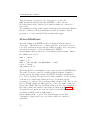
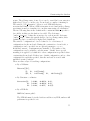
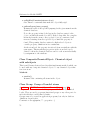
These file names correspond to the object types, e.g. the call
MMTK.Molecule(’Water’)will cause MMTK to look for the file
Molecules/water in the database (note that the names are converted to
lower case).
The remaining sections of this chapter explain how the individual definition
files are constructed. Keep in mind that each file is actually a Python
program, so of course standard Python syntax rules apply.
Atom definitions
An atom definition in MMTK describes a chemical element, such as
”hydrogen”. This should not be confused with the ”atom types” used in
force field descriptions and in some modelling programs. As a consequence,
it is rarely necessary to add atom definitions to MMTK.
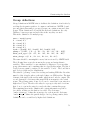
Atom definition files are short and of essentially identical format. This is
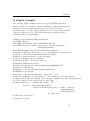
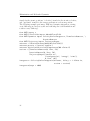
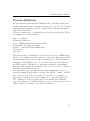
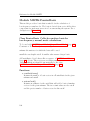
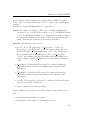
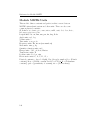
the definition for carbon:
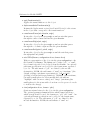
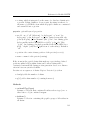
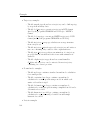
name = ’carbon’
symbol = ’C’
mass = [(12, 98.90), (13.003354826, 1.10)]
color = ’black’
vdW_radius = 0.17
The name should be meaningful to users, but is not used by MMTK itself.
The symbol, however, is used to identify chemical elements. It must be
exactly equal to the symbol defined by IUPAC, including capitalization
(e.g. ’Cl’ for chlorine). The mass can be either a number or a list of tuples,
as shown above. Each tuple defines an isotope by its mass and its
percentage of occurrence; the percentages must add up to 100. The color is
used for VRML output and must equal one of the color names defined in
the module VRML. The van der Waals radius is used for the calculation of
molecular volumes and surfaces; the values are taken from [Bondi1964].
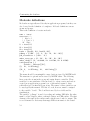
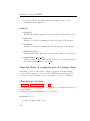
An application program can create an isolated atom with Atom(’c’) or,
specifying an initial position, with Atom(’c’,
position=Vector(0.,1.,0.)). The element name can use any
combination of upper and lower case letters, which are considered
equivalent.
52