1
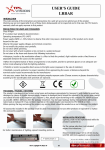
User’s guide
P2/4
fixing
P3/4
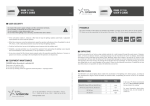
User security
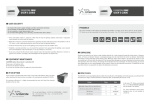
During the set up, the light has to be switched off and unplugged. Please use the fixing holes designed for that purpose
(see scheme below). We recommend the using of M4 screws (not supplied) with a tightening torque from 0.5 to 1.5 Nm.
We also recommend the use of a threadlocker (not supplied) to avoid any risk of loosening.
Do
Do
Do
Do
respect the power supply voltages and the connection terminals.
not modify or dismantle all or part of the product.
not connect or clean when power is on.
not watch the lighting source directly, and follow the advice below :
• If the workstation enables it, interpose a filter that will stop the lighting radiation under fixed or adjustable frame
between the source and the operator.
• When these measures cannot be implemented, supply the operators with glasses (class 4) available for sale at
TPL Vision, or with a dedicated protective mask, that will stop the lighting radiation.
• Forbid or limit the direct access to the lighting source (exposure into the radiation axis).
• Establish a security perimeter so as to prevent the operators from approaching the lighting source beyond
the recommendations of the manufacturer, as for eye irritation is concerned.
• In any case, ensure that the chosen means properly reduce the exposition quantities (features of screens or
glasses to be chosen, according to the wavelengths that the operators are exposed to).
Connection
Equipment maintenance
Cleaning (when the product is switched off)
M8 3 male points
4
black
not connected
Please use a soft and dry cloth.
Do not use any abrasive material.
Do not use any cleaning solvent or aggressive chemical product.
CONNECTION
1 + 24 V
+ LED
brown
1
3
blue
- LED
3 Ground
4 not connected
FRONT VIEW OF THE PRODUCT’S CONNECTOR