1
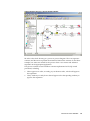
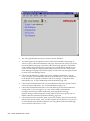
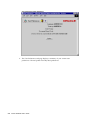
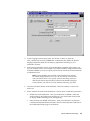
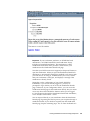
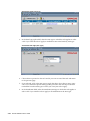
Replace the bracketed italicized text in the above URL as follows: • <webagent> represents the base URL of the web agent configured for Oracle Workflow in your Web server. See: Setting Global User Preferences, Oracle Workflow Administrator's Guide. • <rolename> represents an internal role name that you want to query routing rules for. Note, however, that you can query for roles other than your current role only if your current role has workflow administrator privileges. See: Setting Global User Preferences, Oracle Workflow Administrator's Guide. If you have workflow administrator privileges, you can display a web page that lets you find the routing rules for a specified role. Enter: <webagent>/wf_route.find Enter the user ID of a role and choose Find. Notication Rules Page (Find) Important: Both of these URLs access secured pages, so if you have not yet logged on as valid user in the current web session, you will be prompted to do so before the page appears. Note: You can also access the Notification Rules web page from the Oracle Workflow home page. See: Accessing the Oracle Workflow Home Page, page 2-1. 2. The Notification Rules page for the role appears, listing all existing rules for the current role. Choose Create Rule. Viewing Notications and Processing Responses 3-23