1
User’s Manual
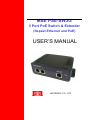
MSE PSE-SW3G series
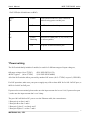
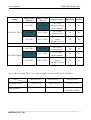
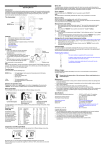
*POWER LED
LED
Power
STATUS
Description
Green
LED ON when power input (DC IN on
rear panel or Port UPLINK on front
panel) has valid power supplied.
Red
The indicator only been used on
PSE-SW3G11CN, LED ON when the
following warning condition happened.
*Power input under voltage (Vin<10V)
*Power input over voltage (Vin>59V)
*PoE over current (2A/per port)
the indicator is unused on
PSE-SW3G44DN
Off
No power supplied.
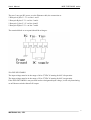
*SWITCH LED (the right indicator on RJ45)
LED
P1~P3
STATUS
Green
Link/Act
Description
A network device is detected (1000Mbps),
but no communication activity is detected.
Green
This port is transmitting to, or receiving
Blinking
package from another device at 1000Mbps.
Yellow
A network device is detected (10Mbps or
100Mbps), but no communication activity
is detected.
Yellow
This port is transmitting to, or receiving
Blinking
package from another device at 10Mbps or
100Mbps.
Off
No device is detected.
4
MSTRONIC CO., LTD.