1
2.1 oarstat
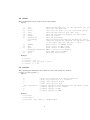
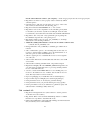
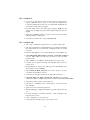
This command prints jobs in execution mode on the terminal.
Options
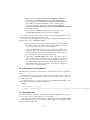
-j,
-f,
-s,
-u,
-g,
-e,
-p,
--job
--full
--state
--user
--gantt
--events
--properties
--accounting
--sql
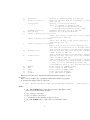
show informations only for the specified job (eve
show full informations
show only the state of a job (optimized query)
show informations for this user only
show job informations between two date-times
show job events
show job properties
show accounting informations between two dates
restricts display by applying the SQL where claus
on the table jobs (ex: "project = ’p1’")
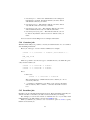
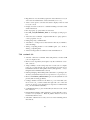
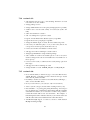
-D, --dumper
print result in DUMPER format
-X, --xml
print result in XML format
-Y, --yaml
print result in YAML format
--backward-compatible OAR 1.* version like display
-V, --version
print OAR version number
-h, --help
show this help screen
Examples
#
#
#
#
oarstat
oarstat -j 42 -f
oarstat --sql "project = ’p1’"
oarstat -s -j 42
2.2 oarnodes
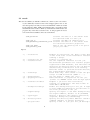
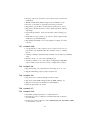
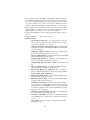
This command prints informations about cluster resources (state, which jobs on which
resources, resource properties, ...).
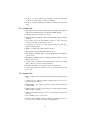
Options
-a
: shows all resources with their properties
-r
: show only properties of a resource
-s
: shows only resource states
-l
: shows only resource list
--sql "sql where" : Display resources which matches this sql where clause
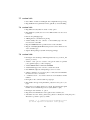
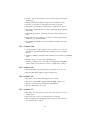
-D
: formats outputs in Perl Dumper
-X
: formats outputs in XML
-Y
: formats outputs in YAML
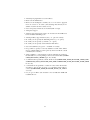
Examples
# oarnodes
# oarnodes -s
# oarnodes --sql "state = ’Suspected’"
5