Transcript
OPERATING INSTRUCTIONS
FLSER
21.5.2007
1 (1)
FLSER OPERATING INSTRUCTIONS
1. Commissioning of TEFL room unit with FLSER tool
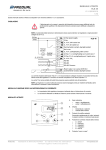
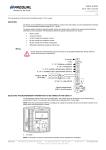
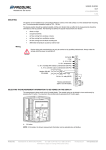
a) In the switch position MID the TEFL room unit can be connected to the wanted FLTA receiver (163) by using the – and + buttons on the top of the display. (Picture 1)
b) Choose the switch position S-RID to define the TEFL room unit’s own ID (SID 1-99) (picture 2)
c) Press the ”OK” button and on the display appears flashing text ”WAIT”
d) Remove the battery from the chosen TEFL room unit for a moment and put it back. This must be
done in 30 seconds, otherwise the FLSER tool goes back to the normal stage.
REP
RSSI
S-RID
MID
OFF
e) When the chosen TEFL room unit starts up and the programming has been successful, there
appears a text OK to the display. Also the LED’s of TEFL room unit and FLSER tool will flash 5
times simultaneously.
2. Commissioning of FLREP repeater with FLSER tool
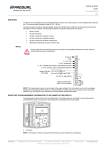
a) Choose the switch position S-RID and press button M on the top of the display. After that there
appears a text RID to the display and the repeater ID 1-8 can be chosen by using the – and +
buttons.
b) Press the ”OK” button and on the display appears flashing text ”WAIT”
c) Connect the supply voltage 24 V ac/dc to the FLREP repeater. This must be done in 30 seconds,
otherwise the FLSER tool goes back to the normal stage.
REP
RSSI
S-RID
MID
OFF
d) When the chosen FLREP repeater starts up and the programming has been successful, there
appears a text OK to the display. Also the LED’s of FLREP repeater and FLSER tool will flash 5
times simultaneously.
3. Signal strength measuring with the FLSER tool
a) In the switch position RSSI the FLSER tool can be used for the measuring of signal strength
NOTE! When the switch is in the RSSI position, the FLTA receiver ends the normal service of the
network. There appears also a text “ON CARE” to the FLTA receiver’s display. FLTA receiver goes
back to its normal stage after 30 seconds, when the RSSI position is switched off. During the “ON
CARE” stage, it is possible that the TEFL room units go to the energy saving mode. The TEFL room
units go back to the normal stage 5 minutes after the FLTA receiver is back on its normal stage.
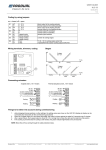
b) FLSER tool shows now on its display the intensity of its own signal strength (upper reading) and
the signal strength measured by the FLTA receiver (lower reading)
REP
RSSI
S-RID
MID
OFF
Adequate signal strength is reached with values 2-9, if the value is lower than 2 it is recommended
to use the FLREP repeater between the room units and the receiver.
NOTE! FLSER tool shows the direct intensity of the signal strength between the FLTA receiver and
the FLSER tool. FLSER tool doesn’t use the possibly installed FLREP repeaters to the signal
strength measuring.
4. FLSER tool in the repeater emulation
In the switch position REP the FLSER tool can be used to emulate the FLREP repeater. During this
application there shouldn’t be installed any FLREP repeaters. The feature of this application is to
ease up the installation of actual FLREP repeater and to find a suitable location for it.
For example, if the installation location doesn’t have adequate signal strength, the FLSER tool can
be used to emulate the position of FLREP repeater and the adequate intensity can be checked by
using the FLTA receivers own signal strength measuring. By these measures can be assured that
the signal strength is adequate (RSSI 2-9)
REP
RSSI
S-RID
MID
OFF
NOTE! The repeater emulation will deplete the battery of FLSER tool in 100h, therefore the FLREP
repeaters will need 24 V ad/dc supply
Produal Oy
Keltakalliontie 18
48770 Kotka
FINLAND
www.produal.fi
Tel: +358-5-230 9200
Fax: +358-5-230 9210
[email protected]