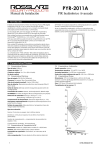
1
4. Installation
4.1 General
The PYR-2011A is designed for easy installation. Only a few steps
are needed to install the PIR device.
To enable the Curtain Adapter for PIR detection on a focused
area, such as a corridor or across a window or opening, follow
the instruction outlined in Section 5.
When you are sure of the mounting location, follow the steps for
mounting the PIR (on a flat surface or in a corner) as described
below.
4.2 Opening the PYR-2011A
The PYR-2011A housing can be opened by unscrewing it with a
Philips-head screwdriver (1) and pushing the safety latch (2) to
“unlock”.
4.4 Wall Mounting
The PIR housing has “dimple” points for insertion of screws, for
either wall mounting or corner mounting (refer to detailed
pictures below). Remove the PC board prior to mounting.
CAUTION: Be careful not to touch the pyroelectric unit on the
board. Touching the unit will gravely affect the unit’s ability to
work properly.
1
2
4.3 Mounting the PYR-2011A PIR
Select an area for mounting the PYR-2011A, and ensure the
location is flat, either a wall or a 90-degree corner, for perfect
mounting of the unit. Ensure the PIR has a “view” of the area
under surveillance and is free from obstructions.
The PYR-2011A has a detection range of 14.7 m (48 ft.) when
placed at a height of between 1.8 m and 2.3 m.
To mount the PYR-2011A PIR:
1.
When using the corner mount, you must first place the
plastic bracket in the corner at the exact chosen
location. Pay attention that the narrow edge faces
downwards (the bracket has a direction).
Attach the bracket firmly to the wall; all 4 screws must
be inserted.
Insert the body of the PYR into place over the plastic
bracket, using the corner mounting holes. The plastic
pipe/pole should press the “back tamper” correctly.
2.
3.
4.5 Closing the Detector
After mounting the detector, insert a battery (refer to Section 6).
Place the PCB back in place and close the detector in reverse
order. Wait for the detector to finish its self-test (refer to the
Signaling Table in Section 9).
NOTE: When using the swivel mount, refer to the BR-11 installation
manual.
5. Adding the Curtain Adapter
Use the curtain adapter for detecting movement in narrow places
(corridors) or across surfaces (window).
You will need to remove the lens only to add or remove the curtain
adapter.
To add the curtain adapter:
1.
Turn the top part of the PYR-2011A over and locate the
lens' “holder pin” (A).
Remove the pin by positioning a screwdriver under the
“holder pin” and gently lifting the pin up out of its place.
2.
4.
5.
6.
Place the curtain adapter onto the lens area on the front
of the housing. Be sure to place the guide pins into the
two holes at the lower part of the lens area.
Replace the lens.
Turn the whole assembly over and replace the “holding
pin” that holds the spherical lens in place. Be sure to
place the “holding pin” between the lens tab and the
housing, with the flat side toward the lens tab.
Lens
A
Curtain
Adaptor
3.
Gently push the two latches on the side of the lens
inwards, turn the housing over, and pop off the lens.
2
0706-0960110+03