1
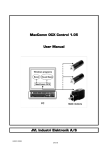
MacComm OCX Control 1.07
User Manual
JVL Industri Elektronik A/S
LB0051-07GB – 3. September 2008
2
JVL Industri Elektronik A/S – User Manual – MacComm OCX Control
Contents
1
1.1
1.2
1.3
1.4
2
2.1
2.2
3
3.1
3.2
3.3
Introduction................................................................................................................................ 3
Foreword .............................................................................................................................................................4
What is new in version 1.07 ..........................................................................................................................5
Conventions in this manual ...........................................................................................................................5
If you are not going to read anything else ................................................................................................5
Programming guide.................................................................................................................... 6
MacComm OCX programming basics..........................................................................................................7
Advanced programming issues .....................................................................................................................9
2.2.1
Timing and multithreading ........................................................................................................... 9
2.2.2
Controlling programmable motors ............................................................................................. 9
Interface reference ..................................................................................................................10
Overview........................................................................................................................................................... 11
3.1.1
Methods ...........................................................................................................................................11
3.1.2
Properties.........................................................................................................................................12
Property descriptions .................................................................................................................................... 13
3.2.1
ComPort ...........................................................................................................................................13
3.2.2
Retries...............................................................................................................................................13
3.2.3
GrpSends ..........................................................................................................................................14
3.2.4
ComPort ...........................................................................................................................................14
Method Descriptions..................................................................................................................................... 15
3.3.1
OpenPort()........................................................................................................................................15
3.3.2
ClosePort() .......................................................................................................................................15
3.3.3
ReadParameter([in] Address, [in] ParamNum, [out] Value) ...............................................16
3.3.4
ReadParameterAlternate([in] Address, [in] ParamNum, [out] Value)..............................17
3.3.5
WriteParameter([in] Address, [in] ParamNum, [in] Value).................................................18
3.3.6
WriteParameterAlternate([in] Address, [in] ParamNum, [in] Value) ...............................19
3.3.7
GetParamNumFromName([in] Address, [in] ParamName) .................................................20
3.3.8
AboutBox().......................................................................................................................................20
3.3.9
GetLastError()..................................................................................................................................21
3.3.10 GetLastErrorStr([in] ErrorCode)..................................................................................................21
3.3.11 GetParameterType([in] Address, [in] ParamNum).................................................................22
3.3.12 Reset([in] Address) ........................................................................................................................23
3.3.13 ResetWait([in] Address) ...............................................................................................................23
3.3.14 WriteToFlash([in] Address) ..........................................................................................................24
3.3.15 WriteToFlashWait([in] Address).................................................................................................24
3.3.16 SetFactors([in] PositionFactor, [in] AccelerationFactor, [in], VelocityFactor)...............25
3.3.17 SetFactorsBig([in] PositionFactor, [in] AccelerationFactor, [in] VelocityFactor) .........26
3.3.18 SetFactorsMIS([in] PositionFactor, [in] AccelerationFactor, [in] VelocityFactor) ........27
3.3.19 SetMACType([in] Address, [in] Type) ........................................................................................28
3.3.20 SetMotorType([in] Address, [in] Type)......................................................................................29
3.3.21 GetMotorType([in] Address)........................................................................................................29
3.3.22 GetModuleType([in] Address, [out] ModuleType, [out] FirmWareVersion) ....................30
3.3.23 NanoGet([in] Address, [in] Page, [out] Data) .........................................................................31
3.3.24 NanoPut([in] Address, [in] Page, [in] Data) ............................................................................31
3.3.25 NanoProgram([in] Address, [in] FileName).............................................................................32
JVL Industri Elektronik A/S – User Manual – MacComm OCX Control
1
4
4.1
4.2
4.3
4.4
4.5
3.3.26 NanoStop([in] Address)................................................................................................................32
3.3.27 NanoReset([in] Address) ..............................................................................................................33
3.3.28 NanoResetWait([in] Address).....................................................................................................33
3.3.29 NanoDebug ([in]Address, [out]State, [out]Inputs, [out]Outputs,.....................................34
3.3.30 RxPNOOP ([in] Address, [out] Value)........................................................................................35
3.3.31 RxPReset ([in] Address)................................................................................................................35
3.3.32 RxPResetWait ([in] Address).......................................................................................................36
3.3.33 RxPStart ([in] Address).................................................................................................................36
3.3.34 RxPStop ([in] Address) .................................................................................................................36
3.3.35 RxPPause ([in] Address) ...............................................................................................................37
3.3.36 RxPStep ([in] Address , [in] MinAddress, [in] MaxAddress) ...............................................37
3.3.37 RxPSetOutputs ([in] Address , [in] Outputs, [in] Mask) ......................................................38
3.3.38 ReadStatus([in] Address, [out] Status, [out] Position, [out] ErrCount) ..........................39
3.3.39 WriteGroup([in] Group, [in] ParamNum, [in] Value)............................................................40
Appendix ...................................................................................................................................41
Installation .......................................................................................................................................................42
Adding MacComm OCX to your program ................................................................................................43
4.2.1
Visual Basic 6 .................................................................................................................................43
4.2.2
Visual C++ 6 ...................................................................................................................................43
4.2.3
Visual .NET.......................................................................................................................................43
4.2.4
Borland C++ Builder 6.0..............................................................................................................43
4.2.5
LabVIEW 7.0....................................................................................................................................44
Motor type codes............................................................................................................................................45
Parameter conversion factors .....................................................................................................................46
4.4.1
MAC50, MAC95, MAC140, MAC141........................................................................................46
4.4.2
MAC400 and MAC800 servomotor family .............................................................................47
4.4.3
SMC75, MIS231, MIS232, MIS234...........................................................................................47
Custom Errors:.................................................................................................................................................48
JVL Industri Elektronik A/S – User Manual – MacComm OCX Control
2
1
Introduction
JVL Industri Elektronik A/S – User Manual – MacComm OCX Control
3
1.1 Foreword
MacComm OCX has been developed to provide an easy way of interfacing to the MAC motors from
various Windows applications.
To use the MacComm OCX you only need a development environment that supports ActiveX
components (previously called OLE controls)
This includes: MS Excel, MS Visual Studio, Borland C++ Builder, Borland Delphi, LabView, and many
more.
By using this OCX you do not need to worry about setting up the COM port settings such as: baud
rate, start bits, stop bits, databits, parity, CTS, RTS etc.
These settings are handled automatically by the OCX. All you need is to tell what COM port is used
and what addresses the MAC motors are connected.
The MAC motor address is only required when more than one MAC motor is connected to the same
serial cable. Otherwise address 255 is a broadcast address, where the MAC motor will react
regardless of configured address.
JVL Industri Elektronik A/S – User Manual – MacComm OCX Control
4
1.2 What is new in version 1.07
Version 1.07 adds support for the QuickStep family of stepper motor controllers and integrated
steppers.
Current JVL products in this range include the SMC75 stepper motor controller board, and the
MIS231, MIS232 and MIS234 integrated stepper motors. All of them are programmable in the same
way as the MAC00-R1/R2/R4 modules. For further information on these products, visit the JVL
website at http://www.jvl.dk.
The addition of the QuickStep family has required an extension to the MacComm OCX interface.
This is in the form of the SetMotorType method, which tells the OCX how to handle a motor, at a
given address on the serial bus. It is similar to the SetMACType method, but is more flexible. Also
added is the GetMotorType method, which allows you to read back the type code provided to
SetMotorType. For more information, see sections 3.3.20, 3.3.19, and 3.3.21 for detailed
descriptions of the relevant functions. For a list of currently defined motor type codes, see
appendix 4.3.
In addition, this manual has been revised and extended.
1.3 Conventions in this manual
This manual is mainly about programming with the MacComm OCX, and there is really only one
convention that matters: the form of the code examples.
In all cases where the text is a concrete example, like code that can be added to a program, or
commands that can be entered at a command prompt, the text will look like this:
'This is a Visual Basic comment
MacComm.Retries = 5
Where nothing else is indicated, 'MacComm' in the code samples refer to an instance of the
MacComm OCX.
1.4 If you are not going to read anything else
If you are anxious to get started quickly, we suggest you turn to section 2.1 of the programming
guide. It explains the basics of using the MacComm OCX, and also points out some important
pitfalls.
Instructions for installing the OCX to your system are found in appendix 4.1.
Instructions for using the OCX with your development environment are found in appendix 4.2.
JVL Industri Elektronik A/S – User Manual – MacComm OCX Control
5
2
Programming guide
JVL Industri Elektronik A/S – User Manual – MacComm OCX Control
6
2.1 MacComm OCX programming basics
First you need to add the OCX to your project (See Installation instructions later in this manual)
To initialize the OCX the following are required:
Setting “ComPort” to wanted COM port number
Calling SetMACType to set MAC type (only required for MAC 400/800)
Calling “OpenPort”
Now it is possible to use the various commands for setting/retrieving values:
Call ReadParameterAlternate to read a value
Call WriteParameterAlternate to set a value
Etc.
To close the communications do the following:
Call ClosePort
JVL Industri Elektronik A/S – User Manual – MacComm OCX Control
7
JVL Industri Elektronik A/S – User Manual – MacComm OCX Control
8
2.2 Advanced programming issues
This chapter deals with various issues which, strictly speaking, is beyond the scope of a reference
manual like this one. However, we know that many JVL costumers will appreciate having these
issues clarified.
2.2.1 Timing and multithreading
All calls to the MacComm OCX block the calling thread until completed. This simplifies
programming and debugging, but delays execution of the thread. If this is not acceptable, we
recommend that each instance of the OCX is handled by its own background thread.
The details of how this should be done both depends on your choice of programming tool, and the
intended application. They are therefore beyond the scope of this manual.
2.2.2 Controlling programmable motors
Programmable motors include the QuickStep family, and any MAC motor with a MAC00-Rx, -RxP, FB4, or –EW4 module. A programmable motor can be controlled in the same fashion as a nonprogrammable motor. However, if a program is run locally on the motor, concurrently with the
motor being controlled from the outside, certain things must be considered.
MAC motors with MAC00-Rx modules: the Rx NanoPLC module has been discontinued, but remains
in use with many JVL costumers.
MAC motors with MAC00-RxP, -FB4, and -EW4 modules:
QuickStep motors and controllers:
JVL Industri Elektronik A/S – User Manual – MacComm OCX Control
9
3
Interface reference
JVL Industri Elektronik A/S – User Manual – MacComm OCX Control
10
3.1 Overview
This is a brief overview of the methods and properties available in the MacComm OCX interface.
3.1.1 Methods
OpenPort()
ClosePort()
ReadParameter([in] Address, [in] ParamNum, [out] Value)
ReadParameterAlternate([in] Address, [in] ParamNum, [out] Value)
WriteParameter([in] Address, [in] ParamNum, [in] Value)
WriteParameterAlternate([in] Address, [in] ParamNum, [in] Value)
GetParamNumFromName([in] Address, [in] ParamNum)
GetLastError()
GetLastErrorStr([in] long ErrorCode)
GetParameterType([in] Address, [in] ParamNum)
Reset([in] Address)
ResetWait([in] Address)
WriteToFlash([in] Address)
WriteToFlashWait([in] Address)
SetFactors([in] PositionFactor, [in] AccelerationFactor, [in] VelocityFactor)
SetFactorsBig([in] PositionFactor, [in] AccelerationFactor, [in] VelocityFactor)
SetMACType([in] Address, [in] Type)
GetModuleType([in] Address, [out] ModuleType, [out] FirmWareVersion)
NanoGet([in] Address, [in] Page, [out] Data)
NanoPut([in] Address, [in] Page, [in] Data)
NanoProgram([in] Address, [in] FileName)
NanoWrite([in] Address)
NanoStop([in] Address)
NanoReset([in] Address)
NanoResetWait([in] Address)
NanoDebug([in] Address, [out] State, [out] Inputs, [out] Outputs, [out] Time, [out] Count, [out] ModeCmd)
RxPReset([in] Address)
RxPResetWait([in] Address)
RxPNOOP([in] Address, [out] Value)
RxPStart([in] Address)
RxPStop([in] Address)
RxPPause([in] Address)
RxPStep([in] Address, [in] MinAddress, [in] MaxAddress)
RxPSetOutputs([in] Address, [in] Outputs, [in] Mask)
ReadStatus([in] Address, [out] Status, [out] Position, [out] ErrCount);
WriteGroup([in] Group, [in] RegisterNo, [in] Value);
AboutBox()
SetMotorType([in] Address, [in] Type)
GetMotorType([in) Address, [out] Type)
JVL Industri Elektronik A/S – User Manual – MacComm OCX Control
11
3.1.2 Properties
ComPort
Retries
GrpSends
Baud
JVL Industri Elektronik A/S – User Manual – MacComm OCX Control
12
3.2 Property descriptions
3.2.1 ComPort
Type: Integer
Default value: 1
Description:
Use this property to select the serial port
Example(s):
C++:
// Use COM1
MacComm.ComPort = 1;
BASIC:
'Use COM1
MacComm.ComPort = 1
3.2.2 Retries
Type: Integer
Default value: 5
Description:
Use this property to set the number of retries
Example(s):
C++:
// Try five times before reporting failure
MacComm.Retries = 5;
BASIC:
'Try five times before reporting failure
MacComm.Retries = 5
JVL Industri Elektronik A/S – User Manual – MacComm OCX Control
13
3.2.3 GrpSends
Type: Integer
Description:
Use this property to set the serial port
Example(s):
C++:
// Use COM1
MacComm.ComPort = 1;
BASIC:
'Use COM1
MacComm.ComPort = 1
3.2.4 ComPort
Type: Boolean
Description:
Use this property to set the serial port
Example(s):
C++:
// Use COM1
MacComm.ComPort = 1;
BASIC:
'Use COM1
MacComm.ComPort = 1
JVL Industri Elektronik A/S – User Manual – MacComm OCX Control
14
3.3 Method Descriptions
3.3.1 OpenPort()
Return type: Boolean
Returns true if open was successful
Description:
Use this method to open the port
Example(s):
C++:
// Opening the port
bool Result=MacComm.OpenPort();
BASIC:
'Opening the port
Dim Result As Boolean
Result = MacComm.OpenPort
3.3.2 ClosePort()
Description:
Use this method to close the port
Example(s):
C++:
// Closing the port
MacComm.ClosePort();
BASIC:
'Closing the port
MacComm.ClosePort
JVL Industri Elektronik A/S – User Manual – MacComm OCX Control
15
3.3.3 ReadParameter([in] Address, [in] ParamNum, [out] Value)
Parameters:
Type
Name
Description
16 bit signed integer
Address
Address of the motor (255 for broadcast)
16 bit signed integer
ParamNum Parameter number
32 bit signed integer (pointer)
Value
Value to be read (Pointer)
Return type: Boolean
Returns true if read was successful
It will try the amount of times the property “Retries” has been set to before returning false.
Description:
Use this method to read a parameter from a Macmotor register
This method can also be used for accessing the module registers by using ParamNums above 256.
Register 1 in the module can be accessed by reading ParamNum 257
Value is one of the following types cast to a long integer:
Word:
16 bit unsigned integer
Integer:
16 bit signed integer
LongInt:
32 bit signed integer
Fixed4:
16 bit signed fixed point (Unit: 1/4096)
Fixed8:
16 bit signed fixed point (Unit: 1/256)
Fixed16
32 bit signed fixed point (Unit: 1/65536)
Fixed24
32 bit signed fixed point (Unit: 1/256)
Example(s):
C++:
// Getting operation mode (Parameter number 2)
long Value;
bool Result=MacComm.ReadParameter(255,2,&Value);
// Getting position (Parameter 10: P_IST)
long Value;
bool Result=MacComm.ReadParameter(255,3,&Value);
BASIC:
'Common dim statements:
Dim LocalValue As Long
Dim Result As Boolean
'Getting operation mode (Parameter number 2)
Result = MacComm.ReadParameter(255, 2, LocalValue)
'Getting position (Parameter 10: P_IST)
Result = MacComm.ReadParameter(255, 10, LocalValue)
JVL Industri Elektronik A/S – User Manual – MacComm OCX Control
16
3.3.4 ReadParameterAlternate([in] Address, [in] ParamNum, [out] Value)
Parameters:
Type
Name
Description
16 bit signed integer
Address
Address of the motor (255 for broadcast)
16 bit signed integer
ParamNum Parameter number
32 bit floating point (pointer)
Value
Value to be read (Pointer)
Return type: Boolean
Returns true if read was successful
It will try the amount of times the property “Retries” has been set to before returning false.
Description:
Use this method to read a parameter from a Macmotor register
This method uses the factors for Acceleration, Position and Velocity-registers, which can be set by
calling SetFactors.
Some of the other registers are converted using predefined factors (See SetFactors)
The rest just pass through
Types are handled automatically by this method
Example(s):
C++:
// Getting operation mode (Parameter number 2)
float Value;
bool Result=MacComm.ReadParameterAlternate(255,2,&Value);
/* Getting position (Parameter 10: P_IST) multiplied with
Positionfactor */
float Value;
bool Result=MacComm.ReadParameterAlternate(255,3,&Value);
BASIC:
'Common dim statements:
Dim LocalValue As Single
Dim Result As Boolean
'Getting operation mode (Parameter number 2)
Result = MacComm.ReadParameterAlternate(255, 2, LocalValue)
'Getting position (Parameter 10: P_IST) multiplied with
'Positionfactor
Result = MacComm.ReadParameterAlternate(255, 10, LocalValue)
JVL Industri Elektronik A/S – User Manual – MacComm OCX Control
17
3.3.5 WriteParameter([in] Address, [in] ParamNum, [in] Value)
Parameters:
Type
Name
Description
16 bit signed integer
Address
Address of the MAC motor (Use 255 to broadcast)
16 bit signed integer
ParamNum Parameter number
32 bit signed integer
Value
Value to be written
Return type: Boolean
Returns true if write was successful
It will try the amount of times the property “Retries” has been set to before returning false.
Description:
Use this method to write a parameter to a Macmotor register
This method can also be used for accessing the module registers by using ParamNums above 256.
Register 1 in the module can be accessed by writing to ParamNum 257
Value is one of the following types cast to a long integer:
Word:
16 bit unsigned integer
Integer:
16 bit signed integer
LongInt:
32 bit signed integer
Fixed4:
16 bit signed fixed point (Unit: 1/4096)
Fixed8:
16 bit signed fixed point (Unit: 1/256)
Fixed16
32 bit signed fixed point (Unit: 1/65536)
Fixed24
32 bit signed fixed point (Unit: 1/256)
Example(s):
C++:
/* Setting operation mode (Parameter number 2) to Position mode
(Value 2) */
bool Result=MacComm.WriteParameter(255,2,2);
// Setting Position (Parameter 3: P_SOLL) to 4096 (Value 4096)
bool Result=MacComm.WriteParameter(255,3,4096);
BASIC:
'Setting operation mode (Parameter number 2) to Position mode
'(Value 2)
Dim Result As Boolean
Result = MacComm1.WriteParameter(255, 2, 2)
'Setting Position (Parameter 3: P_SOLL) to 4096 (Value 4096)
Dim Result As Boolean
Result = MacComm1.WriteParameter(255, 3, 4096)
JVL Industri Elektronik A/S – User Manual – MacComm OCX Control
18
3.3.6 WriteParameterAlternate([in] Address, [in] ParamNum, [in] Value)
Parameters:
Type
Name
Description
16 bit signed integer
Address
Address of the MAC motor (Use 255 to broadcast)
16 bit signed integer
ParamNum Parameter number
32 bit floating point
Value
Value to be written
Return type: Boolean
Returns true if write was successful
It will try the amount of times the property “Retries” has been set to before returning false.
Description:
Use this method to write a parameter to a Macmotor register
This method uses the factors for Acceleration, Position and Velocity-registers, which can be set by
calling SetFactors.
Some of the other registers are converted using predefined factors (See SetFactors)
The rest just pass through
Types are handled automatically by this method
Example(s):
C++:
// Setting operation mode (Parameter number 2)
// to Position mode (Value 2)
bool Result=MacComm.WriteParameterAlternate(255,2,2);
// Setting Position (Parameter 3: P_SOLL)
// to 4000 divided by Positionfactor (Value 4000)
bool Result=MacComm.WriteParameterAlternate(255,3,4000);
BASIC:
'Setting operation mode (Parameter number 2)
'to Position mode (Value 2)
Dim Result As Boolean
Result = MacComm1.WriteParameterAlternate(255, 2, 2)
'Setting Position (Parameter 3: P_SOLL)
'to 4000 divided by Positionfactor (Value 4000)
Dim Result As Boolean
Result = MacComm1.WriteParameterAlternate(255, 3, 4000)
JVL Industri Elektronik A/S – User Manual – MacComm OCX Control
19
3.3.7 GetParamNumFromName([in] Address, [in] ParamName)
Parameters:
Type
Name
Description
16 bit signed integer
Address
Address of the MAC motor
String
ParamName Parameter name
Return type: 16 bit signed integer
Returns parameter number or 0 if not found.
Description:
Use this method to retrieve the parameter number from the name
Example(s):
C++:
// Getting last error code:
unsigned short ParamNum=MacComm.GetParamNumFromName(255, “P_IST”);
BASIC:
'Getting last error code:
Dim ParamNum As Integer
ParamNum=MacComm.GetParamNumFromName(255, “P_IST”)
3.3.8 AboutBox()
Description:
Shows a dialog about the program
Example(s):
C++:
// Show the about box
MacComm.AboutBox();
BASIC:
'Show the about box
MacComm.AboutBox
JVL Industri Elektronik A/S – User Manual – MacComm OCX Control
20
3.3.9 GetLastError()
Return type: 32 bit signed integer
Returns an error code like the Windows GetLastError(), but with some additions
Description:
Use this method to retrieve the error code for the last error
Example(s):
C++:
// Getting last error code:
unsigned short ErrorCode=MacComm.GetLastError();
BASIC:
'Getting last error code:
Dim ErrorCode As Integer
ErrorCode = MacComm.GetLastError
3.3.10
GetLastErrorStr([in] ErrorCode)
Parameters:
Type
Name
Description
32 bit signed integer
ErrorCode
Errorcode to be converted to a string
Return type: String
Returns an error code description like the Windows GetLastError(), but with the same additions as
GetLastError()
Description:
Use this method to retrieve a description of an error code
Example(s):
C++:
// Get description of passed error code
CString Text=MacComm.GetLastErrorStr(MacComm.GetLastError());
BASIC:
'Getting last error code:
Dim Description As String
Description = MacComm.GetLastErrorStr(MacComm.GetLastError)
JVL Industri Elektronik A/S – User Manual – MacComm OCX Control
21
3.3.11
GetParameterType([in] Address, [in] ParamNum)
Parameters:
Type
Name
Description
16 bit signed integer
Address
Address of the MAC motor
16 bit signed integer
ParamNum Parameter number
Return type: 16 bit signed integer
Return value indicates what type the parameter is stored as internally in the MAC Motor
-1
Invalid
Invalid parameter!
0
Word:
16 bit unsigned integer
1
Integer:
16 bit signed integer
2
LongInt:
32 bit signed integer
3
Fixed4:
16 bit signed fixed point (Unit: 1/4096)
4
Fixed8:
16 bit signed fixed point (Unit: 1/256)
5
Fixed16
32 bit signed fixed point (Unit: 1/65536)
6
Fixed24
32 bit signed fixed point (Unit: 1/256)
Description:
Use this method to determine how a parameter should be sent.
The integer types should just be used as parameters.
The Fixed4 type should be converted to an integer by multiplying with 4096
The Fixed8 type should be converted to an integer by multiplying with 256
The Fixed16 type should be converted to an integer by multiplying with 65536
The Fixed24 type should be converted to an integer by multiplying with 256
Example(s):
C++:
// Get Parameter 100's type
short Type=MacComm.GetParameterType(100);
BASIC:
'Get Parameter 100's type
Dim ParameterType As Integer
ParameterType = MacComm.GetParameterType(100)
JVL Industri Elektronik A/S – User Manual – MacComm OCX Control
22
3.3.12
Reset([in] Address)
Parameters:
Type
Name
Description
16 bit unsigned short integer
Address
Address of the motor (255 for broadcast)
Return type: Boolean
Returns true if reset was successful
It will try the amount of times the property “Retries” has been set to before returning false.
Description:
Resets MAC motor to last flashed values.
Returns as soon as the Reset command has been sent to the MAC motor.
Example(s):
C++:
// Reset MAC motor
bool Result=MacComm.Reset(255);
BASIC:
'Reset MAC motor
Dim Result As Boolean
Result=MacComm.Reset(255)
3.3.13
ResetWait([in] Address)
Parameters:
Type
Name
Description
16 bit unsigned short integer
Address
Address of the motor (255 for broadcast)
Return type: Boolean
Returns true if reset was successful
It will try the amount of times the property “Retries” has been set to before returning false.
Description:
Resets MAC motor to last flashed values
Returns when MAC motor is ready.
Example(s):
C++:
// Reset MAC motor
bool Result=MacComm.Reset(255);
BASIC:
'Reset MAC motor
Dim Result As Boolean
Result=MacComm.Reset(255)
JVL Industri Elektronik A/S – User Manual – MacComm OCX Control
23
3.3.14
WriteToFlash([in] Address)
Parameters:
Type
Name
Description
16 bit unsigned short integer
Address
Address of the motor (255 for broadcast)
Return type: Boolean
Returns true if flashing was successful
It will try the amount of times the property “Retries” has been set to before returning false.
Description:
Writes MAC registers to Flash memory
Returns as soon as the Flash command has been sent to the MAC motor.
Example(s):
C++:
// Write registers to flash
bool Result=MacComm.WriteToFlash(255);
BASIC:
'Write registers to flash
Dim Result As Boolean
Result=MacComm.WriteToFlash(255)
3.3.15
WriteToFlashWait([in] Address)
Parameters:
Type
Name
Description
16 bit unsigned short integer
Address
Address of the motor (255 for broadcast)
Return type: Boolean
Returns true if flashing was successful
It will try the amount of times the property “Retries” has been set to before returning false.
Description:
Writes MAC registers to Flash memory
Returns when MAC motor is ready.
Example(s):
C++:
// Write registers to flash
bool Result=MacComm.WriteToFlashWait(255);
BASIC:
'Write registers to flash
Dim Result As Boolean
Result=MacComm.WriteToFlashWait(255)
JVL Industri Elektronik A/S – User Manual – MacComm OCX Control
24
3.3.16 SetFactors([in] PositionFactor, [in] AccelerationFactor, [in],
VelocityFactor)
Parameters:
Type
Name
Description
32 bit floating point
Pos
Position Factor
32 bit floating point
Acc
Acceleration Factor
32 bit floating point
Vel
Velocity Factor
Description:
Sets factors used by ReadParameterAlternate and WriteParameterAlternate
If a value of 0 is passed the previous factor is retained.
This function is used with the MAC50/95/140/141 family of motors. The default values can be
found in appendix 4.4.
Example(s):
C++:
/* Set Position factor to 1/4096 (Converts Pulses to
revolutions),and disable the others */
MacComm.SetFactors((float)1/4096,1,1);
BASIC:
'Set Position factor to 1/4096 (Converts Pulses to revolutions),
'and disable the others
MacComm.SetFactors 1/4096,1,1
JVL Industri Elektronik A/S – User Manual – MacComm OCX Control
25
3.3.17 SetFactorsBig([in] PositionFactor, [in] AccelerationFactor, [in]
VelocityFactor)
Parameters:
Type
Name
Description
32 bit floating point
Pos
Position Factor
32 bit floating point
Acc
Acceleration Factor
32 bit floating point
Vel
Velocity Factor
Description:
Sets factors used by ReadParameterAlternate and WriteParameterAlternate
If a value of 0 is passed the previous factor is retained
This function is used with the MAC400/800 family of motors. The default values can be found in
appendix 4.4.
Example(s):
C++:
/* Set Position factor to 1/8000 (Converts Pulses to revolutions),
and disable the others */
MacComm.SetFactorsBig((float)1/8000,1,1);
BASIC:
'Set Position factor to 1/8000 (Converts Pulses to revolutions),
'and disable the others
MacComm.SetFactorsBig 1/8000,1,1
JVL Industri Elektronik A/S – User Manual – MacComm OCX Control
26
3.3.18 SetFactorsMIS([in] PositionFactor, [in] AccelerationFactor, [in]
VelocityFactor)
Parameters:
Type
Name
Description
32 bit floating point
Pos
Position Factor
32 bit floating point
Acc
Acceleration Factor
32 bit floating point
Vel
Velocity Factor
Description:
Sets factors used by ReadParameterAlternate and WriteParameterAlternate
If a value of 0 is passed the previous factor is retained
This function is used with the SMC75/MIS231/MIS232/MIS234 family of motors. The default values
can be found in appendix 4.4.
Example(s):
C++:
/* Set Position factor to 1/1600 (Converts Pulses to revolutions),
and disable the others */
MacComm.SetFactorsMIS((float)1/1600,1,1);
BASIC:
'Set Position factor to 1/1600 (Converts Pulses to revolutions),
'and disable the others
MacComm.SetFactorsMIS 1/1600,1,1
JVL Industri Elektronik A/S – User Manual – MacComm OCX Control
27
3.3.19
SetMACType([in] Address, [in] Type)
Parameters:
Type
Name
Description
16 bit unsigned short integer
Address
Address of the motor (255 for broadcast)
BOOL
Type
True if it is a MAC 400 or MAC 800
Description:
Sets MAC motor type.
Default is 0
Type can have the following values:
0
MAC50/95/140/141
1
MAC400/800
This function is not recommended for new programs. It is retained for backwards compatibility only.
Use SetMotorType instead.
Example(s):
C++:
// Set MAC400 on address 4:
MacComm.SetMACType(4,TRUE);
BASIC:
'Set MAC80 on address 4:
MacComm.SetMACType 4,FALSE
JVL Industri Elektronik A/S – User Manual – MacComm OCX Control
28
3.3.20 SetMotorType([in] Address, [in] Type)
Parameters:
Type
Name
Description
16 bit unsigned short integer
Address
Address of the motor (255 for broadcast)
16 bit unsigned short integer
Type
The type code of the motor
Description:
Sets the motor type, which determines how the OCX formats parameters sent and received.
Default is 0, which is interpreted as one of the MAC50/95/140/141 types.
A list of type codes can be found in appendix 4.3.
Example(s):
C++:
// Set MAC400 on address 4:
MacComm.SetMotorType(4,10);
BASIC:
'Set SMC75 on address 4:
MacComm.SetMotorType 4,64
3.3.21 GetMotorType([in] Address)
Parameters:
Type
Name
Description
16 bit signed integer
Address
Address of the motor
Return type: 16 bit signed integer
Return value indicates what type of motor is configured at the specified address
Description:
Use this funtion to read back the type code set with SetMotorType.
This can be useful in programs that control a mix of different motor types.
Note that this function does not detect what type of motor, if any, that actually is there.
Example(s):
C++:
// Get the type of the motor at address 100
short Type=MacComm.GetMotorType(100);
BASIC:
'Get the type of the motor at address 100
Dim MotorType As Integer
MotorType = MacComm.GetMotorType(100)
JVL Industri Elektronik A/S – User Manual – MacComm OCX Control
29
3.3.22 GetModuleType([in] Address, [out] ModuleType, [out]
FirmWareVersion)
Parameters:
Type
Name
Description
16 bit unsigned short integer
Address
Address of the motor (255 for broadcast)
16 bit unsigned short integer
ModuleType What type of module is it
16 bit unsigned short integer
FWVersion FirmWare version
Description:
Reads module information from the MAC motor
The values of ModuleType are:
1
MAC00-Rx module (NanoPLC)
2
MAC00-FPx module (Profibus)
3
MAC00-FCx module (CAN-Open)
Example(s):
C++:
// Read page 0:
VARIANT Data;
MacComm.NanoGet(255,0,Data);
BASIC:
'Read Page 0:
dim Data as VARIANT
MacComm.NanoGet 255,0,Data
JVL Industri Elektronik A/S – User Manual – MacComm OCX Control
30
3.3.23
NanoGet([in] Address, [in] Page, [out] Data)
Parameters:
Type
Name
Description
16 bit unsigned short integer
Address
Address of the motor (255 for broadcast)
16 bit unsigned short integer
Page
What page is to be read
VARIANT
Data
Array of Bytes (128 elements of VT_UI1)
Description:
Reads a page from the RX module
Example(s):
C++:
// Read page 0:
VARIANT Data;
MacComm.NanoGet(255,0,Data);
BASIC:
'Read Page 0:
dim Data as VARIANT
MacComm.NanoGet 255,0,Data
3.3.24
NanoPut([in] Address, [in] Page, [in] Data)
Parameters:
Type
Name
Description
16 bit unsigned short integer
Address
Address of the motor (255 for broadcast)
16 bit unsigned short integer
Page
What page is to be read (0-3)
VARIANT
Data
Array of Bytes (128 elements of VT_UI1)
Description:
Sends a page to the RX module
Example(s):
C++:
// Send page 0:
VARIANT Data;
MacComm.NanoPut (255,0,Data);
BASIC:
'Send Page 0:
dim Data as VARIANT
MacComm.NanoPut 255,0,Data
JVL Industri Elektronik A/S – User Manual – MacComm OCX Control
31
3.3.25
NanoProgram([in] Address, [in] FileName)
Parameters:
Type
Name
Description
16 bit unsigned short integer
Address
Address of the motor (255 for broadcast)
BSTR
FileName
HEX-file to be sent to RX module
Description:
Reads the HEX-file, and writes it to the RX module
Example(s):
C++:
// Send "C:\File.hex":
MacComm.NanoProgram(255,"C:\\File.hex");
BASIC:
'Send "C:\File.hex":
MacComm.NanoProgram 255,"C:\File.hex"
3.3.26
NanoStop([in] Address)
Parameters:
Type
Name
16 bit unsigned short integer
Address
Description:
Stops the program
Example(s):
C++:
Description
Address of the motor (255 for broadcast)
// Stop progam:
MacComm.NanoStop(255);
BASIC:
'Stop progam:
MacComm.NanoStop 255
JVL Industri Elektronik A/S – User Manual – MacComm OCX Control
32
3.3.27
NanoReset([in] Address)
Parameters:
Type
Name
Description
16 bit unsigned short integer
Address
Address of the motor (255 for broadcast)
Description:
Resets RX module (which also starts the program)
Returns immediately after the command has been sent
Example(s):
C++:
// Reset module/start progam:
MacComm.NanoReset(255);
BASIC:
'Reset module/start progam:
MacComm.NanoReset 255
3.3.28
NanoResetWait([in] Address)
Parameters:
Type
Name
16 bit unsigned short integer
Address
Description:
Resets RX module (which also starts the program)
Returns when the module is ready
Example(s):
C++:
Description
Address of the motor (255 for broadcast)
// Reset module/start progam:
MacComm.NanoResetWait(255);
BASIC:
'Reset module/start progam:
MacComm.NanoResetWait 255
JVL Industri Elektronik A/S – User Manual – MacComm OCX Control
33
3.3.29 NanoDebug ([in]Address, [out]State, [out]Inputs, [out]Outputs,
[out]Time, [out]Count, [out]ModeCmd)
Parameters:
Type
Name
Description
16 bit unsigned short integer
Address
Address of the motor (255 for broadcast)
16 bit unsigned short integer
State
16 bit unsigned short integer
Inputs
Inputs in binary format
16 bit unsigned short integer
Outputs
Outputs in binary format
32 bit unsigned long integer
Time
Time module has been running
32 bit unsigned long integer
Count
16 bit unsigned short integer
ModeCmd
Description:
Reads information for debugging
Example(s):
C++:
// Reset module/start progam:
unsigned short State,Inputs,Outputs,ModeCmd;
unsigned long Time,Count;
MacComm.NanoDebug(255,State,Inputs,Outputs,Time,Count,ModeCmd);
BASIC:
'Reset module/start progam:
dim State, Inputs, Outputs, ModeCmd as Integer
dim Time, Count as Long;
MacComm.NanoReset 255, State, Inputs, Outputs, Time, Count, ModeCmd
JVL Industri Elektronik A/S – User Manual – MacComm OCX Control
34
3.3.30
RxPNOOP ([in] Address, [out] Value)
Parameters:
Type
Name
Description
16 bit unsigned short integer
Address
Address of the motor (255 for broadcast)
16 bit unsigned short integer
Value
Status information and inputs
Description:
Gets Input and Status
Value consists of:
bits:
Description:
0-7
Inputs 1-8
8
Error
9
In position
10-11
Reserved
12-15
Outputs 1-4
Example(s):
C++:
// Get inputs:
unsigned short Value;
MacComm.RxPNOOP (255,Value);
Value=Value&0xFF
BASIC:
'Get inputs:
dim Value as integer
MacComm.RxPNOOP 255, Value
Value=Value and 255
3.3.31
RxPReset ([in] Address)
Parameters:
Type
Name
Description
16 bit unsigned short integer
Address
Address of the motor (255 for broadcast)
Description:
Resets RxP module.
Returns immediately after the command has been sent
Example(s):
C++:
// Reset module:
MacComm.RxPReset(255);
BASIC:
'Reset module:
MacComm.RxPReset 255
JVL Industri Elektronik A/S – User Manual – MacComm OCX Control
35
3.3.32
RxPResetWait ([in] Address)
Parameters:
Type
Name
16 bit unsigned short integer
Address
Description:
Resets RxP module.
Returns when the module is ready
Example(s):
C++:
Description
Address of the motor (255 for broadcast)
// Reset module:
MacComm.RxPResetWait(255);
BASIC:
'Reset module:
MacComm.RxPResetWait 255
3.3.33
RxPStart ([in] Address)
Parameters:
Type
Name
16 bit unsigned short integer
Address
Description:
Starts the program in the RxP module.
Example(s):
C++:
Description
Address of the motor (255 for broadcast)
// Start program in RxP module:
MacComm.RxPStart(255);
BASIC:
'Start program in RxP module:
MacComm.RxPStart 255
3.3.34
RxPStop ([in] Address)
Parameters:
Type
Name
16 bit unsigned short integer
Address
Description:
Stops the program in the RxP module.
Example(s):
C++:
Description
Address of the motor (255 for broadcast)
// Stop program in RxP module:
MacComm.RxPStop(255);
BASIC:
'Stop program in RxP module:
MacComm.RxPStop 255
JVL Industri Elektronik A/S – User Manual – MacComm OCX Control
36
3.3.35
RxPPause ([in] Address)
Parameters:
Type
Name
16 bit unsigned short integer
Address
Description:
Pauses the program in the RxP module.
Example(s):
C++:
Description
Address of the motor (255 for broadcast)
// Pause program in RxP module:
MacComm.RxPPause(255);
BASIC:
'Pause program in RxP module:
MacComm.RxPPause 255
3.3.36
RxPStep ([in] Address , [in] MinAddress, [in] MaxAddress)
Parameters:
Type
Name
Description
16 bit unsigned short integer
Address
Address of the motor (255 for broadcast)
16 bit unsigned short integer
MinAddress Lower address of code-area
16 bit unsigned short integer
MaxAddress High address of code-area
Description:
Continues execution of the RxP Program until program pointer is outside specified area
(MinAddress MaxAddress).
Example(s):
C++:
// Step through program until outside (0x1C,0x23):
MacComm.RxPStep(255,0x1C,0x23);
BASIC:
'Step through program until outside (&H1C,&H23):
MacComm.RxPStep 255, &H1C, &H23
JVL Industri Elektronik A/S – User Manual – MacComm OCX Control
37
3.3.37
RxPSetOutputs ([in] Address , [in] Outputs, [in] Mask)
Parameters:
Type
Name
Description
16 bit unsigned short integer
Address
Address of the motor (255 for broadcast)
16 bit unsigned short integer
Outputs
binary representation of the Outputs
16 bit unsigned short integer
Mask
Output mask
Description:
Sets or clears the outputs according to the mask and output values.
i.e.: (binary values)
Output value of 1010 and Mask of 1100 sets output 4, and clears output 3. Output 1 and 2 are not
modified, since they are masked out.
Example(s):
C++:
// Set output 1, and clear output 4:
MacComm.RxPSetOutputs(255,0x01,0x09);
BASIC:
'Set output 1, and clear output 4:
MacComm.RxPSetOutputs 255, 1, 9
JVL Industri Elektronik A/S – User Manual – MacComm OCX Control
38
3.3.38 ReadStatus([in] Address, [out] Status, [out] Position, [out]
ErrCount)
Parameters:
Type
Name
Description
16 bit unsigned short integer
Address
Address of the motor
16 bit signed integer
Status
32 bit signed integer
Position
16 bit signed integer
ErrCount
Amount of Errors received since pwr on
Return type: Boolean
Returns true if Read was successful
Description:
Use this method to get the status of a Macmotor.
Example(s):
C++:
// Read status for address 7
short Status, ErrCount;
long Position;
bool Result=MacComm.ReadStatus(7, Status, Position, ErrCount);
BASIC:
'Read status for address 7
Dim Result As Boolean
Dim Status As Integer
Dim Position As Long
Dim ErrCount As Integer
Result = MacComm1.ReadStatus (7, Status, Position, ErrCount)
JVL Industri Elektronik A/S – User Manual – MacComm OCX Control
39
3.3.39
WriteGroup([in] Group, [in] ParamNum, [in] Value)
Parameters:
Type
Name
Description
16 bit signed integer
Group
Group of MAC motors
16 bit signed integer
ParamNum Parameter number
32 bit signed integer
Value
Value to be written
Return type: Boolean
Returns true if write was successful
It will send the command the amount of times the property “GrpSends” has been set to.
Description:
Use this method to write a parameter to a Macmotor register
This method can also be used for accessing the module registers by using ParamNums above 256.
Register 1 in the module can be accessed by writing to ParamNum 257
Value is one of the following types cast to a long integer:
Word:
16 bit unsigned integer
Integer:
16 bit signed integer
LongInt:
32 bit signed integer
Fixed4:
16 bit signed fixed point (Unit: 1/4096)
Fixed8:
16 bit signed fixed point (Unit: 1/256)
Fixed16
32 bit signed fixed point (Unit: 1/65536)
Fixed24
32 bit signed fixed point (Unit: 1/256)
Example(s):
C++:
/* Setting operation mode (Parameter number 2)
to Position mode (2) in group 1 */
bool Result=MacComm.WriteGroup(1,2,2);
/* Setting Position (Parameter 3: P_SOLL)
to 4096 (Value 4096) in group 1 */
bool Result=MacComm.WriteGroup(1,3,4096);
BASIC:
'Setting operation mode (Parameter number 2)
'to Position mode (2) in group 1
Dim Result As Boolean
Result = MacComm1.WriteGroup (1, 2, 2)
'Setting Position (Parameter 3: P_SOLL)
'to 4096 (Value 4096) in group 1
Dim Result As Boolean
Result = MacComm1.WriteGroup (1, 3, 4096)
JVL Industri Elektronik A/S – User Manual – MacComm OCX Control
40
4
Appendix
JVL Industri Elektronik A/S – User Manual – MacComm OCX Control
41
4.1 Installation
The MacComm OCX and required DLLs are installed automatically by running Setup.exe and
following the onscreen prompts.
You have the option to install a Visual Basic sample and a LabVIEW sample along with the OCX.
It can also be done manually by copying the following Microsoft redistributable DLLs to the
Windows\System folder:
OLEAUT32.DLL
OLEPRO32.DLL
MacComm.OCX should be placed in a directory called MacComm in the Windows folder, and
registered with RegSvr32, i.e.
Regsvr32 C:\Windows\MacComm\MacComm.ocx
JVL Industri Elektronik A/S – User Manual – MacComm OCX Control
42
4.2 Adding MacComm OCX to your program
MacComm OCX has been tested with a variety of different programming tools. Below are the basic
steps for adding it to programs made with these tools.
4.2.1 Visual Basic 6
1. In the menu Projects click Components.
2. Make sure the “Selected Items Only” checkbox is NOT selected
3. Find “MacComm ActiveX Control module”, and put a checkmark besides it, and click OK
The MacComm OCX is now available in the controls bar
When placed on a form the properties page of the object can be used to set the startup values
for the 2 properties (Retries, ComPort, baudrate and Group sends)
4.2.2 Visual C++ 6
1. In the menu “Projects” choose “Add To Project” and click “Components and Controls…”
2. Go into the folder “Registered ActiveX Controls” and click “MacComm Control”
3. Click Insert, and two times OK followed by a Close
The MacComm OCX is now available in the controls bar
When put on a dialog the properties page of the object can be used to set the startup values
for the 2 properties (Retries, ComPort, baudrate and Group sends)
4.2.3 Visual .NET
1. In the menu “Tools” click “Customize Toolbox…”
2. Find “MacComm OCX Control module”, and put a checkmark besides it, and click OK
The MacComm OCX is now available in the Toolbox
When put on a form the properties page of the object can be used to set the startup values for
the 2 properties (Retries, ComPort, baudrate and Group sends)
4.2.4 Borland C++ Builder 6.0
1. In the menu “Component” click “Import ActiveX Control…”
2. Select “MacComm ActiveX Control module…” in the lists of components.
3. Press the “install…” button.
4. On the page “Into existing package” select the dclusr.bpk file (This should be default) and
click “OK”.
5. Select “yes” to rebuild the package.
6. The ActiveX should now be available in the tool palette on the ActiveX page.
JVL Industri Elektronik A/S – User Manual – MacComm OCX Control
43
4.2.5 LabVIEW 7.0
1. Place an ActiveX container on your Front Panel.
2. Right click it and select "Insert ActiveX object…"
3. Select MacComm Control from the list.
4. Connect it to a "Property node" and use this to setup the properties.
5. Connect it to an "Invoke node" and use this to call the methods.
JVL Industri Elektronik A/S – User Manual – MacComm OCX Control
44
4.3 Motor type codes
This is a list of the type codes used with the SetMotorType and GetMotorType methods. At the time
of writing, the following type codes refer to actual or upcoming JVL products:
Type code
1
2
3
4
12
13
14
15
64
65
66
67
Model
MAC50
MAC95
MAC140
MAC141
MAC400
MAC400B
MAC800
MAC800B
SMC75
MIS231
MIS232
MIS234
Description
Integrated servo
Integrated servo
Integrated servo
Integrated servo, high-torque version of MAC140
Integrated servo
Integrated servo, with brake
Integrated servo
Integrated servo, with brake
Stepper motor controller, programmable
Integrated stepper motor, programmable
Integrated stepper motor, programmable
Integrated stepper motor, programmable
JVL Industri Elektronik A/S – User Manual – MacComm OCX Control
45
4.4 Parameter conversion factors
The table columns have the following meanings:
Fixed
the conversion factor can not be configured
Number
the register number in the motor
Name
the name of the register
Factor
the default conversion factor
Res. unit
the engineering unit of the converted number
PositionFactor, AccelerationFactor, and VelocityFactor each do not refer to a single register. They
are conversion factors that are common to registers that deal with position, acceleration, and
velocity. For further information, see the reference guide entries 3.3.16 SetFactors, 3.3.17
SetFactorsBig, and 3.3.18 SetFactorsMIS.
4.4.1 MAC50, MAC95, MAC140, MAC141
Fixed Number Name
Factor
Resulting unit
N/A PositionFactor
1
Pulses
N/A AccelerationFactor
~248.3
RPM/s
N/A VelocityFactor
~0.4768
RPM
x
7 T_SOLL
100/1023
Percent
x
8 P_SIM
1/16
Encoder counts
x
16 I2T
1/22
Percent (assuming I2TLIM is 2200)
x
18 UIT
1/6
Percent (assuming UITLIM is 600)
x
41 T_HOME
100/1023
Percent
x
77-80 T1-4
100/1023
Percent
x
121 VF_OUT
100/1023
Percent
x
122 ANINP
10/1023
Volts
x
123 ANINP_OFFSET
10/1023
Volts
x
124 ELDEGN_OFFSET
360/2048
Electrical degrees
x
125 ELDEGP_OFFSET
360/2048
Electrical degrees
JVL Industri Elektronik A/S – User Manual – MacComm OCX Control
46
4.4.2 MAC400 and MAC800 servomotor family
Fixed Number Name
Factor
Resulting unit
N/A PositionFactor
1
Pulses
N/A AccelerationFactor
~277.922
RPM/s
N/A VelocityFactor
~0.360938 RPM
X
7 T_SOLL
100/1023
Percent
X
8 P_SIM
1/16
Encoder counts
X
21 U_24V
~74.47
Volts
X
29 DEGC
0.05/4096
Degrees centigrade
X
31 DEGCMAX
0.05/4096
Degrees centigrade
X
77-80 TQ0-3
100/1023
Percent
X
169 VF_OUT
100/1023
Percent
X
170 ANINP
10/2047
Volts
X
171 ANINP_OFFSET
10/2047
Volts
X
172 ELDEG_OFFSET
360/1143
Electrical degrees
X
176 MAN_ALPHA
360/1143
Electrical degrees
X
190 ELDEG_IST
360/1143
Electrical degrees
X
191 V_ELDEG
360/1143
Electrical degrees
X
198 U_BUS
325.3/400
Volts
X
199 U_BUS_OFFSET
325.3/400
Volts
4.4.3 SMC75, MIS231, MIS232, MIS234
Fixed Number Name
Factor
Resulting unit
N/A PositionFactor
1
Pulses
N/A AccelerationFactor
9.54
RPM/s
N/A VelocityFactor
1
RPM
X
89-96 ANALOG1-8
5.0/1024
Volts
X
97 BUSVOL
111.4/1024 Volts
X
98 MIN_BUSVOL
111.4/1024 Volts
JVL Industri Elektronik A/S – User Manual – MacComm OCX Control
47
4.5 Custom Errors:
Hex value:
2000 0000
2000 0001
2000 0002
2000 0003
2000 0004
2000 0005
2000 0006
2000 0007
2000 0008
2000 0009
2000 000A
2000 000B
2000 000C
2000 000D
Description
Serial port could not be initialized
Serial port is not open
Could not write required Bytes to serial port
Answer is not of expected length
Invalid accept from mac motor
Startsync error in reply
Address mismatch in reply
Parameter number mismatch in reply
Parameter length mismatch in reply
Inversion check failed on value
Endsync error in reply
Unspecified error
Error entering safe mode
Timeout
JVL Industri Elektronik A/S – User Manual – MacComm OCX Control
48