1
5-2. WORKING WITH THE RCS
Source input configuration
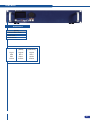
Once your STE200 is wired up to your PC, the
first step in properly configuring your machine is to
individually select and parameter your inputs.
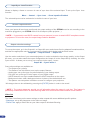
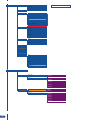
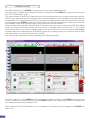
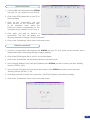
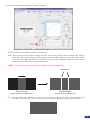
1.Click on the “Inputs” tab of the RCS.
2.In the Plug column of the “Input” page, select the
plug type by clicking the appropriate field.
3.Activate the input in the Enabled column if it
is not.
4.In the scroll-down menu of the Type column,
select the signal type connected to that plug.
5.Repeat steps 2 to 4 for all sources connected to
the rear panel of your STE200.
6.Click on the “Inputs” tab to return to the main
screen.
* NOTE *:Autosetting mode allows an easy setup of sources. Sometimes problems might appears with
analog or HDCP sources.
Source output configuration
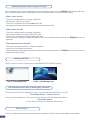
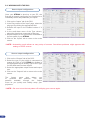
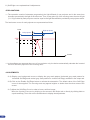
1.Click on the “Outputs” tab of the RCS.
2.Select the type of plug which is connected to
outputs #1 & #2 of your STE200 by clicking in
the appropriate field in Analog Type or DVI Type
for both Main and Preview outputs.
3.Select the appropriate output format and output
rate.
4.Click on the “Outputs” tab to return to the main
screen.
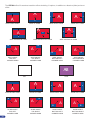
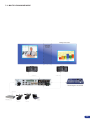
The
Output
menu
also
allows
you
to
generate
test
patterns.
The
test
patterns
available
through
the
Output
menu let you quickly and reliably setup your
projectors.
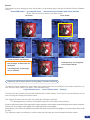
* NOTE *: Be sure to turn the test pattern off to display your sources again.
56