1
6.4 Maximum level hold
To determine the maximum level occurring, press the button MAX. The display indicates ”MAX“. Now the
level value of the highest volume occurring after pressing MAX will be held. Press MAX again to deactivate
the function.
6.5 Measuring
For measuring, hold the device horizontally with the microphone pointing to the sound source.
The sound level measured largely depends on the distance of the meter from the sound source. When
measuring, observe a defined distance (e.g. 1 m for speaker measurements) or state the distance at
which the measurement was made.
The level measured also depends on the angle to the sound source. It may be necessary to measure
the levels at different angles - but at the same distance - to determine the sound radiation behavior of
sound source.
7. CLEANING AND MAINTENANCE
We recommend a frequent cleaning of the device. Please use a soft lint-free and moistened cloth. Never use
alcohol or solvents!
There are no serviceable parts inside the device except for the battery. Maintenance and service operations
are only to be carried out by authorized dealers.
Should you need any spare parts, please use genuine parts. Should you have further questions, please
contact your dealer.
8. TECHNICAL SPECIFICATIONS
Power supply:
Measuring ranges:
Accuracy:
Frequency range:
Level weighting:
Microphone:
AC output:
Output impedance:
DC output:
Output impedance:
Supported operating systems:
Dimensions (LxWxH):
Weight:
Accessory:
4 x 1.5 V battery, type AA
or 5 V DC, 100 mA via USB port
30-80 dB, 40-90 dB, 50-100 dB, 60-110 dB,
70-120 dB, 80-130 dB, 30-130 dB
±1.5 dB/94 dB, 1 kHz
31.5 Hz - 8.5 kHz
A or C
electret condenser microphone
0.707 V RMS
600 ohms
10 mV
100 ohms
Windows XP, Vista, 7 (32 bit)
145 x 110 x 60 mm
0.6 kg
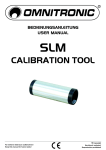
OMNITRONIC SLM calibration tool
No. 10360611
Please note: Every information is subject to change without prior notice. 27.07.2012 ©
16/16
00033100.DOC, Version 1.0