Download USER MANUAL

Transcript
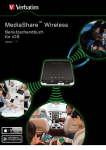
MediaShare
™
Wireless
Manuel de l’utilisateur
pour iOS
Ve r s i o n 1 . 01
Télécharger dans
l’
Aplicação Android no
Table des matières
TABLE DES MATIERES ............................................. 2
À PROPOS DE CE MANUEL ..................................... 3
PRESENTATION DU PRODUIT .................................. 3
CARACTERISTIQUES DU PRODUIT ................................ 3
MODES DE FONCTIONNEMENT .................................... 3
SPECIFICATIONS DU PRODUIT ..................................... 3
CONFIGURATION REQUISE .......................................... 4
ILLUSTRATION DU PRODUIT ......................................... 4
CHARGEMENT DU PERIPHERIQUE MEDIASHARE ........... 4
INSTALLATIONS DE PERIPHERIQUES DE SAUVEGARDE ... 4
Carte mémoire SD ................................................ 5
Stockage USB externe ......................................... 5
UTILISATION DE PERIPHERIQUES MOBILES ........ 5
INSTALLATION DE L’APPLICATION.................................. 5
CONNEXION DE L’IPHONE/IPAD SANS FIL ..................... 5
LANCEMENT DE L’APPLICATION .................................... 5
FONCTIONNALITES DE BASE ........................................ 6
Lecture de musique .............................................. 6
Lecture vidéo ........................................................ 7
Affichage de photos .............................................. 8
Partage de photos ................................................ 9
Manuel de l’utilisateur pour iOS
Affichage de documents ........................................9
MODE MANAGE (GESTION) .........................................9
Fonctions Copier et Supprimer .............................9
MENU SETTINGS (PARAMETRES) ...............................10
Réglages de la fenêtre My MediaShare
(Mon MediaShare) ...............................................10
Paramètres Wi-Fi et LAN .................................... 11
Paramètres Internet............................................. 11
Bouton Clear Cache (Vider le cache) ..................12
QUITTER L’APPLICATION MEDIASHARE .......................13
DESINSTALLATION DE L’APPLICATION MEDIASHARE .....13
ASSISTANCE .............................................................13
CONDITIONS DE GARANTIE LIMITEE ....................14
CONFORMITE FCC ...................................................14
DECLARATION DE CONFORMITE CE ....................14
CANADA IC RSS-210:2010 .......................................14
AVIS WEEE ................................................................14
DROITS ......................................................................14
,1)250$7,21&21&(51$17/(6/,&(1&(6
2
À propos de ce manuel
Ce manuel vous indique comment utiliser le
périphérique MediaShare Wireless SD/USB de
Verbatim avec votre smartphone ou tablette iOS. Si
vous souhaitez l’utiliser avec un smartphone ou une
tablette Android, téléchargez le manuel « MediaShare
Wireless pour Android ».
Présentation du produit
Le périphérique MediaShare Wireless SD/USB
portable de Verbatim vous permet d’utiliser des cartes
mémoires SD et des périphériques de stockage
externes USB en tant que supports accessibles via le
Wi-Fi. Il vous suffit d’insérer votre carte mémoire SD
dans l’emplacement SD, ou de connecter votre
périphérique de stockage externe USB dans le port
USB intégré. Allumez l’unité, puis accédez sans fil à
vos vidéos, votre musique, vos photos et vos données.
Vous pouvez ensuite les diffuser sur votre iPad®, votre
iPhone®, votre tablette ou votre smartphone
Android™. Ne vous souciez plus de manquer d’espace
de stockage sur vos périphériques mobiles.
Pour une facilité de transport maximale, le périphérique
MediaShare est doté d’une batterie rechargeable
intégrée. Branchez le périphérique à l’un des ports
USB de votre ordinateur pour recharger cette dernière.
Caractéristiques du produit










Prise en charge des cartes mémoires SDXC,
SDHC et SD allant jusqu’à 128 Go (un
adaptateur SD est requis avec les cartes
MicroSD et MiniSD).
Prise en charge des périphériques de
stockage USB.
Diffusion de fichiers multimédia vers un
maximum de 5 utilisateurs connectés via le
Wi-Fi, simultanément*.
Possibilité d’accéder à votre musique, vos
vidéos, vos photos et vos données, ainsi que
de les diffuser, à partir d’une carte mémoire SD
ou d’un périphérique de stockage USB externe
à l’aide de l’application mobile personnalisable
et gratuite, prenant en charge les systèmes
d’exploitation iOS et Android.
Port micro USB intégré permettant de transférer
des données et de recharger le périphérique
Jusqu’à 9 heures d’autonomie pour la batterie**.
Possibilité de recharger vos autres
périphériques électroniques portables à l’aide
du port hôte USB du périphérique MediaShare,
en mode Power Off (Désactivé).
Fonction de recherche permettant de localiser
et d’accéder à vos fichiers.
Connexion Internet sans fil prenant en charge
les vitesses 802.11 b/g/n.
Prise en charge de nombreux outils client pour
diverses plateformes, notamment l’iPad,
l’iPhone et Android.
Manuel de l’utilisateur pour iOS
* Performances de diffusion limitées par la bande
passante Wi-Fi, le débit binaire du fichier encodé et la
capacité de mémoire tampon du lecteur.
**Dans des configurations et conditions d’utilisation
normales.
Modes de fonctionnement
Il existe trois modes de fonctionnement principaux :
1. Connexion USB directe : connectez votre
périphérique au port USB de votre ordinateur à
l’aide du câble USB fourni. L’appareil est alors
monté automatiquement sur votre bureau ou
dans Poste de travail. Dans ce mode, vous
pouvez recharger la batterie du périphérique
MediaShare Wireless SD/USB et transférer
des fichiers de votre ordinateur à une carte
mémoire SD ou un disque USB installés.
2. Connexion sans fil : allumez votre périphérique
mobile et recherchez les connexions sans fil
disponibles. Diffusez de la musique ou des
vidéos précédemment enregistrées sur une
carte SD ou un lecteur flash.
3. Mode Wireless WAN Bridge (Passerelle WAN
sans fil) : une fois la fonctionnalité Internet
Bridge (Passerelle Internet) activée,
connectez, à distance, le périphérique
MediaShare Wireless à votre routeur sans fil
afin de profiter d’une connexion Internet.
Spécifications du produit
Dimensions du produit :
112 mm x 78 mm x 14 mm
Radio Wi-Fi :
Norme : 802.11 b/g/n
Fréquence : 2,4 GHz
Vitesse : 72 Mbits/s à 20 MHz ; 150 Mbits/s à 40 MHz
Sécurité Wi-Fi :
WPA-PSK
WPA2-PSK
Mode mixte WPA/WPA2-PSK (par défaut)
Désactivé
Port de périphérique USB 2.0 : Pour le transfert des
données et la charge
Batterie :
capacité de 3 000 mAh
Charge via port micro-B USB
La charge peut prendre jusqu’à 7 heures
Certifications réglementaires :
FCC (Classe B), CE, IC RSS-210:2010 (Canada),
CEC-2012-BCS (Californie ; conditions minimales
d’efficacité de la charge de la batterie)
3





Connexion Internet (afin de télécharger
l’application et le manuel de l’utilisateur, et pour
utiliser la fonctionnalité Internet Bridge
(Passerelle Internet) facultative).
Application MediaShare Wireless pour iOS
(téléchargeable gratuitement dans l’App Store
iTunes).
Périphérique de stockage connecté (1 Go
minimum) requis : carte SD (classe 4 ou
version ultérieure), lecteur flash USB ou disque
dur USB.
200 Mo d’espace de stockage, sur votre
carte SD ou périphérique de stockage USB,
dédiés aux fonctions système (dès lors
indisponibles pour le stockage des données
utilisateur).
iPad, iPhone ou iPod touch exécutant iOS 4.0
ou version ultérieure.
Illustration du produit
1
2
3
4
4. Voyant
Internet

5. Port hôte
USB

6. Bouton de
réinitialisation
7. Emplacement
pour carte SD
8. Port de
périphérique
USB
9. Bouton
d’alimentation
5
9
8
COMPOSANT
1. Voyant du
niveau de
batterie
2. Voyant de
lecture/d’écriture
3. Voyant Wi-Fi
7
6
DESCRIPTION

Vert fixe : la charge de la batterie est
supérieure à 30 %.

Rouge fixe : la charge de la batterie est
comprise entre 10 et 30 %.

Rouge clignotant rapidement : la charge
de la batterie est faible et l’unité va
prochainement s’éteindre.

Vert clignotant lentement (toutes les
2 secondes) : la batterie est en cours de
chargement.

Vert clignotant lentement (toutes les
1,5 secondes) : le périphérique va
s’éteindre.

Voyant non allumé : le périphérique est
éteint.
En mode Wi-Fi disk (Disque Wi-Fi) :

Bleu fixe : la mémoire est correctement
connectée.

Bleu clignotant : la mémoire est en cours
de lecture ou d’écriture.
En mode Lecteur de carte :

Bleu fixe : connecté à un port USB 2.0.

Bleu clignotant : connecté à un port
USB 2.0 et en cours de lecture ou
d’écriture.
Le voyant bleu indique une connexion Wi-Fi.

Si le voyant clignote, l’initialisation est en
cours.

Si le voyant est fixe, l’initialisation de la
connexion Wi-Fi est terminée.

Le voyant est éteint dans les situations
suivantes :

Le périphérique est allumé, mais
le signal Wi-Fi est faible.
Manuel de l’utilisateur pour iOS
Le périphérique est éteint.
Le périphérique est en mode
Mobile, mais le Wi-Fi est
désactivé.
Vert : connecté à Internet via la
passerelle.
Éteint : non connecté à Internet.


Configuration requise

Insérez un lecteur flash USB ou un disque
dur USB pour bénéficier d’une connexion
Wi-Fi.
 En mode Power Off (Désactivé), le port
USB permet de recharger une tablette ou
un smartphone.
À l’aide d’un outil fin (comme un trombone),
appuyez sur le bouton de réinitialisation du
périphérique pour rétablir sa configuration par
défaut.
Insérez une carte SD pour permettre une
connexion Wi-Fi. Insérez une carte microSD en
utilisant l’adaptateur approprié.
Utilisez le câble USB inclus pour
connecter le périphérique à un ordinateur
via un port USB 2.0 et permettre le
transfert des données.
 Utilisez le câble USB inclus pour
connecter le périphérique à un port USB
ou un adaptateur de recharge USB afin de
recharger votre périphérique.
Permet d’allumer ou d’éteindre le périphérique.

Chargement du périphérique
MediaShare
Utilisez le câble inclus pour connecter le périphérique
MediaShare à un port USB alimenté ou un chargeur
USB, afin de recharger la batterie intégrée. Une charge
complète peut prendre jusqu’à 7 heures.
Installations de périphériques de
sauvegarde
Le périphérique MediaShare ne comprend aucun
espace de stockage interne. Vous devez y connecter
une carte SD ou un périphérique de stockage USB
avant de pouvoir l’utiliser avec votre smartphone ou
tablette.
Une fois la carte SD ou le périphérique de stockage
USB connecté(e), le MediaShare réserve un maximum
de 200 Mo de stockage, dédiés aux fichiers
temporaires et autres fonctions système.
Cet espace n’est donc pas disponible pour le stockage
des données utilisateur.
Le MediaShare prend en charge les périphériques de
stockage utilisant les formats FAT, FAT32, exFAT (pour
SDXC) ou les systèmes de fichiers NTFS.
4
Remarque : assurez-vous que
le périphérique MediaShare
Wireless est éteint avant
d'installer une carte mémoire SD
ou un périphérique USB.
Ne touchez pas les connecteurs
visibles de votre carte
mémoire SD.
Carte mémoire SD
Recherchez l’emplacement pour carte mémoire SD.
Insérez-y la carte. Poussez délicatement la carte
jusqu’à ce qu’elle soit en place.
Lorsque vous sélectionnez « Verbatim-XXXX » pour la
première fois, vous êtes invité à saisir le mot de passe
Wi-Fi. Le mot de passe par défaut est inscrit sur
l’étiquette inférieure de votre périphérique.
Stockage USB externe
Localisez le port hôte USB du périphérique. Insérez-y
un câble pour disque dur portable ou disque USB.
Utilisation de
périphériques mobiles
Installation de l’application
Allumez votre périphérique iOS (iPhone,
iPod touch ou iPad) et vérifiez qu’il est
connecté à Internet. Cliquez sur l’icône
de l’App Store se trouvant sur le bureau
pour accéder au Play Store.
Une fois le mot de passe validé, le produit s’affiche
dans la liste, accompagné de la mention « Connected »
(Connecté).
Recherchez l’application MediaShare Wireless
gratuite, cliquez sur Install (Installer) et
suivez les instructions s’affichant à
l’écran. Une fois l’installation terminée,
l’icône de l’application MediaShare
Wireless apparaît sur le bureau.
Cliquez sur l’icône MediaShare pour lancer l’application
à partir de votre périphérique iOS.
Connexion de l’iPhone/iPad sans fil
Lancement de l’application
La page d’accueil est illustrée ci-dessous. Elle vous
permet d’accéder aux dossiers et fichiers du
périphérique sélectionné (le MediaShare ou le
smartphone/la tablette). Vous pouvez basculer d’une
vue à l’autre en cliquant sur My MediaShare (Mon
MediaShare) ou My Device (Mon périphérique).
1. 1. Allumez votre périphérique MediaShare et
attendez qu’il s’initialise. Le voyant Wi-Fi bleu du
périphérique cesse de clignoter et devient fixe une
fois l’initialisation terminée.
2. Cliquez sur l’icône Settings
(Paramètres) de votre périphérique
mobile.
3. Cliquez sur Wi-Fi. Le nom du réseau
« Verbatim-XXXX » doit s’afficher dans la liste
Réseaux.
Cliquez, par exemple, sur « Verbatim-866A ». La
mention « 866A » fait partie de l’identifiant SSID. Elle
correspond aux quatre derniers caractères de l’adresse
MAC du périphérique.
Manuel de l’utilisateur pour iOS
5
Un menu, symbolisé par trois
points, est accessible dans la
partie inférieure droite.
Une fois sélectionné, il propose
les options suivantes :
Language (Langue)
La langue configurée sur votre
tablette/smartphone iOS au moment de
l’installation est utilisée par défaut. Vous pouvez
toutefois sélectionner, ultérieurement, une autre
langue à partir de ce menu. Les langues suivantes
sont prises en charge :
 Anglais

Français
 Italien

Allemand
 Espagnol

Portugais
 Croate

Tchèque
 Hongrois

Polonais
 Russe

Serbe
 Chinois traditionnel 
Chinois
simplifié
 Coréen
About (À propos)
Le bouton About (À propos) permet de consulter les
numéros de version d’application et du micrologiciel :
Bouton View (Affichage) : basculement entre le
mode List (Liste) et Thumbnail (Miniature).
Bouton Settings (Paramètres) : permet de
modifier la configuration du MediaShare.
Bouton Back (Retour) : retour à l’écran
précédent.
Bouton Manage (Gérer) : accès au
gestionnaire de fichiers, permettant de partager, copier,
supprimer et transférer des fichiers.
Fonction de recherche : permet de rechercher
un nom ou une extension de fichier spécifique.
Bouton de menu symbolisé par trois points : permet
d’afficher la liste de menus pour les éléments : About (À
propos), Language (Langue), Copy (Copie), Now Playing
(En cours de lecture), Remove USBDisk1 (Retirer
USBDisk1), Remove SDCard (Retirer Carte SD).
Lecture de musique
Copy (Copier)
Cliquez sur le bouton Copy (Copier) pour afficher le
statut du transfert de fichiers.
Now Playing (En cours de lecture)
Si des morceaux sont en cours de lecture en
arrière-plan, cliquez sur le bouton correspondant pour
obtenir des informations sur le morceau actuel.
Remove SDCard (Retirer Carte SD)
Cliquez sur ce bouton pour démonter, en toute sécurité,
une carte SD.
Remove USBDisk1 (Retirer volume USBDisk1)
Cliquez sur ce bouton pour démonter un disque USB
en toute sécurité.
Fonctionnalités de base
Les boutons d’action My MediaShare (Mon
MediaShare) se trouvent dans la partie supérieure de
l’écran et sont listés ci-dessous.
Bouton Home (Accueil) : retour à la page
d’accueil.
Manuel de l’utilisateur pour iOS
Conseil : il est recommandé de
créer un ou plusieurs dossiers
destinés à enregistrer vos fichiers
musicaux, afin d'en simplifier
l'utilisation et l'organisation.
Les fichiers musicaux ou audio peuvent être lus à partir
des fenêtres My MediaShare (Mon MediaShare) et My
Device (Mon périphérique). Recherchez simplement le
fichier que vous souhaitez lire. Cliquez sur le fichier
pour lancer la lecture.
Remarque : reportez-vous au
manuel de votre périphérique
mobile iOS pour vérifier si celuici prend en charge les fichiers
musicaux ou audio que vous
souhaitez lire.
Les icônes suivantes permettent de contrôler la
lecture :
Cliquez sur le morceau en cours pour
6
reprendre la lecture à zéro. Si vous cliquez deux fois, le
morceau précédent est lu.
suivant.
Cliquez pour démarrer la lecture du morceau
Cliquez pour lire le fichier musical ou audio.
Cliquez pour mettre la lecture en pause.
Il existe cinq modes de lecture :
1.
Répéter tout : les fichiers musicaux ou
audio sont lus en boucle. La lecture s’arrête
uniquement lorsque vous cliquez sur Pause
(mode par défaut).
2.
Lire le morceau actuel : le morceau en
cours est lu jusqu’à la fin et le lecteur revient
ensuite à zéro.
3.
Répéter le morceau actuel : le morceau
actuel est lu en boucle. La lecture s’arrête
uniquement lorsque vous cliquez sur Pause.
4.
Lecture aléatoire : les fichiers musicaux
et audio sont lus de manière aléatoire.
5.
Lire la liste actuelle : les fichiers
musicaux et audio sont lus dans l’ordre.
Conseil : cliquez sur le curseur de
lecture et maintenez la pression pour
déplacer ce dernier et effectuer une
avance rapide ou un retour en arrière.
Conseil : vous pouvez quitter
l'interface du lecteur de musique
tout en laissant la lecture
continuer en arrière-plan.
Lecture vidéo
Conseil : il est recommandé de
créer un ou plusieurs dossiers
destinés à enregistrer vos fichiers
vidéo par souci de simplicité
d'utilisation et d'organisation.
Manuel de l’utilisateur pour iOS
Les fichiers vidéo peuvent être lus à partir des fenêtres
My MediaShare (Mon MediaShare) et My Device (Mon
périphérique). Localisez simplement le fichier que vous
souhaitez lire. Cliquez sur le fichier pour lancer la
lecture.
Remarque : reportez-vous au
manuel de votre périphérique mobile
iOS pour vérifier si celui-ci prend en
charge les films et fichiers vidéo que
vous souhaitez lire. Les
périphériques iOS prennent
généralement en charge le format
H.264 et les fichiers vidéo MPEG-4
au format .m4v, .mp4 et .mov.
Les performances de lecture dépendent du débit
binaire de votre fichier vidéo chiffré, de la puissance de
votre connexion Wi-Fi et du nombre d’utilisateurs
simultanés. Si la lecture s’effectue mais que la vidéo
s’interrompt momentanément, suivez les étapes
ci-dessous pour améliorer les performances de
lecture :
1) Copiez le fichier vidéo sur votre
tablette/smartphone et lancez la lecture à partir de
ce périphérique.
2) Réduisez le nombre d’utilisateurs simultanés.
3) Réencodez le fichier vidéo en adoptant un débit
binaire moindre.
La lecture vidéo adopte le mode paysage par défaut.
Les icônes suivantes permettent de contrôler la
lecture :
Cliquez pour interrompre le film en cours de
lecture et quitter le lecteur.
Interface.
Cliquez pour adapter la résolution du film à la
taille de l’écran.
Cliquez, maintenez enfoncé et faites
glisser le bouton de progression pour effectuer une
avance rapide ou un retour en arrière.
Cliquez, maintenez enfoncé et faites
glisser le curseur du volume pour augmenter ou réduire
ce dernier.
Appuyez et maintenez enfoncé pour effectuer
un retour en arrière rapide lors de la lecture.
7
Appuyez et maintenez enfoncé pour effectuer
une avance rapide lors de la lecture.
lecture.
Cliquez pour commencer ou reprendre la
Cliquez pour mettre le film en pause.
Affichage de photos
Conseil : il est recommandé de
créer un ou plusieurs dossiers
destinés à enregistrer vos photos
par souci de simplicité d'utilisation
et d'organisation.
Remarque : les fichiers d'image
au format .jpg, .tif, .gif et .bmp
sont actuellement pris en charge
par MediaShare.
Vous pouvez afficher les images compatibles sous
forme de miniatures ou de liste, comme illustré
ci-dessous. Les images non compatibles peuvent être
affichées sous la forme de miniatures ou d’icônes
génériques.
Cliquez pour démarrer ou reprendre la lecture
du diaporama.
Plusieurs fonctions du contrôle du diaporama sont à
votre disposition. Faites glisser votre doigt sur l’écran
pour afficher les photos manuellement ou cliquez sur le
bouton de lecture pour lancer un diaporama.
Cliquez pour interrompre le diaporama. Cliquez
à nouveau pour en reprendre la lecture.
Cliquez pour redémarrer le diaporama.
Cliquez pour lire le diaporama une seule fois.
Cliquez pour revenir à l’écran précédent.
Vous pouvez ajouter de la musique en
arrière-plan lors de la lecture du diaporama
Bouton Stop/Continue (Pause/Reprise) : permet
d’interrompre ou de reprendre la lecture de la musique
en arrière-plan.
Pour afficher une image, cliquez dessus.
Bouton Select (Sélectionner) : recherchez le(s)
fichier(s) de musique que vous souhaitez lire en
arrière-plan. Cliquez sur le bouton Return (Retour) pour
revenir au diaporama.
Bouton Repeat (Répéter) : permet de lire la musique
d’arrière-plan en boucle. Cette option est désactivée
par défaut.
Manuel de l’utilisateur pour iOS
8
Partage de photos
Vous pouvez partager des photos avec vos proches
par e-mail, en les enregistrant dans l’album Photos du
périphérique ou en les téléchargeant sur Facebook.
Remarque : vous devez disposer
d'une connexion Internet pour
partager des photos par e-mail ou
pour accéder aux réseaux
sociaux.
Une fois la photo sélectionnée :
Cliquez sur le bouton Share (Partager) situé
dans la partie supérieure droite de l’écran pour afficher
les options de partage disponibles. Cliquez sur le
bouton Return (Retour) pour revenir à l’écran
précédent.


Bouton E-mail : permet de lancer l’application
de messagerie par défaut et de joindre la photo
sélectionnée à un nouveau message.
Bouton Add to photo (Ajouter à l’album photo) :
permet d’enregistrer la photo sélectionnée
dans l’album photo du périphérique (par
défaut, la pellicule).
Remarque : pour utiliser cette
fonctionnalité, autorisez MediaShare
Wireless à accéder aux photos de
votre périphérique. Il est possible
qu'une invite s'affiche, vous
demandant d'autoriser MediaShare à
accéder à votre pellicule. Vous devez
accepter cette invite. Si vous n'avez
pas procédé ainsi, rendez-vous dans
Paramètres > Confidentialité > Photos
> MediaShare et activez l'option
correspondante.

Bouton Upload to Facebook (Télécharger sur
Facebook) : permet d’être redirigé vers
l’application Facebook (si installée) ou vers la
page de connexion du site Web.
Vous devez posséder des identifiants
Facebook.
Remarque : vous devez disposer
d'une connexion Internet pour
envoyer des e-mails.
Cliquez sur le bouton E-mail pour lancer
automatiquement l’application de messagerie par
défaut et joindre le document sélectionné à un nouveau
message.
Le message « Mail Sent » (Message envoyé) s’affiche
ensuite dans la partie inférieure gauche de l’écran.
Si l’envoi est annulé, le message « Mail Canceled »
(Envoi du message annulé) s’affiche dans la partie
inférieure gauche de l’écran.
Mode Manage (Gestion)
Le bouton Manage (Gérer)
vous permet d’accéder
au mode Gestion et de partager, copier, supprimer ou
transférer des fichiers. Pour quitter ce mode, cliquez
sur le bouton Done (Terminé)
.
Pour gérer les fichiers à partir de votre périphérique
MediaShare, accédez au mode Manage (Gestion) via
la page My MediaShare (Mon MediaShare).
Pour gérer des fichiers sur votre smartphone/tablette,
accédez au mode Manage (Gestion) via la page My
Device (Mon périphérique).
Affichage de documents
Les documents au format Keynote, Numbers, Page,
Excel, Word, .pdf, .txt et .ppt sont pris en charge par
l’application MediaShare.
Fonctions Copier et Supprimer
De nouvelles icônes se trouvent au bas de la page.
Leurs fonctions sont décrites ci-dessous.
Pour ouvrir ou consulter un document, cliquez sur
celui-ci. Il s’ouvre alors automatiquement.
Cliquez pour revenir à l’écran précédent.
Cliquez pour envoyer le fichier via e-mail, comme
illustré ci-dessous.
Manuel de l’utilisateur pour iOS
Cliquez pour sélectionner tous les fichiers.
Une coche bleue s’affiche alors sur chacun d’entre eux.
Cliquez à nouveau pour les désélectionner.
9
Menu Settings (Paramètres)
Conseil : vous pouvez sélectionner
un fichier unique ou un groupe de
fichier en cliquant sur chacun d'eux.
Depuis la fenêtre My MediaShare (Mon
MediaShare), vous pouvez accéder à diverses options
de configuration en cliquant sur l’icône Settings
(Paramètres).
Copier des fichiers. Lorsque vous passez en
mode Gestion via MyMediaShare, un fichier est
automatiquement copié du MediaShare vers le
smartphone/la tablette. L’icône de copie est dotée
d’une flèche vers le bas.
Remarque : les dossiers
Documents, Films, Musique et
Photos sont créés par l'application,
sur votre périphérique iOS. Utilisez
l'application MediaShare pour
accéder à vos fichiers.
Copier des fichiers. Lorsque vous passez en
mode Gestion via My Device, un fichier est
automatiquement copié de la tablette/du smartphone
vers le MediaShare. L’icône de copie est dotée d’une
flèche vers le haut.
Un dossier de destination doit être défini avant de
procéder à la copie. Vous pouvez créer un nouveau
dossier si vous le souhaitez. Pour créer un nouveau
dossier, cliquez sur le bouton New Folder (Nouveau
dossier). Saisissez le nom du nouveau dossier, puis
cliquez sur le bouton Create (Créer). Le nom du dossier
doit comprendre entre 2 et 26 caractères.
Conseil : vous pouvez utiliser
cette fonction pour sauvegarder
toutes les photos et les fichiers
vidéo de la pellicule de vos
appareils iOS.
Vous pouvez cliquer sur l’icône Status (État)
pour consulter la liste des fichiers en attente de
transfert, ainsi que des fichiers ayant déjà été copiés.
Lorsque vous cliquez sur ce bouton, tous les
fichiers sélectionnés sont supprimés.
Remarque : les fichiers
copiés/transférés sont répertoriés
dans la fenêtre des fichiers récents.
Cliquez sur le bouton Clear (Vider)
pour supprimer ou vider la liste.
Réglages de la fenêtre My MediaShare
(Mon MediaShare)
Nom d’hôte
<Reserved for future functionality.>
Utilisateur
<Reserved for future functionality.>
Stockage
Vous pouvez relier une carte mémoire SD ou un
périphérique de stockage USB au MediaShare pour
l’utiliser en tant que périphérique de stockage local.
Cliquez sur Storage (Stockage) pour afficher le type, la
taille et la quantité de stockage disponible pour chaque
périphérique de stockage installé.
Mise à niveau du micrologiciel
Consultez régulièrement le site Web d’assistance de
Verbatim pour savoir si une mise à niveau du
micrologiciel est disponible pour ce produit. Si tel est le
cas, vous pouvez la télécharger et l’installer en
procédant comme suit :
Remarque : avant de procéder à la
mise à niveau du micrologiciel,
assurez-vous que la batterie de votre
MediaShare Wireless et de votre
smartphone/tablette est
complètement chargée.
1) Enregistrez le fichier de mise à niveau dans le
répertoire racine de la carte mémoire SD ou du
périphérique de stockage USB.
2) Reliez le périphérique de stockage à votre
MediaShare, puis mettez ce dernier sous tension.
3) Connectez votre smartphone/tablette au
MediaShare.
Pour quitter le mode Manage (Gestion), cliquez
sur le bouton Done (Terminé).
Manuel de l’utilisateur pour iOS
10
4) Ouvrez l’application MediaShare, puis accédez à
l’écran Settings (Paramètres).
5) Cliquez sur Firmware upgrade (Mise à niveau du
micrologiciel). Le nouveau fichier de mise à niveau est
alors installé. Lors du redémarrage de votre
MediaShare, la connexion Wi-Fi avec votre
smartphone/tablette est perdue.
Paramètres Wi-Fi et LAN
Nom du périphérique
Pour modifier le nom (SSID) de votre périphérique et
remplacer le nom par défaut « Verbatim-XXXX »,
saisissez un nouveau nom dans la boîte de dialogue.
Vous pouvez utiliser une combinaison de lettres et de
chiffres, jusqu’à 32 caractères.
Options de sécurité
Le paramètre de sécurité sans fil par défaut est le
mode mixte WPA/WPA2-PSK. Le mot de passe par
défaut, unique, est inscrit sur l’étiquette inférieure du
produit. Dans cette boîte de dialogue, vous pouvez
modifier le mot de passe, ou définir le paramètre de
sécurité sans fil sur WPA-PSK, WPA2-PSK ou
Désactivé (avec cette option, aucun mot de passe n’est
requis).
Paramètres Internet
Pour utiliser ce produit, une connexion sans fil
uniquement est requise entre votre smartphone/tablette
iOS et votre MediaShare. Afin d’établir cette connexion,
le MediaShare détermine le canal Wi-Fi à utiliser (entre
1 et 11). Par défaut, le meilleur canal est sélectionné
automatiquement par le MediaShare, en fonction de la
qualité des canaux environnants. Ci-dessous, la
connexion est représentée par la lettre A.
Cependant, avec ce mode, vous devez mettre fin à
cette connexion, et connecter votre
smartphone/tablette à un routeur disponible, si vous
souhaitez ultérieurement naviguer sur Internet avec
votre périphérique.
Pour éviter cela, vous pouvez activer la fonction Bridge
(Passerelle) sur le MediaShare. En mode Internet
bridge (Passerelle Internet ; illustré ci-dessous), vous
pouvez maintenir la connexion au smartphone/à la
tablette, et permettre à ceux-ci d’accéder à Internet (en
profitant toutefois de vitesses de connexion moindres).
Avec ce mode, le routeur détermine le canal Wi-Fi, et
deux connexions Wi-Fi sont établies (les connexions A
et B) à l’aide de ce même numéro de canal.
Le mot de passe doit comprendre entre 8 et 63
caractères.
Si vous modifiez le mot de passe, et l’oubliez ensuite,
vous pouvez restaurer le paramètre de sécurité par
défaut en procédant à une réinitialisation à l’aide du
bouton Reset (Réinitialiser) du panneau latéral.
Mode
Le paramètre par défaut pour le mode sans fil est
802.11b/g/n. Dans cette boîte de dialogue, vous
pouvez définir ce même mode sur 802.11b, 802.11g, ou
802.11.n.
LAN
Cette boîte de dialogue indique l’adresse MAC, non
modifiable, du produit. Vous pouvez toutefois consulter
ou modifier l’adresse IP et le masque de sous-réseau
actuels.
Manuel de l’utilisateur pour iOS
Dans la mesure où le routeur sélectionne le canal, et
que différentes régions géographiques utilisent des
plages de canaux non identiques, le MediaShare doit
identifier correctement votre région dès que la
fonctionnalité Internet Bridge (Passerelle Internet) est
activée.
Internet Bridge (Passerelle Internet)
La fonctionnalité Internet Bridge (Passerelle Internet)
est désactivée par défaut. Pour l’activer, cliquez sur
OK, vérifiez les paramètres régionaux, puis
sélectionnez votre routeur.
11
Paramètres facultatifs :
La connexion à votre routeur peut également
nécessiter le remplacement du protocole DHCP par le
protocole IP statique, ou inversement. Si vous utilisez
le protocole IP statique, saisissez les informations
relatives à l’adresse IP, au masque de sous-réseau, à
la passerelle et aux réglages DNS.
Diverses régions géographiques prennent en charge
des plages de canaux Wi-Fi distinctes. Si votre région
n’est pas répertoriée, choisissez une région prenant en
charge une plage de canal identique à la vôtre.
Canal
Si la fonctionnalité Internet Bridge (Passerelle Internet)
est désactivée, vous pouvez définir le canal Wi-Fi sur
une valeur comprise entre 1 et 11. Par défaut, le
meilleur signal est sélectionné automatiquement par le
MediaShare.
Si la fonctionnalité Internet Bridge (Passerelle Internet)
est activée, le MediaShare utilise le canal défini par le
routeur.
Sélectionnez le réseau de votre choix dans la liste des
réseaux détectés par le MediaShare Wireless.
Bouton Clear Cache (Vider le cache)
Cliquez sur le bouton Clear Cache (Vider le cache)
pour supprimer les fichiers SSID en cache ayant été
enregistrés lors de sessions précédentes, ou par des
applications tierces.
Enregistrement des paramètres
Si votre routeur nécessite l’utilisation d’un mot de
passe, saisissez-le pour rejoindre le réseau.
Cliquez sur le bouton Settings (Paramètres) pour
enregistrer les paramètres et activer la fonction
Passerelle. Appuyez sur OK pour confirmer (il peut être
nécessaire de vous reconnecter au MediaShare). Une
fois la fonction Internet Bridge (Passerelle Internet)
activée, le voyant vert correspondant à cette même
fonction s’allume.
Manuel de l’utilisateur pour iOS
12
Quitter l’application MediaShare
Pour quitter l’application MediaShare sur les
périphériques iOS, appuyez sur le bouton principal.
Pour mettre fin à l’exécution de l’application
MediaShare après sa fermeture, cliquez deux fois sur
le bouton principal. La liste des applications en cours
d’exécution s’affiche alors au bas de l’écran. Cliquez
sur l’icône de l’application MediaShare, et maintenez la
pression, jusqu’à l’apparition du symbole « - » dans la
partie supérieure de l’icône. Cliquez sur le symbole
« - » pour mettre fin à l’exécution de l’application.
Désinstallation de l’application
MediaShare
Pour désinstaller l’application de votre périphérique
mobile Apple, cliquez sur l’icône de l’application, et
maintenez la pression, pendant quelques secondes. Le
symbole « X » apparaît alors sur toutes les icônes,
comme illustré ci-dessous. Cliquez sur le symbole
« X » situé dans la partie supérieure gauche de l’icône
MediaShare pour supprimer l’application de votre
périphérique mobile.
Assistance
Si vous rencontrez des difficultés pour installer ou
utiliser votre produit Verbatim, consultez le site Web
d’assistance technique principal à l’adresse
http://www.verbatim.fr/fr_3/support.html.
Manuel de l’utilisateur pour iOS
13
Conditions de garantie limitée
Le propriétaire d’un produit Verbatim profite d’une garantie limitée de 2 ans. Pour en savoir plus sur les conditions de la garantie dans votre
région, rendez-vous à l’adresse verbatim.com/warranty.
Conformité FCC
Ce matériel a été testé et déclaré conforme aux limites établies pour les appareils numériques de classe B, conformément à la section 15 de la
réglementation FCC. Ces limites ont été établies par mesure de protection contre les interférences nuisibles dans le cadre d’une installation
résidentielle. Ce matériel génère, utilise et peut émettre de l’énergie radioélectrique. Par ailleurs, l’installation ou l’utilisation du matériel de
manière non conforme aux instructions peut entraîner des interférences pouvant avoir une incidence négative sur les communications radio.
Toutefois, il n’existe aucune garantie que des interférences ne se produiront pas dans une installation particulière. Si ce matériel cause des
interférences nuisibles à la réception radio ou télévision, ce qui peut être vérifié par la mise hors tension puis sous tension du matériel, nous vous
encourageons à essayer d’y remédier en appliquant certaines des mesures suivantes :

Réorientez ou déplacez l’antenne de réception.

Augmentez la distance entre le matériel et le récepteur.

Branchez le matériel sur une prise ou un circuit différent de celui sur lequel le récepteur est branché.

Consultez votre revendeur ou un technicien radio/télévision qualifié pour bénéficier d’une assistance.
Cet équipement est conforme aux limitations prévues par la FCC pour l’exposition aux rayonnements RF dans le cadre d’un environnement
d’accès libre. Ce transmetteur ne doit pas être placé à proximité d’une autre antenne ou d’un autre transmetteur, ou utilisé en même temps que
ces derniers. Lorsque vous installez et utilisez cet équipement, assurez-vous qu’une distance de 20 centimètres minimum sépare le radiateur de
votre corps.
Avertissement
Le fabricant ne peut être tenu pour responsable de toute interférence au signal radio ou TV causée par des modifications non autorisées
apportées à l’équipement. De telles modifications peuvent empêcher l’utilisation, par l’usager, de l’équipement.
Déclaration de conformité CE
Ce périphérique est conforme aux exigences essentielles de protection de la directive Radio and Telecommunications Terminal
Equipment 1999/5/CE relative au rapprochement des lois des États membres en matière d’équipement radio sans fil et de
sécurité électrique.
EN 300 328 V1.7.1 : 2006
EN 301 489-1 V1.9.2 : 2011
EN 301 489-17 V2.2.1 : 2012
EN 55022 : 2010
EN 55024 : 2010
EN 62479 : 2010
EN 60950-1 : 2006+ A11 : 2009 + A1 : 2010 + A12 : 2011
Canada IC RSS-210:2010
This device complies with Industry Canada license-exempt RSS standards. Operation is subject to the following two conditions:
1) This device may not cause interference; and
2) This device must accept any interference, including interference that may cause undesired operation of the device.
Le présent appareil est conforme aux CNR d’Industrie Canada applicables aux appareils radio exempts de licence. L’exploitation est autorisée
aux deux conditions suivantes :
1) L’appareil ne doit pas produire de brouillage et
2) L’utilisateur de l’appareil doit accepter tout brouillage radioélectrique subi, même si le brouillage est susceptible d’en compromettre le
fonctionnement.
Avis WEEE
La directive relative aux déchets d’équipements électriques et électroniques (WEEE), qui a été adoptée en tant que loi européenne le
13 février 2003, a entraîné des modifications considérables au niveau du traitement des équipements électriques en fin de vie. Le
logo WEEE (affiché à gauche) présent sur le produit ou sur sa boîte indique que ce produit ne doit pas être jeté avec le reste des
déchets domestiques. Pour obtenir plus d’informations sur l’élimination des équipements électroniques et électriques, leur
récupération et les points de collecte disponibles, contactez votre service municipal d’élimination des déchets domestiques ou le
magasin dans lequel vous avez acheté le matériel.
Droits
Copyright ©2013 Verbatim Americas, LLC. Aucune section de ce document, à l’exception de la licence Gnu suivante, ne peut être reproduite
sous aucune forme ou d’aucune façon sans l’autorisation écrite et expresse de Verbatim Americas, LLC. Tous droits réservés. Toutes les autres
marques et produits mentionnés dans le présent document sont la propriété de leurs détenteurs respectifs.
Le micrologiciel intégré de ce produit est fourni conformément aux conditions de la Licence Générale Publique Gnu.
Manuel de l’utilisateur pour iOS
14
Information concernant les licences
Le MediaShare Wireless de Verbatim comprend un logiciel copyright de tierce partie sous les termes de la Licence Générale
Publique GNU. Veuillez vous référer à la Licence Publique Générale GNU pour les termes et conditions exacts de cette licence.
Item
Bootloader
Name
U-Boot
Package(Version)
U-Boot 1.1.3
Note
GPL v2 or later
Kernel
Linux
linux-2.6.21
GPL v2 or later
uclibc
ldso
libm
libnsl
libpcap-1.0.0
libpthread
libiconv
libevent
libutil
libz
libsqlite3.so.0
uClibc-0.9.28
ld-uClibc-0.9.28.so
libm-0.9.28.so
libnsl-0.9.28.so
libpcap-1.0.0
libpthread-0.9.28.so
libiconv-1.13.1
libevent-2.0.10-stable
libutil-0.9.28.so
zlib-1.2.3
sqlite-autoconf-3071300
(LGPL) version 2 or later
GPL
FreeBSD
GPL
GPL
GPL
GPL
GPL
GPL
Zlib(Distributable)
GPL
busybox
ntp
ntpclient
parted
samba
lighttpd
apache
hdparm
mtd-utils
ntfs-3g
ez-ipupdatels
udev
wireless_tools
bridge-utils
pcre
arptable
dhcpforwarder
ethtool
expat
igmpproxy
inadyn
iproute2
iptables
acl
mii_mgr
mtd_write
BusyBox v1.12.1
ntp-4.2.4p2
ntpclient
parted-3.0
samba-3.0.24
lighttpd-1.4.28
Apache2.2.22
hdparm v7.7
mtd-utils-1.3.1
ntfs-3g_ntfsprogs-2012.1.15
ez-ipupdate-3.0.10
udev-125ps
V29
2006-01-31
7.9
arptable-0.0.3
2004-08-19
Ethtool V6
expat-2.0.1
igmpproxy0.1 beta2
inadynVersion 1.96
iproute2-2.6.24-rc7
iptables-1.3.5
acl-2.2.49
mii_mgr
mtd_write
GPL v2 or later
GPL v2
GPL v2
GPL
GPL
GPL
GPL
BSD
GPL
GPL
(distributable)
GPL
GPL
GPL
BSD
GPL
Internet Systems
Consortium(distributable)
GPL
MIT/X Consortium License
GPL
GPL
GPL
GPL
GPL
GPL
GPL
Library
Application
Tous les logiciels mentionnés sont la propriété de leurs auteurs respectifs.
d'informations..
Veuillez vous référer au code source pour plus
Disponibilité du code source
Verbatim a rendu publics les codes sources complets du logiciel sous licence GPL, y compris les scripts pour contrôler la
compilation et l'installation du code objet. Toutes les futures mises à jour de firmware seront également accompagnées de leur
code source correspondant. Pour plus d'informations sur la manière d'obtenir notre code open source, veuillez visiter notre site
Web www.verbatim.com / mediasharewireless
Manuel de l’utilisateur pour iOS
15
GNU GENERAL PUBLIC LICENSE
Version 2, June 1991
Copyright (C) 1989, 1991 Free Software Foundation, Inc.
51 Franklin Street, Fifth Floor, Boston, MA 02110-1301, USA
Everyone is permitted to copy and distribute verbatim copies of this license document, but changing it is not allowed.
Preamble
The licenses for most software are designed to take away your freedom to share and change it. By contrast, the GNU General Public License is
intended to guarantee your freedom to share and change free software--to make sure the software is free for all its users. This General Public
License applies to most of the Free Software Foundation's software and to any other program whose authors commit to using it. (Some other
Free Software Foundation software is covered by the GNU Lesser General Public License instead.) You can apply it to your programs, too.
When we speak of free software, we are referring to freedom, not price. Our General Public Licenses are designed to make sure that you have
the freedom to distribute copies of free software (and charge for this service if you wish), that you receive source code or can get it if you want it,
that you can change the software or use pieces of it in new free programs; and that you know you can do these things.
To protect your rights, we need to make restrictions that forbid anyone to deny you these rights or to ask you to surrender the rights. These
restrictions translate to certain responsibilities for you if you distribute copies of the software, or if you modify it.
For example, if you distribute copies of such a program, whether gratis or for a fee, you must give the recipients all the rights that you have. You
must make sure that they, too, receive or can get the source code. And you must show them these terms so they know their rights.
We protect your rights with two steps: (1) copyright the software, and (2) offer you this license which gives you legal permission to copy, distribute
and/or modify the software.
Also, for each author's protection and ours, we want to make certain that everyone understands that there is no warranty for this free software. If
the software is modified by someone else and passed on, we want its recipients to know that what they have is not the original, so that any
problems introduced by others will not reflect on the original authors' reputations.
Finally, any free program is threatened constantly by software patents. We wish to avoid the danger that redistributors of a free program will
individually obtain patent licenses, in effect making the program proprietary. To prevent this, we have made it clear that any patent must be
licensed for everyone's free use or not licensed at all.
The precise terms and conditions for copying, distribution and modification follow.
TERMS AND CONDITIONS FOR COPYING, DISTRIBUTION AND MODIFICATION
0. This License applies to any program or other work which contains a notice placed by the copyright holder saying it may be distributed under the
terms of this General Public License. The "Program", below, refers to any such program or work, and a "work based on the Program" means
either the Program or any derivative work under copyright law: that is to say, a work containing the Program or a portion of it, either verbatim or
with modifications and/or translated into another language. (Hereinafter, translation is included without limitation in the term "modification".) Each
licensee is addressed as "you".
Activities other than copying, distribution and modification are not covered by this License; they are outside its scope. The act of running the
Program is not restricted, and the output from the Program is covered only if its contents constitute a work based on the Program (independent of
having been made by running the Program). Whether that is true depends on what the Program does.
1. You may copy and distribute verbatim copies of the Program's source code as you receive it, in any medium, provided that you conspicuously
and appropriately publish on each copy an appropriate copyright notice and disclaimer of warranty; keep intact all the notices that refer to this
License and to the absence of any warranty; and give any other recipients of the Program a copy of this License along with the Program.
You may charge a fee for the physical act of transferring a copy, and you may at your option offer warranty protection in exchange for a fee.
2. You may modify your copy or copies of the Program or any portion of it, thus forming a work based on the Program, and copy and distribute
such modifications or work under the terms of Section 1 above, provided that you also meet all of these conditions:
a) You must cause the modified files to carry prominent notices stating that you changed the files and the date of any change.
b) You must cause any work that you distribute or publish, that in whole or in part contains or is derived from the Program or any part thereof, to
be licensed as a whole at no charge to all third parties under the terms of this License.
c) If the modified program normally reads commands interactively when run, you must cause it, when started running for such interactive use in
the most ordinary way, to print or display an announcement including an appropriate copyright notice and a notice that there is no warranty (or
else, saying that you provide a warranty) and that users may redistribute the program under these conditions, and telling the user how to view a
copy of this License. (Exception: if the Program itself is interactive but does not normally print such an announcement, your work based on the
Program is not required to print an announcement.)
These requirements apply to the modified work as a whole. If identifiable sections of that work are not derived from the Program, and can be
reasonably considered independent and separate works in themselves, then this License, and its terms, do not apply to those sections when you
distribute them as separate works. But when you distribute the same sections as part of a whole which is a work based on the Program, the
distribution of the whole must be on the terms of this License, whose permissions for other licensees extend to the entire whole, and thus to each
and every part regardless of who wrote it.
Thus, it is not the intent of this section to claim rights or contest your rights to work written entirely by you; rather, the intent is to exercise the right
to control the distribution of derivative or collective works based on the Program.
In addition, mere aggregation of another work not based on the Program with the Program (or with a work based on the Program) on a volume of
a storage or distribution medium does not bring the other work under the scope of this License.
3. You may copy and distribute the Program (or a work based on it, under Section 2) in object code or executable form under the terms of
Sections 1 and 2 above provided that you also do one of the following:
a) Accompany it with the complete corresponding machine-readable source code, which must be distributed under the terms of Sections 1 and 2
above on a medium customarily used for software interchange; or,
b) Accompany it with a written offer, valid for at least three years, to give any third party, for a charge no more than your cost of physically
performing source distribution, a complete machine-readable copy of the corresponding source code, to be distributed under the terms of
Sections 1 and 2 above on a medium customarily used for software interchange; or,
c) Accompany it with the information you received as to the offer to distribute corresponding source code. (This alternative is allowed only for
noncommercial distribution and only if you received the program in object code or executable form with such an offer, in accord with Subsection b
above.)
Manuel de l’utilisateur pour iOS
16
The source code for a work means the preferred form of the work for making modifications to it. For an executable work, complete source code
means all the source code for all modules it contains, plus any associated interface definition files, plus the scripts used to control compilation and
installation of the executable. However, as a special exception, the source code distributed need not include anything that is normally distributed
(in either source or binary form) with the major components (compiler, kernel, and so on) of the operating system on which the executable runs,
unless that component itself accompanies the executable.
If distribution of executable or object code is made by offering access to copy from a designated place, then offering equivalent access to copy
the source code from the same place counts as distribution of the source code, even though third parties are not compelled to copy the source
along with the object code.
4. You may not copy, modify, sublicense, or distribute the Program except as expressly provided under this License. Any attempt otherwise to
copy, modify, sublicense or distribute the Program is void, and will automatically terminate your rights under this License. However, parties who
have received copies, or rights, from you under this License will not have their licenses terminated so long as such parties remain in full
compliance.
5. You are not required to accept this License, since you have not signed it. However, nothing else grants you permission to modify or distribute
the Program or its derivative works. These actions are prohibited by law if you do not accept this License. Therefore, by modifying or distributing
the Program (or any work based on the Program), you indicate your acceptance of this License to do so, and all its terms and conditions for
copying, distributing or modifying the Program or works based on it.
6. Each time you redistribute the Program (or any work based on the Program), the recipient automatically receives a license from the original
licensor to copy, distribute or modify the Program subject to these terms and conditions. You may not impose any further restrictions on the
recipients' exercise of the rights granted herein. You are not responsible for enforcing compliance by third parties to this License.
7. If, as a consequence of a court judgment or allegation of patent infringement or for any other reason (not limited to patent issues), conditions
are imposed on you (whether by court order, agreement or otherwise) that contradict the conditions of this License, they do not excuse you from
the conditions of this License. If you cannot distribute so as to satisfy simultaneously your obligations under this License and any other pertinent
obligations, then as a consequence you may not distribute the Program at all. For example, if a patent license would not permit royalty-free
redistribution of the Program by all those who receive copies directly or indirectly through you, then the only way you could satisfy both it and this
License would be to refrain entirely from distribution of the Program.
If any portion of this section is held invalid or unenforceable under any particular circumstance, the balance of the section is intended to apply and
the section as a whole is intended to apply in other circumstances.
It is not the purpose of this section to induce you to infringe any patents or other property right claims or to contest validity of any such claims; this
section has the sole purpose of protecting the integrity of the free software distribution system, which is implemented by public license practices.
Many people have made generous contributions to the wide range of software distributed through that system in reliance on consistent
application of that system; it is up to the author/donor to decide if he or she is willing to distribute software through any other system and a
licensee cannot impose that choice.
This section is intended to make thoroughly clear what is believed to be a consequence of the rest of this License.
8. If the distribution and/or use of the Program is restricted in certain countries either by patents or by copyrighted interfaces, the original copyright
holder who places the Program under this License may add an explicit geographical distribution limitation excluding those countries, so that
distribution is permitted only in or among countries not thus excluded. In such case, this License incorporates the limitation as if written in the
body of this License.
9. The Free Software Foundation may publish revised and/or new versions of the General Public License from time to time. Such new versions
will be similar in spirit to the present version, but may differ in detail to address new problems or concerns.
Each version is given a distinguishing version number. If the Program specifies a version number of this License which applies to it and "any later
version", you have the option of following the terms and conditions either of that version or of any later version published by the Free Software
Foundation. If the Program does not specify a version number of this License, you may choose any version ever published by the Free Software
Foundation.
10. If you wish to incorporate parts of the Program into other free programs whose distribution conditions are different, write to the author to ask
for permission. For software which is copyrighted by the Free Software Foundation, write to the Free Software Foundation; we sometimes make
exceptions for this. Our decision will be guided by the two goals of preserving the free status of all derivatives of our free software and of
promoting the sharing and reuse of software generally.
NO WARRANTY
11. BECAUSE THE PROGRAM IS LICENSED FREE OF CHARGE, THERE IS NO WARRANTY FOR THE PROGRAM, TO THE EXTENT
PERMITTED BY APPLICABLE LAW. EXCEPT WHEN OTHERWISE STATED IN WRITING THE COPYRIGHT HOLDERS AND/OR OTHER
PARTIES PROVIDE THE PROGRAM "AS IS" WITHOUT WARRANTY OF ANY KIND, EITHER EXPRESSED OR IMPLIED, INCLUDING, BUT
NOT LIMITED TO, THE IMPLIED WARRANTIES OF MERCHANTABILITY AND FITNESS FOR A PARTICULAR PURPOSE. THE ENTIRE RISK
AS TO THE QUALITY AND PERFORMANCE OF THE PROGRAM IS WITH YOU. SHOULD THE PROGRAM PROVE DEFECTIVE, YOU
ASSUME THE COST OF ALL NECESSARY SERVICING, REPAIR OR CORRECTION.
12. IN NO EVENT UNLESS REQUIRED BY APPLICABLE LAW OR AGREED TO IN WRITING WILL ANY COPYRIGHT HOLDER, OR ANY
OTHER PARTY WHO MAY MODIFY AND/OR REDISTRIBUTE THE PROGRAM AS PERMITTED ABOVE, BE LIABLE TO YOU FOR
DAMAGES, INCLUDING ANY GENERAL, SPECIAL, INCIDENTAL OR CONSEQUENTIAL DAMAGES ARISING OUT OF THE USE OR
INABILITY TO USE THE PROGRAM (INCLUDING BUT NOT LIMITED TO LOSS OF DATA OR DATA BEING RENDERED INACCURATE OR
LOSSES SUSTAINED BY YOU OR THIRD PARTIES OR A FAILURE OF THE PROGRAM TO OPERATE WITH ANY OTHER PROGRAMS),
EVEN IF SUCH HOLDER OR OTHER PARTY HAS BEEN ADVISED OF THE POSSIBILITY OF SUCH DAMAGES.
GNU LESSER GENERAL PUBLIC LICENSE
Version 2.1, February 1999
Copyright (C) 1991, 1999 Free Software Foundation, Inc., 51 Franklin Street, Fifth Floor, Boston, MA 02110-1301 USA
Everyone is permitted to copy and distribute verbatim copies of this license document, but changing it is not allowed.
[This is the first released version of the Lesser GPL. It also counts as the successor of the GNU Library Public License, version 2, hence
the version number 2.1.]
Preamble
The licenses for most software are designed to take away your freedom to share and change it. By contrast, the GNU General Public Licenses
are intended to guarantee your freedom to share and change free software--to make sure the software is free for all its users.
Manuel de l’utilisateur pour iOS
17
This license, the Lesser General Public License, applies to some specially designated software packages--typically libraries--of the Free Software
Foundation and other authors who decide to use it. You can use it too, but we suggest you first think carefully about whether this license or the
ordinary General Public License is the better strategy to use in any particular case, based on the explanations below.
When we speak of free software, we are referring to freedom of use, not price. Our General Public Licenses are designed to make sure that you
have the freedom to distribute copies of free software (and charge for this service if you wish); that you receive source code or can get it if you
want it; that you can change the software and use pieces of it in new free programs; and that you are informed that you can do these things.
To protect your rights, we need to make restrictions that forbid distributors to deny you these rights or to ask you to surrender these rights. These
restrictions translate to certain responsibilities for you if you distribute copies of the library or if you modify it.
For example, if you distribute copies of the library, whether gratis or for a fee, you must give the recipients all the rights that we gave you. You
must make sure that they, too, receive or can get the source code. If you link other code with the library, you must provide complete object files to
the recipients, so that they can relink them with the library after making changes to the library and recompiling it. And you must show them these
terms so they know their rights.
We protect your rights with a two-step method: (1) we copyright the library, and (2) we offer you this license, which gives you legal permission to
copy, distribute and/or modify the library.
To protect each distributor, we want to make it very clear that there is no warranty for the free library. Also, if the library is modified by someone
else and passed on, the recipients should know that what they have is not the original version, so that the original author's reputation will not be
affected by problems that might be introduced by others.
Finally, software patents pose a constant threat to the existence of any free program. We wish to make sure that a company cannot effectively
restrict the users of a free program by obtaining a restrictive license from a patent holder. Therefore, we insist that any patent license obtained for
a version of the library must be consistent with the full freedom of use specified in this license.
Most GNU software, including some libraries, is covered by the ordinary GNU General Public License. This license, the GNU Lesser General
Public License, applies to certain designated libraries, and is quite different from the ordinary General Public License. We use this license for
certain libraries in order to permit linking those libraries into non-free programs.
When a program is linked with a library, whether statically or using a shared library, the combination of the two is legally speaking a combined
work, a derivative of the original library. The ordinary General Public License therefore permits such linking only if the entire combination fits its
criteria of freedom. The Lesser General Public License permits more lax criteria for linking other code with the library.
We call this license the "Lesser" General Public License because it does Less to protect the user's freedom than the ordinary General Public
License. It also provides other free software developers Less of an advantage over competing non-free programs. These disadvantages are the
reason we use the ordinary General Public License for many libraries. However, the Lesser license provides advantages in certain special
circumstances.
For example, on rare occasions, there may be a special need to encourage the widest possible use of a certain library, so that it becomes a
de-facto standard. To achieve this, non-free programs must be allowed to use the library. A more frequent case is that a free library does the same
job as widely used non-free libraries. In this case, there is little to gain by limiting the free library to free software only, so we use the Lesser
General Public License.
In other cases, permission to use a particular library in non-free programs enables a greater number of people to use a large body of free
software. For example, permission to use the GNU C Library in non-free programs enables many more people to use the whole GNU operating
system, as well as its variant, the GNU/Linux operating system.
Although the Lesser General Public License is Less protective of the users' freedom, it does ensure that the user of a program that is linked with
the Library has the freedom and the wherewithal to run that program using a modified version of the Library.
The precise terms and conditions for copying, distribution and modification follow. Pay close attention to the difference between a "work based on
the library" and a "work that uses the library". The former contains code derived from the library, whereas the latter must be combined with the
library in order to run.
TERMS AND CONDITIONS FOR COPYING, DISTRIBUTION AND MODIFICATION
0.This License Agreement applies to any software library or other program which contains a notice placed by the copyright holder or other
authorized party saying it may be distributed under the terms of this Lesser General Public License (also called "this License"). Each licensee is
addressed as "you".
A "library" means a collection of software functions and/or data prepared so as to be conveniently linked with application programs (which use
some of those functions and data) to form executables.
The "Library", below, refers to any such software library or work which has been distributed under these terms. A "work based on the Library"
means either the Library or any derivative work under copyright law: that is to say, a work containing the Library or a portion of it, either verbatim
or with modifications and/or translated straightforwardly into another language. (Hereinafter, translation is included without limitation in the term
"modification".)
"Source code" for a work means the preferred form of the work for making modifications to it. For a library, complete source code means all the
source code for all modules it contains, plus any associated interface definition files, plus the scripts used to control compilation and installation of
the library.
Activities other than copying, distribution and modification are not covered by this License; they are outside its scope. The act of running a
program using the Library is not restricted, and output from such a program is covered only if its contents constitute a work based on the Library
(independent of the use of the Library in a tool for writing it). Whether that is true depends on what the Library does and what the program that
uses the Library does.
1.You may copy and distribute verbatim copies of the Library's complete source code as you receive it, in any medium, provided that you
conspicuously and appropriately publish on each copy an appropriate copyright notice and disclaimer of warranty; keep intact all the notices that
refer to this License and to the absence of any warranty; and distribute a copy of this License along with the Library.
You may charge a fee for the physical act of transferring a copy, and you may at your option offer warranty protection in exchange for a fee.
2.You may modify your copy or copies of the Library or any portion of it, thus forming a work based on the Library, and copy and distribute such
modifications or work under the terms of Section 1 above, provided that you also meet all of these conditions:




a) The modified work must itself be a software library.
b) You must cause the files modified to carry prominent notices stating that you changed the files and the date of any change.
c) You must cause the whole of the work to be licensed at no charge to all third parties under the terms of this License.
d) If a facility in the modified Library refers to a function or a table of data to be supplied by an application program that uses the facility,
other than as an argument passed when the facility is invoked, then you must make a good faith effort to ensure that, in the event an
application does not supply such function or table, the facility still operates, and performs whatever part of its purpose remains
meaningful.
(For example, a function in a library to compute square roots has a purpose that is entirely well-defined independent of the application. Therefore,
Manuel de l’utilisateur pour iOS
18
Subsection 2d requires that any application-supplied function or table used by this function must be optional: if the application does not supply it,
the square root function must still compute square roots.)
These requirements apply to the modified work as a whole. If identifiable sections of that work are not derived from the Library, and can be
reasonably considered independent and separate works in themselves, then this License, and its terms, do not apply to those sections when you
distribute them as separate works. But when you distribute the same sections as part of a whole which is a work based on the Library, the
distribution of the whole must be on the terms of this License, whose permissions for other licensees extend to the entire whole, and thus to each
and every part regardless of who wrote it.
Thus, it is not the intent of this section to claim rights or contest your rights to work written entirely by you; rather, the intent is to exercise the right
to control the distribution of derivative or collective works based on the Library.
In addition, mere aggregation of another work not based on the Library with the Library (or with a work based on the Library) on a volume of a
storage or distribution medium does not bring the other work under the scope of this License.
3.You may opt to apply the terms of the ordinary GNU General Public License instead of this License to a given copy of the Library. To do this, you
must alter all the notices that refer to this License, so that they refer to the ordinary GNU General Public License, version 2, instead of to this
License. (If a newer version than version 2 of the ordinary GNU General Public License has appeared, then you can specify that version instead if
you wish.) Do not make any other change in these notices.
Once this change is made in a given copy, it is irreversible for that copy, so the ordinary GNU General Public License applies to all subsequent
copies and derivative works made from that copy.
This option is useful when you wish to copy part of the code of the Library into a program that is not a library.
4.You may copy and distribute the Library (or a portion or derivative of it, under Section 2) in object code or executable form under the terms of
Sections 1 and 2 above provided that you accompany it with the complete corresponding machine-readable source code, which must be
distributed under the terms of Sections 1 and 2 above on a medium customarily used for software interchange.
If distribution of object code is made by offering access to copy from a designated place, then offering equivalent access to copy the source code
from the same place satisfies the requirement to distribute the source code, even though third parties are not compelled to copy the source along
with the object code.
5.A program that contains no derivative of any portion of the Library, but is designed to work with the Library by being compiled or linked with it, is
called a "work that uses the Library". Such a work, in isolation, is not a derivative work of the Library, and therefore falls outside the scope of this
License.
However, linking a "work that uses the Library" with the Library creates an executable that is a derivative of the Library (because it contains
portions of the Library), rather than a "work that uses the library". The executable is therefore covered by this License. Section 6 states terms for
distribution of such executables.
When a "work that uses the Library" uses material from a header file that is part of the Library, the object code for the work may be a derivative
work of the Library even though the source code is not. Whether this is true is especially significant if the work can be linked without the Library, or
if the work is itself a library. The threshold for this to be true is not precisely defined by law.
If such an object file uses only numerical parameters, data structure layouts and accessors, and small macros and small inline functions (ten lines
or less in length), then the use of the object file is unrestricted, regardless of whether it is legally a derivative work. (Executables containing this
object code plus portions of the Library will still fall under Section 6.)
Otherwise, if the work is a derivative of the Library, you may distribute the object code for the work under the terms of Section 6. Any executables
containing that work also fall under Section 6, whether or not they are linked directly with the Library itself.
6.As an exception to the Sections above, you may also combine or link a "work that uses the Library" with the Library to produce a work
containing portions of the Library, and distribute that work under terms of your choice, provided that the terms permit modification of the work for
the customer's own use and reverse engineering for debugging such modifications.
You must give prominent notice with each copy of the work that the Library is used in it and that the Library and its use are covered by this
License. You must supply a copy of this License. If the work during execution displays copyright notices, you must include the copyright notice for
the Library among them, as well as a reference directing the user to the copy of this License. Also, you must do one of these things:

a) Accompany the work with the complete corresponding machine-readable source code for the Library including whatever changes
were used in the work (which must be distributed under Sections 1 and 2 above); and, if the work is an executable linked with the
Library, with the complete machine-readable "work that uses the Library", as object code and/or source code, so that the user can
modify the Library and then relink to produce a modified executable containing the modified Library. (It is understood that the user who
changes the contents of definitions files in the Library will not necessarily be able to recompile the application to use the modified
definitions.)

b) Use a suitable shared library mechanism for linking with the Library. A suitable mechanism is one that (1) uses at run time a copy of
the library already present on the user's computer system, rather than copying library functions into the executable, and (2) will operate
properly with a modified version of the library, if the user installs one, as long as the modified version is interface-compatible with the
version that the work was made with.

c) Accompany the work with a written offer, valid for at least three years, to give the same user the materials specified in Subsection 6a,
above, for a charge no more than the cost of performing this distribution.

d) If distribution of the work is made by offering access to copy from a designated place, offer equivalent access to copy the above
specified materials from the same place.
 e) Verify that the user has already received a copy of these materials or that you have already sent this user a copy.
For an executable, the required form of the "work that uses the Library" must include any data and utility programs needed for reproducing the
executable from it. However, as a special exception, the materials to be distributed need not include anything that is normally distributed (in either
source or binary form) with the major components (compiler, kernel, and so on) of the operating system on which the executable runs, unless that
component itself accompanies the executable.
It may happen that this requirement contradicts the license restrictions of other proprietary libraries that do not normally accompany the operating
system. Such a contradiction means you cannot use both them and the Library together in an executable that you distribute.
7. You may place library facilities that are a work based on the Library side-by-side in a single library together with other library facilities not
covered by this License, and distribute such a combined library, provided that the separate distribution of the work based on the Library and of the
other library facilities is otherwise permitted, and provided that you do these two things:

a) Accompany the combined library with a copy of the same work based on the Library, uncombined with any other library facilities.
This must be distributed under the terms of the Sections above.

b) Give prominent notice with the combined library of the fact that part of it is a work based on the Library, and explaining where to find
the accompanying uncombined form of the same work.
Manuel de l’utilisateur pour iOS
19
8. You may not copy, modify, sublicense, link with, or distribute the Library except as expressly provided under this License. Any attempt
otherwise to copy, modify, sublicense, link with, or distribute the Library is void, and will automatically terminate your rights under this License.
However, parties who have received copies, or rights, from you under this License will not have their licenses terminated so long as such parties
remain in full compliance.
9.You are not required to accept this License, since you have not signed it. However, nothing else grants you permission to modify or distribute
the Library or its derivative works. These actions are prohibited by law if you do not accept this License. Therefore, by modifying or distributing the
Library (or any work based on the Library), you indicate your acceptance of this License to do so, and all its terms and conditions for copying,
distributing or modifying the Library or works based on it.
10.Each time you redistribute the Library (or any work based on the Library), the recipient automatically receives a license from the original
licensor to copy, distribute, link with or modify the Library subject to these terms and conditions. You may not impose any further restrictions on
the recipients' exercise of the rights granted herein. You are not responsible for enforcing compliance by third parties with this License.
11.If, as a consequence of a court judgment or allegation of patent infringement or for any other reason (not limited to patent issues), conditions
are imposed on you (whether by court order, agreement or otherwise) that contradict the conditions of this License, they do not excuse you from
the conditions of this License. If you cannot distribute so as to satisfy simultaneously your obligations under this License and any other pertinent
obligations, then as a consequence you may not distribute the Library at all. For example, if a patent license would not permit royalty-free
redistribution of the Library by all those who receive copies directly or indirectly through you, then the only way you could satisfy both it and this
License would be to refrain entirely from distribution of the Library.
If any portion of this section is held invalid or unenforceable under any particular circumstance, the balance of the section is intended to apply,
and the section as a whole is intended to apply in other circumstances.
It is not the purpose of this section to induce you to infringe any patents or other property right claims or to contest validity of any such claims; this
section has the sole purpose of protecting the integrity of the free software distribution system which is implemented by public license practices.
Many people have made generous contributions to the wide range of software distributed through that system in reliance on consistent
application of that system; it is up to the author/donor to decide if he or she is willing to distribute software through any other system and a
licensee cannot impose that choice.
This section is intended to make thoroughly clear what is believed to be a consequence of the rest of this License.
12.If the distribution and/or use of the Library is restricted in certain countries either by patents or by copyrighted interfaces, the original copyright
holder who places the Library under this License may add an explicit geographical distribution limitation excluding those countries, so that
distribution is permitted only in or among countries not thus excluded. In such case, this License incorporates the limitation as if written in the
body of this License.
13.The Free Software Foundation may publish revised and/or new versions of the Lesser General Public License from time to time. Such new
versions will be similar in spirit to the present version, but may differ in detail to address new problems or concerns.
Each version is given a distinguishing version number. If the Library specifies a version number of this License which applies to it and "any later
version", you have the option of following the terms and conditions either of that version or of any later version published by the Free Software
Foundation. If the Library does not specify a license version number, you may choose any version ever published by the Free Software
Foundation.
14.If you wish to incorporate parts of the Library into other free programs whose distribution conditions are incompatible with these, write to the
author to ask for permission. For software which is copyrighted by the Free Software Foundation, write to the Free Software Foundation; we
sometimes make exceptions for this. Our decision will be guided by the two goals of preserving the free status of all derivatives of our free
software and of promoting the sharing and reuse of software generally.
NO WARRANTY
15.BECAUSE THE LIBRARY IS LICENSED FREE OF CHARGE, THERE IS NO WARRANTY FOR THE LIBRARY, TO THE EXTENT
PERMITTED BY APPLICABLE LAW. EXCEPT WHEN OTHERWISE STATED IN WRITING THE COPYRIGHT HOLDERS AND/OR OTHER
PARTIES PROVIDE THE LIBRARY "AS IS" WITHOUT WARRANTY OF ANY KIND, EITHER EXPRESSED OR IMPLIED, INCLUDING, BUT
NOT LIMITED TO, THE IMPLIED WARRANTIES OF MERCHANTABILITY AND FITNESS FOR A PARTICULAR PURPOSE. THE ENTIRE RISK
AS TO THE QUALITY AND PERFORMANCE OF THE LIBRARY IS WITH YOU. SHOULD THE LIBRARY PROVE DEFECTIVE, YOU ASSUME
THE COST OF ALL NECESSARY SERVICING, REPAIR OR CORRECTION.
16.IN NO EVENT UNLESS REQUIRED BY APPLICABLE LAW OR AGREED TO IN WRITING WILL ANY COPYRIGHT HOLDER, OR ANY
OTHER PARTY WHO MAY MODIFY AND/OR REDISTRIBUTE THE LIBRARY AS PERMITTED ABOVE, BE LIABLE TO YOU FOR DAMAGES,
INCLUDING ANY GENERAL, SPECIAL, INCIDENTAL OR CONSEQUENTIAL DAMAGES ARISING OUT OF THE USE OR INABILITY TO USE
THE LIBRARY (INCLUDING BUT NOT LIMITED TO LOSS OF DATA OR DATA BEING RENDERED INACCURATE OR LOSSES SUSTAINED
BY YOU OR THIRD PARTIES OR A FAILURE OF THE LIBRARY TO OPERATE WITH ANY OTHER SOFTWARE), EVEN IF SUCH HOLDER
OR OTHER PARTY HAS BEEN ADVISED OF THE POSSIBILITY OF SUCH DAMAGES.
FreeBSD Licence
Copyright 1992-2014 The FreeBSD Project. All rights reserved.
Redistribution and use in source and binary forms, with or without modification, are permitted provided that the following conditions are met:
1.Redistributions of source code must retain the above copyright notice, this list of conditions and the following disclaimer.
2.Redistributions in binary form must reproduce the above copyright notice, this list of conditions and the following disclaimer in the
documentation and/or other materials provided with the distribution.
THIS SOFTWARE IS PROVIDED BY THE FREEBSD PROJECT ``AS IS'' AND ANY EXPRESS OR IMPLIED WARRANTIES, INCLUDING, BUT
NOT LIMITED TO, THE IMPLIED WARRANTIES OF MERCHANTABILITY AND FITNESS FOR A PARTICULAR PURPOSE ARE DISCLAIMED.
IN NO EVENT SHALL THE FREEBSD PROJECT OR CONTRIBUTORS BE LIABLE FOR ANY DIRECT, INDIRECT, INCIDENTAL, SPECIAL,
EXEMPLARY, OR CONSEQUENTIAL DAMAGES (INCLUDING, BUT NOT LIMITED TO, PROCUREMENT OF SUBSTITUTE GOODS OR
SERVICES; LOSS OF USE, DATA, OR PROFITS; OR BUSINESS INTERRUPTION) HOWEVER CAUSED AND ON ANY THEORY OF
LIABILITY, WHETHER IN CONTRACT, STRICT LIABILITY, OR TORT (INCLUDING NEGLIGENCE OR OTHERWISE) ARISING IN ANY WAY
OUT OF THE USE OF THIS SOFTWARE, EVEN IF ADVISED OF THE POSSIBILITY OF SUCH DAMAGE.
The views and conclusions contained in the software and documentation are those of the authors and should not be interpreted as representing
official policies, either expressed or implied, of the FreeBSD Project.
Manuel de l’utilisateur pour iOS
20
MIT Licence
Copyright (c) <year> <copyright holders>
Permission is hereby granted, free of charge, to any person obtaining a copy of this software and associated documentation files
(the "Software"), to deal in the Software without restriction, including without limitation the rights to use, copy, modify, merge,
publish, distribute, sublicense, and/or sell copies of the Software, and to permit persons to whom the Software is furnished to do
so, subject to the following conditions:
The above copyright notice and this permission notice shall be included in all copies or substantial portions of the Software.
THE SOFTWARE IS PROVIDED "AS IS", WITHOUT WARRANTY OF ANY KIND, EXPRESS OR IMPLIED, INCLUDING BUT
NOT LIMITED TO THE WARRANTIES OF MERCHANTABILITY, FITNESS FOR A PARTICULAR PURPOSE AND
NONINFRINGEMENT. IN NO EVENT SHALL THE AUTHORS OR COPYRIGHT HOLDERS BE LIABLE FOR ANY CLAIM,
DAMAGES OR OTHER LIABILITY, WHETHER IN AN ACTION OF CONTRACT, TORT OR OTHERWISE, ARISING FROM, OUT
OF OR IN CONNECTION WITH THE SOFTWARE OR THE USE OR OTHER DEALINGS IN THE SOFTWARE.
Manuel de l’utilisateur pour iOS
21