1
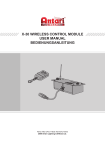
This wireless module consists of a transmitter equipped with two buttons for fog on and off
and a receiving unit with a 2-meter line, a 5-pin XLR connector and an LCD panel
displaying all operation statuses of the fog machine. The interface allows the operator to
customize fog machine functions by adjusting the fogging duration, interval, and volume
as well as the DMX and RF address. There are six buttons on the control board. All current
operating parameters are automatically stored in non-volatile memory, allowing the
machine to be powered down without losing function settings.
02
RECEIVING UNIT
TRANSMITTER
Antenna
Control LED
Blue (on)
LCD screen
Fixation screws
Clip
Red (off)
Connection cable
DIP switches
Function buttons
-Receiving unit
Screw the supplied antenna to the receiving unit. Connect the receiving unit to the
corresponding input jack on your fog machine. The jack has a latching. To remove the plug,
press the lever. Fix the receiving unit to the fog machine with the fixation screws. After
switching on, the display shortly indicates »Antari M-30«. Then the fog machine starts with
the warm-up process and the display indicates »Warming Up«. While the unit is warming
up, fog output will not be possible yet. Program the necessary menu settings with the
control panel of the receiving unit. Once the warm-up process is completed, fog output will
be possible. The display indicates »Ready to Fog«.
-Configuration of the buttons
1.
FUNCTION
TIMER
VOLUME
MANUAL
Interval Set
Duration Set
Timer Out
Volume Out
DMX 512 Add.
RF Addr.
M-30 User Manual
-Setup and Operation
2.
3.
4.
5.
UP and DOWN
TIMER
VOLUME
MANUAL
TIMER
VOLUME
MANUAL
-Menu settings with the button FUNCTION
Setting time intervals for timer operation
Press the button FUNCTION until the display indicates »Interval Set«. Use the buttons
UP and DOWN to adjust the intervals between the individual fog outputs in timer mode
within the range of 1 and 200 seconds.