1
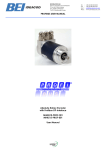
Absolute Rotary Encoder
with Profibus-DP Interface
User Manual
®
P RO CE SS FIE LD B U S
Contents
1
4.2.4 Teach-In STOP .........................................29
Introduction .................................................... 4
1.1 Definitions and abbreviations........................... 4
5
1.2 Mode of operation of an absolute angular
encoder.................................................................. 6
5.1 Overview ........................................................30
1.3 General information about Profibus ................. 9
5.2 Supported diagnostics messages ..................31
5.2.1 Extended diagnostics header....................31
5.2.2 Memory error ............................................31
5.2.3 Operating status........................................31
5.2.4 Encoder type.............................................32
5.2.5 Single-turn resolution ................................32
1.4 Configuring a Profibus-DP network................ 11
2
Encoder profile classification ..................... 12
2.1 Selecting the encoder configuration............... 12
3
5.2.6 Number of revolutions...............................32
5.2.7 Operating time alarm ................................32
5.2.8 Profile version ...........................................32
5.2.9 Software version .......................................32
Class 1 and Class 2 profile.......................... 15
3.1 Parameterization............................................ 15
3.1.1 Code sequence......................................... 16
3.1.2 Class 2 functionality.................................. 17
3.1.3 Commissioning diagnostics ...................... 17
3.1.4 Scaling function ........................................ 17
3.1.5 Measuring units per revolution.................. 17
3.1.6 Total measuring range.............................. 18
3.2 Data exchange in normal operation ............... 19
3.2.1 Transferring the process actual value....... 19
3.2.2 Preset value.............................................. 20
4
IDEACOD 2.2 and IDEACOD 2.1 - Profile.... 20
4.1 Manufacturer-specific functions ..................... 20
4.1.1 Activating octet 26 .................................... 22
4.1.2 Desired measuring units ........................... 22
4.1.3 Desired measuring units reference ........... 23
4.1.4 Activating the commissioning mode.......... 23
4.1.5 Shorter diagnostics ................................... 24
4.1.6 Activating octet 27- 39 .............................. 24
4.1.7 Lower limit switch...................................... 24
4.1.8 Upper limit switch...................................... 25
4.1.9 Physical impulses ..................................... 25
4.1.10 Angular encoder type.............................. 26
4.1.11 Velocity time base................................... 26
4.2 Normal operation and commissioning mode.. 26
4.2.1 Preset value.............................................. 27
4.2.2 Setting the counting direction ................... 28
4.2.3 Teach-in START ....................................... 28
Page 2
Diagnostic messages...................................30
5.2.10 Operating time ........................................32
5.2.11 Zero offset...............................................32
5.2.12 Parameterized resolution per revolution..32
5.2.13 Parameterized total measuring range .....32
5.2.14 Serial number..........................................32
5.3 Alarm messages using the LEDs in the
connection cap .....................................................33
6
Installation.....................................................34
6.1 Settings in the connection cap .......................34
6.1.1 Node address............................................34
6.1.2 Bus termination .........................................34
6.2 Connecting-up the connection cap.................35
6.3 Connecting the screen ...................................35
6.4 Instructions to mechanically install and
electrically connect the angular encoder ..............36
7
Angular encoder and the COM Profibus ....37
7.1 Reading-in the GSD files................................37
7.2 Configuring the master system.......................37
7.3 Selecting and parameterizing the DP slave....38
8
Technical data...............................................42
8.1 Electrical data.................................................42
8.2 Mechanical data .............................................43
USER MANUAL MHM5 PROFIBUS
8.3 Dimension drawings....................................... 44
9
Attachment ................................................... 45
9.1 Conversion table, decimal - binary hexadecimal......................................................... 45
9.2 Special encoder profile-versions .................... 46
9.2.1 Version IDEACOD 2.0 Multiturn................ 46
9.2.2 Version IDEACOD 1.1 Multiturn................ 46
Revision 03/01
9.2.3 Version IDEACOD 1.0 Multiturn................46
9.2.4 Version Class 2 Multiturn ‘DX-Version’ .....46
9.3 Instructions and experience made with special
bus nodes / software ............................................47
9.4 Type designation / ordering codeErreur ! Signet non défini.
10 Index ..............................................................50
USER MANUAL MHM5 PROFIBUS
Page 3
Note:
Readers, who already have sufficient experience in handling Profibus and absolute angular encoders and
who use the COM Profibus or another comparable configuring software, can skip the introductory section
and start with section 6, Page 34.
1
Introduction
In recent years, a wide spectrum of various
fieldbus systems for industrial automation has
appeared, and Profibus is one of the most
successful. IDEACOD was from the beginning one
of the leading manufacturers of absolute rotary
encoders with Profibus interface. The version from
1999, for which this manual was written,
represents another step forward. Several new
features have been integrated and the user
friendliness has been further improved without
sacrificing the backwards compatibility. The new
GSD-Files allows the direct input of device
parameters in the menu fields of COM Profibus
and other project tools.
IDEACOD absolute value encoders fulfill all of the
requirements of a node (station) for a Profibus-DP
network, and they are appropriately certified. This
Manual is intended to provide the user with an
overview of the various functions of the absolute
angular encoder, and support when it comes to
solving user problems. We always appreciate
feedback
regarding
improvements
and
suggestions.
1.1 Definitions and abbreviations
Terminating resistor
Resistor to adapt bus cables; terminating resistors are always required at the
end of a cable or segment.
Address
A number, which is assigned to each node, no matter whether it is a master or
slave. The setting is realized in the connecting cover using rotary switches so
that it is non-volatile.
Baud rate
Data transfer rate specified as the number of bits transferred per second (baud
rate = bit rate).
Bus node
Device, which can send, receive or amplify data via the bus.
Configuring
When configuring, the master signals the angular encoder how it is to behave,
e.g. the number of input- and output words. (also refer to➞ DDLM_Set_Prm).
Diagnostics
Identification, localization, classification, display, additional evaluation of faults,
errors and messages.
DDLM
Direct Data Link Mapper. Interface between Profibus-DP functions and the
encoder software.
DDLM_Data_Exchange Operating status of the bus, for standard data transfer.
DDLM_Set_Prm
Operating status of the bus, in which configuration data is sent.
DDLM_Slave_Diag
Operating status of the bus, in which diagnostics data are requested from the
slave (for example the absolute angular encoder).
DP
Distributed peripherals
Page 4
USER MANUAL MHM5 PROFIBUS
Encoder
Alternative designation f. (angular) encoders or absolute value encoders
Freeze
This is a master command to the slave. This allows the master to freeze the
states of the inputs (for example of the absolute angular encoder) to their
instantaneous value. The input data are only updated again, when the master
sends the UNFREEZE command.
GSD file
Master device data file, in which the slave-specific properties and
characteristics are defined. The GSD is a file, which is made available for most
Profibus nodes (stations) by the manufacturer. The GSD formats are unified, so
that the corresponding control software can access it. (also refer to ➞ Type
file).
Master
Bus nodes, which can send data on their own initiative, and define which slave
should send data. ➞ Slave
Octet
Data unit of 8 bits = 1 byte
Profibus
Process Fieldbus, European fieldbus standard, which is defined in the
PROFIBUS Standard (EN 50170). This specifies functional, electrical and
mechanical characteristics for a bit-serial fieldbus system.
Parameterization
Transfers specific values, such as resolution per revolution, direction of rotation
etc. from the master to the encoder. This is realized when the system runs-up.
Slave
Bus node, which essentially only sends data when instructed to do so by the
➞Masters. Absolute rotary encoders are always slaves.
Type file
Associated with the GSD and is mainly used for Siemens devices and software
(also refer to ➞ 9.2 Special encoder profile-versions).
Word
Is frequently used, but not in a unified fashion, for a data unit of 2 bytes.
Further, the following abbreviations are used in this
User Manual:
API
Absolute position actual value
AU
Resolution per revolution
CW
Clockwise. Clockwise direction of rotation (when viewing the shaft)
CCW
Counter-clockwise. Counter-clockwise direction of rotation (when viewing the shaft)
GGA
Selected total resolution
MGA
Maximum total resolution (i.e. resolution specified from the hardware, generally 2 )
PW
Preset value
PI
Process actual value
VC
Velocity
24
Revision 03/01
USER MANUAL MHM5 PROFIBUS
Page 5
1.2 Mode of operation of an absolute angular encoder
Angular encoders have the task of converting the
position (angular position) of a shaft into a number.
This number is then transferred onwards in a
digital form.
The basic principle is that light from an LED is
radiated through a transparent disc (coding disk)
which is coded, and the bright-dark pattern is
converted into digital signals.
Coding disk with Gray code
Each angular position corresponds to another
sequence of zeros of ones, which uniquely defines
the position as a result of the angular encoder
hardware. This is also the decisive difference to
incremental angular encoders, which only sense
Page 6
the change in the angular position, but not the
absolute position.
If an incremental angular encoder is rotated,
without it being operational (e.g. it is in a novoltage condition), when the equipment is
powered-up again, the angular position information
is lost, and it is necessary to re-reference the
machine which can be complex. For an absolute
angular encoder, in such a case, position changes
are also sensed without a power supply voltage
being available, and, after the operating voltage is
switched-in again, transferred to the higher-level
control system. The coding disk allows individual
revolutions to be coded. The standard resolutions
12
13
are 4096 steps (= 2 ) and 8192 steps (= 2 ) per
revolution.
For so-called multi-turn versions, a gearbox with
additional coding discs is integrated in the angular
encoder. This means that up to 4096 revolutions
can be sensed. As a result of the hardware, there
is also an absolute assignment to the angular
range (4096 steps / revolution) x (4096 revolutions)
= 16.777.215 steps. These values are absolute,
i.e. there is an absolute zero point, and after 4096
revolutions, the same values are read-out again.
Sensors are used to read-out the data, which then
convert the bright-dark pattern into digital electrical
signals.
USER MANUAL MHM5 PROFIBUS
This „code value“ is now converted in the angular
encoder. The user can influence this conversion in
various ways, and therefore adapt the output
values to his requirements. Value x1, read-out from
the coding discs, is therefore assigned a new
numerical value x1 ➞ x2=f(x1). This relationship is
always linear.
X1
X2
Revision 03/01
USER MANUAL MHM5 PROFIBUS
Page 7
Here is an example of how this relationship could
look like:
X2
X2 = f(X1)
X1 = 0
X1 = 16,777,215
This represents a decisive advantage. The control
system is relieved by shifting this conversion
process out of the control system into the encoder.
The output values can be influenced as follows:
Direction of rotation
(complement)
This defines whether the angular encoder counts up when rotating
clockwise, or when rotating counter-clockwise.
Resolution per revolution (AU)
Number of steps by which the value increases by for each revolution.
Total resolution (GA)
This parameter specifies the highest number, which the output position
values can assume.
Preset value (PW)
The user can assign a value to any position of the angular encoder
shaft – the preset value. The preset value must lie within the total
resolution.
Gear factor
A factor x1 / x2 can be entered; this defines the ratio between the
physical resolution and the required resolution. The gear factor can be
alternatively entered to the value „Resolution per revolution“.
Note
As the position values are periodically repeated
after 4096 revolutions, the function dependent on
this f(x1) must also be repeated, at the latest after
4096
revolutions.
This
has
important
consequences when using “Endless operation” ,
i.e. the shaft rotates an unlimited number of times
in a specific direction, and at some time, exceeds
the 4096 revolutions.
With former encoder versions this problem resulted
in restrictions regarding the programming of
Page 8
resolution per revolution and total resolution when
using the device in endless operation. From
software version 3 on the problem which occurs
when crossing the physical zero point is solved by
an internal software routine. So there are no more
restrictions for the use in endless operation.
USER MANUAL MHM5 PROFIBUS
1.3 General information about Profibus
Profibus was the first international, open nonproprietary fieldbus standard for building
management-,
productionand
process
automation. There are three different versions:
Profibus-FMS, Profibus-PA and Profibus-DP. The
IDEACOD absolute rotary encoders are designed
for the DP version.
The competent contact partner for the Profibus
system in general, with a broad spectrum of
The IDEACOD absolute rotary encoders fulfill all of
the requirements according to Profibus-DP from
DIN 19245 Parts 1 and 3. The integrated ProfibusDP interface of the absolute value encoder is
information about the technology, manufacturer,
and suppliers is
PROFIBUS - Trade Organization (PTO)
Haid-und-Neu-Straße 7
D-76131 Karlsruhe
Germany
Tel.: ++49 / 721 / 96 58 59 0
Fax.: ++49 / 721 / 96 58 58 9
designed for a maximum data transfer rate of 12
MBaud. The integrated software supports all of the
functions of the official encoder profile for ProfibusDP. Data is always output in the binary code.
Call telegram
DP
Master
Final info
Output data
Header-Info
Header info
Input data
Final info
DP
Slave
Response telegram
Schematic overview of data transfer for Profibus-DP
A basic differentiation is made between the
following states when exchanging data:
1.
Configuring- and parameterizing phase (DDLM_Set_Prm). This is active when the system runs-up.
2.
DDLM_Data_Exchange mode: „Standard operation„, the masters sends an inquiry, which the angular
encoder responds with the actual position (process actual value) and additional data, for example,
velocity.
3.
DDLM_Slave_Diag: In this status, the slave sends diagnostics data to the master.
Revision 03/01
USER MANUAL MHM5 PROFIBUS
Page 9
SRD-Request variable information field length
DP
Master
SYN
NN
SD
SD
LE LEr SD DAA SA
LE LEr SD DAA SA
FC DU
FC DU
FCS
FCS
ED
DP
Slave
ED
SRD-Response variable information field length
Telegram formats
SRD Send and request data with acknowledge
(Data are sent and received in a message cycle)
Syn
Synchronisation Time
SA
Source Address
SD
LE
Ler
DA
Start Delimiter
Length
repeated Length
Destination Address
FC
DU
FCS
ED
Function Code
Data Unit
Frame Check Sequence
End Delimiter (always 16 hex)
For PROFIBUS-DP a differentiation is made
between four various telegram types. A
after the GAP time has expired in order to
search for new active nodes on the bus.
differentiation is made by the value of the Start
Delimiter (SD):
2.
Request_FDL_Status (FDL= Fieldbus Data
Link, also known as Layer 2). The Start
Delimiter has the value 10 hex. This telegram
is also sent from an active station, always
3.
1.
Page 10
4.
Data telegram with variable data length. This
used in the SRD utility (send and request
data with acknowledge). SD = 68 hex.
Telegram with a fixed data length. SD = A2
hex.
Token telegram (only between masters). SD
= DC hex
USER MANUAL MHM5 PROFIBUS
1.4 Configuring a Profibus-DP network
The interface of the absolute angular encoder is
based on the PROFIBUS-DP Standard (EN
50170). In order to be able to use an absolute
angular encoder as SLAVE with the Profibus-DP
interface, an interface board is required in the
control system which acts as PROFIBUS master.
PLC
+
Profibus-Master
10 - 30 V DC
10 - 30 V DC
10 - 30 V DC
10 - 30 V DC
Schematic PROFIBUS network with separate power supply
As a result of the connection cap design of
IDEACOD absolute value encoders, the power
supply can also be fed via the bus cable.
PLC
+
Profibus-Master
10 - 30 V DC
Schematic of a PROFIBUS network with power supply looped-through
Revision 03/01
USER MANUAL MHM5 PROFIBUS
Page 11
2
Encoder profile classification
The absolute value encoder with Profibus-DP
interface transfers the process actual value, and if
required, the velocity in the binary code. In
addition, a preset value, and with the
manufacturer-specific profiles, IDEACOD 2.1 and
IDEACOD 2.2, additional information can be
transferred by setting special bits in the
DDLM_Data_Exchange mode.
The Profibus Trade Organization (PTO) has
defined encoder profiles, which are designated as
Class 1 and Class 2. These are available as
documentation from the PTO (Order No. 3.062). A
differentiation
is
made
between
non-
parameterizable (Class 1) and parameterizable
(Class 2) absolute angular encoders. When
configuring the IDEACOD absolute value encoder
the user specifies if the encoder should operate as
Class 1 or Class 2. In addition IDEACOD
manufacturer specific functions can be selected.
To choose between the different profile versions a
GSD-File is used. The user can select the version
that fits his hard and software. Generally, a
differentiation should be made between Type files
and GSD files. The GSD file should always be
used as standard. This is available from IDEACOD
on a floppy disk (Order type: Disk with Profibus
GSD-Files)
or
in
the
Internet
(www.IDEACOD.com). The Type files should only
be used for older types of masters, which cannot
process any GSD files. In this case, only Class 1
and Class 2 profiles are supported. The hardware
of the absolute encoder, apart form the difference
between multi and single turn encoders, is always
the same. This allows the same encoder to be
used in a wide filed of applications.
Note
Class 1 and Class 2 encoders have nothing to do
with Class 1 and Class 2 Masters. It is quite
possible to use a Class 2 encoder with a Class 1
Master.
2.1 Selecting the encoder configuration
The user has a full range of possibilities with the
profile, Version 2.1 and Version 2.2. Version 2.2
differs from 2.1 in so much that in addition, the
velocity can be output. Two software limit switches
can be set, reduced diagnostics activated (this is
important for some of the older masters) and the
on-line parameterization (or „Commissioning
mode“) enabled. This mode allows, in addition to
the preset value, also the direction of rotation to be
changed on-line. It also offers a very user-friendly
technique in which the gear factor can be directly
Page 12
set at the system (teach-in procedure). For some
applications, the simple profile, Class 2 or even
Class 1 are sufficient. IDEACOD is also still
providing this profile for this particular case.
Further, IDEACOD is providing other versions,
which are described in Section 9.2. These involve,
especially older versions, which for reasons of
compatibility, should still be available. For new
projects we recommend that profile IDEACOD 2.1
or IDEACOD 2.2 is used. The later if the velocity
output is required.
USER MANUAL MHM5 PROFIBUS
Overview of the various encoder classes and configurations (Part 1)
IDEACOD 2.2
(Single/Multiturn)
This is the configuration, which offers most functions.
In addition to be able to set preset values and to change the direction of rotation in
standard operation, there is a special start-up mode with which the gear factor can
be set using a teach-in technique. Two software limit switches are available and the
velocity can be output in selectable units. There is an option to output a reduced
number of diagnostic bytes.
Refer to Section 4
IDEACOD 2.1
(Single/Multiturn)
As for IDEACOD 2.2 (Single/Multiturn), or without velocity output.
Refer to Section 4
Class 1
(Single/Multiturn)
This only allows the direction of rotation to be adjusted.
Refer to Section 3
Class 2
The direction of rotation, gear factor, preset value can be set
(Single/Multiturn)
Refer to Section 3
IDEACOD 2.0
(Multiturn)
Special version (as for IDEACOD 2.2, but with fewer fields in the COM Profibus
mask – this should only be used in special cases, refer to the Appendix)
IDEACOD 1.1
(Multiturn)
Manufacturers-specific version (refer to the Appendix)
IDEACOD 1.0
Manufacturers-specific version (refer to the Appendix)
(Multiturn)
Class 2 (Multiturn) Manufacturers-specific version (refer to the Appendix)
‘DX-Version’
(Highlighted = Standard)
Revision 03/01
USER MANUAL MHM5 PROFIBUS
Page 13
Overview of the various encoder classes and configurations (Part 2)
Designation
hexadecimal
decimal
Number of input
words
(encoder
➞ control)
Class 1 Singleturn
D0
208
1
0
Class 1 Multiturn
D1
209
2
0
Class 2 Singleturn
F0
240
1
1
Class 2 Multiturn
F1
241
2
2
IDEACOD 2.2 Singleturn
- with velocity -
F1
D0
241
208
2
1
2
IDEACOD 2.2 Multiturn
F1
241
2
2
- with velocity -
D0
208
1
IDEACOD 2.1 Multiturn
- without velocity -
F1
241
2
2
IDEACOD 2.1 Singleturn
- without velocity -
F1
241
2
2
IDEACOD 2.0 Multiturn
F1
D0
241
208
2
1
2
9.2.1
IDEACOD 1.1 Multiturn +
velocity + preset
D3
E1
211
225
4
0
0
2
9.2.2
IDEACOD 1.0 Multiturn +
velocity
D3
211
4
0
9.2.3
Class 2 Multiturn 'DX
-Version' F1
241
2
2
9.2.4
Page 14
Configuration
USER MANUAL MHM5 PROFIBUS
Number of output
words
(control
➞ encoder)
Description
refer to section
3
4
3
Class 1 and Class 2 profile
These versions are the „classic“ versions, which
were defined by the encoder working group in the
Profibus User Organization in the Profile for
encoder (this can be obtained from the PNO, Order
No. 3.062). IDEACOD 2.2 and IDEACOD 2.1 also
belong to Class 2, but offer additional functions. If
these functions are not required for the particular
application, then the standard Class 1 and Class 2
versions allow angular encoders to be used without
having to struggle with detailed information.
3.1 Parameterization
A differentiation must be made between two
statuses when it comes to data transfer. On one
hand, the phase when the system runs-up, when
the
angular
encoder
is
parameterized
(DDLM_Set_Prm mode), and on the other hand,
standard
operation
(DDLM_Data_Exchange
mode). Some information is transferred at run-up,
however the preset value is only transferred during
normal operation.
The control system configures the angular encoder
when the system runs-up, i.e. the encoder profile,
selected by the user, is transferred to the angular
Revision 03/01
encoder ( also refer to Section 2 Encoder profile
classification). Depending on the version which
was selected, the parameter data, defined by the
user, is transferred to the angular encoder
(parameterization). Generally, this is realized
automatically and the parameters are entered into
a mask in the operator control software (e.g. COM
Profibus, refer to Section 7). However, in some
cases it is necessary to individually process the
bits and bytes. Data is transferred according to the
Profibus profile as shown in the schematic in the
following table.
USER MANUAL MHM5 PROFIBUS
Page 15
Overview of the significance of the various bits and bytes when the bus runs-up
Octet (=byte) No.
Parameter
1 ... 8
Reserved for PROFIBUS-specific data
Bit No.
Details refer to
9
Code sequence
0
section:
3.1.1
page:
16
-
-
Class 2 functionality
1
section:
3.1.2
page:
17
Commissioning, diagnostics
2
section:
3.1.3
page:
17
Scaling function control
3
section:
3.1.4
page:
17
Reserved
4
-
-
Reserved
5
-
-
Is not used for Class 1 and Class 2
6
-
-
(refer to optional versions IDEACOD 2.1 and 2.2
7
10
Measuring units per revolution
section:
3.1.5
page:
17
Total measuring range
section:
3.1.6
page:
18
...
13
14
...
17
18
Reserved for the encoder profile
-
-
26
Is not used for Class 1 and Class 2
-
-
...
(refer to optional Versions IDEACOD 2.1 and 2.2)
...
25
3.1.1 Code sequence
The code sequence defines the counting direction
when the process actual value is output as the
shaft rotates clockwise CW or counter-clockwise
CCW when viewing the shaft. The count direction
is defined by bit 0 in octet 9:
Octet 9 Bit 0
Direction of rotation when viewing the shaft
Output code
0
Clockwise CW
increasing
1
Counter-clockwise CCW
increasing
For Class 1, this is the only parameter, which can
be set. It should be observed that when the
direction of rotation is possibly changed, in the
start-up mode (this is only available for IDEACOD
2.1 and IDEACOD 2.2), this is overwritten when recommissioning. For example, if the angular
Page 16
encoder is no longer used in the commissioning
mode, but in the standard mode.
USER MANUAL MHM5 PROFIBUS
3.1.2 Class 2 functionality
Using this switch, Class 2 angular encoders can be
restricted to the functionality of Class 1, i.e. the
parameterizing capability is disabled. Bit 1 in octet
9 is set in order to use the functions of a Class 2
encoder.
Octet 9 Bit 1
Class 2 functionality
0
switched out
1
switched in
3.1.3 Commissioning diagnostics
This function has no significance for the IDEACOD
absolute value encoder.
3.1.4 Scaling function
The scaling function enables the resolution per
revolution (AU) and the selected total resolution
(GGA) to be parameterized. This switch should
always be switched-in, if the functions of Class 2
are to be used, or even higher classes (IDEACOD
2.1, IDEACOD 2.2).
Octet 9 Bit 3
Scaling function
0
switched out
1
switched in
3.1.5 Measuring units per revolution
The ‘Measuring units per revolution’ parameter is
used to program the angular encoder so that a
required number of steps can be realized, referred
to one revolution.
If a value greater than the basic resolution of the
absolute value encoder is selected as resolution
per revolution, the output code is no longer in
single steps. Thus, it should be observed, that
the required resolution does not exceed the
resolution of the absolute value encoder
defined by the hardware.
Octet
10
11
12
Bit
31 - 24
23 - 16
15 - 8
Data
31
2
24
to 2
2
23
to 2
16
15
2
13
7–0
8
to 2
7
0
2 to 2
Measuring units per revolution
Revision 03/01
USER MANUAL MHM5 PROFIBUS
Page 17
3.1.6 Total measuring range
Using the ‘Total measuring range’ parameter, the
user can program the angular encoder so that after
a specific number of revolutions it starts to count
again at zero. Normally, this would be 4096
revolutions, however using the ‘Total measuring
range’ parameter, even shorter periods can be
selected.
Example:
100 steps are selected for each revolution, total
resolution 12 800, and then the angular encoder
starts again at zero after 128 revolutions and then
counts up to 11799.
With older versions certain rules had to be
observed when selecting the total resolution
(because of the encoder principle, refer to 1.1). In
the case of ignoring the following rules problems
occurred when using the device in endless
operation (when crossing the physical zero point).
With new devices (Software version 3 or higher)
this problem is solved by an internal software
routine. Therefore rule number 2 can be ignored.
The angular encoder configurations, IDEACOD 2.2
and IDEACOD 2.1 offer a user-friendly technique
so that, for example, gear factors can be simply
entered and the total resolution, associated with
the gear factor is automatically set. The period
length is always 4096 revolutions. However, also
when using rotary axes, a sequence can repeat
itself after a defined number of revolutions, and the
angular encoder should start again after this
number of revolutions (= periods). If another period
length is required (e.g. the process always repeats
itself after 8 revolutions), the following rules should
be observed (with new devices rule no. 2 can be
ignored):
1. If n steps per revolution were selected, then the selected total resolution GGA cannot cause the
periods to be longer than the maximum 4096 revolutions. This means that the selected total resolution
must be less than 4096 times the number of steps per revolution:
GGA < 4096 x n
If this is not observed, then the LEDs in the connecting cover display parameterizing error (refer to
5.3)
2. The periods, i.e. GGA/ n must be an integer number. This must fit an integer number of times (integer
multiple) in 4096. Thus, the following equation must apply:
4096 / (GGA/ n) = 4096 x n / GGA = integer number
This function is not monitored. No error message is output.
Note: Must only be observed with devices older than Software version 3
Page 18
USER MANUAL MHM5 PROFIBUS
The value for the selected total measuring range is
saved in octets 14 to 17:
Octet
14
15
16
Bit
31 – 24
23 – 16
15 - 8
31
Data
2
24
to 2
2
23
to 2
16
15
2
17
7-0
8
7
to 2
0
2 to 2
Selected total measuring range in measuring steps
Note
In order that the resolution can be parameterized
to be effective per revolution, Class 2 functionality
and the scaling function must be switched-in.
If the parameterizing is changed, then it maybe
necessary to set earlier set presets, in standard
operation, as they now refer to the modified
scaling.
3.2 Data exchange in normal operation
This is the normal status when the system is
operational. When requested to do so, the angular
encoder sends the actual values to the control
system. It can then also receive data. This is the
preset value for Class 2 angular encoders. Other
values can also be transferred with the
configuration IDEACOD 2.1 and IDEACOD 2.2
configurations (refer to Section 1). The versions
below, refer to multi-turn versions, but can be
considered exactly like single-turn encoders.
3.2.1 Transferring the process actual value
In the standard operating mode,
31, bit 15 for single-turn versions)
Word
The angular encoder does not change the preset
value.
Word 1
Function
Bit
MSB = 0 (bit
Word 0
Status bits
Process actual value
31 30 29 28 27 26 25 24 23 22 21 20 19 18 17 16 15 14 13 12 11 10 9 8 7 6 5 4 3 2 1 0
0
Revision 03/01
0
0
0
0
0
0 X
X
X
X
X
X
X
X
X
X
USER MANUAL MHM5 PROFIBUS
X
X
X
X
X
X X X X X X X X X X
Page 19
3.2.2 Preset value
The preset value is the process actual value, which
should then be output when the axis is in a certain
physical position. Using the preset value
parameter, the value output from the angular
encoder, is defined at a specific angular position.
The preset value may not exceed the total
resolution parameter. The preset value is set after
the scaling parameter ‘Resolution per revolution’ is
transferred, and ‘Total resolution’ is set and refers
M = Master
S = Slave Bit
M -> S
S -> M
M -> S
S -> M
31
1
1
0
0
30
0
0
0
0
Status bits
29 28 27
0 0 0
0 0 0
0 0 0
0 0 0
26
0
0
0
0
to these scaled quantities. The preset value is
transferred in the Data_Exchange mode by setting
bit 31.
It takes less than 40 ms to save the preset so that
it is not lost when the power fails. After the preset
value has been received, bit 31 is set as
acknowledgment, and the actual process actual
value is immediately re-output. The procedure is
shown below as table.
Data bits
25 24 23 22 21 20 19 18 17 16 15 14 13 12 11 10 9 8 7 6 5 4 3 2 1 0
0
required process actual value = preset value is transferred here
0
new = required process actual value is transferred here
0
Reset to normal mode
0
new = required process actual value is transferred here
Note
If high precision is required, the preset mode
should only be executed when the encoder shaft is
at a standstill. If the shaft moves quickly during this
4
time, offsets can occur, as even when the preset
value is set, bus propagation times occur (bus
delay times).
IDEACOD 2.2 and IDEACOD 2.1 - Profile
With these versions, IDEACOD offers a multitude
of functions, which shift the intelligence from the
control into the slave devices, in the sense of
distributed peripherals. The user can use these
functions, but he does not have to. The system is
fully harmonized to the users requirements and
features which are not required, can be disabled.
4.1 Manufacturer-specific functions
This version is especially characterized by the
ability to parameterize on-line and the so-called
‘Teach-in’. In the DDLM_Data_Exchange mode,
this on-line parameterization not only allows the
preset value to be set, but in addition also the
Page 20
direction of rotation and the capability of
automatically calculating the resolution. An
overview of the individual bytes for IDEACOD 2.1
and IDEACOD 2.2 is provided in the following
table.
USER MANUAL MHM5 PROFIBUS
Overview of the significance of the various bits and bytes when running-up the bus, versions
IDEACOD 2.2 and IDEACOD 2.1
Octet (= byte) No. Parameter
Bit No. Details refer to
Section:
1 ... 8
Reserved for PROFIBUS-specific data
9
Code sequence
0
Class 2 functionality
1
Activate „Commissioning Diagnostics“
2
Scaling function control
3
Reserved
4
Reserved
5
Activate octet 26
6
Reserved
7
Page:
3.1.1
3.1.2
16
17
3.1.3
3.1.4
17
17
4.1.1
-
22
-
10 ... 13
Desired measuring units per xxx
(refer to octet 26 bit 0 and 1)
4.1.2
22
14 ... 17
total measuring range
3.1.6
18
18 ... 25
Reserved for the encoder profile
26
Desired measuring units: reference
4.1.3
23
0
1
Activate commissioning mode
2
4.1.4
23
Shorter diagnostics (16 bytes)
3
4.1.5
24
Reserved
4
-
-
Activate lower limit switch
5
4.1.7
24
Activate upper limit switch
6
4.1.8
25
Activate octet 27 – 39
7
4.1.6
24
27 ... 30
Lower limit switch
4.1.7
24
31 ... 34
Upper limit switch
4.1.8
25
35 ... 38
Physical impulses
4.1.9
25
39
Reserved
0
Encoder type (Single-/Multiturn)
1
4.1.10
26
Reserved
2
Reserved
3
Velocity time base
4
4.1.11
26
5
Revision 03/01
Reserved
6
Reserved
7
USER MANUAL MHM5 PROFIBUS
-
-
Page 21
4.1.1 Activating octet 26
The functionality in the commissioning mode is
prepared using octet 26. The detailed procedure is
described under 4.2. This bit is automatically
activated by selecting IDEACOD 2.1 or IDEACOD
2.2. However, it is only important when „manually“
parameterizing.
Octet 9 Bit 6
Octet 26
0
switched out
1
switched in
Further, for Versions IDEACOD 2.1 and IDEACOD
2.2, bit 7 in octet 26 must be set. (Refer to 4.1.6.)
4.1.2 Desired measuring units
The parameter, desired measuring units per xxx
(„xxx“, refer to 4.1.3) is used to program the
angular encoder, so that a required number of
steps can be realized, either referred to one
revolution, the complete measuring range, or any
sub-measuring range.
Octet
10
11
12
13
Bit
31 – 24
23 - 16
15 - 8
7-0
Data
31
2
24
to 2
23
2
16
to 2
2
15
to 2
8
7
0
2 to 2
Desired measuring units per xxx
Bits 0 and 1 in octet 26 are used to define the
reference for the value entered here (refer to
4.1.3). When selecting „per revolution“, in addition,
revolution, the output code is no longer a singlestep code. Thus, it should be observed that the
required resolution does not exceed the angular
the value saved in octet 14 - 17 is used (also refer
to 3.1.6) and is used to set shorter periods than
4096 revolutions.
If a value greater than the basic resolution of the
encoder resolution, specified by the hardware
(4096 steps per revolution for 12 bit encoders and
8192 steps per revolution for 13 bit encoders).
angular encoder is selected as resolution per
Page 22
USER MANUAL MHM5 PROFIBUS
4.1.3 Desired measuring units reference
Here a decision is made to the reference for the
‘Desired measuring units’ (=resolution) entered in
octet 10-13, i.e. either
•
required number of steps per revolution
•
required number of steps per 4096 revolutions
(= total maximum resolution)
•
required number of steps per the number of
Physical impulses saved in octet 35 - 39 (also
refer to 4.1.9). ‘Physical impulses’ means: The
numerical value as the encoder internally
reads from the coding disc. This is always
4096 steps per revolution (8192 steps for the
13 bit version).
For example, the selection field in COM Profibus
looks like this:
Gear factors can be freely set using the later
option. Whereby it should be noted, that if the
resolution is higher than the physical one, the
single-step functionality is lost.
For the case that the resolution per revolution is
selected, the total resolution, saved in octets 14 17 are used. Always refer to the comments
under 3.1.6.
Reference
Octet 26 Bit 0
Octet 26 Bit 1
per revolution
0
0
per maximum total measuring range
1
0
per physical impulses
(=steps specified in octet 35-38)
0
1
4.1.4 Activating the commissioning mode
Bit 2 in octet 26 represents a switch for the
commissioning mode. This switch is, for example,
available in the selection menu for COM Profibus.
The commissioning mode is a special status in the
DDLM_Data_Exchange mode. If it is activated (this
Revision 03/01
can be identified when the green LED in the unit
flashes), then other parameters, besides the preset
value, can be transferred to the angular encoder.
These are then saved so that they are not lost
when the power goes down (non-volatile). A gear
USER MANUAL MHM5 PROFIBUS
Page 23
factor can be determined by directly moving the
system (for details, refer to 4.2). The system is
ready to operate in this status. If all of the
parameters have been optimized, then the
Bit 2 Octet 26
Inbetriebnahmemodus
0
Ausgeschaltet
1
Eingeschaltet
determined quantities should be directly entered in
the DDLM_Set_Prm mode (the bus is run-up again
with a configuration), and the commissioning mode
disabled.
4.1.5 Shorter diagnostics
For some Profibus masters it is important that the
full number of diagnostic bytes are not output, as
this could otherwise cause problems. This is the
case for older masters. Please refer to the
documentation of the master board for the number
of possible diagnostic bytes. For the IDEACOD
absolute value encoders, it is possible to reduce
the number of diagnostic bytes, output from the
angular encoder, to 16.
Octet 26 Bit 3
Diagnostics
0
Standard = 57 bytes
1
Reduced = 16 sytes
4.1.6 Activating octet 27- 39
Octets 27- 39 are activated with bit 7 in octet 26.
This bit is automatically activated by selecting
version IDEACOD 2.1 or IDEACOD 2.2. This bit
should only be taken into account if the parameters
are directly entered as hexadecimal values.
Bit 7 Octet 27 - 39
0
switched out
1
switched in
4.1.7 Lower limit switch
A total of two positions can be programmed. When
these two positions are fallen below or exceeded,
the absolute value encoder sets bit 27 to „1“ in the
Both limit switch values may not exceed the value
set for parameter ‘Total measuring range’.
The lower limit switch is switched-in using bit 5 in
32 bit process actual value; within the range it is
zero.
octet 26. The position value for the Lower limit
switch is saved in octets 27 to 30:
Octet
27
Bit
31 - 24
Data
2
31
28
29
23 - 16
24
to 2
2
23
30
15 – 8
16
to 2
15
2
7-0
8
to 2
Lower limit switch in measuring steps
(In units, as the encoder outputs them after parameterization)
Page 24
USER MANUAL MHM5 PROFIBUS
7
0
2 to 2
4.1.8 Upper limit switch
A total of two positions can be programmed. When
these positions are fallen below or exceeded, the
absolute value encoder sets bit 27 to one in the 32
bit process actual value; within the range it is zero.
Both limit switch values may not exceed the value
set for parameter ‘Total measuring range’. The
Upper limit switch is activated using bit 6 in octet
26 and the position value for the upper limit switch
is saved in octets 31 to 34:
Octet
31
32
33
Bit
31 - 24
23 - 16
15 – 8
31
Data
2
24
to 2
23
2
16
to 2
34
15
2
7-0
8
to 2
7
0
2 to 2
Upper limit switch in measuring steps
(In units, as the encoder outputs them after parameterization)
4.1.9 Physical impulses
The „Physical impulses“ function is activated with
bit 0 and 1 in byte 26 (refer to 4.1.3, Page 23).
output for a specified partial measuring range are
entered (namely the „Physical impulses“).
These „physical impulses“ are used to freely set a
gear factor. The number of steps which should be
The value for the „Physical impulses“ is saved in
octets 35 to 38:
Octet
35
36
37
Bit
31 - 24
23 - 16
15 – 8
Data
Revision 03/01
31
2
24
to 2
2
23
16
to 2
15
2
38
7-0
8
to 2
USER MANUAL MHM5 PROFIBUS
7
0
2 to 2
Page 25
4.1.10 Angular encoder type
The angular encoder type is specified in bit 1 of
octet 39. Generally, this bit is automatically set
when the appropriate class is selected.
Angular encoder type
Bit 1
Angular encoder type
Singleturn
0
Multiturn
1
4.1.11 Velocity time base
The velocity output units can be selected using bits
4 and 5 in octet 39.
In the case of the steps/1000 ms unit, an average
is made over 200 ms, and the value multiplied by
5.
Velocity time base
Bit 4
Bit 5
Steps / 1000 ms
0
0
Steps / 100 ms
1
0
Steps / 10 ms
0
1
RPM (Revolutions per minute)
1
1
4.2 Normal operation and commissioning mode
Two
different
conditions
of
the
DDLM_Data_Exchange mode are available with
user enters how many steps he wishes to have
along this particular path (e.g. 4000 steps, each
the versions IDEACOD 2.1 and IDEACOD 2.2.
Especially the teach-in technique in the
commissioning mode allows gear factors to be
simply determined directly in the system. In this
step would then correspond to 1 mm). The encoder
internally calculates the new gear factor and
automatically sets it. It is saved so that it is not lost
during power outages (non-volatile). The device
case, the system is brought to the start of the
range to be traversed (e.g. a distance of 4 m), and
then the teach-in routine is started (refer to 4.2.3).
Now, for example, the range is traversed manually.
then provides the total resolution. This should be
noted, and later, when the system is finally
commissioned, set using a new configuration and it
then recommended to operate the encoder in the
With the teach-in stop routine (refer to 4.2.4), the
normal operating mode (refer to 4.1.4).
Page 26
USER MANUAL MHM5 PROFIBUS
Note
The recommended sequence when using the startup mode is to first set the direction of rotation and
then possibly use teach-in and then finally, to set
the preset, as the preset is changed by the first
procedures mentioned.
ID
F1 hex
Significance
Status + position actual value
Status + 2
The data are transferred, in normal operation,
according to the schematic below. The velocity is
only output in version IDEACOD 2.2.
D0 hex
24
23
2 -2
Velocity
16
15
8
7
2 -2
0
15
2 -2
8
7
2 -2
0
2 -2
The master sends 4 bytes to the angular encoder.
The 4 bytes have the following significance:
Significance
Preset value + status
24
23
Status + (2 )
16
15
2 -2
2 -2
8
7
0
2 -2
The status bits have the following significance:
Bit 25
Ready
0 = angular encoder is not ready
1 = angular encoder is ready
Bit 26
Mode
0 = commissioning mode
Bit 27
Software limit switch
0 = lower limit switch • process actual value • upper limit switch
1 = process actual value • lower software limit switch or
process actual value • upper software limit switch
Bit 28
Code sequence
Bit 28 = 0
:
Direction of rotation, clockwise (when viewing the shaft)
Bit 28 = 1
:
Direction of rotation, counter-clockwise
1= normal mode
(when viewing the shaft)
4.2.1 Preset value
The preset value is set, analog to the method
described in 3.2.2. For version IDEACOD 2.1 and
IDEACOD 2.2, the preset value can be set both in
Revision 03/01
the commissioning mode as well as in the normal
mode.
USER MANUAL MHM5 PROFIBUS
Page 27
4.2.2 Setting the counting direction
The direction in which the angular encoder counts
up can be changed on-line during the
commissioning mode. The master can changeover
the direction of rotation set in the angular encoder,
using bit 28. The angular encoder itself outputs the
selected direction to the master in this bit. If it is
M= Master
S = Slave
M-> S
S -> M
M-> S
S -> M
Bit 31
0
0
0
0
30
0
0
0
0
Status bits
29 28 27 26
0 1 0 0
0 0/1 0/1 0
0 0 0 0
0 0/1 0/1 0
zero, then the encoder counts up in the clockwise
direction of rotation (when viewing the shaft). If it is
one, it counts up in the counter-clockwise direction
of rotation.
Data bits
25 24 23 22 21 20 19 18 17 16 15 14 13 12 11 10 9 8 7 6 5 4 3 2 1 0
The selected direction of rotation is changed over from0 to 1 or from 1 to 0 using bit 28
0
1
The encoder now acknowledges the newly selected direction of rotation in bit 0 and bit 28
0/1
Changeover is completed by setting bit 28 to zero
0
The process actual value is now output again
1
Note
The preset value (refer to 3.2.2) must be set again
after this function.
4.2.3 Teach-in START
Start the measurement in order to determine the
gear factor, which is required so that the angular
encoder outputs a number of steps, specified by
the user when the system traverses through a
specific distance. Later, with the teach-in STOP
procedure (refer to 4.2.4), the user enters the
M = Master
S = Slave
M -> S
S -> M
M -> S
S -> M
function
Bit
31
0
0
0
0
30
1
1
0
1
Status bits
29 28 27 26
0 0 0 0
0 0/1 0/1 0
0 0 0 0
0 0/1 0/1 0
required number after the distance has actually
been traversed (e.g. in manual operation).
This function allows the gear to be automatically
calculated. The measuring path may not exceed
2047 revolutions.
Data bits
25 24 23 22 21 20 19 18 17 16 15 14 13 12 11 10 9 8 7 6 5 4 3 2 1 0
0
The teach-in mode is activated by setting bit 30
1
Acknowledging by setting bit 30 to 1
0
Reset
1
Non-calculated process actual value (gear factor = 1, no preset active)
Note
The gear factor is internally set to 1, and the zero
offset is deleted.
Page 28
USER MANUAL MHM5 PROFIBUS
4.2.4 Teach-In STOP
The path difference calculation is started and
displayed using this function. The calculation can
only be realized, if the teach-in START procedure
(refer to 4.2.3) was first executed. When entering
the required number of steps, it should be
observed that the physical resolution is not
exceeded (e.g. entering 3000 steps for a quarter of
a revolution). Positive and negative directions of
rotation are automatically taken into account, and
also if the zero is exceeded.
M = Master
S = Slave
M -> S
S -> M
M -> S
S -> M
function
Bit
31
0
0
0
0
30
0
1
0
0
Status bits
29 28 27 26
1 0 0 0
1 0/1 0/1 0
0 0 0 0
0 0/1 0/1 0
The „calculated total resolution“ value output,
should be noted, and later, if the system is reconfigured for final normal operation, set. After this
procedure, the new gear factor is saved in the
encoder so that it is not lost during power outages
(non-volatile).
Note:
The preset value (refer to 3.2.2) must be set again
after this function.
Data bits
25 24 23 22 21 20 19 18 17 16 15 14 13 12 11 10 9 8 7 6 5 4 3 2 1 0
0
Number of steps which the encoder should output is now sent to the encoder
1 Transfer of the total measuring range for the new gear factor (this should be noted!)
0
Resetting
1
The process actual value, calculated with the new gear factor, is output
In order that the encoder can be subsequently replaced without having to repeat the teach-in procedure,
the total resolution, determined by the encoder, should be transferred into the Profibus master. This is
realized by entering the total resolution in the „Desired Measuring units“ field (refer to 4.1.2), and then the
„Desired measuring units per“ switch should be set to „Maximal total measuring range“ (refer to 4.1.3). The
commissioning mode should then be switched-out (refer to 4.1.4). The encoder then operates in the
normal mode.
Note
It should be observed, that for this new
configuration, the direction of rotation is correctly
entered. If this was changed in the commissioning
Revision 03/01
mode (refer to 4.2.2), then the direction of rotation
must be set in the same way when the configuring
operation is repeated.
USER MANUAL MHM5 PROFIBUS
Page 29
5
Diagnostic messages
Numerous diagnostic data are provided in EN
50170, the Profibus Standard. The widest range of
values can be interrogated via the bus. The
diagnostic data, supported by the IDEACOD
encoder, will now be described.
5.1 Overview
When requested by the master, by using
DDLM_Slave_Diag, a series of data is transferred.
There are 57 pieces of diagnostics data.
1
Exception: Shorter diagnostics (refer to 4.1.5). The
diagnostics data are output according to the
1)
encoder profile rules.
Diagnostics function
Data type
Diagnostics –
octet number
Encoder class
Station status 1 (ref. to: Profibus Standard)
Octet
1
1
Station status 2 (ref. to: Profibus Standard)
Octet
2
1
Station status 3 (ref. to: Profibus Standard)
Octet
3
1
Diagnostic Master Address
Octet
4
1
PTO identification number
Octet
5, 6
1
Extended diagnostics header
Octet String
7
1
Alarm messages
Octet String
8
1
Operating status
Octet String
9
1
Encoder type
Octet String
10
1
Resolution per revolution (hardware)
unsigned 32
11 - 14
1
Number of revolutions (hardware)
unsigned 16
15, 16
1
Additional alarm messages
Octet String
17
2
Supported alarm messages
Octet String
18, 19
2
Warnings
Octet String
20, 21
2
Supported warnings
Octet String
22, 23
2
Profile version
Octet String
24, 25
2
Software version
Octet String
26, 27
2
Operating time
Unsigned 32
28 - 31
2
Zero offset
Unsigned 32
32 - 35
2
Manufacturer-specific: Offset value
Unsigned 32
36 - 39
2
Parameterized resolution per revolution
Unsigned 32
40 - 43
2
Parameterized total resolution
Unsigned 32
44 - 47
2
Serial number
ASCII String
48 - 57
2
Profibus Profile for Encoders, PNO Order No. 3.062
Page 30
USER MANUAL MHM5 PROFIBUS
5.2 Supported diagnostics messages
The implemented diagnostics messages are
described in more detail below. The messages
which are not supported, are either not relevant for
IDEACOD absolute value encoders, or have not
been implemented.
5.2.1 Extended diagnostics header
The length of the extended diagnostic bytes,
including diagnostics header, is contained in
diagnostics byte 7. The format of the length value
is written in hexadecimal code.
Bit
7
6
5-0
Data
0
0
xxh
Länge der Diagnosebytes
5.2.2 Memory error
Bit 4 in diagnostics byte 8 is used to display
whether a memory error has occurred. Memory
errors means in this case, that the angular encoder
EEPROM no longer functions correctly and the
preset value is no longer saved so that it is kept
during power outages (non-volatile data save).
Bit
Definition
=0
=1
4
Memory error (defect in the EEPROM)
No
Yes
=0
=1
CW
CCW
Off
On
5.2.3 Operating status
The operating parameters which are set can be
interrogated using diagnostics byte 9.
1
Bit
Definition
0
Direction of rotation
1
Class 2 functionality
2
Diagnostic routine
Off
On
3
Scaling function
Off
On
1)
Class 2 functionality disabled means that the
angular encoder is in the operating status,
Class 1. Also refer to 3.1.2.
Revision 03/01
USER MANUAL MHM5 PROFIBUS
Page 31
5.2.4 Encoder type
5.2.9 Software version
The angular encoder version can be interrogated
using diagnostics byte 10. The code is saved in the
hexadecimal notation.
The software version of the angular encoder is
saved in diagnostic bytes 26 and 27.
Code
Definition
00 h
Single-turn angular encoder
01h
Multi-turn angular encoder
Octet
26
Bit
15 - 8
Data
2 to 2
2 to 2
Revision No.
Index
7
27
7-0
0
7
0
5.2.10 Operating time
5.2.5 Single-turn resolution
The physical resolution per revolution of the
angular encoder can be interrogated via diagnostic
bytes 11-14. The value is saved in the binary code.
5.2.6 Number of revolutions
The angular encoder operating time is kept in
diagnostic bytes 28 to 31. When the power supply
voltage is connected, the operating time is saved
every six minutes in 0.1h steps in the angular
encoder.
The physical number of revolutions of the angular
5.2.11 Zero offset
encoder, can be interrogated using diagnostic
bytes 15 and 16. The value is saved in binary
code. The two standard values are 1 for singleturn
and/or 4096 for multiturn.
The zero offset is output in diagnostic bytes 32 to
35.
5.2.12 Parameterized resolution per revolution
The parameterized resolution per revolution is
5.2.7 Operating time alarm
The alarm signal when the operating time is
exceeded, is output in bit 4 of diagnostic byte 20.
5
This bit is set after 10 hours.
saved in diagnostic bytes 40 to 43. This value is
only valid, if the gearbox factor was calculated in
the parameter mask using the setting „Resolution
per revolution“ (refer to 4.1.3).
Bit
Definition
=0
=1
5.2.13 Parameterized total measuring range
4
Operating time alarm No
Yes
The parameterized and calculated total resolution
can be read-out of diagnostic bytes 44 - 47.
5.2.8 Profile version
The profile version of the angular encoder is saved
in diagnostic bytes 24 and 25.
Octet
24
Bit
15 - 8
Data
7
2 -2
25
0
Revision No.
Page 32
7–0
7
5.2.14 Serial number
Diagnostic bytes 48 - 57 are provided for a serial
number. This signal has presently not been
implemented. The bytes are pre-assigned hex 2A
(default value).
0
2 -2
Index
USER MANUAL MHM5 PROFIBUS
5.3 Alarm messages using the LEDs in the connection cap
The connection cap has two LEDs, which optically
represent the status of the bus at the angular
encoder. This red LED is used to display errors
and the green LED is used to display the status of
the angular encoder. Each LED can have one of
three conditions: dark, bright, flashing. From the
nine combination possibilities, six are used to
display a special condition.
LED grün
/green
LED rot
/red
Abschlußwiderstände
Termination resistors
Geräteadresse
Device address
The connection cap from outside
Overview of the various conditions, displayed
using the LEDs
Lfd.Nr. Rote LED
grüne LED
Statusmeldung / Mögliche Ursache
1
Dark
Dark
Power supply missing
2
Bright
Bright
Encoder ready, but has not received any configuration data after
3
Bright
Flashing
Parameterizing- or configuring error, i.e. the encoder receives
configuring- or parameterizing data with the incorrect length or
inconsistent data (for example, the total resolution has been set too
high)
4
Flashing
Bright
Encoder ready, but is not addressed from the master
(for example an incorrect address was addressed)
5
Bright
Dark
Encoder doesn’t receive data for a longer period of time (approx.
40 sec); for example, the data line has been interrupted
6
Dark
Bright
Standard operation in the Data Exchange mode
7
Dark
Flashing
Commissioning mode in the Data Exchange mode
power on
Revision 03/01
USER MANUAL MHM5 PROFIBUS
Page 33
6
Installation
6.1 Settings in the connection cap
6.1.1 Node address
6.1.2 Bus termination
The node (station) address is simple to set
using the rotary switch under the connecting
cover.
The terminating resistors must be switched-in, if
the encoder is used as an end device. The
terminating resistors are set using the double dip
switches in the connecting cover.
device X
ON
-
+
B
A
-
′
+
901
′
23
23
78
901
78
A
ON
B
456
456
x10
x1
last device
ON
Abschlußwiderstände
Termination resistors
′
′
1...2
1...2
Geräteadresse
Device address
Permissible addresses lie between 0 and 99,
whereby each one must be unique in the
complete system. The user can simply remove
the connecting cover for installation purposes by
releasing two screws on the angular encoder.
Page 34
Note
The bus has only been correctly terminated, if
the encoder is mounted to the connecting cover.
If the encoder has to be replaced in operation,
then we recommend that a separate, active bus
termination is used.
The angular encoder can be commissioned after
the address has been set per hardware and the
cable terminating resistor has been switched-in if
required.
USER MANUAL MHM5 PROFIBUS
6.2 Connecting-up the connection cap
6.3 Connecting the screen
The pressure screw, insert and taper sleeve must
be removed from the cable gland. Approximately
55 mm of the bus cable sheath must be removed
and approximately 50 mm of the braided screen.
Approximately 5 mm insulation must be removed
from the individual conductors.
The pressure screw and insert are then threaded
onto the cable. The taper sleeve is pushed under
the screen as shown in the drawing. The complete
assembly is then inserted in the cable gland and
the pressure screw tightened.
To achieve the highest possible noise immunity the
data transmission between different components
goes over screened cable. The screen should be
connected to ground on both ends of the cable. In
certain cases a compensation current might flow
over the screen. Therefore a potential
compensation wire is recommended.
55 mm
50 mm
5 mm
Revision 03/01
5 mm
USER MANUAL MHM5 PROFIBUS
Page 35
6.4 Instructions to mechanically install and electrically connect the angular encoder
The following points should be observed:
•
Do not drop the angular encoder or subject it to
excessive vibration. The encoder is a precision
device.
•
Do not open the angular encoder housing (this
does not mean that you cannot remove the
connection cap). If the device is opened and
closed again, then it can be damaged and dirt
may enter the unit.
•
•
•
The angular encoder shaft must be connected
to the shaft to be measured through a suitable
coupling. This coupling is used to dampen
vibrations and imbalance on the encoder shaft
and also avoid inadmissible high forces.
Suitable couplings are available from
IDEACOD.
Although IDEACOD absolute value encoders
are rugged, when used in tough ambient
conditions, they should be protected against
damage using suitable protective measures.
Care should be taken that they are not installed
so that they can be used as handles or even
steps.
Only qualified personnel may commission and
operate these devices. These are personnel
Page 36
who are authorized to commission, ground and
tag devices, systems and circuits according to
the current state of safety technology.
•
It is not permissible to make any electrical
changes to the encoder.
•
Route the connecting cable to the angular
encoder at a considerable distance away or
completely separated from power cables with
their associated noise. Completely screen
cables must be used for reliable data transfer
and good grounding must be provided.
•
Cabling, establishing and interrupting electrical
connections may only be carried-out when the
equipment is in a no-voltage condition. Shortcircuits, voltage spikes etc. can result in
erroneous functions and uncontrolled statuses
which can even include severe personnel injury
and material damage.
Before powering-up the system, check all of the
electrical connections. Connections, which are not
correct, can cause the system to function
incorrectly and fault connections can result in
severe personnel injury and material damage.
USER MANUAL MHM5 PROFIBUS
7
Angular encoder and the COM Profibus
The Profibus-DP master commissioning is
illustrated using as an example, the IM 308 C
interface board with the COM Profibus software
package. If you have questions regarding other
project tools, please contact that manufacturer.
7.1 Reading-in the GSD files
COM Profibus can be started after the GSD file
has been copied into the directory ...\GSD and the
bitmap into the directory ..\Bitmap. The type files
are first read-in by selecting the menu item “Read-
in GSD files” under the menu “File”. A signal is not
output to indicate that the GSD files were
successfully read-in.
7.2 Configuring the master system
An existing configuration file can be loaded under
the menu item “Open” in the “File” menu or a new
item. After this, a master system with the
previously defined station number can be selected
configuration file generated with the “New” menu
from the overview.
Revision 03/01
USER MANUAL MHM5 PROFIBUS
Page 37
7.3 Selecting and parameterizing the DP slave
After the GSD files have been read-in, the
“Encoder” button is displayed. After clicking-on the
button using the mouse, the encoder is attached to
the master and the address entered.
The menu, in which the station type is selected, is
then displayed.
The IDEACOD encoder should then be selected.
Page 38
USER MANUAL MHM5 PROFIBUS
If you now click-on “Configure”, then the menu
window is displayed, in which the profile can be
selected:
Standard version without
velocity output, refer to
Section 4 Page 20
Standard version with
velocity output, refer to
Section 4 Page 20
Also refer to Section 2for the various versions.
The following window now appears. Click on the
“Parameterize” button.
Revision 03/01
Refer to the COM Profibus and control
documentation
for
the
significance
of
“Identification” and “Input- and output address”.
USER MANUAL MHM5 PROFIBUS
Page 39
You can now enter the parameters for the angular
encoder. If several possibilities are offered in the
fields to the right, an additional window opens by
double clicking. On the other hand, numerical
values are directly entered. Version IDEACOD 2.2
was selected in the example illustrated here:
3.1.1 S. 16
3.1.4 S. 17
4.1.2 S. 22
4.1.9 S. 25
4.1.3 S. 23
3.1.6 S. 18
4.1.4 S. 23
4.1.5 S. 24
4.1.7 S. 24
4.1.7 S. 24
4.1.8 S. 25
Page 40
USER MANUAL MHM5 PROFIBUS
4.1.8 S. 25
Fehler!
4.1.8 S. 25
Textmarke
nicht
4.1.11 S. 26
definiert.
As a result of the COM Profibus software, the
complete resolution is sub-divided between LOW
and HIGH words, i.e. the required total resolution
Here is an example:
Decimal
Hexadecimal
129600
00 01 FA 40
Hexadecimal
Decimal
High word
00 01
1
Low word
FA 40
64064
Decimal value 1 is now entered in the high field
and decimal value 64 064 in the low field. The data
can also be directly entered in the hexadecimal
Octet 9
Revision 03/01
Octet 10
of up to 24 bits is sub-divided into bits 0 - 15 (LOW
word) and bits 16 - 31 (HIGH word). .
format. However, this is extremely tedious, and
should be done, taking into account the COM
Profibus documentation.
etc.
USER MANUAL MHM5 PROFIBUS
Page 41
8
Technical data
8.1 Electrical data
General design
According to DIN VDE 0160
Protective Class III, degree of pollution 2, overvoltage Category II
Power supply voltage
10 - 30 V DC
Power drain
max. 3.5 Watt
EMC
Noise emission according to EN 50081-2
Noise immunity according to EN 50082-2
Bus connection
Electrically isolated through opto couplers
Interface
Line driver according to RS 485
Baud rates
12 MBaud, 6 MBaud, 3 MBaud, 1.5 MBaud, 500 kBaud, 187.5 kBaud, 93.75
kBaud, 19.2 kBaud, 9.6 kBaud
Resolution
4096 steps/revolution (optional 8192 steps/revolution)
Number of revolutions
1 or 4096
Scale accuracy
± ½ LSB
Step frequency
max. 100 kHz
Code type
Binary
Lifetime (electr.)
> 10 h
Addressing
Using rotary switches in the connection cap
5
Note
The absolute angular encoder may only be
operated with extra low safety voltage!
Page 42
USER MANUAL MHM5 PROFIBUS
8.2 Mechanical data
Housing
Aluminum
Flange
Synchro (Y)
Synchro (Z), Clamp (F)
Shaft diameter
6 mm
10 mm
Shaft length
10 mm
20 mm
Shaft loading
axial 20 N, radial 110 N
Friction torque
≤ 5 Ncm
Rotor moment of inertia
≈ 50 gcm2
Lifetime
> 10 h at 1000 RPM
Speed
6000 RPM (continuous operation); 10000 RPM (briefly)
Shock immunity (IEC 68-2-27)
≤ 200 m/s2 (12 ms)
Vibration immunity (IEC 68-2-6)
≤ 100 m/s2 (10 Hz ... 1000 Hz)
Connection
connection cap with T-coupler functionality
Operating temperature
0° ... + 70° C
Storage temperature
-40° ... + 85° C
Relative air humidity
98% (without moisture condensation)
Degree of protection (EN 60529)
housing
shaft
IP 65
IP 65*
Single-Turn
Multi-Turn
approx. 500 g
approx. 700 g
Weight (incl. connection cap)
5
(*) bis 0,5 bar
Revision 03/01
USER MANUAL MHM5 PROFIBUS
Page 43
8.3 Dimension drawings
Clamp Flange (F)
M4x8
30
Single-Turn=83, Multi-Turn=109
30
~32
15
Page 44
USER MANUAL MHM5 PROFIBUS
Ø48
Ø59
3
3
Ø60
23
66
1
Ø36 f7
18
Ø10 h8
Ø52
Ø58
0°
12
3x
10
9
Attachment
9.1 Conversion table, decimal - binary - hexadecimal
0
1
2
3
4
5
6
7
8
9
10
11
12
13
14
15
16
17
18
19
20
21
22
23
24
25
26
27
28
29
30
31
32
33
34
35
36
37
38
39
40
41
42
43
44
45
46
47
48
49
50
51
52
53
54
55
56
57
58
59
60
61
62
63
00000000
00000001
00000010
00000011
00000100
00000101
00000110
00000111
00001000
00001001
00001010
00001011
00001100
00001101
00001110
00001111
00010000
00010001
00010010
00010011
00010100
00010101
00010110
00010111
00011000
00011001
00011010
00011011
00011100
00011101
00011110
00011111
00100000
00100001
00100010
00100011
00100100
00100101
00100110
00100111
00101000
00101001
00101010
00101011
00101100
00101101
00101110
00101111
00110000
00110001
00110010
00110011
00110100
00110101
00110110
00110111
00111000
00111001
00111010
00111011
00111100
00111101
00111110
00111111
Revision 03/01
00
01
02
03
04
05
06
07
08
09
0A
0B
0C
0D
0E
0F
10
11
12
13
14
15
16
17
18
19
1A
1B
1C
1D
1E
1F
20
21
22
23
24
25
26
27
28
29
2A
2B
2C
2D
2E
2F
30
31
32
33
34
35
36
37
38
39
3A
3B
3C
3D
3E
3F
64
65
66
67
68
69
70
71
72
73
74
75
76
77
78
79
80
81
82
83
84
85
86
87
88
89
90
91
92
93
94
95
96
97
98
99
100
101
102
103
104
105
106
107
108
109
110
111
112
113
114
115
116
117
118
119
120
121
122
123
124
125
126
127
01000000
01000001
01000010
01000011
01000100
01000101
01000110
01000111
01001000
01001001
01001010
01001011
01001100
01001101
01001110
01001111
01010000
01010001
01010010
01010011
01010100
01010101
01010110
01010111
01011000
01011001
01011010
01011011
01011100
01011101
01011110
01011111
01100000
01100001
01100010
01100011
01100100
01100101
01100110
01100111
01101000
01101001
01101010
01101011
01101100
01101101
01101110
01101111
01110000
01110001
01110010
01110011
01110100
01110101
01110110
01110111
01111000
01111001
01111010
01111011
01111100
01111101
01111110
01111111
40
41
42
43
44
45
46
47
48
49
4A
4B
4C
4D
4E
4F
50
51
52
53
54
55
56
57
58
59
5A
5B
5C
5D
5E
5F
60
61
62
63
64
65
66
67
68
69
6A
6B
6C
6D
6E
6F
70
71
72
73
74
75
76
77
78
79
7A
7B
7C
7D
7E
7F
128
129
130
131
132
133
134
135
136
137
138
139
140
141
142
143
144
145
146
147
148
149
150
151
152
153
154
155
156
157
158
159
160
161
162
163
164
165
166
167
168
169
170
171
172
173
174
175
176
177
178
179
180
181
182
183
184
185
186
187
188
189
190
191
10000000
10000001
10000010
10000011
10000100
10000101
10000110
10000111
10001000
10001001
10001010
10001011
10001100
10001101
10001110
10001111
10010000
10010001
10010010
10010011
10010100
10010101
10010110
10010111
10011000
10011001
10011010
10011011
10011100
10011101
10011110
10011111
10100000
10100001
10100010
10100011
10100100
10100101
10100110
10100111
10101000
10101001
10101010
10101011
10101100
10101101
10101110
10101111
10110000
10110001
10110010
10110011
10110100
10110101
10110110
10110111
10111000
10111001
10111010
10111011
10111100
10111101
10111110
10111111
USER MANUAL MHM5 PROFIBUS
80
81
82
83
84
85
86
87
88
89
8A
8B
8C
8D
8E
8F
90
91
92
93
94
95
96
97
98
99
9A
9B
9C
9D
9E
9F
A0
A1
A2
A3
A4
A5
A6
A7
A8
A9
AA
AB
AC
AD
AE
AF
B0
B1
B2
B3
B4
B5
B6
B7
B8
B9
BA
BB
BC
BD
BE
BF
192
193
194
195
196
197
198
199
200
201
202
203
204
205
206
207
208
209
210
211
212
213
214
215
216
217
218
219
220
221
222
223
224
225
226
227
228
229
230
231
232
233
234
235
236
237
238
239
240
241
242
243
244
245
246
247
248
249
250
251
252
253
254
255
11000000
11000001
11000010
11000011
11000100
11000101
11000110
11000111
11001000
11001001
11001010
11001011
11001100
11001101
11001110
11001111
11010000
11010001
11010010
11010011
11010100
11010101
11010110
11010111
11011000
11011001
11011010
11011011
11011100
11011101
11011110
11011111
11100000
11100001
11100010
11100011
11100100
11100101
11100110
11100111
11101000
11101001
11101010
11101011
11101100
11101101
11101110
11101111
11110000
11110001
11110010
11110011
11110100
11110101
11110110
11110111
11111000
11111001
11111010
11111011
11111100
11111101
11111110
11111111
C0
C1
C2
C3
C4
C5
C6
C7
C8
C9
CA
CB
CC
CD
CE
CF
D0
D1
D2
D3
D4
D5
D6
D7
D8
D9
DA
DB
DC
DD
DE
DF
E0
E1
E2
E3
E4
E5
E6
E7
E8
E9
EA
EB
EC
ED
EE
EF
F0
F1
F2
F3
F4
F5
F6
F7
F8
F9
FA
FB
FC
FD
FE
FF
Page 45
9.2 Special encoder profile-versions
9.2.1 Version IDEACOD 2.0 Multiturn
This version differs from the Version 2.2 only by
the fact that there are fewer selection fields
displayed in the COM Profibus mask:
9.2.2 Version IDEACOD 1.1 Multiturn
This is an older version. Previously, it was
unofficially designated as a so-called Class „3“. In
addition outputs the velocity. It is still available, if a
user does not wish to make any changes;
Edition 1.03 of this Manual, it is listed under
Number 6. It behaves just like Class 2, but in
however, it should no longer be used for new
systems.
9.2.3 Version IDEACOD 1.0 Multiturn
Corresponds to Number 5 in the 1.03 Edition of
this Manual. Position value and velocity outputs
are available without the possibility of making a
preset. This should no longer be used.
9.2.4 Version Class 2 Multiturn ‘DX-Version’
Old version with a reduced number of diagnostics
data. Should only be used with older encoders with
„DX“ in the type key.
Page 46
USER MANUAL MHM5 PROFIBUS
9.3 Instructions and experience made with special bus nodes / software
Experience gained by users with specific bus
nodes and software packages is now provided in
the following text. The problems which have
occurred are essentially independent of the
IDEACOD absolute value encoders. However this
information can be extremely useful and we wish to
make it available to all users. However, IDEACOD
cannot accept any liability for the correctness of
the information and the tips which are given.
IDEACOD is very grateful for you feedback if you
have made experiences of this kind. In that way we
can communicate them to other users. Thank you!
Power connected, the angular encoder does not log-on
Problem:
The PLC and the master interface group have
been powered-up, the bus is active, but the
installed
encoder
does
not
log-on.
Removing the fault:
Power-down the PLC. Remove the connecting
cover of the encoder. Check the encoder
addressing. Re-mount the connecting cover.
Power-up. Also refer to „Alarm messages using the
LEDs in the connection cap“ on page 33.
.
Occasional faulty encoder values
Problem:
When transferring the encoder values, faults can
occasionally occur. The bus can also go into a fault
condition.
Removing the fault:
Check that the terminating resistors in the last bus
node are switched-in. If the last node is an
encoder, then the terminating resistors in the
connection cap must be switched-in.
Check the screen connection in the connection
cap.
Reproducible steps for a special encoder position
Problem:
At a specific position, the encoder jumps to a value
which is not plausible and is generally extremely
high. The phenomena can be reproduced.
Revision 03/01
Removing the fault:
The Total resolution (total measuring units range)
has been selected too high with respect to the
Number of steps per revolution. This means that
zero crossovers occur at the incorrect position,
and, in conjunction with a set preset value, nonplausible values are displayed. Also refer to 3.1.6.
USER MANUAL MHM5 PROFIBUS
Page 47
Master interface IM 308 B: The bus goes into a fault condition at each run-up
Problem:
The bus immediately goes into a fault condition at
each power-on.
Removing the fault:
First check whether the terminating resistors for
the last bus node are switched-in, and the
addressing is correct.
If everything is correct, then the reason can be in
the limited range of the diagnostic bytes. The
encoder provides 57 diagnostic bytes. However,
the IM 308 B can only process 32 bytes. This
results in bus errors. The encoder can be operated
as Class 1 encoder on the bus, as in this case,
only 10 diagnostic bytes are transferred. However,
if the programming capability is required, the
abbreviated diagnostics can be switched-in for
Version 2.1 and Version 2.2. (Refer to 4.1.5).
Sporadic encoder steps
Problem:
The encoder position values sporadically jump,
and cannot be directly reproduced, e.g. by actually
moving the encoder in the system or manually
moving the shaft. Further, the step generally only
occurs for one machine cycle of the PLC control.
Further, the bus does not go into a fault condition.
Cause: The PLC control accesses data on the
Profibus Master IM 308C. The encoder does not
control PLC data accesses to the IM308 C. The
user must ensure that his programming is correct!
Removing the fault:
1. Always read-out the encoder values in the
following sequence:
a) Most significant address
b) Least significant address
2.
Devices, addressed in the Q range must
be read-out from the highest address to
the lowest address in order to guarantee
data consistency.
3. When using a multi-processor control, which
accesses a Profibus master, the semaphore
interlocking must be activated.
Type files
Several older software packages (e.g. COMET 200
or Windows COM V 2.0) cannot process any GSD
files. For these cases, please use the type files.
Please contact you software vendor for details.
Page 48
USER MANUAL MHM5 PROFIBUS
Master interface IM 308 B: How can the encoder be programmed?
Problem:
The COM-ET-200 software does not support the
WINDOWS version. Can the encoder still be
programmed?
Removing the fault:
Normally, the encoder cannot be simply
programmed using this software, as it is necessary
to be extremely knowledgeable about the individual
bits in the parameter octet. We do not recommend
such a programming procedure. We recommend
that the IM 308 C is used as the IM 308 B will also
be shortly discontinued.
Calling the diagnostic functions
Problem:
How does one access the diagnostics information?
Removing the fault:
The diagnostic functions can be called-up via the
DDLM_Slave_Diag. They are also transferred each
time the master board runs-up. It is not possible to
call-up the information in the Data_Exchange
mode.
Allen-Bradley 1785 PFB/B Profibus Master and Mitsubishi A1SJ 71PB92D Profibus Master
Problem:
When the class 2 functionality is switched on the
encoder does not go on-line. Class 1, however
does not cause any problems
Removing the fault:
These masters can process a maximum of 32
diagnostics bytes. The problem is solved by
switching on the reduced diagnostics. Refer to
Section 4.1.5 on page 24.
.
Softing -PROFIboard
Problem:
When the class 2 functionality is switched on the
values from the encoder are only updated once,
when the encoder is switched on. Class 1,
however does not cause any problems.
Revision 03/01
Removing the fault:
In the memory-configuration of the DP master the
parameter for the maximum number of diagnostics
data per slave is set to 32 (default). This must be
set to a number bigger than 57. As an alternative
the number of diagnostics data can be reduced.
Refer to Section 4.1.5 on page 24.
USER MANUAL MHM5 PROFIBUS
Page 49
10 Index
Low word .........................................................41
A
Allen-Bradley 1785 Profibus Master
Problems with.............................................. 49
C
Code sequence
Changing in the commissioning mode......... 28
Code Sequence .............................................. 16
COM ET 200
How does one program with the.................. 49
COM Profibus ................................................. 37
Commissioning mode ..................................... 26
Activating......................................... 22, 23, 24
Connection cap
LEDs ........................................................... 33
Coupling.......................................................... 36
D
Diagnostics
reduced ....................................................... 24
Diagnostics data
Requesting the ............................................ 49
G
Gearbox factor
Automatic calculation .................................. 26
GSD file .......................................................... 12
H
High word........................................................ 41
I
IM 308 B
Fault at run-up ............................................. 48
L
Limit switch
Display when fallen below or exceeded ...... 27
Lower software limit switch.......................... 24
Upper software limit switch.......................... 25
Page 50
M
Master
Number of diagnostic bytes .........................24
Memory error................................................... 31
Mitsubishi A1SJ 71PB92D Profibus Master
Problems with ..............................................49
N
Node address
Setting..........................................................34
O
Operating parameter
Interrogating the........................................... 31
Operating time
Output of ......................................................32
Operating time alarm....................................... 32
P
Periodic processes ..........................................18
Physical impulses............................................ 25
Preset value .................................................... 20
Profile version..................................................32
S
Semaphore interlocking................................... 48
Softing- PROFIboard
Problems with ..............................................49
Software version
Saved in the angular encoder ......................32
Status bits........................................................ 27
Steps in the actual values..........................47, 48
T
Teach-In
Start .............................................................28
Stop .............................................................29
Terminating resistors....................................... 34
Total measuring range..................................... 18
USER MANUAL MHM5 PROFIBUS
Type file .......................................................... 12
Type files ........................................................ 48
When they are required............................... 48
Revision 03/01
V
Velocity
Time base .................................................... 26
Which configuration has to be selected ....... 12
USER MANUAL MHM5 PROFIBUS
Page 51