1
SD8 OMNI (VSS 18 preset no. 2 & VL 760 preset no. 1)
Out B
for passive
sub
dual
cable
Out A
for passive
sub
Out B
for passive
sub
dual
cable
Out A
for passive
sub
audio input
right
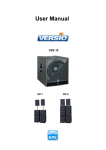
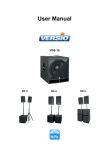
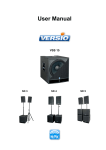
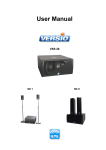
SD 8 consists of: 2x VSS 18 + 4x VB 18 + 2x VL 760
1. Set-up PA: - place a VSS 18 to the left and right side in front of the audience
(on solid underground)
- place two VB 18 each on a VSS 18 or place all subwoofers in front of the
audience in a constantly distance (front in line)
- place the top units each on a distance rod on the VSS 18 or each on a high
stand (front in line)
2. Connection: - apply power supply connection always with the supplied PowerCon cable on
VSS 18 + VL 760 on one 16A fused electric circuit
- plug in the left + right audio signal (XLR cable) each on channel A on the
VSS 18, after this you have to link each audio signal with a XLR cable to the
top units (e.g. with a dual-cable from K.M.E., which includes the audio signal
and the power supply)
- connect the speaker outputs „Out A & Out B“ of VSS 18 each with a passive
subwoofer VB 18 with a Speakon cable
- switch on the system components successively, Note! please turn down all
volume controls before switching on the system components to avoid an
undesirable sound reproduction, because the system components can start
in the “lock-function” (depending on adjustment), that means it may not react on
changes on the control panel
- after switching on the system components it is advisable to set the volume knobs
to „central click“ (=0dB) to have a defined volume level
- the volume controls for „Out A” and „Out B” are depending on the system volume
control (master), they are adjustable from -∞ to +6 dB