1
User Manual
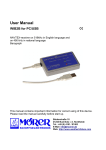
WIB2 for PC/USB
NAVTEX-receiver on 518kHz in English language and
on 490 kHz in national language
This manual contains important information for correct using of this device.
Please read this instruction carefully before start-up.
Bäckerstraße 18
21244 Buchholz i. d. Nordheide
Tel.: +49 (0) 4181 / 97483
E-Mail: [email protected]
Web: www.moerer.de
www.Busse-Yachtshop.de
email: [email protected]
All rights are reserved.
Technical ones are subject to change.
An liability for the correctness of the contents of this publication cannot be taken over.
In spite of careful processing and programming a defect and/or complete failure of the WIB2
can not be completely excluded. Due to atmospheric disturbances or to disturbances of other
electrical and electronic devices, contents of messages can be falsified. The operators of the
transmitting plants can change or stop the broadcasting service (temporarily or permanent).
Therefore no liability for availability and correctness of the indicated messages are taken over.
In particular no liability for possible damages resulting from use of the WIB2 and information of
this manual will be taken over.
In this manual trademark, trade-names, customer-names, etc. are used. Even if these are not
particularly characterized, the appropriate protection regulations are effective.
Note
Software updates for this product are available in the Internet:
http://www.wetterinfobox.com/english/Downloads.htm
2
www.Busse-Yachtshop.de
email: [email protected]
Contents
Scope of delivery......................................................................................................................... 3
Introduction................................................................................................................................. 3
Start-up....................................................................................................................................... 3
Menu-structure / message-administration................................................................................... 4
The structure of a NAVTEX-message......................................................................................... 5
Operating instructions................................................................................................................. 6
Environment............................................................................................................................ 6
Switching the WIB2 on & off................................................................................................... 6
Hints to radio reception........................................................................................................... 6
Rechargeable batteries........................................................................................................... 7
Operational status indicators.................................................................................................. 7
Specifications.............................................................................................................................. 7
Accesories................................................................................................................................... 8
Warranty...................................................................................................................................... 8
Scope of delivery
The following parts belong to the scope of delivery of the WIB2:
● 1 x WIB2,
● 1 x USB-cable,
● 3 x NiMH rechargeable batteries AAA, 800mAh (are placed inside the device).
Introduction
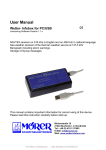
The WIB2 is a dual-frequency NAVTEX-receiver for the board PC. The device receives
simultaneously NAVTEX-messages on medium wave frequencies 518 kHz (international,
English) and on 490 kHz (national, national language).
The device will be connected to the PC via a USB- interface. It is simular to a USB-memorystick and appears as a new storage-medium on the PC. The NAVTEX-messages are stored in
the storage-medium in HTML-format. Therefore there is no additional software installation on
the PC necessary. The existing Web-Browser will be used to show the data.
An antenna installation is not necessary, since the WIB2 is equipped with an internal ferit rod
antenna.
The WIB2 is equipped with rechargeable batteries (3 x NiMH, Typ AAA), which are recharged
via the USB-bus. The batterie-capacity lasts for approx. three days of operation without PC.
Start-up
After you have attached the WIB2 to your board computer, a new USB storage medium
(variable storage medium) will be avialable. In this storage- medium you will find the file
INDEX.HTM.
3
www.Busse-Yachtshop.de
email: [email protected]
By double-clicking on this file your WebBrowser will be opened and will show you
the contents of the WIB2. On the left side
of your Web-Browser you will see the
menu-structure. The NAVTEX-messages
will be sorted automatically according to
the message type. With a mouse-click on
the appropriate message-identification the
message will be opened.
As Windows-user you can save time by
opening the file INDEX.HTM, if you copy
the program WIB2.EXE
from the WIB2
folder on your desktop.
If you do so, you can open the Web-Brower with the contents of the WIB2 by double-clicking
on the program. If you use Windows XP, SP2 you will get possibly the following hint:
Additionally the menu-structure on the left side in the Web-Browser will not be completely
displayed.
To solve this problem follow the steps below:
1. From Internet Explorer, select menu Tools, then Options...
2. In the Internet Options dialog, select Advanced tab...
3. Scroll down until you see the security options. Enable the checkbox "Allow active
content to run in files on My Computer".
4. Close the dialog with the OK Button and quit Internet Explorer. The changes will take
effect next time after starting the Internet Explorer.
Now the data of the WIB2 will be displayed correctly in the Internet Explorer.
Menu-structure / message-administration
The NAVTEX messages are sorted according to the message-type
into the menu-structure on the left side. In this case the station
identification are insignificant. Both received frequencies,
international (518 kHz) and national (490 kHz) have their own menu
tree. The menu-administration ensures that messages, stored in the
WIB2 for longer than two days and have not been received again,
are deleted automatically. In the folder "Remaining messages" all
messages are sorted, which do not fit into one of the other folders.
This can take place either via a transfer error on the airway, or via an
extension with an unknown message-identification.
4
www.Busse-Yachtshop.de
email: [email protected]
The following table contains an overview of the message-types:
Code
A
B
C
D
E
F
G
H
J
K
L
V
W
X
Y
Z
Message-type
Navigational warnings
Meteorological warnings
Ice reports
Search and rescue information
Meteorological forecasts
Pilot service messages
Information about
DECCA-navigational-system
Information about
LORAN-navigational-system
Information about GPS-navigational-system
Information about other navigational systems
Additional navigational warnings
(i.e. ring-moves)
Other navigational warnings
(i.e. ring-list)
Reserved for special service
Reserved for special service
Reserved for special service
QRU (there are no messages)
Menu-option
Navigational warnings
Meteorological warnings
Ice reports
Search and rescue information
Meteorological forecasts
Pilot service messages
Electronic navaid messages
Electronic navaid messages
Electronic navaid messages
Other messages
Additional warnings
Remaining messages
Remaining messages
Remaining messages
Remaining messages
Remaining messages
In the menu-structure on the left side some additional functions are accommodated. They are
briefly explained in the following table:
Function
Open
Close
Print
Help
Navareas
Systeminformation
Meaning
Opens the entire menu-structure
Closes the entire menu-structure.
Prints a message.
Opens the user-manual.
Shows an overview of the NAVAREAS.
Systeminformation will be shown (i.e. battery- capacity).
The structure of a NAVTEX-message
The structure of a NAVTEX-message is to be explained on the basis of following example:
ZCZC PA09
NETHERLANDS COASTGUARD
NAVIGATIONAL WARNING NR. 9 172128 UTC AUG
PLATFORM L10-G 53-29.4N 004-11.7E
UNLIT
NNNN
Each NAVTEX- message begins with the letters ZCZC, followed by the message identification
(PA09). The first letter of the message identification serves the master station for the
identification. In this case it is NETHERLANDS COASTGUARD (P).
5
www.Busse-Yachtshop.de
email: [email protected]
In the second letter the kind of message is coded, here navigational warning (navigation
warnings). The last two numbers of the message identification (09) are a serial-number. The
number 00 has a privileged position. It is reserved for distress messages.
NAVTEX messages have a time stamp. It is shown at the end of the third line (172128 UTC
August) and means: 17. August, 21:28 UTC. The time stamp refers to the date, the message
was produced and not to the time of the radiant transmission. Afterwards the message content
follows. The message ends with NNNN.
Operating instructions
Environment
Please use the equipment only in the interior and dry environment. Do not expose the
equipment in use to temperatures higher than 50°C and lower than 0°C.
Switching the WIB2 on & off
The WIB2 has no operating controls. The device is switched on when it is attached to a PC. It
switches off automatically, if the internal battery is empty. Thus it is guaranteed that the battery
does not become deep-discharged.
Hints to radio reception
The internal ferrite rod antenna of the WIB2 has a
directionality. For good reception the equipment must
be operating flat lying.
With small distance to the transmitter the directionality
of the antenna will become hardly noticeable. The
range of the bad receipt (see illustration) is hardly to
be determined.
With increasing distance from the transmitter the
directionality of the antenna will become more visible.
In this case the WIB2 must be aligned to the
transmitter for a good receipt.
Electromagnetic interferences can impair the receipt.
This can occur due to e.g. computer, electronic
navigation equipment, fluorescent lamps, inverters,
battery chargers, generators, electric motors, high
voltage transmission lines etc.
Therefore the equipment should be positioned as far
away as possible from this equipment.
The receipt can be impaired also by atmospheric
disturbances (e.g. Thunderstorms).
The transmission method for NAVTEX-messages
(Sitor) permits a reduced recognition and correction of
transfer errors. Characters, which were not received correctly, will be shown by the WIB2 as
an underlined (_). It can occur nevertheless that also normally represented Characters are
incorrect. Steal and/or aluminium yachts are like Faraday's cages. Therefore is to be counted
that there is only an insufficient receipt.
6
www.Busse-Yachtshop.de
email: [email protected]
Rechargeable batteries
The WIB2 contains three NiMH rechargeable batteries, type AAA with a capacity of 800 mAh.
The batteries are recharged via the USB-interface of the PC. Fully recharged batteries last in
use for approx. three days.
The battery-management of the WIB2 always provides for optimally recharged batteries, so
you don't have to pay attention about the recharging of the batteries. If you do not want to use
the WIB2 for a longer period (longer than one year), it is meaningful to take out the batteries in
full-recharged condition out of the device and to replace them when needed. Pay particular
attention to the correct polarity.
If you want to exchange the batteries, use only fast-rechargeble NiMH batteries, type AAA with
a capacity of min. 800 mAh.
Suitable rechargeable batteries are i. e.:
Ansmann AAA-NiMH 800mAh,
GP GP80AAAH,
Sanyo HR-4U.
Used up batteries must duly be disposed and do not belong into domestic-waste.
Operational status indicators
The WIB2 has two light emitting diodes (LEDs), which have the following meaning:
LED
Lights
Meaning
Steady light
Operation via PC, the batteries are completely recharged
Red LED
Flashes evenly
Operation via PC, batteries are rechargeing
Green LED
Short flash
Off
Steady light
Battery-operation
Device has been switched off
A new message is received
Specifications
Receipt-frequency
PC-interface
Rechargeable battery
Power input in battery-operation
Battery-operation period
Power input USB
Battery-recharge-time
Operating temmperature
Supported operating systems
Memory
Antenna
Dimensions (LxWxH)
Weight
For inside use only.
518 kHz and 490 kHz
USB Full Speed, socket mini-B 5-pin
3 x NiMH batteries, type AAA, 800mAh
10 mA
Approx. 3 days
Max. 450 mA when rechargeing, otherwise 15mA
2-3 hours
0...50°C
Windows ME, 2000, XP, Linux, Mac OS
762 KB flash-memory
Inserted ferrite rod antenna
Approx. 90mm x 57mm x 23mm
107g without cable
7
www.Busse-Yachtshop.de
email: [email protected]
Accesories
12 / 24 Volt recharge adapter for WIB2
Continuous operations on board are possible, independently of the PC.
Item-No.: 38153
Cigarette lighter plug with USB socket for charging of the internal batteries via 12 V
electrical systems. Usable with the USB-cable contained in the scope of supply.
230 Volt recharge adapter for WIB2
Nylon bag for WIB2
NAVTEX translation-support English-German
Item-No.: 38154
Item-No.: 38160
Item-No.: NÜ
Warranty
If the WIB2 exhibits a defect due to production or material defects within 24 months starting
from the purchase date, it is either repaired by us or exchanged free of charge against
appropriate equipment.
To wearing parts (e.g. housing, batteries, etc.) the warranty applies for six months starting
from purchase date. The warranty does not apply, if the defect is caused on inappropriate
treatment or neglection of the manuals.
A receipt of the warranty voucher with purchase date is required.
Devices with a crossed out dustbin label have to disposed in the European Union via a separate
garbage collection at a suitable collective places for the recycling of electric and electronic devices.
MÖRER SCHIFFSELEKTRONIK does not take responsibility for injuries or damages, which develop during
or in consequence of the installation of this product. Each article of equipment can fail by various different
reasons. Never use this equipment as the only information source, if by the loss of the equipment a danger
exists for lives, health or material possession. Remember: This equipment is only assistance for the weatherand message information, and is no replacement for good sailor shank. The use of the equipment is on your
own risk. Use it carefully and test its operability occasionally on the basis of other data from time to time.
No part of this publication may be reproduced, copied, stored in a retrieval system or transmitted in
any form, electronic or otherwise without prior written permission from Mörer Schiffselektronik.
Mörer Schiffselektronik hereby grants the right to load an individual copy of this manual on non removable
disk or another electronic storage medium for looking at it on a computer and to print out a copy of this
manual, if this electronic or printed copy contains the complete text of this copyright explanation and a further
unauthorized commercial spreading of this manual strictly one forbids. All rights reserved.
The information contained herein can be changed at any time without previous proclamation. Mörer
Schiffselektronik reserves itself the right to change or improve the products without notification.
8
www.Busse-Yachtshop.de
email: [email protected]