1
12
User manual
If you press OPTION after opening the music folder and have not selected a file
yet, you will have the following options for searching and sorting of files:
Search
Thumbnails
List
Preview
Browse folder
Title
Albums
Artist
Genres
Years
Playlists
Recently played
Recently added
Name
Photo
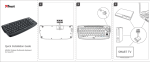
If you would like to display pictures from an external device (e. g. USB stick),
please proceed as follows:
A)
B)
Select Photo with OK and the corresponding files of the external disk will be
displayed.
Using the function keys on the remote control, you can subsequently control
the playback of the files (start, pause, fast forward etc.).
OPTIONS MENU
If you press OPTION during the file display, you will have the following options:
Display time
Blending
Normal
Continuous playback
Randomly
Background music
Video settings