1
Operation Mode
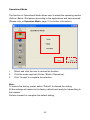
There are three scan modes supported by the scanner and users can select
proper scan mode depending on the requirements.
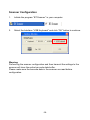
You can access BT configuration utility to setup your scan mode (refer to
“Scanner Configuration”, page 23)
The supported scan modes are as follows:
Batch Mode (default):
In Batch Mode, scanner performs scan process and transmits scanned data
through receiver immediately as the scan trigger is pressed.
When the scanner is failed to link with the receiver and the scanned data is
unable to transmit to the computer, the data will be saved to the buffer of the
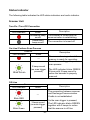
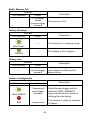
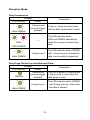
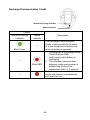
scanner temporarily (the LED indicators blink and audio indicators beep to
notice that the scanner is off-line).
As the connection recovered (both the indicators of the scanner and the
receiver lit RED), press the scan trigger and the scanned barcode data
(scanned during the off-line state) will recover and send to the computer.
Note:
The barcode data in the buffer will be clear as the connection is recovered
and sent to the computer.
-13-