1
Print Services User Guide
1
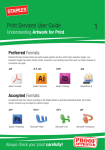
Understanding Artwork for Print
Preferred Formats:
Preferred formats should contain only vector-based graphics and text, and/or high-resolution images. Low
resolution images may deliver inferior results. Customers must carefully check their proof as artwork charges for
corrections may apply.
.pdf
.ai & .eps
.indd
.qxp
Adobe® Acrobat
Adobe® Illustrator
Adobe® InDesign
QuarkXPress 6
Accepted Formats:
Accepted formats will require amending by the Staples Studio to generate professional grade ‘print-ready’
artwork. Amends will be subject to artwork charges.
.psd
.doc/x
.xls/x
.ppt/x
Adobe® Photoshop
Microsoft® Word
Microsoft® Exel
Microsoft® Powerpoint
Always check your proof carefully!
Understanding Crop Marks & Bleed
A. Crop Marks
Crop marks are lines placed in the corners of your artwork to indicate the edge of the final product. These will be
used to accurately cut your print to the exact size.
Name Surname
Name Surname
Job Title
Job Title
Name Surname
Job Title
Staples Advantage, United Kingdom
Tameside Drive
Holford
Birmingham
B6 7AY
United Kingdom
Staples Advantage, United Kingdom
Tameside Drive
Holford
Birmingham
B6 7AY
United Kingdom
tel:
fax:
mobile:
email:
web:
+44 (0)121 331 3000
+44 (0)121 332 5560
+44 (0)700 000 0000
[email protected]
staplesadvantage.co.uk
Staples Advantage, United Kingdom
Tameside Drive
Holford
Birmingham
Crop Marks
B6 7AY
United Kingdom
tel:
fax:
mobile:
email:
web:
tel:
fax:
mobile:
email:
web:
+44 (0)121 331 3000
+44 (0)121 332 5560
+44 (0)700 000 0000
[email protected]
staplesadvantage.co.uk
No Crop Marks
+44 (0)121 331 3000
+44 (0)121 332 5560
+44 (0)700 000 0000
[email protected]
staplesadvantage.co.uk
B. Bleed
When any image or graphic element touches the edge of the page, it must be extended outside the crop area
by 3mm. Failing to provide bleed and crop marks can result in an undesirable white border on the edge of the
finished printed item.
We make buying office products easy.
Bleed easy.
ying office products
We make buying office products easy.
We make buying office products easy.
No Bleed
Understanding Images
C. Image Resolution
The resolution of an image is determined by the number of dots
printed per inch (dpi). NOTE: If an image is supplied at less than
300dpi (print size) it could appear pixelated (blurred) when printed.
300dpi (at print size)
STAPLES
TIP !
Images
download
ed from
the inte
rnet will
usually
be 72dpi.
Please c
heck
your ima
ges care
f
ully,
particula
rly if the
file
is small in
size .
72dpi (at print size)
D. Image Colour
On your screen, the colours you see are made up of Red, Green and Blue (RGB). Printers can only use Cyan,
Magenta, Yellow and Black (CMYK) inks to print your image. If your image is supplied in RGB format, the
colours will be converted to CMYK. This process can make the colour appear slightly different.
CMYK Colour
RGB Colour
Understanding Pages
E. Pagination
Supplied files with multiple pages should be supplied as
single pages, not as spreads. This is so the printer can
organize your document into a special order so it reads
correctly when bound and finished.
DID YOU
KNOW?
Understanding Sizes
Envelope
s opening
on
the long
edge are
“Wallets
” and thos
e
opening
on the
short
edge are
“Pockets”
.
Standard Paper Sizes
A1
594mm × 841mm
23.4” × 33.1”
A2
20mm × 594mm
16.5” × 23.4”
A3
297mm × 420mm
11.7” × 16.5”
Standard Envelope Sizes
A4
210mm × 297mm
8.3” × 11.7”
C4
324mm × 229mm
Understanding File Types
Accepted Document Types
The table below shows acceptable document types and their general suitability for creating ‘print ready’ artwork.
✘ Example: a Word file (.doc) can only output RGB colours and will require conversion to CMYK before the file
can be printed professionally.
Document Types
Print Function
9.16” × 12.96”
High-Res
A3
297mm × 420mm
16.5”
Standard
C5 envelopes 11.7”
hold an×A4
sheet folded once or an
A5 sheetEnvelope
unfolded. Sizes
A4
210mm × 297mm
8.3” × 11.7”
C4
229mm × 324mm
DL envelopes hold an A4 sheet folded twice; into 3 parts.
C5
162mm × 229mm
148mm × 210mm
5.8” × 8.3”
C6 envelopes hold an A4 sheet folded twice or A5 folded in half.
DL
110mm × 220mm
105mm × 148mm
4.1” × 5.8”
74mm × 105mm
2.9” × 4.1”
C6
A7 A7
A5
Document Types
.ai /
.eps
.pdf
.indd
.qxp
.psd
.doc
.xls
.ppt
High-Res
✔
✔
✔
✔
✔
✘
✘
✘
CMYK
✔
✔
✔
✔
✔
✘
✘
✘
Spot Colour
✔
✔
✔
✔
✔
✘
✘
✘
Black Only
✔
✔
✔
✔
1+ Pages
✔
✔
✔
✔
✘
✘
✘
✔
✘
✔
✔
✔
Editable Images
✔
✘
✘
✘
✔
✘
✘
✘
Editable Text
✔
✔
✔
✔
✘
✔
✔
✔
Transparency
✔
✔
✔
✔
✔
✘
✘
✘
Crop Marks & Bleed
✔
✔
✔
✔
✘
✘
✘
✘
Vector Objects
✔
✔
✔
✔
✘
✘
✘
✘
Print Function
.tiff
.jpeg
.pict
.png
.gif
.bmp
.raw
High-Res
✔
✔
✔
✔
✔
✔
✔
CMYK
✔
✔
✔
✘
✘
✘
✘
✘
✘
✘
✘
✘
✘
✘
✔
✔
✔
✔
✘
✔
✘
✔
✘
✘
✘
✘
✘
✘
Editable Images
✘
✘
✘
✘
✘
✘
✘
Editable Text
✘
✘
✘
✘
✘
✘
✘
Transparency
✔
✘
✘
✔
✔
✘
✘
Crop Marks & Bleed
✘
✘
✘
✘
✘
✘
✘
Vector Objects
✘
✘
✔
✘
✘
✘
✘
C5 envelopes hold an A4 sheet folded once or an A5 sheet unfolded.Spot Colour
Black Only
DL envelopes hold an A4 sheet folded twice; into 3 parts.
1+ Pages
C6 envelopes hold an A4 sheet folded twice or A5 folded in half.
✔
✔
✔
✔
✘
✔
✔
✔
✔
✘
✘
✘
✔
✘
✘
✘
✔
✘
✔
✔
✔
✔
✔
Editable Text
C4 envelopes hold an A4 sheet unfolded.
A3
A5
Transparency
C5 envelopes hold an A4 sheet folded once or an A5 sheet unfolded.
✔
✔
✔
✔
✘
✘
✘
✘
85mm x 55mm
100mm x 210mm
4.3” x 8.7”
Letterheads
210mm x 297mm
8.3” × 11.7”
✔
✔
✔
✔
✘
✘
✘
✘
✔
✔
✔
✔
✘
✘
✘
✘
Accepted Image Types
High-Res
DL
C6
Common Stationery Sizes
Business Cards
85mm x 55mm
3.3” x 2.2”
Compliment Slips
210mm x 99mm
4.3” x 8.7”
Letterheads
210mm x 297mm
8.3” × 11.7”
CMYK
.eps
✔
✔
.tiff
✔
✔
.jpeg
✔
✔
.pict
✔
✔
.png
.gif
✔
✔
✘
✘
.bmp
.raw
✔
✔
✘
Spot Colour
✔
✘
✘
✘
✘
✘
✘
Black Only
✔
✔
✔
✔
✔
✘
✔
1+ Pages
✔
✔
✘
✘
✘
✘
✘
✔
✘
✘
✘
✘
✘
✘
✘
✔
✘
✘
✘
✘
✘
✘
✘
✔
✔
✘
✔
✔
✘
Crop Marks & Bleed
✔
✘
✘
✘
✘
✘
✘
✘
Vector Objects
✔
✘
✘
✔
✘
✘
✘
✘
Transparency
✘
Health Check Report.indd 6-7
Job Title
Staples Advantage, United Kingdom
Tameside Drive
Holford
Birmingham
B6 7AY
United Kingdom
tel:
fax:
mobile:
email:
web:
Please ensure your document is set to the correct
size for your project. ie. The size of your page for
a business card should be 85mm x 55mm.
+44 (0)121 331 3000
+44 (0)121 332 5560
+44 (0)700 000 0000
[email protected]
staplesadvantage.co.uk
Name Surname
Job Title
Staples Advantage, United Kingdom
Tameside Drive
Holford
Birmingham
B6 7AY
United Kingdom
+44 (0)121 331 3000
+44 (0)121 332 5560
+44 (0)700 000 0000
[email protected]
staplesadvantage.co.uk
Untitled-1 1
✘
06/05/2010 14:07
Name Surname
F. Document Size
✘
✘
✘
✘
Editable Images
Editable Text
3.3” x 2.2”
tel:
fax:
mobile:
email:
web:
✘
Crop Marks & Bleed
Common Stationery Sizes
Business Cards
Compliment Slips
✘
✘
Vector Objects
DL envelopes hold an A4 sheet folded twice; into 3 parts.
C6 envelopes hold an A4 sheet folded twice or A5 folded in half.
✔
✔
✔
C6
DL
✘
✘
1+ Pages
Editable Images
✔
C4
C5
.ppt
✘
✔
✘ Example: a .gif file can only output RGB colours and will require conversion to CMYK before the file can be
printed professionally.
Image Types
C4 envelopes hold an A4 sheet unfolded.
A1
A3
✘
✘
✘
✔
Accepted Image Types
114mm × 162mm
What Goes With What?
A2
A4
A6
.xls
✘
✔
Print Function
A5
✘
✔
✔
✔
✘ Example: a .gif file can only output RGB colours and will require conversion to CMYK before the file can be
printed professionally.
Image Types
The table below shows acceptable document types and their general suitability for creating ‘print ready’ artwork.
✘ Example: a Word file (.doc) can only output RGB colours and will require conversion to CMYK before the file
can be printed professionally.
A7
.doc
✔
✔
Accepted Document/File Types
A6
✔
✔
✔
C5
What Goes
With What?
23.4” × 33.1”
.psd
✔
✔
CMYK
C4
Standard Paper Sizes
✔
✔
Black Only
Understanding Document/File/Image Types
C4 envelopes 16.5”
hold an×A4
sheet unfolded.
20mm × 594mm
23.4”
.qxp
Spot Colour
4.56” × 6.48”
A7 A7
594mm × 841mm
✔
4.4” x 8.8”
162mm × 114mm
What Goes With What?
A2
.indd
6.48” × 9.16”
220mm × 110mm
C6
A1
A1
✔
229mm × 162mm
DL
2.9” × 4.1”
A2
Print Function
.pdf
C5
4.1” × 5.8”
74mm × 105mm
A4
DID YOU
KNOW?
Envelopes
that open
on the
long edge
are
called
“Wallets”
and
envelopes
that open
on the
short edge
are
called
“Pockets”
.
✔
5.8” × 8.3”
105mm × 148mm
A7
A5
A6
Understanding Sizes
.ai
148mm × 210mm
A6
04/05/2010 10:27
Understanding Fonts and Guides
G. Embed Fonts
How to embed fonts into a Word 2007 document
Every computer has its own collection of fonts. To ensure
your artwork uses the same fonts on every computer, they
should be ‘embedded’ within the file.
1.
2.
3.
4.
Drop-down from the Office logo and choose ‘Word Options’
Select the ‘Save’ tab on the left.
Check ‘Embed fonts in the file’
Click on OK and save as usual.
H. Guides
If your project has an unusual shape, it will require a ‘cutter guide’.
This guide allows the printer to cut your product to the exact shape needed (such as a folder with a flap).
Cutter guides should be created using professional design software.
For further information, please consult a Staples Associate.
DID YO
U KNOW
?
Understanding Sizes
Envelop
es ope
ning on
the long
edge a
re
“Wallet
s” and
those
opening
on the
short
edge a
re “Poc
kets”.
Standard Paper Sizes
A1
594mm × 841mm
23.4” × 33.1”
A2
20mm × 594mm
16.5” × 23.4”
A3
297mm × 420mm
11.7” × 16.5”
Standard Envelope Sizes
A4
210mm × 297mm
8.3” × 11.7”
C4
324mm × 229mm
9.16” × 12.96”
A5
148mm × 210mm
5.8” × 8.3”
C5
229mm × 162mm
6.48” × 9.16”
A6
105mm × 148mm
4.1” × 5.8”
DL
220mm × 110mm
4.4” x 8.8”
A7
74mm × 105mm
2.9” × 4.1”
C6
162mm × 114mm
4.56” × 6.48”
What Goes With What?
A2
C4 envelopes hold an A4 sheet unfolded.
A1
A4
A6
A7 A7
C5 envelopes hold an A4 sheet folded once or an A5 sheet unfolded.
DL envelopes hold an A4 sheet folded twice; into 3 parts.
A3
A5
C6 envelopes hold an A4 sheet folded twice or A5 folded in half.
C4
C5
DL
Common Stationery Sizes
Business Cards
85mm x 55mm
3.3” x 2.2”
Compliment Slips
210mm x 99mm
4.3” x 8.7”
Letterheads
210mm x 297mm
8.3” × 11.7”
C6
Understanding File Types
Accepted Document Types
The table below shows acceptable document types and their general suitability for creating ‘print ready’ artwork.
✘ Example: a Word file (.doc) can only output RGB colours and will require conversion to CMYK before the file
can be printed professionally.
Document Types
Print Function
.ai
.pdf
.indd
.qxp
.psd
.doc
.xls
.ppt
High-Res
✔
✔
✔
✔
✔
✘
✘
✘
CMYK
✔
✔
✔
✔
✔
✘
✘
✘
Spot Colour
✔
✔
✔
✔
✔
✘
✘
✘
Black Only
✔
✔
✔
✔
✔
✘
✘
✘
1+ Pages
✔
✔
✔
✔
✘
✔
✔
✔
Editable Images
✔
✘
✘
✘
✔
✘
✘
✘
Editable Text
✔
✔
✔
✔
✘
✔
✔
✔
Transparency
✔
✔
✔
✔
✔
✘
✘
✘
Crop Marks & Bleed
✔
✔
✔
✔
✘
✘
✘
✘
Vector Objects
✔
✔
✔
✔
✘
✘
✘
✘
Accepted Image Types
✘ Example: a .gif file can only output RGB colours and will require conversion to CMYK before the file can be
printed professionally.
Image Types
Print Function
.eps
.tiff
.jpeg
.pict
.png
.gif
.bmp
.raw
High-Res
✔
✔
✔
✔
✔
✔
✔
✔
CMYK
✔
✔
✔
✔
✘
✘
✘
✘
Spot Colour
✔
✘
✘
✘
✘
✘
✘
✘
Black Only
✔
✔
✔
✔
✔
✘
✔
✘
1+ Pages
✔
✔
✘
✘
✘
✘
✘
✘
Editable Images
✔
✘
✘
✘
✘
✘
✘
✘
Editable Text
✔
✘
✘
✘
✘
✘
✘
✘
Transparency
✔
✔
✘
✘
✔
✔
✘
✘
Crop Marks & Bleed
✔
✘
✘
✘
✘
✘
✘
✘
Vector Objects
✔
✘
✘
✔
✘
✘
✘
✘
Explanation of File Types
★
★
★
★
★
★
★
★
★
★
★
★
★
★
★
★
★
★
★
★
★
★
★
★
★
-
Ideal Format
Usable Format
Workable Format
Bad Format
Very Bad Format
NOTE
Artwor
k supplie
d in
any of
the Mic
r
o
soft
applica
tions su
c
h
as
Word or
Excel w
require
ill
interve
ntion
by our
Print st
udio.
AI - Adobe® Illustrator
★ ★ ★ ★ ★
Professional drawing programme. Objects are composed of
paths and lines, connected by points.
EPS - Encapsulated PostScript
★★★★★
File that may contain 2D vector graphics, bitmap images,
and text.
INDD - Adobe® InDesign
★ ★ ★ ★ ★
Professional page layout programme used for creating and
formatting books, magazines, flyers, brochures etc.
JPEG
(named after the Joint Photographic Experts Group)
★★★ ★★
Compressed graphic format. JPEG images are commonly used
for Web graphics and for photos taken with digital cameras.
PDF - Adobe® Acrobat
★ ★ ★ ★ ★
PDF (Portable Document Format) preserve fonts and
formatting electronically across multiple platforms.
QXD - QuarkXPress 6
★ ★ ★ ★ ★
Desktop publishing programme used for creating page
layouts for many publications.
PSD - Adobe® Photoshop
★ ★ ★ ★ ★
The most commonly used professional image-editing
programme.
TIFF - Tagged Image File Format
★★★★★
Standard image format for storing high-quality colour images.
May contain multiple layers and pages.
PICT - Picture File
★★★★★
Image file saved in the PICT format may contain both vector
and bitmap data and can use thousands of colours.
PNG - Portable Network Graphics
★★★★★
PNG allows the colours in the image to fade from opaque
to transparent.
DOC - Microsoft® Word
★ ★ ★ ★ ★
Word processing programme. Word files can appear different
from computer to computer.
GIF - Graphics Interchange Format
★★★★★
GIFs are a common format for Web graphics and images that
contain text, such as navigation buttons.
XLS - Microsoft® Excel
★ ★ ★ ★ ★
Often used to create spreadsheets, charts and graphs. Excel
files can appear different from computer to computer.
BMP - Bitmap Format
★★★★★
Image made up of pixels. Zooming in on a bitmap image will
make it appear blocky since the size of each pixel increases.
PPT - Microsoft® Powerpoint
★ ★ ★ ★ ★
Often used for presentations or slideshows. Powerpoint files
can appear different from computer to computer.
RAW - Raw Image File
★★★★★
24-bit RGB graphic containing uncompressed, raw
image data.