1
AccessWare Item Definition Reference
Item Attribute Reference
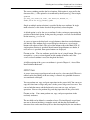
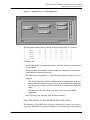
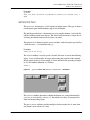
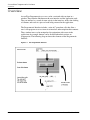
This example positions a panel called Signon immediately to the right of a button
labelled C (that is, 25 pixels from its top left corner), as shown in the preceding
figure.
There is no default XOFFSET or YOFFSET. Both these attributes are applicable to
all items except QWINDOW, QPOPUP and QGROUP.
XAFTER, YAFTER
These attributes are similar to the offset attributes, but define the position of the
item as a specified number of pixels from the bottom right corner of the previous
item in the file.
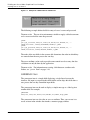
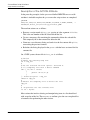
Example:
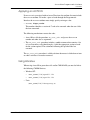
QBUTTON
XPOS,0,YPOS,0,WIDTH,25,HEIGHT,25,LABEL,C,ACTION,CL,QEND
QPANEL
XAFTER,0,YOFFSET 0,WIDTH,450,HEIGHT,25,LABEL,Sign On,QEND
This example provides an even more useful way of positioning the Signon panel
shown in Figure 4-5 to immediately follow the button.
The XAFTER,YOFFSET attribute combination used in this example. XAFTER,0
aligns the left edge of the panel with the right edge of the button and YOFFSET,0
aligns the top of the panel with the top of the button.
These keywords eliminate much of the calculation otherwise required to position
items exactly. They enable relative positioning of items rather than absolute
positioning. This is useful when modifying window layouts because the AFTER
attributes require no changes.
There is no default XAFTER or YAFTER. Both these attributes are applicable to all
items except QWINDOW, QPOPUP and QGROUP.
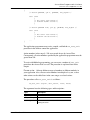
Please note:
• In defining the location of an item, ensure that it remains within the boundary
of the usable window.
• Ensure also that a window remains within the area of the screen, taking note
that the surround is not included in the position or size definition.
• A position attribute is required for all items other than QPOPUP and QGROUP.
4-22
AccessWare User Guide