1
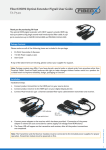
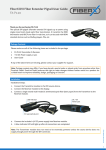
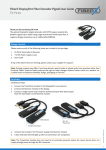
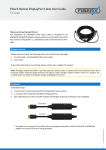
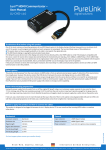
FiberX DVI/Fiber Extender Detachable User Guide FX-D120 Thank you for purchasing FX-D120 The detachable FX-D120 Single Fiber DVI Extension Set extends 1080p HD content up to 300m over a multimode cable. It represents the first available solution, which fully supports HDCP content protection. Featuring PureLink‘s first “Real pass through EDID” feature, EDID learning belongs to yesterday. This simplifies installation and cable management and ensures rapid communications between different devices. Package Contents Please make sure all of the following items are included in the package: 1. FX-D120 Transmitter & Receiver 2. +5V DC Power supply x 2pcs 3. User Guide If any of the above items are missing, please contact your supplier for support. Note: Package content may differ if you have placed a special order or placed order from anywhere other than PureLink GmbH. PureLink GmbH reserves the right to make changes without further notice to a product described herein to improve reliability, design, packaging or function. Installation Installation Steps: 1. Connect transmitter to the DVI port on your computer. 2. Connect Receiver to the DVI port on your digital display product. 3. Connect Multi-mode LC connector type 1 channel standard fiber optic cable between transmitter and receiver. DC +5V Power jack LED indicator LC type optical port Connect power adapters (or USB power cable) to both of transmitter and receiver module. * If source device and display device has USB port, FX-D120 can be supplied power from the USB port using USB power cable instead of power adapter. Note: Please use DC adapter (5V, 2A) included in the package for transmitter and receiver. We provide one USB power cable in the package. © PureLink GmbH 2015 4. 1 FiberX DVI/Fiber Extender Detachable User Guide FX-D120 Application LED indicator status Trouble shooting Fast blinks: The system is booting properly. After plug adapter, LED will blink fast for 2~3 seconds. Screen is not displayed - Check if the PC power is on - Check if connection to the computer and the monitor are correct - Turn the PC power off and on again Noise is shown on the screen - Check the DVI connection - Check the display resolution Solid: Communication between transmitter and receiver is established. Ready for proper operation. Regular on/off: No communication between transmitter and receiver. Check for fiber connection or power adapter. If the malfunction is not fixed by the above measures, please contact your reseller. NOTE: If you are still experiencing problems, It may be neccessary to clean the module connector or LC fiber cable. Around 80% of connection issues with Fiber optic systems are due to dirty connectors - for more information see the Purelink fiber cleaning guide on our website: http://www.purelink.de/fileadmin/purelink/media/sonstige/PureLink_Fiber_CleaningInstructions.pdf Warranty We, PureLink GmbH hereby warrant the final purchase of our product as follows. In case of defect, please contact the reseller from which you purchased this item. One year limited warranty Customers are liable to a free of charge repair or replacemenent, if goods are found to be defective with in 1(one) year of the purchase date, providing the unit has not been mistreated. Out of warranty services A product is deemed to be out of warranty and may be liable to customer charges when it is past a year in age or if the defect is not related to manufacturing, as in the following cases: - Product defects caused by accident, disaster. - Damage to product caused by the customer’s carelessness or mistaken application. - Damage to product caused by the application of parts or products not supplied or sold by our company. © PureLink GmbH 2015 - Damage to product and any related defect caused by unwarranted service personnel or any indication that chassis covers have been removed or tampered with. 2