1
TrueCrypt Background Task
When the main TrueCrypt window is closed, the TrueCrypt Background Task takes care of the
following tasks/functions:
1) Hot keys
2) Auto-dismount (e.g., upon log off, inadvertent host device removal, time-out, etc.)
3) Notifications (e.g., when damage to hidden volume is prevented)
4) Tray icon
WARNING: If neither the TrueCrypt Background Task nor TrueCrypt is running, the abovementioned tasks/functions are disabled.
The TrueCrypt Background Task is actually the TrueCrypt.exe application, which continues running
in the background after you close the main TrueCrypt window. Whether it is running or not can be
determined by looking at the system tray area. If you can see the TrueCrypt icon there, then the
TrueCrypt Background Task is running. You can click the icon to open the main TrueCrypt window.
Right-click on the icon opens a popup menu with various TrueCrypt-related functions.
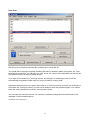
You can shut down the Background Task at any time by right-clicking the TrueCrypt tray icon and
selecting Exit. If you need to disable the TrueCrypt Background Task completely and permanently,
select Settings -> Preferences and uncheck the option Enabled in the TrueCrypt Background Task
area of the Preferences dialog window.
69