1
General Information
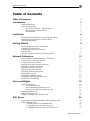
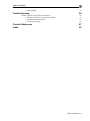
Table of Contents
Table of Contents
i
Introduction
3
General Information
System Requirements
Microsoft SQL Server / Express Edition
Web Research Network Add-on
Web Research
Installation
Installing Microsoft SQL Server 2005 Express Edition
Installing the Web Research Network Add-on
Firewall Configuration
Getting Started
Starting Web Research Server Manager:
Connecting to SQL Servers
Creating a New Network Collection
Adding Users
Opening a Network Collection in Web Research
Network Collections
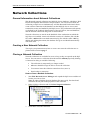
General Information about Network Collections
Creating a New Network Collection
Closing a Network Collection
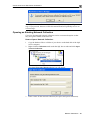
Opening an Existing Network Collection
Renaming a Network Collection
Deleting a Network Collection
Moving a Network Collection
Displaying Collection Properties
Shrinking the Log File
Changing the Database Owner
Importing Local Collection files (.csa)
Enable Full-Text Indexing
Users and Rights
General Information
Server-based Security
Access Protection at Database Level
Adding a New SQL Server User Account
Changing the Password
Adding Collection Users
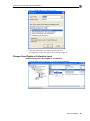
Change User Rights at Collection Level
SQL Server
Changing the Authentication Mode with SQL Server 2000
Remote Internet Access
1. Enabling SQL Server Authentication
2. Configuring Firewall and Proxy-Server
3. Configuring SQL Server for TCP/IP Protocol
3
3
3
3
3
4
4
4
4
5
5
5
7
8
11
12
12
12
12
13
14
15
15
15
16
16
17
17
18
18
18
18
18
18
21
22
24
24
25
25
25
25
Table of Contents - i