1
Analysis
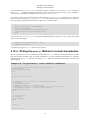
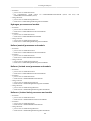
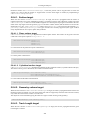
man->FillH1(2, fEnergyGap);
}
void B4RunAction::EndOfRunAction(const G4Run* aRun)
{
// Save histograms
G4AnalysisManager* man = G4AnalysisManager::Instance();
man->Write();
man->CloseFile();
// Complete clean-up
delete G4AnalysisManager::Instance();
}
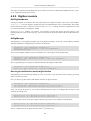
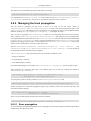
The code specific to the output format is hidden in B4Analysis.hh where the selection of the output format
takes place.
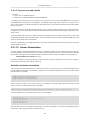
#ifndef B4Analysis_h
#define B4Analysis_h 1
#include "g4root.hh"
//#include "g4xml.hh"
//#include "g4csv.hh"
// can be used only with ntuples
#endif
If a file extension is not specified in the call to G4AnalysisManager::OpenFile(), it is automatically completed
according to a selected output format.
9.2.1.2. Histogram Identifiers
The histogram names "1", "2" were kept as they are defined in the analogous example in extended/analysis/AnaEx01. They have no relation to the histogram ID which is used afterwords in histograms fill. The
histogram ID is automatically generated when a histogram is created by G4AnalysisManager::CreateH1(), and
its value is returned from this function. The default start value 0 is in this example changed to 1 with the
G4AnalysisManager->SetFirstHistoId(G4int) method.
9.2.1.3. Histogram Objects
It is also possible to access directly the histogram objects by the manager class. The concrete histogram type is
hidden behind a selected namespace. In example B4, the histogram functions mean() and rms() are called:
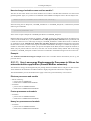
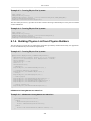
G4AnalysisManager* analysisManager = G4AnalysisManager::Instance();
if ( analysisManager->GetH1(1) ) {
G4cout << "\n ----> print histograms statistic \n" << G4endl;
G4cout << " EAbs : mean = " << analysisManager->GetH1(1)->mean()
<< " rms = " << analysisManager->GetH1(1)->rms(),
<< G4endl;
// ...
}
9.2.1.4. Activation of Histograms
The activation option allows the user to activate only selected histograms. When this option is activated, only the
histograms marked as activated are returned, filled or saved in a file. This feature is intensively used in extended/electromagnetic examples where all histograms are first created inactivated:
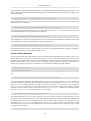
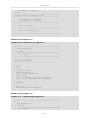
G4AnalysisManager* analysisManager = G4AnalysisManager::Instance();
analysisManager->SetActivation(true);
// define histogram parameters name, title, nbins, vmin, vmax
G4int id = analysisManager->CreateH1(name, title, nbins, vmin, vmax);
analysisManager->SetActivation(G4VAnalysisManager::kH1, id, false);
and then selected histograms are activated in macros, using the analysis "set" command:
283