1
Chapter 4: Data Transfer
4.1 Safety Instructions
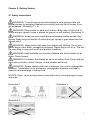
WARNING: To prevent serious injury put baby back in safe location
immediately after weighing. Babies move quickly and may fall off scales.
NOTICE: Do not exceed the maximum capacity of 33 lbs to avoid damage to
scale.
NOTICE: In case of malfunction contact dealer or manufacturer. Unauthorized
modifications or repairs can damage your baby scales and will terminate
manufacturer warranty.
NOTICE: Scales must not get wet. Liquids (e.g. water, baby urine) can damage
scales. Use dry cloth such as towel to dry scales immediately after putting baby
back into safe location.
4.2 Pairing
> Start Bluetooth™ connection on your iDevice under Settings/General/Bluetooth
> Switch-on the scale
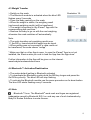
> The scale shows “Pair” in the display and the blue LED flashes fast
> Select the baby scale “iParenT” on your iDevice to start the pairing process
> iDevice confirmes pairing with “connected” and afterwards in the battery saving
modus with “not connected”
> The scale is successfully paired with the iDevice
> All weighing results will be sent to this iDevice
> To pair the scale with another device, remove the batteries when the scale is
switched-on and pair the new device as described above
> Close the setting mode on your iDevice before you go on with the weighing
procedure
> Load the App “iParenT” from the App-store to your iDevice
12