1
•
connect the PB3 to the host using the optional serial cable
(P/N 5892RJD9-1).
For pinouts, see “Accessories” on page 22.
To host
computer
Serial port
Serial cable
PB3 With Serial Cable
Changing Printer Connection Settings
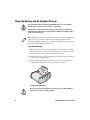
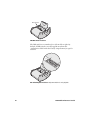
Connection settings are changed by the DIP switches located inside
the battery compartment.
Follow the next procedure to change DIP switch settings.
Use caution when changing DIP switch settings. Carefully use a
pointer on the dip switch to toggle its position. Do not use a
screwdriver and do not apply excessive force.
To change printer settings with the DIP switches
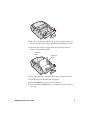
1 Open the battery door and remove the battery. The DIP switches
are located inside the battery compartment.
PB3 Mobile Printer User’s Guide
13