1
Troubleshooting:
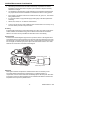
Power Reset for the LCD Unit
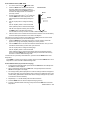
In the event of a power failure in the BR200/250 LCD display unit,
follow the steps below to perform a power reset:
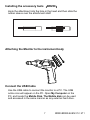
1. Un-dock the LCD module from the BR200/250 pistol-grip base
unit.
2. Connect the AC adapter to the LCD module and the appropriate
AC power source.
3. Locate the Reset port on the reverse side of the LCD module
(labeled Reset).
4. Momentarily press the Power Reset button for at least 2 seconds
and then release.
5. Leaving the AC adapter connected to the LCD module, power the
unit on.
6. If the unit powers on, allow it to fully re-charge (up to 2 hours)
before removing the AC adapter. If the LCD unit does not power
on, repeat steps 1 through 6.
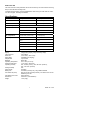
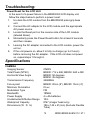
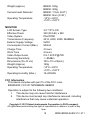
Specifications
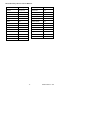
CAMERA
Imaging Sensor
Total Pixels (NTSC)
Horizontal View Angle
Transmission Frequency
Focus point
Minimum Illumination
Modulation Type
Bandwidth
Power Supply
Unobstructed Effective Range
Waterproof Capacity
Dimensions (W D H)
CMOS
BR200: 712 x 486; BR250: 640 x 480
BR200: 50 degrees
BR250: 45 degrees
2468MHz
BR200: 20cm (8”), BR250: 10cm (4”)
0 Lux
FM
18MHz
4 x AA batteries
10m
IP67 (imager head only)
186 x 145 x 41(mm) (Exclude Flexible
Tube)
15
BR200-BR250-EU-EN-V7.0 5/11