1
Note: Video automatically saves to file every 30 minutes. When the SD
card is filled to capacity, the SD card icon changes to ‘F’. No video will be
recorded if the SD card is not inserted in the slot.
Delete a Single Video Or Photo
1.
2.
3.
4.
5.
6.
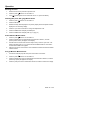
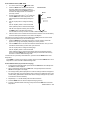
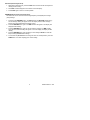
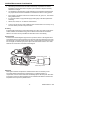
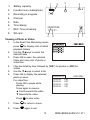
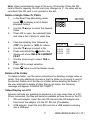
In the Real-Time Monitoring mode,
press
to display a list of dated
playback folders
Use the ▼▲keys to select the desired
folder.
Press OK to open the selected folder
and view a list of photo or video files.
Files are listed by time followed by
(VID”) for photos or (VID) for videos
Use the ▼▲keys to select a file.
8.
Press and HOLD the
button, the
display will show ‘DELETE CURRENT
FILE?’
Use the arrow keys to select YES or
NO
Press OK to accept selection.
9.
Press
7.
2009-06-10
13:00:24
VID”
13:00:24
VID”
13:00:24
VID”
13:00:24
VID
0001/0004
twice to exit the Delete screen.
Delete a File Folder
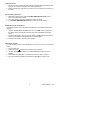
To delete a folder, use the same instructions for deleting a single video or
photo. The only additional concern is that if a folder is not empty it cannot
be deleted. Delete all of the files in a folder before deleting the folder. If
the user attempts to delete a folder that is not empty, the following
message will appear: FOLDER NOT EMPTY
Video Display on a PC
Several methods are available to playback or to copy video files on a PC.
When connected, the files will become available as new drives on the PC.
1.
SD card adaptor: Insert the mini SD card into the SD adaptor and
then insert the adaptor into the PC SD slot (if available)
2.
USB adaptor: Insert the mini SD card into a USB adaptor and plug
into a USB port.
11
BR200-BR250-EU-EN-V7.0 5/11