1
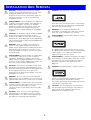
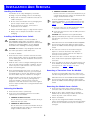
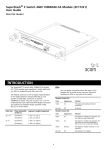
INSTALLATION AND REMOVAL Handling the Module Use this transceiver to connect the Module directly to a single-mode fiber-optic cable or to multimode fiber using a conditioned launch cable. The Module can be easily damaged by electrostatic discharge. To prevent damage, observe the following: Always wear an anti-static wristband connected to a suitable earth point. Do not remove the Module from its packaging until you are ready to install it into a Switch. Do not touch any of the pins, connections or components on the Module. To ensure optimal performance, compatibility, and regulatory compliance, use only GBIC transceivers that 3Com supports. See “Approved GBIC Transceivers” on page 4. Handle the Module only by its edges and front panel. a Orient the transceiver so that the fiber-optic duplex subscriber connector (SC) is toward you. Always store or transport the Module in anti-static packaging. b Gently slide the transceiver into the GBIC port until it clicks into place. ! Installing the Module into a Switch ! ! 1000BASE-LH70 GBIC transceiver CAUTION: This Module is not hot-insertable or hot-swappable. Always make sure that the Switch is powered down and disconnected from the mains before installing or removing a Module. Use the following instructions when installing or removing a Module. GBIC transceivers are hot-insertable and hot-swappable. You can remove them from and insert them into any port on the Module without having to power down the Switch. CAUTION: This Module is only designed to work with the 3Com SuperStack 3 Switch 4900 Series. 3 The transceiver connects to the network using the duplex SC connector. Attach the male duplex SC connector on the network cable into the duplex SC connector on the transceiver. To install the Module: 1 Ensure that the Switch is disconnected from the mains power supply and RPS connector (if applicable) and that you are wearing an anti-static wristband connected to a suitable earth point. 4 Connect the other end of the fiber-optic cable to a device fitted with an appropriate Gigabit Ethernet connection. 5 Check the LEDs on the front of the Switch and the rear of the Module to ensure that the Module is operating correctly. Refer to “LEDs” on page 1 for more information. 2 Undo the three screws securing the blanking plate at the rear of the Switch using a suitable screwdriver. Do not remove any other screws from the rear of the Switch. 3 Remove the blanking plate. 4 Keep the blanking plate and screws in a safe place. If you remove the Module at any time, you must replace the blanking plate to prevent dust and debris entering the Switch and to help the circulation of cooling air. Removing a Transceiver from the Module To replace an existing GBIC transceiver, compress the side tabs and gently pull the transceiver out of the port. 5 Hold the Module so that the text on the front panel is upright. Insert it into the Switch, pushing firmly to ensure the Module is seated correctly so that the backpanel is flush with the back of the Switch. Tighten the three captive thumbscrews securing the Module with a suitable tool. GBIC transceivers are hot-insertable and hot-swappable. You can remove them from and insert them into any port on the Module without having to power down the Switch. Removing the Module from a Switch 1 Ensure that the power supply and the backbone connection cables are disconnected from the Switch. Activating the Module 1 Ensure that the Switch is powered-up. 2 Undo the three captive thumbscrews securing the Module into the Switch using a suitable tool. Do not remove any other screws from the Switch. 2 Insert one of the following transceivers into a GBIC expansion port on the Module: CAUTION: GBIC transceivers are keyed and can be properly inserted only one way. If the transceiver does not click when you insert it, remove it, turn it over, and reinsert it. 1000BASE-SX GBIC transceiver 3 Remove the Module. Use this transceiver to connect the Module directly to multimode fiber-optic cable. 4 If you are not fitting another Module immediately, replace the blanking plate to ensure that dust and debris do not enter the Switch and to help the circulation of cooling air. 1000BASE-LX GBIC transceiver Use this transceiver to connect the Module directly to a single-mode fiber-optic cable or to multimode fiber using a conditioned launch cable. 3