1
Mayday How-To Series
2.3
Mayday User Guide
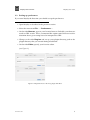
Setting up preferences
If you start Mayday the first time you should set up the preferences.
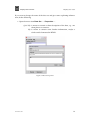
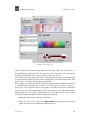
• Open Mayday as described in the previous section.
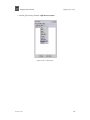
• Select the menu item File −→ Preferences. . . .
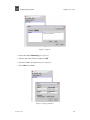
• On the rider Browser, type in your favorite browser. Probably your browser
needs an URL switch. This is a command line option some browsers need to
determine that a given string has to be interpreted as URL.
• Change to the rider Plug-ins and set up your plugin directory path to the
plugin directory that you created during installation.
• On the rider Editor, specify your favorite editor.
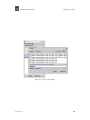
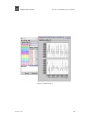
(see Figure 1).
Figure 1: Edit preferences for browser, plugin and editor
December 9, 2005
9