1
Settings
NOTE: You must set a lock screen PIN or password before you can use
credential storage.
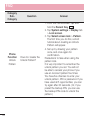
Mobile networks – Set options for data roaming, network mode & operators, access
point names (APNs) etc.
VPN – Displays the list of Virtual Private Networks (VPNs) that you've previously
configured. Allows you to add different types of VPNs.
Sound
Sound profile – Choose the Sound, either Sound, Vibrate only or Do not disturb.
Volume – Adjust the phone's volume settings to suit your needs and your environment.
Vibration strength – Allows you to set the vibrate strength for calls, notifications, and
touch feedback.
Ringtone – Set the ringtone for calls. You can also add a ringtone by tapping at the
top right corner of the screen.
Notification sound – Set the notification sound. You can also add a notification sound
by tapping at the top right corner of the screen.
Sound with vibration – Checkmark to set the phone to vibrate in addition to the
ringtone when you receive calls.
Vibration type – Allows you to set the vibration type for incoming calls. Choose from
Long Lasting, Rapid, Short repeated, Standard, or Ticktock.
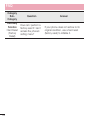
Do not disturb – Set a time and mode when your phone doesn’t let you know about
notifications coming in. Choose from All, Priority only, or None.
PRIORITY ONLY – Allow certain features to interrupt when Priority only. Alarms always
have priority. Choose from Apps with Calendar events, Incoming calls, New messages,
or Allowed contacts
SCHEDULE – Only notification with priority interrupt on repeat even when set to all.
Lock screen – Set to show or hide all notifications on the lock screen.
84