1
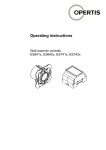
GB eLOCK Operating instructions Wall scanner controls multi-property ES643x, ES644x, ES743x, ES744x Active extension of the fitting opening time If an authorised identifier is held in front of the wall scanner for longer than the defined fitting opening time, the wall scanner or the connected peripheral device remains activated until the authorised identifier is removed. Acoustic and visual signals The acoustic and visual signals of the connected wall scanner antenna depends on the programming. The programmed fittings in the AddDelete system and the fittings programmed using eLOCK Center have a different signalling concept. Note The complete visual and acoustic signals are included in the eLOCK system documentation "Signalling Concept" section. The wall scanner antenna emits acoustic and visual signals for certain system states and events: 07/2013 Visual signal Acoustic signal Meaning red flashing - Wall scanner ready for use. 2x short blue-blue 1x ascending sound Programming mode or sequence multi-property programming mode on. blue flashing - Programming mode or multi-property programming mode active. – 1x descending sound sequence End of programming mode or multi-property programming mode 2x short greengreen 1x short high-pitch Wall scanner connection by authorised identifier 2x short red-red 1x long low-pitch No wall scanner connection, identifier not authorised 2x red-green 1x short high-pitch Wall scanner connection in construction site mode or permanent release mode, see eLOCK system documentation "Fitting Modes" section. 2x short red-red 4 x yellow 1x long low-pitch+ 4x short low-pitch System error! Dismantle wall scanner, contact ES Support! OPERTIS 19