1
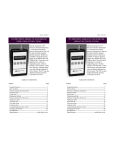
KEYPAD FUNCTIONS
KEYPAD FUNCTIONS
ON/OFF & BACKSPACE KEY
Turns the tester on and then turns it off from the Measure
Mode. Also serves as a backspace key when editing in the
Program Mode. The backspace function takes the user out
of a programmable register without changing the previous
setting. Pressing this key repeatedly will return the user to the
Measure Mode and then shut off the tester.
ON/OFF & BACKSPACE KEY
Turns the tester on and then turns it off from the Measure
Mode. Also serves as a backspace key when editing in the
Program Mode. The backspace function takes the user out
of a programmable register without changing the previous
setting. Pressing this key repeatedly will return the user to the
Measure Mode and then shut off the tester.
LEAK & UP ARROW KEY
In the Measure Mode activates and deactivates the LEAK
function per FAR 91.411 guidelines. After an aircraft’s
static system is evacuated to desired level, LEAK starts a 120
second settling time countdown (reduce settling time in 30
sec increments by pressing LEAK again). A 60 second leak test
follows displaying starting altitude in upper right and current altitude
in upper left. Leak in FPM or MPM is displayed after test period. Up
arrow key is used to scroll through the programmable registers when
the unit is in the Program Mode. Once a programmable register is
selected the up arrow
can be used to edit that register.
LEAK & UP ARROW KEY
In the Measure Mode activates and deactivates the LEAK
function per FAR 91.411 guidelines. After an aircraft’s
static system is evacuated to desired level, LEAK starts a 120
second settling time countdown (reduce settling time in 30
sec increments by pressing LEAK again). A 60 second leak test
follows displaying starting altitude in upper right and current altitude
in upper left. Leak in FPM or MPM is displayed after test period. Up
arrow key is used to scroll through the programmable registers when
the unit is in the Program Mode. Once a programmable register is
selected the up arrow
can be used to edit that register.
R of C & DOWN ARROW KEY
In the Measure Mode activates and deactivates the Rate of
Climb function. R of C is displayed on top line with
instantaneous altitude remaining on bottom. The time period
over which the R of C is calculated can be adjusted to user
preference through the Program Mode. Down arrow key is used to
scroll through programmable registers with the unit in the Program
Mode. Once a programmable register is selected the down arrow
can be used to edit that register.
R of C & DOWN ARROW KEY
In the Measure Mode activates and deactivates the Rate of
Climb function. R of C is displayed on top line with
instantaneous altitude remaining on bottom. The time period
over which the R of C is calculated can be adjusted to user
preference through the Program Mode. Down arrow key is used to
scroll through programmable registers with the unit in the Program
Mode. Once a programmable register is selected the down arrow
can be used to edit that register.
PRGM & ENTER KEY
Puts the tester into Program Mode (with prompt for
password if Lockout is set) from Measure Mode. When in
the Program Mode, pressing this key selects the
programmable register to be edited . After the register has
been edited, pressing the PRGM key enters the new setting into the
tester’s non-volatile memory. This key also acts as a forward space
key when editing user input such as the header name.
PRGM & ENTER KEY
Puts the tester into Program Mode (with prompt for
password if Lockout is set) from Measure Mode. When in
the Program Mode, pressing this key selects the
programmable register to be edited . After the register has
been edited, pressing the PRGM key enters the new setting into the
tester’s non-volatile memory. This key also acts as a forward space
key when editing user input such as the header name.
1
353oper 3May 22 2000.pub
page 1
1
Wednesday, June 13, 2001 14:19