1
D) CHANGING THE LANGUAGE
Entering the setting mode to change the language setting
1.
2.
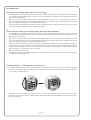
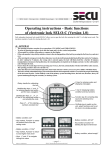
Press On/Enter key. When the lock is ready for operation, the welcoming phrase on the display is followed after two
seconds by a message prompting the operator to enter a valid code. The black rectangular cursor sits blinking at the
first digit of the code entry field and the capital letter “M” appears above the Function key.
By pressing the Function key, the menue of the setting mode appears. In this mode, keys “1” and “2” serve as
operating symbols for menue navigation (up or down). The first menue to appear is Code change. Use the same keys
“1” and “2” to address the other options on the menue.
Selecting a different language
1.
2.
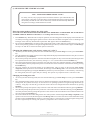
Having entered the setting mode, use keys “1” and “2” to go to the field Language/Sprache in the menue (factory
setting when the lock is installed the first time is German (deutsch). Select by pressing the On/Enter key.
Use keys “1” and “2” to go to the language of your choice. Select the new language by pressing the On/Enter key.
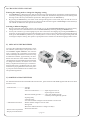
From now on, all messages will appear in the language of your choice. To leave the present menue field in the setting
mode, press the Function key whenever you see the symbol “<“ above the key. After leaving the setting mode, the
lock is again ready for clearing. The operator is prompted to enter a valid secret code in the language of their choice.
E) REPLACING THE BATTERIES
As soon as the symbol depicting the battery condition indicates „almost empty“, the operator is also
warned Please replace batteries! each time the
lock is operated. We recommend you heed the
advice and change the batteries! The lock can only
be unblocked a further, approximately, 50 times.
Please note that none of the number codes can be
changed until a set of fresh batteries has been fitted.
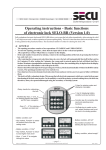
To change the batteries, lift off the cover of the
battery compartment with the tip of a screwdriver.
Fit three leak-proof, type Mignon LR6, AA, alkaline batteries, paying attention to the correct polarity. Dispose of the old batteries in accordance with
anti-pollution legislation!
F) ADDITIONAL LOCK SETTINGS
For detailed information about the additional lock functions, please check the CD-ROM supplied with the lock. These
functions cover:
- Time functions----------------- Set time
- Set date
- Set access time frames------------ Input range for timer A
- Input range for timer B
- Block for holiday periods-------- Once-only holiday periods
- Annually recurring holiday periods
- Opening delay
- Calibrate clock
- Activate automatic changeover from summer to winter time
- Administrator functions
- Define number of digits of secret codes
- Reorganize
- Block user authorization for a change of code(s)
- Reset time functions
- Read out list of operations
- Display lock information
-- page 4 --