1
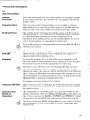
4 Power
Connection
5 Switch-On
Function
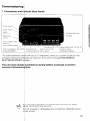
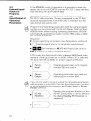
t Check whether there is a protective ground for the power
~ connection. An M5 threaded pin on the rear panel provides
~ an additional connection for protective ground.
w Connect power cable to the power input socket on the rear
panel, and switch on power.
and
Check
Pi!,
~
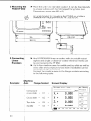
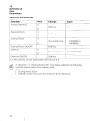
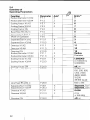
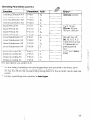
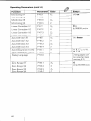
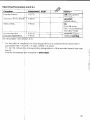
7he unit is adapted to the machine tool by means of paw
melers. See Parameters section, The unit is delivered with
preset parameters
to facilitate commissioning
(see Pararwters. section Z4).
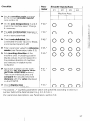
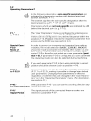
droceed in the following sequence to commission the
machine:
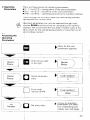
w Switch on power.
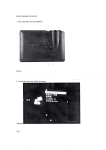
t Adjust desired screen image brightness with control on rear
panel.
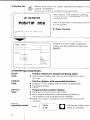
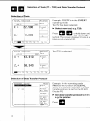
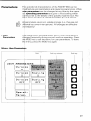
t Select desired application (milling or turning). The menu for
application selection appears only once after initial switchon.
‘1 Press any key (except the HELP key).
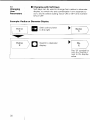
k Choose BASIC mode of operation (see Working with the
POSITIP 850)~
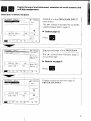
* Press NO REF soft key. Now you need not cross over the
~ reference marks (ignore error messages).
bf Use the MOD key and code number 95148 to access the
operating parameters (see Parameters. section 2).
Y Optimize operating parameters (see Commissioning,
~ section 61~
b Switch power off and then on again.
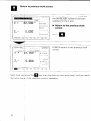
Cr Cross over the reference marks (see Working with the
POSITIP 8501,
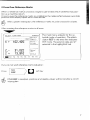
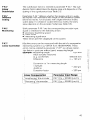
Error Messages
After the reference marks have been crossed
ghould be no error message in the display.
over there
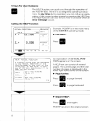
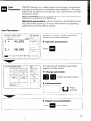
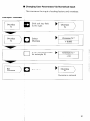
Ii an error message is displayed, press the HELP key for more
lhformation and then correct the ermr, Switch power off and
then on again.
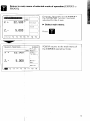
If several errors occur at once you can display the error mes$ages one after the other by repeatedly pressing the CE key.
25