1
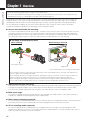
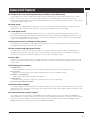
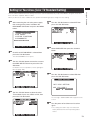
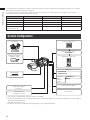
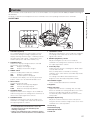
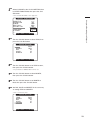
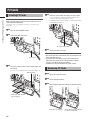
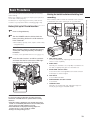
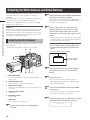
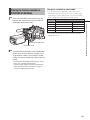
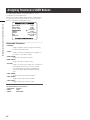
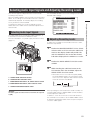
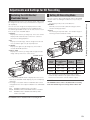
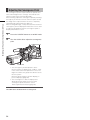
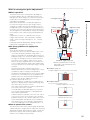
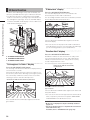
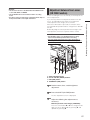
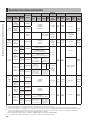
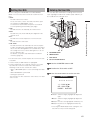
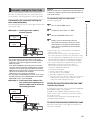
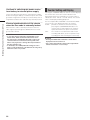
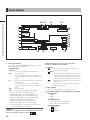
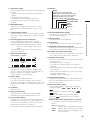
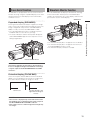
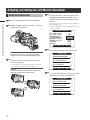
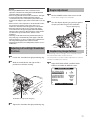
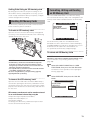
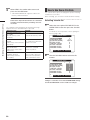
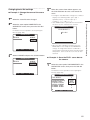
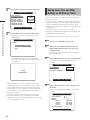
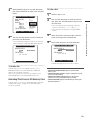
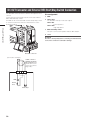
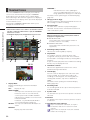
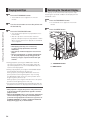
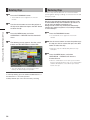
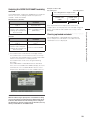
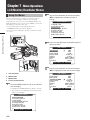
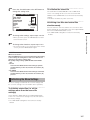
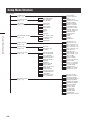
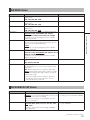
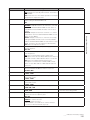
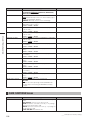
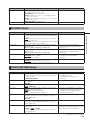
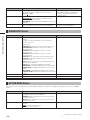
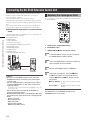
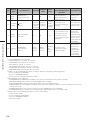
Connecting the AG-EC4G Extension Control Unit Some functions can be remote controlled when the AGEC4G extension control unit (optional accessory) is connected to the camera. When the AG-EC4G is connected, the camera automatically enters remote control mode after the power switches of both the camera and the AG-EC4G are turned ON. The remote control mode is released when AG-EC4G is removed or the power for the AG-EC4G is turned OFF. Adjusting the Convergence Point The convergence point can be adjusted, using the buttons on the AG-EC4G. c b a Switch/button operations in remote control mode Chapter 8 Connecting to External Devices The following switches and buttons on the camera do not work in remote control mode. • SHUTTER switch • MENU button • JOG dial button • GAIN selector switch • OUTPUT/AUTO KNEE selector switch • WHITE BAL switch • USER MAIN button • USER 1 button • USER 2 button • OUTPUT CHARACTER switch a USER buttons (USER MAIN/USER1) b RECORDER switch c tREW, yFF, gSTOP and qPLAY buttons 1 2 3 REMOTE connector AG-EC4G NOTE • Be sure to turn the POWER switches on the camera and the AG-EC4G off before connecting or disconnecting the controller cable. • Use only designated cables or designated option cables to connect the AG-EC4G. Use of other cables could result in equipment damage. For details on the current provided by the REMOTE connector, refer to page 138. • Data for the operations performed by the AG-EC4G are generally stored in the camera. • Setting the DATA SAVE switch on the AG-EC4G to OFF resets the following values to the values before connecting the AGEC4G. - Synchro scan value - Master Pedestal value - GAIN values (R/B) - Pedestal values (R/G/B) - GAIN value (at LOW position) 122 4 In the SW MODE screen, assign R CONV to the USER MAIN or USER1 button. Press the USER button to which R CONV has been assigned on the AG-EC4G. Set the RECORDER switch to ENABLE. Adjust the convergence, using the gSTOP and qPLAY buttons for coarse adjustment and the tREW and yFF buttons for fine adjustment. gSTOP, tREW:to adjust the convergence point nearer qPLAY, yFF: to adjust the convergence point farther NOTE The USER2 button on the AG-EC4G operates as the THUMBNAIL button for the camera.