1
Operating Instructions: MudLine TGS Sludge Level Measuring Instrument
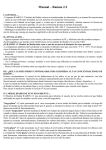
“LOW BATT”
Display
Digital Display
Immersion Depth [cm]
LED: “Sludge
Level Detected”
Toggle Switch,
On-Off/Reset
(nondetenting)
Measuring Range Selector Switch
1 = much suspended sediment
2 = little suspended sediment
o
Adjusting
Potentiometer
Charging Socket
with Dust Cap
Switch the instrument on: “002 … 005” is displayed
(= offset).
o
Sludge level detected: horn sounds continuously and LED
lights up
Hold the measuring probe at this depth for approx. 5 seconds.
Acoustic signal switches from continuous to intermittent.
LED switches from continuous illumination to blinking mode.
The probe may now be removed.
The acoustic signal stops, but the LED continues to blink.
Read the stored immersion depth value.
Delete the stored immersion depth value with the on-off/reset
button.
The LED goes out and a value of between 000 and 005
appears at the digital display.
The instrument is now ready for the next measurement.
Cleaning:
o
Clean the drum with integrated electronics with
a moist cloth only: Do not immerse in or spray
with water!
o
The measuring probe and the cable can be
cleaned under running water with a soft brush:
Do not use high-pressure water blasters or
steam cleaners!
Æ The submersible pressure transducer will
otherwise be damaged!
o
Use mild household cleaners only: Do not use
solvents or degreasing agents!
Maintenance
The device is maintenance-free if used for its intended purpose.
Rapid Setup
Set range selector switch to 1.
Punch through and clear any floating sludge with a tool.
Immerse the probe down to the cable gland (clear area).
Set the potentiometer just below the point at which the
LED lights up and the horn sounds (turn back and forth
several times).
Measuring Procedure:
o
Immerse the measuring probe deeper into the tank or shaft.
o
The horn sounds and the LED lights up when the sludge
phase is reached.
o
The immersion depth of the measuring probe can now be
read from the digital display.
o
o
o
o
Increased Sensitivity
For minimal turbidity difference, i.e. no clear-cut boundary
between sludge and clear phase (e.g. churned up sludge).
The instrument is calibrated and the desired switching threshold is
selected as follows:
o
Remove a specimen with the desired concentration of sludge
and pour it into a bucket.
o
Set a bucket full of clear water next to the sludge bucket.
o
Immerse the measuring probe into the sludge specimen to a
depth o at least 10 cm.
o
Adjust the potentiometer as described above. Repeat
several times if necessary.
Greatly Increased Sensitivity
In case of extremely minimal sludge concentration:
Æ Select measuring range 2.
Minimal turbidity differences are then detected!
o
Proceed as described above.
Attention!
o
The instrument reacts very sensitively to differences
between purified and turbid water in this operating mode,
and detects even extremely small suspended particles!
o
SU0306a.doc 05/06
o
o
o
o
o
o
o
o
Sludge Level Measuring Procedure:
o
Automatic Measured Value Memory for Immersion Depth
© IER GmbH
Battery Charger:
“LOW BATT” appears at the LCD panel when the battery is weak.
The integrated, rechargeable NiMH battery can be quickly and
reliably recharged with the included “ACS 410 mobile” battery
charger.
Charging time for a fully depleted battery is about 2½ hours.
The charger can be connected either to a 230 V mains outlet, or to
a 12 V automotive cigarette lighter with the help of the included DC
connector cable.
Charging Procedure:
o
Remove the dust cap from the charging socket at the
MUDLine® TGS.
o
Plug the connector cable into the charger and screw into
place.
o
Plug the charger into a 230 V mains outlet, or an automotive
cigarette lighter via the DC connector cable.
o
The red LED on the charger blinks for about 10 seconds:
battery contact detection test.
o
The LED then remains continuously lit: Battery is being
charged.
o
The green LED lights up and the red LED goes out: The
battery is fully charged and the charger has switched to the
trickle-charge mode.
o
If the battery is defective, the red LED continues to blink after
the test phase.
o
The yellow knob can be used to fully deplete the batteries,
but this is not necessary with the utilised NIMH batteries!
Attention! After charging, plug the dust cap back into the
charging socket on the MUDLine® TGS!
Charger Functions:
o
Charging is monitored by a micro-controller.
o
Test executed before charging detects defective batteries.
o
The charger is automatically switched to the trickle-charge
operating mode as soon as the batteries are fully charged,
i.e. the charger can be left connected to the MUDLine® TGS
for long periods of time.
Page 2