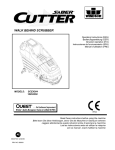
1
Operating Instructions (EN)
MODELS:
17'' Disk Traction
20'' Disk Traction
17'' Disk Pad Assist
20'' Disk Pad Assist
20'' Orbital Traction
24'' Orbital Traction
Read the Operators Manual
before using the machine.
Read the Safety Messages
before servicing machine.
www.rpscorporation.com
1711 South Street
Racine, WI 53404 (USA)
(800) 450-9824 | (+001) 262-681-6470
© 2015 RPS Corporation
VERSION 15.167
MICROMINI-OP-EN
INTRODUCTION
This manual is furnished with each new machine. This manual will allow the Operator to get the best performance out of
your RPS manufactured Scrubber-Drier, Sweeper, Burnisher, or Orbital Scrubber. Read this manual thoroughly before
operating or servicing the machine.
This machine will provide excellent performance, but the best results will be obtained at the most minimum costs if:
• The machine is regularly maintained - per the machine Preventative Maintenance instructions provided.
• The machine is operated with reasonable care and caution.
• The machine is maintained with manufacturer supplied parts.
ABOUT THIS MANUAL
Table of Contents: Tells you where to look in the manual.
Safety: Section contains important information regarding hazard or unsafe practices of the machine. Levels of hazards
are identified that could result in product or personal injury, or severe injury resulting in death.
Machine Controls: Shows you the different machine controls and features.
Machine Setup: Tells you how to setup machine from un-crating to installing Squeegee and Brushes.
Operations: Section is to familiarize the operator with the operation and function of the machine.
Battery Charging: Shows you how to charge the Batteries (on-board and off board charging).
Maintenance: This section contains preventative maintenance to keep the machine and it’s components in good working
condition. They are listed in this general order:
• Batteries
• Scrub Brushes
• Adjusting Squeegee
• Service Schedule
• Machine Trouble Shooting
Trouble Shooting: A list of common problems that may occur.
Machine Install Form: Should be filled out upon machine installation and faxed to 1-866-632-6961 or online at
www.rpscorporation.com.
Warranty Policy: Tells you coverage, exclusions and limitations to warranty.
NOTE: The Serial Number of your machine is located on the lower half of the control panel of the machine.
Serial Number
AS OUR POLICY IS ONE OF CONSTANT IMPROVEMENT - ALL INFORMATION AND
SPECIFICATIONS ARE SUBJECT TO CHANGE WITHOUT NOTICE.
-2-
MICROMINI-OP-EN
TABLE OF CONTENTS
Introduction
2
About This Manual
2
Table of Contents
3
Safety Messages
4
Safety Label Locations
6
Operation Controls
7
Machine Components
8
Machine Components
9
Battery Charging
External Battery Charging:
On-Board Charger
Machine Setup
Un-Crating Machine:
Connecting Batteries:
Attaching Squeegee:
Adjusting Squeegee:
Removing Squeegee:
Replacing or Rotating Squeegee Blades:
Installing EDGE/ORBITZ Pads:
Leveling EDGE/ORBITZ Decks:
Machine Operation
Pre-Cleaning Checklist:
Operating Hints:
One Pass Scrubbing:
Scrub Only:
Vacuum Only:
Adjust Solution Flow:
Draining Solution Tank:
Draining Recovery Tank:
Open Recovery Lid:
Flush Recovery Tank:
Clean “Drain Saver”:
Clean Vacuum Screen:
Tip Tank:
Squeegee Up:
Squeegee Down:
Vacuum Motor:
Solution Filter:
Cleaning Solution Filter:
MICROMINI-OP-EN
10
10
10
10
11
11
11
12
12
13
13
13
14
14
14
15
15
15
15
16
16
16
17
17
17
18
18
18
On-Board Battery Charging (Optional):
19
19
20
20
Battery Maintenance Guide
21
Safety:
Inspection and Cleaning:
Storage:
Watering:
21
21
21
21
Maintenance
Daily Maintenance:
Weekly Maintenance:
Monthly maintenance:
Yearly Maintenance:
Storing Machine:
Checking Battery Specific Gravity:
22
22
22
22
22
22
22
MicroMini PM Records
23
Trouble-shooting
25
Machine Specs
27
Common Wear Parts
28
EDGE/ORBITZ Pads and Screens:
Squeegee Blade Kits & Complete Squeegee
Assemblies:
28
29
Soap Choices
30
Standard Warranty Policy
32
Machine Install / Warranty Registration
33
-3-
SAFETY MESSAGES
You will see four kinds of safety reminders in this manual:
DANGER
DANGER indicates a hazardous situation which, if not
avoided, will result in death or serious injury.
WARNING
WARNING indicates a potentially hazardous situation
which, if not avoided, could result in death or serious
injury.
CAUTION
CAUTION indicates a potentially hazardous situation
which, if not avoided, could result in minor or moderate
injury or damage to this machine or nearby objects. CAUTION also can be used to alert against unsafe practices.
NOTICE
NOTICE indicates information considered important, but
not hazard-related. This safety message may be related
to property damage or warranty warnings.
Your safety, and that of others, is very important. Operating this machine safely is an important responsibility.
DO NOT OPERATE THIS MACHINE UNLESS:
• You are trained and authorized to do so
• You have read and understood this Operator’s Manual
• On surfaces with greater than a 2% grade unless this machine is equipped with a functional parking brake.
WHEN OPERATING THIS MACHINE:
• Remove loose objects from the floor that could be projected from the rotating Brushes
• Keep your hands and feet away from the rotating Brushes
• Do not operate this machine where flammable liquids are present
• Use caution when maneuvering
BEFORE LEAVING THE MACHINE:
• Park the machine on a level surface
• Turn the machine OFF
BEFORE SERVICING THE MACHINE:
• Disconnect the Batteries
DANGER
Explosive hydrogen gas forms when Batteries are
charging. An open flame or spark can cause this gas
to explode. Serious personal injury or property damage
could occur. Only charge the Batteries in this machine in
a well ventilated area.
-4-
DANGER
Flammable materials can cause an explosion or fire. Do
not use flammable materials in tank or pick up.
MICROMINI-OP-EN
WARNING
The Batteries in this machine produce hazardous
voltage which can cause electrical shock, burns and/
or electrocution. Always disconnect Batteries before
servicing this machine.
WARNING
When climbing or descending ramps, always drive
machine forward. To avoid overturning the machine, Do
not back down ramps. Do not drive across inclines. Do
not turn while ascending or descending ramps. Overturning the machine can cause serious injury or death.
WARNING
Do not use water that exceeds 135°F / 57°C. If water is above said temperature, this will void the Tank
Warranty.
WARNING
Do not park this machine on ramps or slopes. Always
park this machine on a level, hard surface. Do not operate this machine outdoors or on uneven surfaces.
WARNING
The batteries in this machine contain sulfuric acid,
which causes burns to skin. If battery acid contacts
clothing or skin, rinse the effected area with cold water
immediately. If battery acid gets on your face or in your
eyes, flush the area immediately with cold water and
seek medical attention.
WARNING
To avoid electrical shock, do not operate this machine
over electrical floor outlets.
CAUTION
To avoid damage to this machine, use only cleaning
solutions and replacement parts recommended by the
manufacturer.
CAUTION
Do not operate this machine if any parts have been
damaged or removed.
WARNING
Dress safely. Do not wear rings or metal wrist watches
when servicing this machine, as they can cause an
electrical short circuit which can cause serious burns.
WARNING
Do not remove, paint over or destroy warning decals. If
warning decals become damaged, call 1-262-681-3583
for free replacements.
WARNING
Dress safely. Do not wear a neck tie, scarf, or any
loose or dangling clothing while operating this machine.
Loose or dangling clothing or neck-wear can tangle in
rotating parts, causing serious injury or death.
WARNING
Always turn off this machine before leaving it unattended. Do not allow untrained persons to operate this
machine.
WARNING
NO RIDERS. Do not carry passengers on this machine. Do not use this machine as a stepladder or work
platform.
WARNING
Understand the dynamic braking system before you
operate the machine on ramps. Machine may coast.
WARNING
Before you service a Battery, always wear face protection, protective gloves and protective clothing. Battery
acid or battery explosion can cause serious injuries.
CAUTION
Always use the automatic battery charger provided by
the manufacturer of this machine to charge the batteries of this machine. It is designed to charge the batteries at the appropriate rate. If you must use a different
charger, disconnect the Batteries before charging to
avoid damage to the electronic speed controller.
CAUTION
To avoid damage to the electronic control components
of this machine, Do not store this machine outdoors. Do
not pressure wash this machine.
MICROMINI-OP-EN
-5-
SAFETY LABEL LOCATIONS
Read and obey all Safety Labels on your MICROMINI Floor Scrubber. If you have questions about these labels, ask your
supervisor.
These images indicate where on the MICROMINI Safety Labels are located. If ever the labels become illegible, worn off, or
torn, promptly report it to your supervisor and replace it.
DANGER
EXPLOSION RISK!
EXPLOSIVE HYDROGEN GAS FORMS WHEN
BATTERIES ARE CHARGING. AN OPEN FLAME
OR SPARK CAN CAUSE THIS GAS TO EXPLODE.
ONLY CHARGE THE BATTERIES IN THIS MACHINE IN A WELL VENTILATED AREA.
USE ONLY DISTILLED WATER IN THE BATTERIES. USE
ONLY THE OEM CHARGER PROVIDED WITH THE MACHINE. ALWAYS DISCONNECT THE BATTERY BEFORE
SERVICING THE MACHINE.
REFER TO MANUAL OR CALL +011-262-681-3583
BATTERY CHARGING LABEL
PART #: 253-7280
DANGER
EXPLOSION RISK!
&,!--!",%-!4%2)!,3#!.#!53%!.
%80,/3)/./2&)2%$/./453%&,!-
-!",%-!4%2)!,3).4!.+/20)#+50
TO AVOID DAMAGE TO THIS MACHINE:
s53%!002/6%$$%4%2'%.43/.,9
s7!4%24%-0%2!452%-534./4%8#%%$˚F/ 54˚#
s$/./453%()'(0%2#%.4!'%",%!#(-)8452%
REFER TO MANUAL OR CALL +011-262-681-3583
TANK LABEL
PART #: 5-728
-6-
MICROMINI-OP-EN
OPERATION CONTROLS
6
7
8
9
10
11
5
14
4
15
13
12
3
16
17
2
1
18
19
20
1. MAIN POWER SWITCH (OPTIONAL): Turns the machine ON and OFF
2. POWER SWITCH: Turns power on to the machine
3.
4.
5.
6.
SOLUTION CONTROL LEVEL: Controls solution flow (Up = MORE, Down = LESS)
VACUUM SWITCH: Turns the Squeegee Vacuum Motor ON and OFF
SQUEEGEE LIFT LEVER: Raises and lowers the Squeegee
BATTERY GAUGE / HOUR METER: Indicates the amount of Battery charge
remaining
7. SCRUBDECK DOWN PRESSURE GAUGE (OPTIONAL): Shows the amount of
down pressure applied to Scrubdeck
8. SCRUBDECK SWITCH: Turns the Scrubdeck ON or OFF & UP or DOWN
9. SOLUTION FLOW SWITCH: Turns solution flow ON or OFF
10. EMERGENCY SHUT OFF SWITCH (OPTIONAL): Shuts OFF the machine in case
of emergency
11. HANDLE BAR: Adjustable Handlebar
12. ADJUSTABLE HANDLE BAR LOCK: Pull out to adjust Handlebar and release to
lock the Handlebar in place
13. REVERSE SWITCH: Pull back for reverse
14. DRIVE BUTTON: Press to drive forward, release to stop
15. SPEED CONTROL KNOB: Controls the speed of the Traction Drive - Turn counterclockwise to reduce speed
16. CIRCUIT BREAKER: 25 AMP resettable circuit breaker for Vacuum Motor
17. CIRCUIT BREAKER: 40 AMP resettable circuit breaker for Scrub Motor
18. SPRAY JET [BLUE BOOT] (OPTIONAL): Activates Spray Pump for remote Spray
Wand
19. RECHARGE CYCLE METER: Shows the amount of charges on a machine
20. CHARGER PORT: Red 50 used to receive charger input for optional external
charger - 24V ONLY!
MICROMINI-OP-EN
-7-
MACHINE COMPONENTS
9
5
8
6
1
2 3
7
4
10
11
1. CASTER: Twin casters for stability
2. SOLUTION FILTER: Filters water solution prior to scrubbing
3. SOLUTION FLOW SHUT OFF VALVE: Meters solution rate
(GPM)
4. MAIN TIRES: Drive Tires
5. TRACTION DRIVE: Propels machine forward/reverse
6. WALL ROLLERS: Helps protect machine when scrubbing
near walls
12
7. SOLUTION FLOW VALVE: Turns solution ON / OFF (Turns
off when motor stops)
8. DECK ADJUSTMENT ARMS: Determines the pitch / level of
the machine deck
9. SPRAY JET MOTOR (OPTIONAL): Motor for the Spray Jet
Spray Nozzle
10. ISOLATOR HOUR METER: Hour meter specifically for how
long the Motor has run to determine replacement of Isolators
Change Isolators < 250 Hours
11. DECK LEVEL: Displays the Level of the Deck while machine
is scrubbing - For best performance, use machine only with
working, level deck
15
14
13
12. VACUUM MOTOR: Creates vacuum for Tank / Squeegee
13. “DRAIN SAVER” STRAINER: Helps prevent clogging of
drain ports
14. VAC SCREEN: Protects Vacuum Motor from debris
15. RECOVERY LID: Used for flushing out Recovery Tank area with fresh water
-8-
MICROMINI-OP-EN
MACHINE COMPONENTS
1
9
8
7
2
3
6
5
4
1. FRONT SOLUTION FILL POINT/LID: Front fill port for filling Solution Tank
2. TANK LATCH: Secures Tank to frame
3. SOLUTION SIGHT TUBE AND DRAIN HOSE: Displays how much clean water is in the
Tank and drains clean water
4. ADJUSTABLE SQUEEGEE HEIGHT WHEELS: Height of wheels adjust to height of
Squeegee
5. SQUEEGEE PITCH ADJUSTMENT: Adjusts pitch of Squeegee - Deflection should be
even across entire Blade
6. SQUEEGEE BLADE: Recovers dirty water from floor to be recovered by Vacuum Hose
7. VACUUM HOSE: Creates vacuum for Squeegee (NOTE: Keep free and clear of
blockage)
8. REAR SOLUTION FILL POINT: Rear fill port for filling Solution Tank
9. RECOVERY DRAIN HOSE: Allows for controlled draining of Recovery Tank
MICROMINI-OP-EN
-9-
MACHINE SETUP
UN-CRATING MACHINE:
ATTACHING SQUEEGEE:
Carefully check the crate for any signs of damage and that
the Batteries are in the unit.
1. Lower the Squeegee Mounting Plate by rotating the
Squeegee Lift Lever (A) in a clockwise motion (SEE
BELOW).
To un-crate the machine, remove banding strips from
around the crate. Take off the top and sides and dispose
properly. Remove brackets (A) from machine frame. Remove bolts from pallet, then remove board. Carefully roll
the machine off of the base. Notify the carrier immediately
if concealed damage is discovered.
A
A
CONNECTING BATTERIES:
Your machine is equipped with (2×) 12-Volt/ 130 AH, or
(2×) 12-Volt/ 150 AH Wet Lead Acid, AGM, or Deep Cycle
Batteries which form a 24 Volt system.
(SEE PICTURE BELOW FOR CORRECT CABLE CONNECTIONS)
2. Loosen the two knobs (B) on the squeegee and slide
them into the slots in the Squeegee Mounting Plate
(SEE BELOW).
1. Turn all switches to the OFF position and remove Key
(if machine is equipped with optional key switch).
2. Attach Battery Cables as shown below.
3. Turn ON main power switch and check the battery
condition meter to ensure correct installation. Charge
Batteries if needed (SEE BATTERY CHARGING).
NOTICE
Batteries are a possible environmental hazard. Consult
your Battery supplier for safe disposal methods.
B
B
3. Tighten the two knobs and connect the Vacuum Hose
(C) from the machine to the Squeegee (SEE BELOW).
NOTICE
Orientation of Batteries is critical for cables to reach.
24 VOLTS
C
4. You may have to adjust the Squeegee Pitch (SEE ADJUSTING SQUEEGEE ON THE NEXT PAGE)
- 10 -
MICROMINI-OP-EN
ADJUSTING SQUEEGEE:
1. Turning adjustment knob (A) clockwise (tightening) will
lower tips and raise the center of the Squeegee (SEE
BELOW).
REMOVING SQUEEGEE:
1. With the Squeegee in the up position, turn machine
power off.
2. Disconnect Vacuum Hose (A) from Squeegee and
loosen both knobs (B) (SEE BELOW).
3. Pull Squeegee assembly backward from the lifting
carrier.
4. Inspect or repair as needed and reinstall.
B
A
2. Adjustable Wheel (B) (SEE ABOVE) has 3 holes. The
closer to the machine the wheel is, the further from the
ground the wheel becomes. The farther from the machine the wheel is, the closer to the ground the wheel
becomes.
3. This Squeegee is adjusted too far back and will not
pick up on the corners (SEE BELOW).
NOTE: Tips off of the floor.
A
B
B
REPLACING OR ROTATING SQUEEGEE BLADES:
FOR SAFETY: Before leaving or servicing the machine,
stop on a level surface, turn off machine and remove Key.
1. Remove the Squeegee assembly from the machine.
Remove Blade retainer strap and remove Squeegee
Blade.
2. Rotate the Squeegee to new edge position or replace
as required.
3. Install Blade on the locating pins of Squeegee assembly.
4. This Squeegee is adjusted too far forward and will not
pick up in the center (SEE BELOW).
NOTE: Center spaced off the floor.
4. Install squeegee retainer strap.
5. Fasten and lock knobs, starting in the center and moving outwards.
5. This squeegee is adjusted just right with good deflection across the entire rear blade (SEE BELOW).
MICROMINI-OP-EN
- 11 -
INSTALLING EDGE/ORBITZ PADS:
LEVELING EDGE/ORBITZ DECKS:
1. Turn on machine power.
NOTICE
2. Raise the Scrubdeck by depressing the Brush switch
to the UP and OFF position and turn machine power
back OFF.
All Scrubdeck’s should be level at time of machine
delivery. If machine Scrubdeck is not level - Contact your
Servicing Dealer.
3. Select the correct Pads that best meet your cleaning
application. Consult your local dealer for assistance.
1. Drive machine to a flat level surface and raise the
Machine Deck by depressing on the Scrubdeck Switch
on the control panel.
4. Remove any Pad previously attached to the EDGE/
ORBITZ Grip Face by pulling down from the corners
(SEE BELOW).
2. Turn Machine OFF.
NOTE: Deck should be equipped with a Red Buff Pad
or a Blue Cleaner Pad if not already.
3. With the correct Pad attached to the machine, press
the Scrubdeck Switch and lower the machine deck just
until it touches the floor, then turn off the machine.
4. Using Deck Levels (A) located on the sides of the
Deck, make sure that the Deck is level. If not, loosen
the Adjustable Arms attached to the EDGE/ORBITZ
deck by loosen the locking Nuts (B) and turning the
hexagonal arm (C) on each side of the Scrubdeck to
level it (SEE BELOW).
B
B
5. Once Grip Face is clear of any Pads, place pad wanted for application centered on the Grip Face (This will
leave a ½'' overhang on all sides).
C
C
6. Press upwards on the Pad to secure it in place (SEE
BELOW).
B
B
A
A
5. Extending the adjustable arms raise the front and lower the rear of the Scrubdeck.
6. Once Scrubdeck is level - retighten and raise Scrubdeck.
7. With Pad attached securely to Grip Face of EDGE/
ORBITZ Deck, the machine is ready to use.
NOTICE
NEVER place aggressive Pads (Maroon Prep, Dominator
HD Strip, etc.) directly onto the Grip Face. Always use
Red or Blue Spacer pad to prevent Grip Face damage.
- 12 -
MICROMINI-OP-EN
MACHINE OPERATION
PRE-CLEANING CHECKLIST:
OPERATING HINTS:
Read and understand the Safety Messages section on
Pages 6 and 7 before operating the machine.
1. Observe the amount of solution the machine is
dispensing on the floor and adjust to the desired flow.
To increase the solution flow rate, pull the Solution
Control Lever up. To shut the solution OFF completely,
just release the Drive button, or use dash mounted
switch.
1. Check Battery Condition Gauge on the Control Panel.
Make sure Batteries are fully charged before using.
2. Check the condition of the Pads.
3. Check the condition of the Squeegee Blades.
2. Keep an eye on the clear Vacuum cover to make sure
that there is not any foamy buildup in the Recovery
Tank. If excess foam begins to develop, pour a
recommended foam control solution into the Recovery
Tank. Foam is usually an indication of excessive soap.
4. Raise the Scrubdeck and Squeegee before transporting then transport the machine to the filling station.
5. Turn the machine OFF.
6. Fill the tank with up to 10 gallons of clean water either
at the front fill port (A) or rear fill port (B) (SEE BELOW).
7. Add APPROVED cleaning chemical to the tank. Use
the proper dilution ratio indicated on the bottle. Contact us at 1(800)-634-4060 or +011-262-681-3583 if
unsure.
3. Always operate at lower speeds when scrubbing
around walls and objects. You should reduce the
speed to maintain control when turning.
4. If Squeegee starts to streak, raise and wipe the blades
with a clean cloth. if the problem continues, check the
Squeegee Blades for wear or damage and rotate if
needed. You may need to pre-sweep before scrubbing.
(Only Use OEM Parts)
NOTICE
The clear tube (Solution Sight Tube) (C) at the rear of the
machine indicates the amount of water in the tank (SEE
BELOW).
B
A
C
5. Change or turn over Pads when dirty.
6. Stay clear of objects protruding from the floor such as
sockets, grates, etc, for they will damage the Pads and
Squeegee Blades.
7. Always keep an eye on your gauges. They let you
know the status of a particular system at a glance.
If your battery gauge is reading low you much stop
immediately and recharge. Running the Batteries
dead will result in damage to the Batteries.
8. When you run out of solution, raise the Scrubdeck and
continue to Vacuum the remaining water until it is all
consumed. The Solution Sight Tube is used to indicate
the level of detergent remaining in the Tank.
9. When you are ready to stop, raise the Scrubdeck, turn
OFF the solution switch, raise the Squeegee and drive
the machine back to the charging area. Be sure to
drain both Tanks before storing the machine.
DANGER
EXPLOSION RISK! Flammable materials can
cause an explosion or fire. Do NOT use flammable
materials in Tank or pick up.
CAUTION
TO AVOID DAMAGE TO THIS MACHINE:
•
•
•
Use approved Detergents only
Water temperaturemust not exceed 130˚F/54˚C
Do NOT use high-percentage Bleach mixture
MICROMINI-OP-EN
- 13 -
ONE PASS SCRUBBING:
SCRUB ONLY:
1. Turn on machine Power Switch (A), make sure the
Speed Control Knob (B) is at a lower setting.
1. Turn on machine Power Switch (A) while making sure
the Speed Control Knob (B) is at a lower setting.
2. Lower the Squeegee by rotating the Squeegee Lift
Lever (C) all the way to the right. Turn on Vacuum
Motor with Vacuum Switch on Control Panel (D).
2. Lower Scrubdeck head to the floor by pressing
the Scrubdeck Switch on the Control Panel (E).
3. Move the Solution Control Lever (F) to
regulate the amount of solution flow.
3. Lower Scrubdeck head to the floor by pressing
the Scrubdeck Switch on the Control Panel (E).
4. Begin scrubbing by pressing one of the green
Drive Buttons (G) on the Handlebars. Adjust the
Speed Control Knob (B) to the desired setting.
4. Move the Solution Flow Lever (F) to
regulate the amount of solution flow.
5. Begin scrubbing by pressing one of the green
Drive Buttons (G) on the Handlebars. Adjust the
Speed Control Knob (B) to the desired setting.
5. To operate the machine in reverse, simply
pull the Reverse Switch (H) back towards
the Handlebar. The reverse speed is set to
approximately 50% of the forward speed.
6. To operate the machine in reverse, simply
pull the Reverse switch (H) back towards
the Handlebar. The reverse speed is set to
approximately 50% of the forward speed.
6. To stop the machine, let go of the Drive Buttons (G).
VACUUM ONLY:
7. To stop the machine, let go of the Drive Buttons (G).
1. Turn on machine Power Switch (A) while making sure
the Speed Control Knob (B) is at a lower setting.
2. Lower the Squeegee by rotating the Squeegee Lift
Lever (C) all the way to the right. Turn on Vacuum
Motor with Vacuum Switch on Control Panel (D).
3. Begin vacuuming by pressing one of the green
Drive Buttons (G) on the Handlebars.
C
D
H
A
B
F
G
- 14 -
E
G
MICROMINI-OP-EN
ADJUST SOLUTION FLOW:
DRAINING RECOVERY TANK:
1. Push down on the Solution Flow Lever (A) to decrease
the solution flow and push up on the lever to increase
solution flow (SEE BELOW).
Always empty Recovery Tank when refilling the Solution
Tank. You can refill the Solution Tank while the Recovery
Tank is draining. To drain the Recovery Tank remove Drain
Hose (C) from hook at rear of Tank and pop off cap (SEE
BELOW). Rinse with fresh water.
A
C
DRAINING SOLUTION TANK:
To drain unwanted cleaning solution from the Solution
Tank, perform the following steps:
(SEE BELOW)
1. Pull the clear Sight Tube/Drain
Hose (B) off barbed fitting.
NOTICE
Get Supervisor APPROVAL first and drain at
APPROVED locations only.
2. Rinse out Tank and solution flow
system with clean water.
NOTICE
Leave Recovery Lid open while draining Tanks. Rinse
thoroughly.
NOTICE
Get Supervisor APPROVAL first and drain at
APPROVED locations only.
OPEN RECOVERY LID:
B
MICROMINI-OP-EN
1. Rotate Tank Lid (C) forward and full open to rest
in a tipped open position (SEE ABOVE).
- 15 -
FLUSH RECOVERY TANK:
CLEAN “DRAIN SAVER”:
1. Rinse the Recovery Tank after every use
(A). This will prevent heavy build-up on the
bottom of the Tank, foul odors as well as
clogging of the Drain Hose (SEE BELOW).
With Recovery Lid open and Tank fully drained:
2. Remove Drain Hose (B) and open to allow for
drainage of the Recovery Tank (SEE BELOW).
2. Remove stainless screen and dispose of debris.
1. Remove 2'' Squeegee Intake Hose (A) from
“Drain Saver” strainer (B) (SEE BELOW).
3. Rinse screen with fresh water from the
outside while holding the screen upside
down. This will allow for better cleaning.
4. Replace the screen into the bracket.
5. Replace 2'' Squeegee Intake Hose.
B
B
A
CLEAN VACUUM SCREEN:
With Recovery Lid open and Tank fully drained:
3. Flush Recovery Tank with water hose.
A
1. Remove Vacuum Screen retaining
clip (C) (SEE BELOW).
2. Pull Vacuum Screen and float ball
assembly (D) off of the Vacuum box.
3. Rinse with hot water.
4. Dry thoroughly.
5. Replace the Vacuum Screen onto box.
6. Replace and tighten retaining clip.
4. After rinsing, reattach the Drain Hose
(B) on hook (SEE ABOVE).
C
NOTICE
Keep water off of Control Panel.
- 16 -
D
MICROMINI-OP-EN
TIP TANK:
SQUEEGEE UP:
1. Fully drain Solution Tank and the Recovery Tank.
1. To raise the Squeegee off the floor, rotate
Squeegee Lift Lever (A) counter-clockwise
all the way to the left (SEE BELOW).
2. Remove Squeegee or place in center.
3. Unlatch Tank Latch (A) on each side
of the machine (SEE BELOW).
A
A
B
4. Tip Tank Back carefully until supported
by strap (SEE BELOW).
SQUEEGEE DOWN:
1. To Lower the Squeegee to the floor, rotate Squeegee
Lift Lever (B) clockwise all the way to the right. To
turn on Vacuum Motor use the Vacuum Switch
(C) on the Control Panel (SEE BELOW).
B
C
CAUTION
Casters need to be swiveled back (B) as shown, otherwise machine may tip.
MICROMINI-OP-EN
- 17 -
VACUUM MOTOR:
SOLUTION FILTER:
1. The machine is equipped with a 24 volt,
.75HP Vacuum Motor (A) (SEE BELOW).
The solution system has an “Inline Filter” (A) to filter out
cleaning solution prior to scrubbing (SEE BELOW).
2. If foam or water gets past the Recovery Tank’s
Vac Screen/Ball system, adjust the bracket
(B) in the Tank upwards (SEE BELOW).
CLEANING SOLUTION FILTER:
1. To clean the Solution Filter, first close Solution Flow
Valve by moving lever (B) down. Then unscrew
the clear cap (C) from house (A) and remove
the stainless steel screen (E) (SEE BELOW).
2. Rinse any debris from the screen with clean water.
3. Reinstall screen and screw cap back on tightly.
B
4. Re-open valve.
3. The Vacuum Motor has an (standard)
“Foam Muffler” (C), sound reduction walls
(D) and vibration dampeners (E) that are
available to quiet machine operation.
B
D
E
A
D
A
E
C
- 18 -
C
MICROMINI-OP-EN
BATTERY CHARGING
Charger Specifications
•
Output voltage of 24 Volts
•
Output current of 12 amps max
•
Input voltage of 110 Volts/ 60 Hz
(220V/50 Hz available)
•
Automatic shut off circuit
•
Made for Deep Cycle Batteries
DANGER
Explosive hydrogen gas forms when Batteries are
charging. An open flame or spark can cause this gas
to explode. Serious personal injury or property damage
could occur. Only charge the Batteries in this machine
in a well ventilated area.
Charger Port (2). While the Charger plug is connected,
plug the Charger Power Cord into a grounded 110 Volt
standard wall outlet (3).
5. The Charger will automatically begin charging and
automatically shut off when fully charged (check
Battery gauge).
6. After the Charger has turned off - First, unplug the
Charger from the wall outlet. Second, unplug the red
50 Charger plug from the machine.
7. Recheck the cell level after charging. If needed, add
distilled water up to the correct level. Be certain to
replace the caps securely and to wipe off the top of the
Batteries with a clean cloth.
WATER LEVEL SHOULD BE
1/8'' ABOVE PLATES
WARNING
Before you service a Battery, always wear face protection, protective gloves and protective clothing. Battery
acid or battery explosion can cause serious injuries.
1
WARNING
The Batteries in this machine contain sulfuric acid,
which causes burns to skin. If battery acid contacts
clothing or skin, rinse the effected area with cold water
immediately. If battery acid gets on your face or in your
eyes, flush the area immediately with cold water and
seek medical attention.
CAUTION
Always use the automatic battery charger provided by
the manufacturer of this machine to charge the batteries of this machine. It is designed to charge the Batteries at the appropriate rate. If you must use a different
charger, disconnect the Batteries before charging to
avoid damage to the electronic speed controller.
2
EXTERNAL BATTERY CHARGING:
1. Transport machine to a well ventilated area for
charging.
3
2. Turn the machine off. Tip Tank back.
3. Check the water in each battery (1). Do not charge
the machine unless the water is slightly higher than
the plates. If needed, add enough distilled water to
just slightly cover the plates. Be careful not to over fill.
Batteries can overflow during charging. Replace caps
before charging.
2
4. First, plug the red 50 Charger plug into the machine’s
MICROMINI-OP-EN
- 19 -
ON-BOARD CHARGER
Charger Specifications
•
Output voltage of 24 Volts
•
Output current of 12 amps max
•
Input voltage of 110 Volts/ 60 Hz
(220V/50 Hz available)
•
Automatic shut off circuit
•
Made for Deep Cycle Batteries
DANGER
standard wall outlet (2).
5. The green Indicator Light (3) will come on and the
Charger will automatically begin charging. When
finished, the Charger will automatically shut off as well
as the green indicator light (check Battery gauge).
6. After the Charger has turned off, unplug the Charger
from the wall outlet.
7. Recheck the cell level after charging. If needed, add
distilled water up to the correct level. Be certain to
replace the caps securely and to wipe off the top of the
Batteries with a clean cloth.
Explosive hydrogen gas forms when Batteries are
charging. An open flame or spark can cause this gas
to explode. Serious personal injury or property damage
could occur. Only charge the Batteries in this machine
in a well ventilated area.
WATER LEVEL SHOULD BE
1/8'' ABOVE PLATES
WARNING
Before you service a Battery, always wear face protection, protective gloves and protective clothing. Battery
acid or battery explosion can cause serious injuries.
1
WARNING
The Batteries in this machine contain sulfuric acid,
which causes burns to skin. If battery acid contacts
clothing or skin, rinse the effected area with cold water
immediately. If battery acid gets on your face or in your
eyes, flush the area immediately with cold water and
seek medical attention.
CAUTION
Always use the automatic battery charger provided by
the manufacturer of this machine to charge the Batteries of this machine. It is designed to charge the Batteries at the appropriate rate. If you must use a different
charger, disconnect the Batteries before charging to
avoid damage to the electronic speed controller.
2
3
ON-BOARD BATTERY CHARGING (OPTIONAL):
1. Transport machine to a well ventilated area for
charging.
2. Turn the machine off.
3. Check the water in each battery. (1). Do not charge
the machine unless the water is slightly higher than
the plates. If needed, add enough distilled water to
just slightly cover the plates. Be careful not to over fill.
Batteries can overflow during charging. Replace caps
before charging.
4. Plug the Charger Power Cord into a grounded
- 20 -
MICROMINI-OP-EN
BATTERY MAINTENANCE GUIDE
SAFETY:
•
DANGER
Explosive hydrogen gas forms when batteries are
charging. An open flame or spark can cause this gas
to explode. Serious personal injury or property damage
could occur. Only charge the Batteries in this machine
in a well ventilated area.
WATERING:
•
Add water, NEVER ACID, to cells (distilled water
recommended)
•
Do not over water
•
Before charging the Batteries, only add water if the
plates are exposed. Add just enough water to cover
the plates, then charge the Batteries. Once fully
charged, add water to the proper level as indicated
below.
•
For full charge plus series Batteries add water to the
maximum water level indicator (1)
•
Water watering, secure vent caps back on Batteries.
WARNING
The Batteries in this machine produce hazardous
voltage which can cause electrical shock, burns and/
or electrocution. Always disconnect Batteries before
servicing this machine.
WARNING
Before you service a Battery, always wear face protection, protective gloves and protective clothing. Battery
acid or battery explosion can cause serious injuries.
Recharge Batteries before putting them back into
service
WATER LEVEL SHOULD BE
1/8'' ABOVE PLATES
WARNING
The Batteries in this machine contain sulfuric acid,
which causes burns to skin. If battery acid contacts
clothing or skin, rinse the effected area with cold water
immediately. If battery acid gets on your face or in your
eyes, flush the area immediately with cold water and
seek medical attention.
1
WARNING
Dress safely. Do not wear rings or metal wrist watches
when servicing this machine, as they can cause an
electrical short circuit which can cause serious burns.
INSPECTION AND CLEANING:
•
Keep Batteries clean and dry from residue
•
Check that all vent caps are tight
•
Use a solution of baking soda and water to clean if
acid residue on Batteries or corrosion on the terminals
•
Protective spray of petroleum jelly should be applied to
terminals to reduce corrosion
STORAGE:
•
Batteries should be fully charged prior to and during
storage
•
Never store discharged Batteries
•
Store batteries in a cool, dry place but never below
freezing - Recharge in storage a minimum of every 30
days
MICROMINI-OP-EN
- 21 -
MAINTENANCE
DAILY MAINTENANCE:
if needed, 8-10 ft/lb MAX.
1. Remove the clean Pads / Brushes. Never use soiled
Pads / Brushes when cleaning. Replace Pads /
Brushes when they become packed with residue.
4. Grease caster swivel and Squeegee pivot point.
2. Remove and clean debris from the float shut-off screen
and Drain Saver located inside the Recovery Tank.
Call your local dealer for yearly maintenance.
3. Drain and rinse Tanks thoroughly and flush out solution
feed to Scrubdeck.
4. Inspect Vacuum Hose for any objects obstructing the
air flow.
5. Raise Squeegee and wipe Blades with a clean cloth.
Store Squeegee in the raise position to prevent
damage or setting of the Blades.
6. Wipe down machine if needed. Use a non-abrasive,
non-solvent cleaner or a clean damp cloth.
7. Recharge the Batteries if needed.
WEEKLY MAINTENANCE:
1. Check Battery water level in each cell of the Batteries
and fill as needed. Always use distilled water to refill
Batteries. Batteries should be filled approximately
3/4'' to 1'' above the plates. Overfilling will cause
the Batteries to leak during charging. The charging
process creates gas bubbles inside the Battery, which
effectively increases the volume of the electrolyte.
WATER LEVEL SHOULD BE
1/8'' ABOVE PLATES
2. Clean Battery tops to prevent corrosion.
3. Flip EDGE pads.
4. Drain and rinse tanks thoroughly. To thoroughly flush
out any solution chemicals in solution line valves, refill
Solution Tank with a few gallons of warm, clean water
and run the machine until Tank is empty.
MONTHLY MAINTENANCE:
1. Check Scrubhead and Squeegee lifting cables for
wear and spring tension.
YEARLY MAINTENANCE:
STORING MACHINE:
1. Be sure to flush the tanks out completely. To
thoroughly flush out any solution chemicals in solution
line and valves, refill Solution Tank with a few gallons
of warm clean water and run machine until Tank is
empty.
2. Open the Recovery Tank lid to promote air circulation.
3. Raise Scrubdeck and Squeegee.
CHECKING BATTERY SPECIFIC GRAVITY:
Use a hydrometer to check the Battery specific gravity.
Checking Gravity:
• Hydrometer
• Battery
NOTICE
Do not take readings immediately after adding distilled
water. If water and acid are not thoroughly mixed, the
reading may not be accurate.
Check the hydrometer against this chart
SPECIFIC GRAVITY
@ 80°F (27°C)
BATTERY
CONDITION
1.265
100% Charged
1.225
75% Charged
1.190
50% Charged
1.155
25% Charged
1.120
Discharged
NOTICE
If the readings are taken when the battery electrolyte
is any temperature other than 80°F(27°C), the reading
must be temperature corrected. To find the corrected
specific gravity reading when the temperature of the
battery electrolyte is other than 80°F(27°C): add (+) to
the specific gravity reading 0.004 (4 points), for each
10°F(6°C) above 80°F(27°C). Subtract (-) from the
specific reading 0.004 (4 points), for each 10°F(6°C)
below 80°F(27°C).
2. Check machine for water leaks and loose nuts and
bolts.
3. Check to see if Battery cables are tightened. Tighten,
- 22 -
MICROMINI-OP-EN
MICROMINI PM RECORDS
CUSTOMER INFORMATION
CUSTOMER
EMAIL
ADDRESS
CITY
PHONE
STATE
ZIP
CONTACT
MACHINE INFORMATION
MODEL #:
SERIAL #:
WORK ORDER#:
RE-CHARGE COUNTER:
CHASSIS HOUR METER:
ISOLATOR HOUR METER:
NOTE: Isolators need to be replaced on Scrubber Machines at 1000 Hours or Annually
BATTERY CONDITION
CELL 1
CELL 2
CELL 3
CELL 4
CELL 5
CELL 6
BATTERY 1 HYDROMETER
BATTERY 1 ELECTROLYTE CLARITY
(Clear, Cloudy, Particulate, Dark)
BATTERY 1 WATER LEVEL
(Overfilled, Full, Low, Dry)
BATTERY 2 HYDROMETER
BATTERY 2 ELECTROLYTE CLARITY
(Clear, Cloudy, Particulate, Dark)
BATTERY 2 WATER LEVEL
(Overfilled, Full, Low, Dry)
CLEAN BATTERY TOPS. CHECK BATTERY CABLE AND TERMINAL CONDITION.
NOTES:
PAD CONDITION
SCRUB BRUSH FIBER LENGTH
ROTATED BRUSHES
DISK PAD DRIVER
GOOD
WORN
NEEDS REPLACEMENT
EDGE PAD GRIP FACE
GOOD
WORN
NEEDS REPLACEMENT
CHECK OPERATION AND CONDITION OF:
IN SPEC
REPAIR
PROBLEM
KEY SWITCH (OPTIONAL)
BATTERY GAUGE
BRUSH SWITCH ON / OFF
REVERSE SWITCH (DRIVE ONLY)
SOLUTION LEVER
SOLUTION SOLENOID
SCRUBDECK ACTUATOR
BRUSH MOTOR
VACUUM SWITCH
VACUUM MOTOR PREFORMANCE
SQUEEGEE LIFT SYSTEM
SQUEEGEE ADJUSTMENT CABLE “HEIGHT”
SQUEEGEE BLADES
DRAIN HOSE AND PLUG
SPRAY JET PUMP, HOSE & NOZZLE (OPTIONAL)
BATTERY CHARGER CONNECTORS & FUNCTION
PITCH OF SCRUB DECK (MUST BE LEVEL)
PITCH OF EDGE DECK (MUST BE LEVEL)
MICROMINI-OP-EN
- 23 -
CLEAN AND / OR LUBRICATE
IN SPEC
REPAIR
PROBLEM
IN SPEC
REPAIR
PROBLEM
SOLUTION TANK CONDITION
SQUEEGEE PIVOT POINTS & KNOBS
SOLUTION FILTER CLEANING
SCRUB DECK LINKAGE
VISUALLY INSPECT
DRAIN SAVER
VACUUM FLOATS & SCREENS
VACUUM HOSES
SOLUTION HOSES
BLADE RETAINERS & HARDWARE
SQUEEGEE WHEELS
BRUSH SKIRTS
CASTER CONDITION
DRIVE WHEELS CONDITION
COMMENTS
SERVICING DISTRIBUTOR: ____________________________________
TECHNICIAN’S NAME: _______________________
DATE: ____________
CUSTOMER’S NAME: ________________________
DATE: ____________ SIGNATURE: ____________________
- 24 -
SIGNATURE: ____________________
MICROMINI-OP-EN
TROUBLE-SHOOTING
PROBLEM
CAUSE
SOLUTION
NO POWER - NOTHING OPERATES
FAULTY POWER SWITCH
CONTACT LOCAL SERVICING DEALER
BATTERIES NEED CHARGING
SEE CHARGING BATTERIES
FAULTY BATTERIES
REPLACE BATTERY
LOOSE BATTERY CABLE
TIGHTEN LOOSE CABLE
MAIN CIRCUIT BREAKER TRIPPED
WAIT 5 MINUTES FOR AUTO RESET
DETERMINE CAUSE AND CORRECT
GREEN DRIVE BUTTON IS NOT
DEPRESSED
DEPRESS BUTTON ON HANDLE BAR
CIRCUIT BREAKER TRIPPED
RESET & REDUCE PRESSURE
FAULTY SCRUBDECK MOTOR OR
WIRES
CONTACT LOCAL SERVICING DEALER
FAULTY VACUUM SWITCH
REPLACE SWITCH
CIRCUIT BREAKER TRIPPED
RESET & CHECK HOSE
DETERMINE CAUSE AND CORRECT
FAULTY VACUUM MOTOR
CONTACT LOCAL SERVICING DEALER
CARBON BRUSHES WORN
CONTACT LOCAL SERVICING DEALER
SOLUTION TANK LOW
REFILL SOLUTION TANK
FLOW LEVER TURNED DOWN
TURN LEVER MORE OPEN
SOLUTION FILTER CLOGGED
REMOVE COVER AND CLEAN
SOLUTION LINE CLOGGED
REMOVE AND BLOW OUT WITH COMPRESSED AIR
SOLUTION VALVE CLOGGED
REMOVE COVER AND CLEAN
NO SOLUTION IN TANK
FILL SOLUTION TANK
SOLUTION SWITCH IS OFF
TURN SOLUTION SWITCH ON
SOLUTION SCREEN CLOGGED
REMOVE AND CLEAN SCREEN
FAULTY SOLUTION SOLENOID
CONTACT LOCAL SERVICING DEALER
FAULTY SOLUTION SWITCH
CONTACT LOCAL SERVICING DEALER
RECOVERY TANK IS FULL
EMPTY RECOVERY TANK
SCRUBMOTOR DOES NOT OPERATE
VACUUM MOTOR DOES NOT OPERATE
INSUFFICIENT SOLUTION FLOW
NO SOLUTION FLOW
POOR WATER RECOVERY
MICROMINI-OP-EN
BALL / SCREEN IS CLOGGED
REMOVE SCREEN AND CLEAN
VACUUM HOSE IS CLOGGED
REMOVE DEBRIS
SQUEEGEE IS CLOGGED
REMOVE DEBRIS
SQUEEGE BLADE IS WORN
ROTATE OR REPLACE BLADES
FAULTY VACUUM HOSE
CONTACT LOCAL SERVICING DEALER
VACUUM MOTOR GASKET TORN
CONTACT LOCAL SERVICING DEALER
TANK GASKET FAULTY
CONTACT LOCAL SERVICING DEALER
DRAIN PLUG LOOSE
TIGHTEN PLUG
VACUUM MOTOR FAULTY
CONTACT LOCAL SERVICING DEALER
BATTERY CHARGE LOW
CHARGE BATTERIES OVERNIGHT
- 25 -
PROBLEM
POOR WATER RECOVER ON TURNS
TIRES NOISY
POOR TRACTION
SHORT RUN TIME
- 26 -
CAUSE
SOLUTION
WIPERS WORN
REPLACE WIPER MATERIAL
WIPERS CHATTER
TIGHTEN PIVOT POINTS
SQUEEGEE SWING IS BINDING
CONTACT LOCAL SERVICING DEALER
INCORRECT SQUEEGEE SIZE
CONTACT LOCAL SERVICING DEALER
BEARING DRY
GREASE BEARINGS
FAULTY HUBS
CONTACT LOCAL SERVICING DEALER
EXCESSIVE BRUSH PRESSURE
REDUCE PRESSURE WITH SWITCH
WORN DRIVE TIRE
REPLACE TIRES
HEAVY SOAP CONCENTRATION
CONTACT LOCAL SERVICING DEALER
BATTERIES RUN DOWN
CHARGE BATTERIES TWICE
BATTERIES STILL DOWN
CONTACT LOCAL SERVICING DEALER
BATTERIES LOW ON WATER
FILL WITH DISTILLED WATER TO 3⁄4''
ABOVE THE LEAD PLATES
BATTERIES OVER CYCLED
CONTACT LOCAL SERVICING DEALER
MICROMINI-OP-EN
MACHINE SPECS
BODY CONSTRUCTION/DIMENSIONS
TANK MATERIAL:
CHASSIS CONSTRUCTION:
REAR CASTERS:
FRONT WHEELS:
SIZE (L × W × H):
SQUEEGEE SIZE:
WEIGHT (WITHOUT BATTERIES):
WEIGHT (WITH BATTERIES):
POLY (5⁄16'') (.79375 cm)
3
⁄16'' STEEL (.47625 cm)
(2×) 2.5''×1.38'' [(2×) 6.35×3.5cm]
(2×) 8''×2'' [(2×) 20.32×5.08cm]
42''×21''×39'' (106×53×99 cm)
34''
265 LB.
430 LB.
SCRUBDECK SYSTEM
EDGE PAD SIZE:
EDGE SCRUBDECK MOTOR:
OPTIONAL SCRUBDECK MOTOR:
SCRUBDECK DOWN PRESSURE:
20-EDGE: (1×) 20''×14''
24-EDGE: (1×) 24''×14''
(1×) 1.0 hp (746 watts) / 2500 RPM
(1×) 1.2 hp (895 watts) / 2900 RPM
0-125 LB (0-68 kg)
SOLUTION SYSTEM
SOL. TANK CAPACITY:
SOLUTION FLOW RATE:
SOLUTION FILTER:
10 GAL (38 liters)
0 - 0.5 GPM (0 - 2 lpm)
STAINLESS / INLINE
RECOVERY SYSTEM
REC. TANK CAPACITY:
VACUUM POWER:
DRAIN HOSE:
VACUUM SPECS (LIFT / AIRFLOW):
DEMISTING CHAMBER:
DRAIN SAVER:
10 GAL
0.75 HP
1.5'' DIAMETER (4 cm)
70'' / 70 cfm (178 cm / 21cmm)
1.25 GAL (5 liters)
30 in3 (70 cm3)
BATTERY SYSTEM
SYSTEM VOLTAGE:
STANDARD BATTERY AH RATING:
OPTIONAL BATTERY AH RATING:
BATTERY RUN TIME (STANDARD):
CHARGER (AUTOMATIC):
CHARGER (OPTIONAL):
24 Volts
(2×) 130 Ah
(2×) 150 Ah
UP TO 3 HRS.
12 AMP
25 AMP
DRIVE SYSTEM
STANDARD DRIVE:
FORWARD SPEED:
REVERSE SPEED:
0.4 hp (298 watts), All Gear/ Sealed
0-230 ft/min (4 mph) (6 kph)
0-130 ft/min (2 mph) (3 kph)
PRODUCTIVITY
SCRUBBING WIDTH:
SCRUBBING RATE/HOUR (NORMAL):
SCRUBBING RATE/HOUR (MAXIMUM):
MICROMINI-OP-EN
20'', 24''
18,474 FT/HR
20,525 FT/HR
- 27 -
COMMON WEAR PARTS
EDGE PADS AND SCREENS:
DESCRIPTION
24''×14''
20''×14''
SCRUBDECK SCRUBDECK
White Pad
13''×19''
N/A
EDGE-4005
N/A
Red Pad
EDGE-2404
EDGE-4004
N/A
Blue Pad
EDGE-2403
EDGE-4003
N/A
Green Pad
EDGE-2402
EDGE-4002
N/A
Black Pad
EDGE-2401
EDGE-4001
N/A
White Driver Pad
N/A
EDGE-4025
EDGE-4019
60 Grit Sand Screen
N/A
EDGE-4026
EDGE-4020
80 Grit Sand Screen
N/A
EDGE-4027
EDGE-4021
100 Grit Sand Screen
N/A
EDGE-4028
EDGE-4022
120 Grit Sand Screen
N/A
EDGE-4029
EDGE-4023
150 Grit Sand Screen
N/A
EDGE-4030
EDGE-4024
20 Grit Sand Paper
N/A
EDGE-4031
N/A
36 Grit Sand Paper
N/A
EDGE-4032
N/A
60 Grit Sand Paper
N/A
EDGE-4033
N/A
80 Grit Sand Paper
N/A
EDGE-4034
N/A
100 Grit Sand Paper
N/A
EDGE-4035
N/A
100 Grit Diamond Polishing Pad
N/A
EDGE-4012
N/A
400 Grit Diamond Polishing Pad
N/A
EDGE-4013
N/A
800 Grit Diamond Polishing Pad
N/A
EDGE-4014
N/A
1500 Grit Diamond Polishing Pad
N/A
EDGE-4015
N/A
3000 Grit Diamond Polishing Pad
N/A
EDGE-4016
N/A
6000 Grit Diamond Polishing Pad
N/A
EDGE-4070
N/A
Tile/Grout Renovator Pad
N/A
EDGE-4018
N/A
Microfiber Pad
N/A
EDGE-4036
N/A
Abrader Plate
N/A
N/A
EDGE-4011
Dominator HD Strip Pad
N/A
EDGE-4006
N/A
Maroon ECO Prep Pad
EDGE-2407
EDGE-4007
N/A
N/A
EDGE-4008
N/A
Porko Burnishing Pad
N/A
EDGE-4017
N/A
Velcro Pad
N/A
300-4023
N/A
Remover Burnishing Pad
EDGE/ORBITZ GRIP FACE:
DESCRIPTION
- 28 -
PART#
20'' Velcro Grip Face
300-1037
24'' Velcro Grip Face
300-1038
20'' Mighty Lok Grip Face
300-01037Z
MICROMINI-OP-EN
SQUEEGEE BLADE KITS & COMPLETE SQUEEGEE ASSEMBLIES:
SQUEEGEE
SIZE
MODEL 24''
EDGE
GUM RUBBER LINATEX BLADE
BLADE KIT
KIT
COMPLETE
SQUEEGEE
ASSEMBLIES
26'' Squeegee
Optional
130-770G
130-770L
130-7180
30'' Squeegee
Optional
150-770G
150-770L
150-7180
34'' Squeegee
Standard
180-770G
180-770L
180-7180
NOTICE
Squeegee blade kits include (1) Rear Blade, (1) Front
Blade, and (2) Backup Wheels with hardware.
NOTICE
Squeegee Assemblies (complete) listed above all come
with Linatex blades.
NOTICE
Size is stamped into the top of the painted steel
squeegee body on all squeegee's.
NOTICE
The 26'' squeegee is designed for narrow aisles and may
not have the same water control around tight turns as
the large squeegees.
MICROMINI-OP-EN
- 29 -
SOAP CHOICES
Industrial • Commercial • Environmentally Safe
- 30 -
TRADITIONAL DRUMS / TOTES
DEMO / RENTAL QUARTS
WALL-MOUNTED SUPERCON
ONBOARD AUTO DISPENSING
MICROMINI-OP-EN
Onboard
Availability
FORMULAS
707 Citrus Green An environmentally cleaner that works! It is a solvent free
degreaser that works on oil, carbon, even rubber marks.
Incorporates the latest technology in “Green Cleaning”.
DS
SUproved
Ap
733 Low pH
Safe on most surfaces not harmed by water alone.
Low scale formula to prevent alkali buildup in cleaning
equipment, while offer detergent to emulsify oil.
755 High Power
Ideal solvent fortified degreaser. This butyl based
detergent is penetrating, fast acting, and deep cleaning
with built-in corrosion inhibitors. It is our most effective
degreaser.
757 Gloss
A high gloss detergent designed to dry to a bright shine.
It is ideal for use on finished surfaces, tile, epoxy, or
enamel. The special formula removes salt residue, scuff
marks and dirt, while leaving no residue behind. The result
is a clean, non-slip surface, ready for immediate use.
797 HD
The Heavy Duty concentrate is a Super alkaline
detergent, formulated for heavy soil, grease, and thick
buildup. Popular in machine shops, auto and truck repair,
and other facilities with oil, hydraulic fluids and cutting oils.
DS
SUproved
Ap
DS
SUproved
Ap
DS
SUproved
Ap
DS
SUproved
Ap
**Below Sold in bulk concentrate only. Not available as a SuperCon, PowerDose or SUDS product.
727 Pretreat**
Designed to quickly remove tire marks, oil stains and
buildup that has accumulated. This pretreat uses the
powerful cleaning of natural citrus extract and is intended
to be used directly on the floor at 100% concentrate.
744 Tough Stuff** Ideal for applications with Hard Water problems. It is safe
to use in pressure washers and automatic scrubbers. The
formulation enhances soil suspension, digests oil and
grease, while supporting extra water conditioner.
Distributed by:
PowerCat
P.O. Box 503
Racine, WI 53404-0503
Phone: 414-745-9337
Fax: 262-632-1630
www.powercatsolutions.com
MICROMINI-OP-EN
PowerCat, LLC, 2008.
- 31 -
STANDARD WARRANTY POLICY
RPS Corporation warrants its Machines and Original Equipment Accessories to be free of manufacturer’s defects
in materials or workmanship for the periods specified below. Warranty will be granted at the sole discretion of RPS
Corporation and is subject to final claim and parts review by RPS Corporation and its vendors. This policy is effective
January 1, 2014 and is subject to change on production units at a future date.
COVERAGE, EXCLUSIONS AND LIMITATIONS:
BATTERY POWERED MACHINES:
PARTS:
LABOR:
TRAVEL:
POLY TANKS:
36 months or 1,500 hours (Power On meter)
12 months
3 months (150 mile maximum)
7 Years or 3,000 hours (Water must not exceed 135°F/57°C)
Freight coverage for 3 Years under the parts section of warranty.
AC POWERED MACHINES:
FLOOR MACHINES: All EDGE and ORBITZ Models
PARTS:
1 Year
LABOR:
90 Days
MOTOR:
2 Years(1,500 hour)
ZERO3 WALL MOUNT/PORTABLE UNITS:
PARTS:
6 Month
BACKPACK VACUUMS: Unit Must be Shipped back to Factory (Pre-Paid Freight)
PARTS:
3 Years / Lifetime Housing Warranty / 7 Year Motor Warranty
LABOR:
3 Years
CARPET SPOTTER/EXTRACTOR: Unit Must be Shipped back to Factory (Pre-Paid Freight)
PARTS:
3 Years / Lifetime Housing Warranty / 7 Year Motor Warranty
LABOR:
3 Years
NEW PARTS:
90 day warranty on OEM replacement parts (when installed by an authorized dealer)
VALIDITY:
Machine is serviced by Factory Authorized Personnel and a fully completed Machine Delivery Form (online or fax) is
on record at RPS Corporation.
LIMITATION:
Warranty will begin on date of machine installation to end-user or 6 months after shipment from RPS Corporation to
the distributor if unsold at that time.
This warranty includes all parts and original equipment accessories on the machine except normal wear items.
Some examples of these wear item exclusions are:
•
•
•
•
•
•
•
•
•
•
•
•
•
•
EDGE/ORBITZ isolators (1,000 hours on average)
EDGE/ORBITZ Grip Face
Squeegee Blades, Wiper Blades, Skirts and Curtains.
Caster Wheels, Squeegee Wheels and Bumpers.
Lights (Strobe, Headlights, or Bulbs).
Chains and Belts.
Filters, Screens, and Vacuum Bags.
Motor Brushes and/or commutator wear.
Brooms, Brushes, Pads and Pad Retainers.
Hoses and Tubing.
Drive Tires, Foam Filled/Pneumatic Wheels, Tubes or Valve Stems.
Rubber Floor Seals or Gaskets.
Vacuum motors with evidence of moisture or debris intrusion or > 400 hours.
Batteries (see below)
NOT COVERED: Routine maintenance, adjustments or parts damaged from abuse, neglect, improper use of the machine, or lack of
scheduled “daily, weekly, monthly” maintenance in accordance with our published PM Sheets.
BATTERIES: Warranted through the battery manufacturer for One Year (pro-rated) from the date of delivery. The battery manufacturer
approves or denies the warranty coverage after their analysis. Labor and Travel credit through RPS is applicable once a warranty defect
has been confirmed.
NOT COVERED: Damage from lack of maintenance/lack of water, use of a non-OEM charger, or use of non-distilled
water.
BATTERY TERMINALS: Battery terminals and cable connections are covered for 30 days from the shipment of the machine.
(Battery terminals and cables should be inspected, cleaned and secured upon installation of the machine and then every 30
days thereafter.)
V14.0807
- 32 -
MICROMINI-OP-EN
MACHINE INSTALL / WARRANTY REGISTRATION
Installing Dealer:
Installed By:
Location: (City, State):
Install Date:
End-User Company Name:
End-User Contact:
Address:
City/State:
Zip:
Phone:
Fax:
Email:
Model:
Serial #:
Hour Meter:
BUYER’S REPRESENTATIVE HAS RECEIVED INSTRUCTION IN PROPER OPERATION OF THE FOLLOWING CONTROLS AND FEATURES:
SCRUBBERS:
- Filling solution tank, Solution tank sight tube, Solution drain hose or valve for flushing and freezing conditions
- Adjusting controls & operation, Double scrubbing, Squeegee lift delay, High Recovery RED Light, vacuum switch (horn honking) and
vacuum timer
- Recovery tank draining & cleaning in APPROVED locations only, Common Squeegee hose clog points, vacuum screen removal and
cleaning, drain saver basket emptied
- Shroud and pad/brush removal and installation
- Side Wiper and Curtain adjustment and maintenance for water control
- Solution valve and filter operation (removal and cleaning)
- LCD display operation, 4 hour meters (key switch, brush, traction drive, vacuum)
- Tank tilt back feature, only when both tanks are fully drained
- Squeegee hose removal and checking for clogs
BURNISHERS
-Train and have customer demonstrate proper removal and replacement of burnishing pad
- Pad pressure gauge and proper operating range to avoid tripping the circuit breaker
SWEEPERS
- Demonstrate proper removal and replacement of main broom and side brooms
- Method for cleaning the dust filter, emptying out the debris hopper and correct installation
- Correct operation of the main broom and side broom levers, and understands to park with brushes in UP position
- Trained on the “Wet-Sweep” bypass door and not to operate through standing water
EDGE / ORBITZ MACHINES
- EDGE / ORBITZ scrubbers must have their isolators & deck hour meter replaced every 1,000 hours of use
- Customer understands the Grip Face is not warranted against damage from improper use or direct contact with the floor
ALL MACHINES
- Checking for proper battery electrolyte level, electrolyte condition monthly, and check that battery terminals are properly torqued to 10ft/lbs
- Parking Brake works and Park Brake Override functions if installed / Always park on a solid and level surface, NEVER on a movable or
inclinded surface
- Charging operation and customer understands batteries have limited “cycles” and recharging = 1 cycle
- Seat and steering wheel adjustment
- Customer has read and understands the list of WARNINGS/CAUTIONS in the Operator manual
- Battery and Machine Maintenance Guide posters hung up and reviewed
- Manufacturer’s website is a good source of information (Videos, PM Sheets) and sign up for quarterly newsletters
- Operators and Parts manuals were delivered, reviewed, understood, and confirmation preventive maintenance is done every 100 hours of
use and recorded on PM Sheets provided online or in manuals
Installed By (print)
Signature
Buyers Representative (print)
Signature
Buyer agrees to pay for any repairs, adjustments, or secondary training that manufacturer determines is excluded from the
warranty.
Complete Online at www.rpscorporation.com
MICROMINI-OP-EN
- 33 -
BLANK
THIS PAGE WAS INTENTIONALLY LEFT BLANK
BLANK
THIS PAGE WAS INTENTIONALLY LEFT BLANK
1711 South Street
Racine, WI 53404
www.rpscorporation.com
www.factorycat.com
www.tomcatequip.com
Tel. US: 800-634-4060
Tel. Int: (001) 262-681-3583
© RPS Corporation 2015